
Duux DXCF27UK
Duux Whisper 2 Standing Fan User Manual
Model: DXCF27UK | Brand: Duux
Introduction
Thank you for choosing the Duux Whisper 2 Standing Fan. This manual provides essential information for the safe and efficient operation of your fan. Please read it thoroughly before use and retain it for future reference.
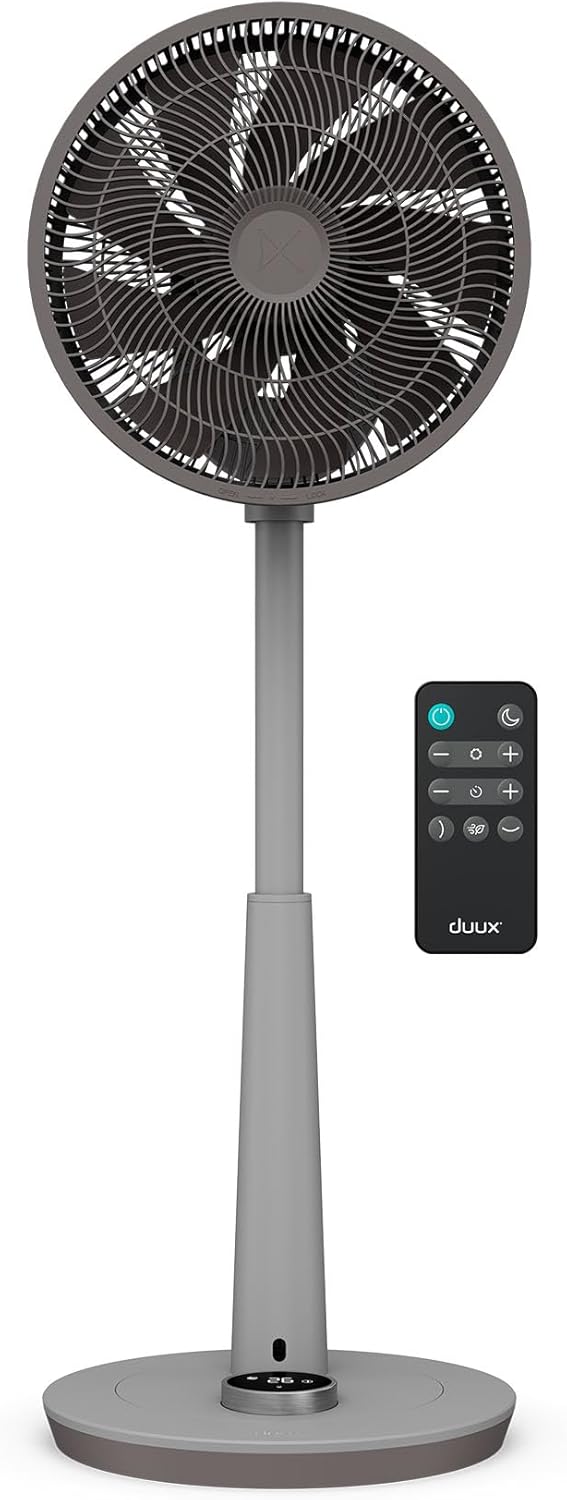
Figure 1: Duux Whisper 2 Standing Fan and Remote Control
Important Safety Instructions
Always follow basic safety precautions when using electrical appliances to reduce the risk of fire, electric shock, and injury to persons.
- Do not operate any fan with a damaged cord or plug.
- Do not run cord under carpeting.
- Do not immerse the fan in water or other liquids.
- Close supervision is necessary when any appliance is used by or near children.
- Unplug from outlet when not in use or before cleaning.
- Use only as described in this manual.
Package Contents
Verify that all components are present in the package:
- Duux Whisper 2 Fan Unit (Base, Pole, Fan Head)
- Remote Control
- User Manual (this document)
Setup and Assembly
Follow these steps to assemble your Duux Whisper 2 fan:
- Carefully remove all components from the packaging.
- Place the fan base on a stable, flat surface.
- Insert the main pole into the base, ensuring it clicks securely into place.
- Attach the fan head to the top of the pole.
- Connect the power cord to a suitable electrical outlet.

Figure 2: Fan height adjustment options (95 cm and 73 cm)
The fan's height can be adjusted between 73 cm and 95 cm by extending or retracting the telescopic pole. This allows for personalized cooling based on your needs.

Figure 3: Effortless height transition between 73-95cm
Operating Instructions
Controls
The Duux Whisper 2 fan can be controlled via the integrated digital LED display on the base or the included remote control.

Figure 4: Fan base controls and display
The remote control offers convenient operation from a distance. It can be magnetically stored on the fan unit when not in use.

Figure 5: Magnetic remote control storage
Fan Speeds and Modes
The fan offers 26 wind speeds and multiple operating modes:
- Normal Mode: Provides a continuous airflow at your selected speed (1-26).
- Natural Wind Mode: Simulates a natural breeze by varying the fan speed.
- Night Mode: Operates at an ultra-quiet level (as low as 13 dB) with dimmed display lights for undisturbed sleep.

Figure 6: Whisper-quiet operation at 13 decibels
Oscillation
The fan features multi-directional oscillation to distribute air effectively throughout the room.
- Horizontal Oscillation: Up to 120 degrees.
- Vertical Oscillation: Up to 100 degrees.
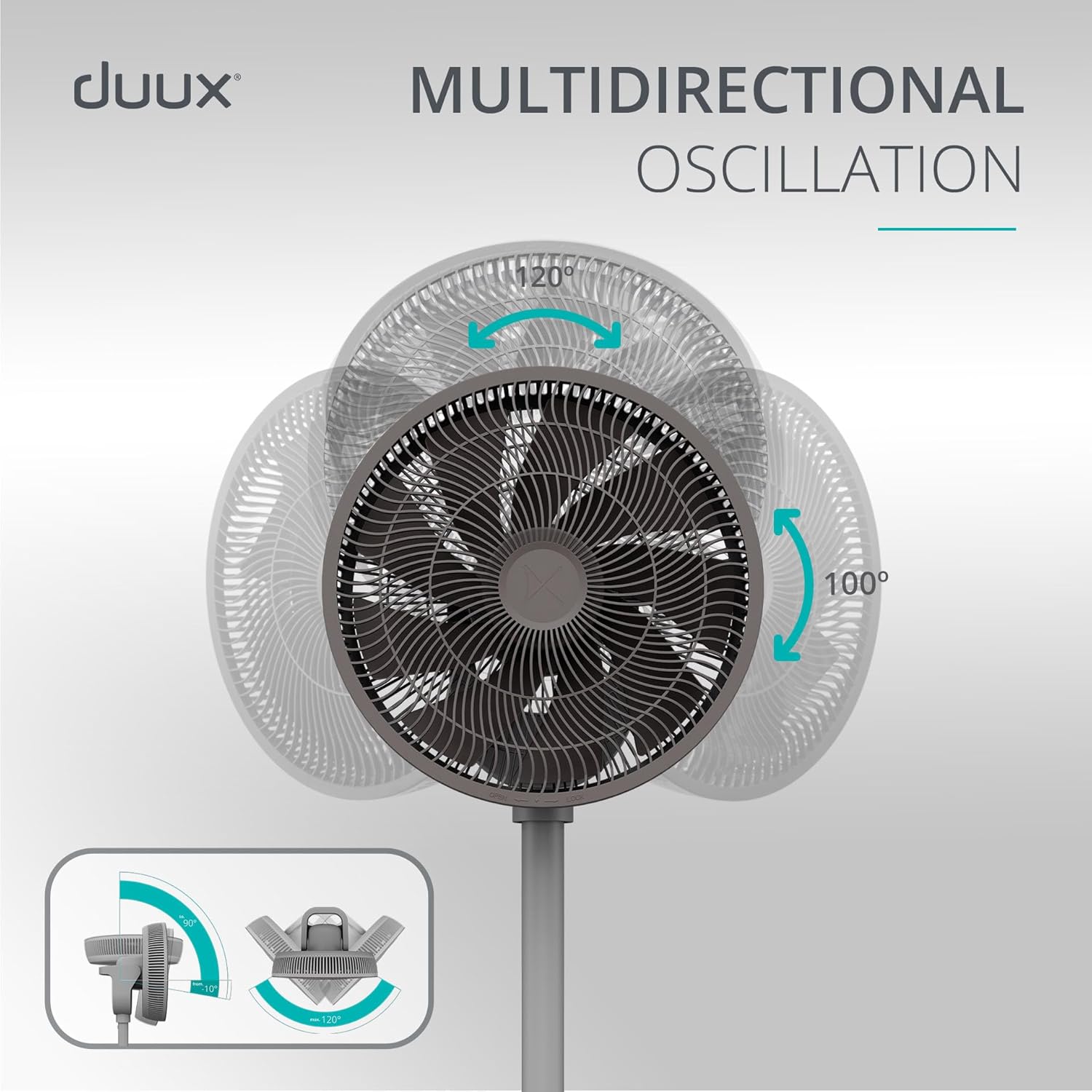
Figure 7: Multi-directional oscillation for wide coverage
Timer Function
Set the fan to automatically turn off after a specified period using the timer function. Refer to the remote control or base display for timer settings.
Maintenance and Cleaning
Regular cleaning ensures optimal performance and longevity of your fan.
- Always unplug the fan before cleaning.
- Use a soft, damp cloth to wipe down the exterior surfaces.
- Do not use abrasive cleaners or solvents.
- For cleaning the fan blades, carefully remove the front grille according to the instructions in the full product manual (if applicable).
- Ensure all parts are completely dry before plugging the fan back in.
Troubleshooting
If you encounter issues with your Duux Whisper 2 fan, consult the following table:
| Problem | Possible Cause | Solution |
|---|---|---|
| Fan does not turn on. | No power supply. | Check if the power cord is securely plugged into a working outlet. |
| Weak airflow. | Fan speed too low; obstructed air intake/output. | Increase fan speed. Clean dust from grilles. Ensure no obstructions. |
| Fan is noisy. | Fan not on a flat surface; loose parts; dust accumulation. | Place fan on a stable, flat surface. Check for loose components. Clean fan blades and grilles. |
| Remote control not working. | Dead battery; obstruction between remote and fan. | Replace remote control battery. Ensure direct line of sight to the fan's sensor. |
If the problem persists after attempting these solutions, please contact Duux customer support.
Specifications
| Feature | Detail |
|---|---|
| Model Number | DXCF27UK |
| Product Dimensions | 34 x 34 x 95 cm (L x W x H) |
| Item Weight | 6.1 kg |
| Power Source | Corded Electric |
| Voltage | 230 Volts |
| Wattage | 19 watts (max) |
| Sound Level | 13 dB (min) - 56 dB (max) |
| Cooling Speeds | 26 |
| Oscillation | Multi-direction (120° horizontal, 100° vertical) |
| Special Features | Night Mode, Timer, Remote Control |
Warranty and Support
The Duux Whisper 2 Standing Fan comes with a manufacturer's warranty. Please refer to the warranty card included with your purchase for specific terms and conditions.
For technical support, spare parts, or warranty claims, please visit the official Duux website or contact their customer service department. Contact information can typically be found on the Duux website or on your purchase receipt.
Note: Keep your proof of purchase for warranty purposes.
Ask a question about this manual
Ask about setup, troubleshooting, compatibility, parts, safety, or missing instructions. Manuals+ will review the question and use this page’s manual context to help answer it.