Important Safety Information
Please read and understand all safety warnings before assembly and use. Failure to follow these instructions may result in injury or damage to the product.
- Always assemble and disassemble with care.
- Keep away from heat sources and open flames.
- Secure the gazebo to a stable foundation using stakes and guy ropes (not included, but recommended for stability) when in use.
- Do not leave the gazebo unattended during windy conditions, heavy rain, or snow. Disassemble and store the gazebo in severe weather.
- Ensure all components are properly connected and secured before use.
Product Overview
The Garvee 13x13FT Pop Up Gazebo provides a spacious and shaded area for various outdoor activities. Its design focuses on ease of setup, durability, and protection from elements.
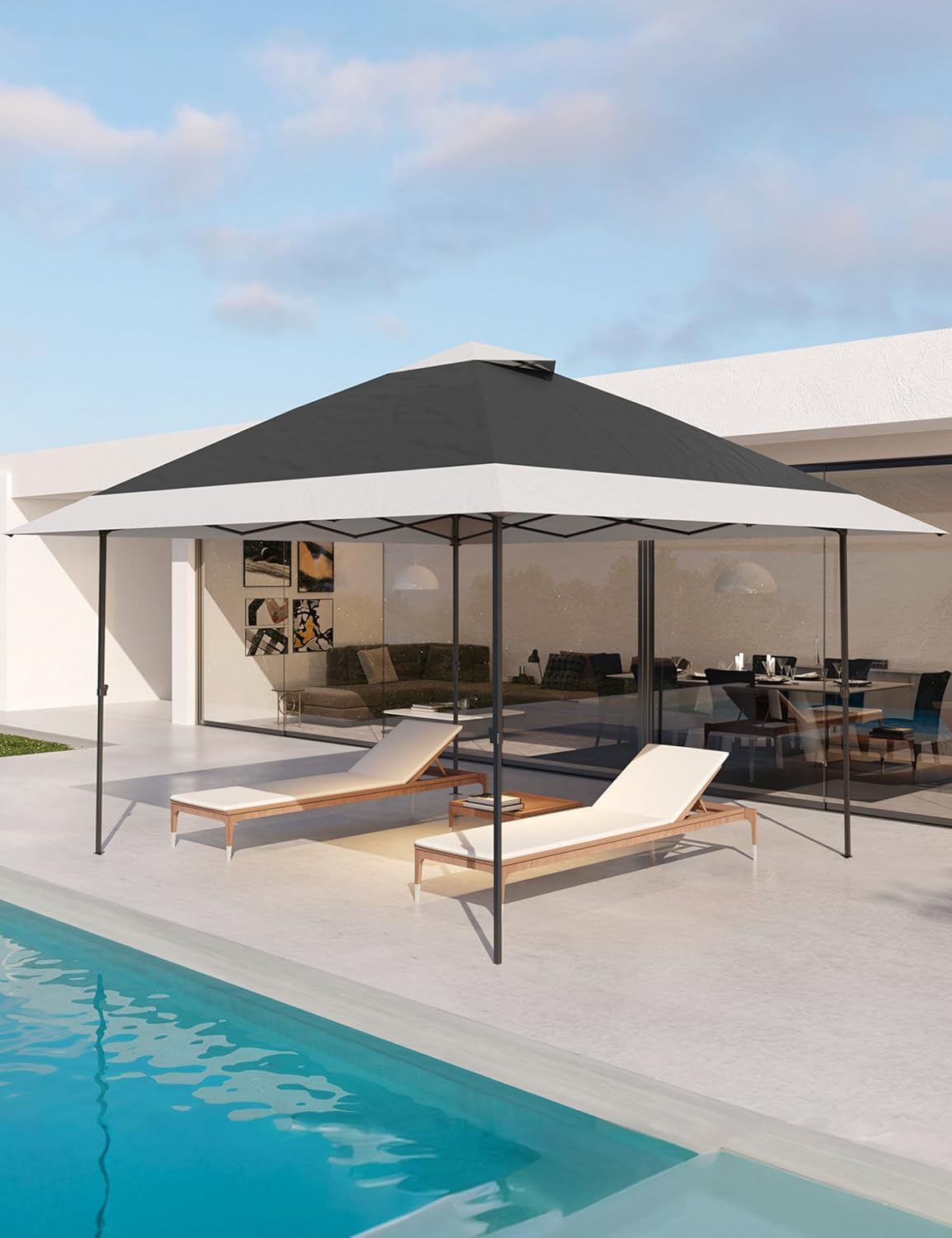
Figure 1: Fully assembled Garvee 13x13FT Pop Up Gazebo.
Key Features:
- Stable Construction: Features a thickened steel frame with a rust-resistant coating for enhanced longevity and stability.
- Material: Canopy made with silver-plated PU lining, offering UPF 50+ UV protection. The material is waterproof and sun-proof, complemented by high-quality mosquito nets for protection and airflow.
- Spacious Design: Provides 169 square feet of shaded space, comfortably accommodating up to 10 people.
- Versatile Mosquito Net Walls: Includes four zippered mosquito net walls that can be easily attached or removed, keeping insects away while maintaining visibility.
- Easy Installation: Designed for quick setup by 1-2 people.

Figure 2: Detail of the sturdy steel frame and rust-resistant coating.

Figure 3: View of the ventilated double tops for improved airflow.
Package Contents
Before beginning assembly, ensure all parts listed below are present and undamaged. If any parts are missing or damaged, do not proceed with assembly and contact customer service.
- Pop-up Gazebo Frame (Pre-assembled)
- Canopy Top Fabric
- Mosquito Net Walls (x4)
- Storage Bag
- Ground Stakes (for securing legs)
- Guy Ropes (for additional stability, if included)
- Instruction Manual
Setup Instructions
Assembly typically requires 1-2 people. Choose a level surface for setup, clear of overhead obstructions and sharp objects.
- Unpack and Position: Remove all components from the packaging. Place the folded gazebo frame in the center of your desired setup area.
- Partially Open Frame: With a person at opposite corners, gently pull the frame outwards until it is partially open. Do not fully extend yet.
- Attach Canopy Top: Drape the canopy fabric over the partially opened frame. Secure the corners of the canopy to the frame's corner posts using the attached fasteners (e.g., Velcro straps or clips). Ensure the canopy is centered and evenly distributed.
- Fully Extend Frame: From under the canopy, push up on the central hub of the frame until it locks into place. Ensure all four corners are fully extended and locked.
- Adjust Leg Height: Press the push-button releases on each leg and extend the legs to your desired height. Ensure all legs are set to the same height for stability.
- Secure Gazebo: Use the provided ground stakes to secure each leg to the ground. For additional stability, especially in breezy conditions, attach guy ropes to the canopy corners and stake them into the ground at an angle.
- Attach Mosquito Net Walls (Optional): If desired, attach the mosquito net walls to the gazebo frame using the integrated zippers or fasteners. Zip them together at the corners.

Figure 4: Visual guide for the three main installation steps.

Figure 5: Gazebo in use in a natural outdoor setting.
Operating Instructions
Adjusting Height:
Each leg of the gazebo features a push-button mechanism for height adjustment. To adjust, press the button and slide the inner leg section up or down to the desired position. Ensure the button clicks securely into one of the pre-drilled holes at all four legs before releasing.
Using Mosquito Net Walls:
The four mosquito net walls can be zipped together at the corners to create an enclosed space, protecting against insects. Each wall can also be rolled up and secured with ties (if present) when not needed, or removed entirely for an open canopy experience.

Figure 6: Detail of the zippered mosquito net wall.
Maintenance
Cleaning:
- Clean the canopy fabric with mild soap and water. Do not use harsh chemicals or abrasive cleaners.
- Rinse thoroughly and allow the fabric to air dry completely before folding and storing.
- Wipe down the steel frame with a damp cloth to remove dirt and debris.
Storage:
- Ensure the gazebo is completely dry before disassembling and storing to prevent mold and mildew.
- Fold the frame carefully and place all components back into the original storage bag.
- Store in a cool, dry place away from direct sunlight and extreme temperatures.
Troubleshooting
Gazebo is unstable:
- Ensure all legs are extended to the same height and locked securely.
- Verify that the frame's central hub is fully locked into place.
- Use all provided ground stakes to anchor the legs. Consider purchasing additional heavy-duty stakes or sandbags for extra stability in windy conditions.
- Do not use in strong winds.
Water pooling on canopy:
- Ensure the canopy is taut and evenly stretched over the frame.
- Check that the frame is fully extended and locked, providing proper tension to the canopy.
- In heavy rain, water pooling can still occur. It is recommended to disassemble the gazebo during prolonged heavy rainfall.
Specifications
| Attribute | Detail |
|---|---|
| Brand | Garvee |
| Model Number | SC-WH-PYQ007 |
| Material | Alloy Steel, Polyurethane |
| Product Dimensions (Folded) | 55.12"L x 8.66"W x 9.45"H |
| Frame Material | Alloy Steel |
| Water Resistance Level | Waterproof |
| Shape | Square |
| Ultraviolet Light Protection | UV Protection (UPF 50+) |
| Assembly Required | Yes |
| Color | Dark Grgy+Light Grey |
| Floor Area | 169 Square Feet (13x13FT) |
| Item Weight | 46.5 pounds |
| UPC | 199108952653 |

Figure 7: Product dimensions diagram.
Warranty Information
For detailed warranty information, please refer to the manufacturer's official website or contact Garvee customer service directly. Keep your purchase receipt as proof of purchase.
Customer Support
If you have any questions, require assistance with assembly, or need to report missing/damaged parts, please contact Garvee customer service. Contact details can typically be found on the product packaging or the official Garvee website.


