
1. Introduction
This manual provides detailed instructions for the safe and effective operation of your 4DRC S7 RC Boat. The 4DRC S7 is a high-speed remote control boat designed for use in pools and lakes, featuring LED lights and a 2.4GHz control system. Please read this manual thoroughly before first use to ensure proper setup and to maximize your enjoyment of the product.
2. Safety Precautions
- Always operate the boat in open water, away from people, animals, and obstacles.
- Do not operate in saltwater.
- Ensure the battery compartment is securely sealed before placing the boat in water.
- Adult supervision is recommended for users under 14 years of age.
- Never touch the propeller when the boat is powered on.
- Remove batteries from both the boat and remote control when not in use.
- Do not attempt to modify the boat or its components.
3. Package Contents
Verify that all items are present in your package:
- 4DRC S7 RC Boat
- Remote Control
- Rechargeable Boat Batteries (x2)
- USB Charging Cable
- Spare Propellers (x2)
- Screwdriver
- Instruction Manual (this document)

Figure 3.1: 4DRC S7 RC Boat and included accessories.
4. Product Overview
The 4DRC S7 RC Boat is engineered for performance and durability. Key features include:
- High-Speed Operation: Capable of reaching speeds up to 30KMH.
- 7-Mode LED Lights: Integrated LED lights for enhanced visibility and visual appeal during operation.
- Dual Motor Drive: Provides strong driving force for efficient movement.
- Self-Righting Function: Designed to automatically flip back upright if it capsizes.
- Triple Sealed Waterproof Design: Multiple layers of sealing protect internal components from water intrusion.
- 2.4GHz Remote Control: Ensures stable and interference-free control, allowing multiple boats to operate simultaneously.
- Low Power Alarm: Alerts the user when the boat's battery is running low.

Figure 4.1: The 4DRC S7 RC boat in action, highlighting its racing quality.

Figure 4.2: Illustration of the boat's speed capability and power components.
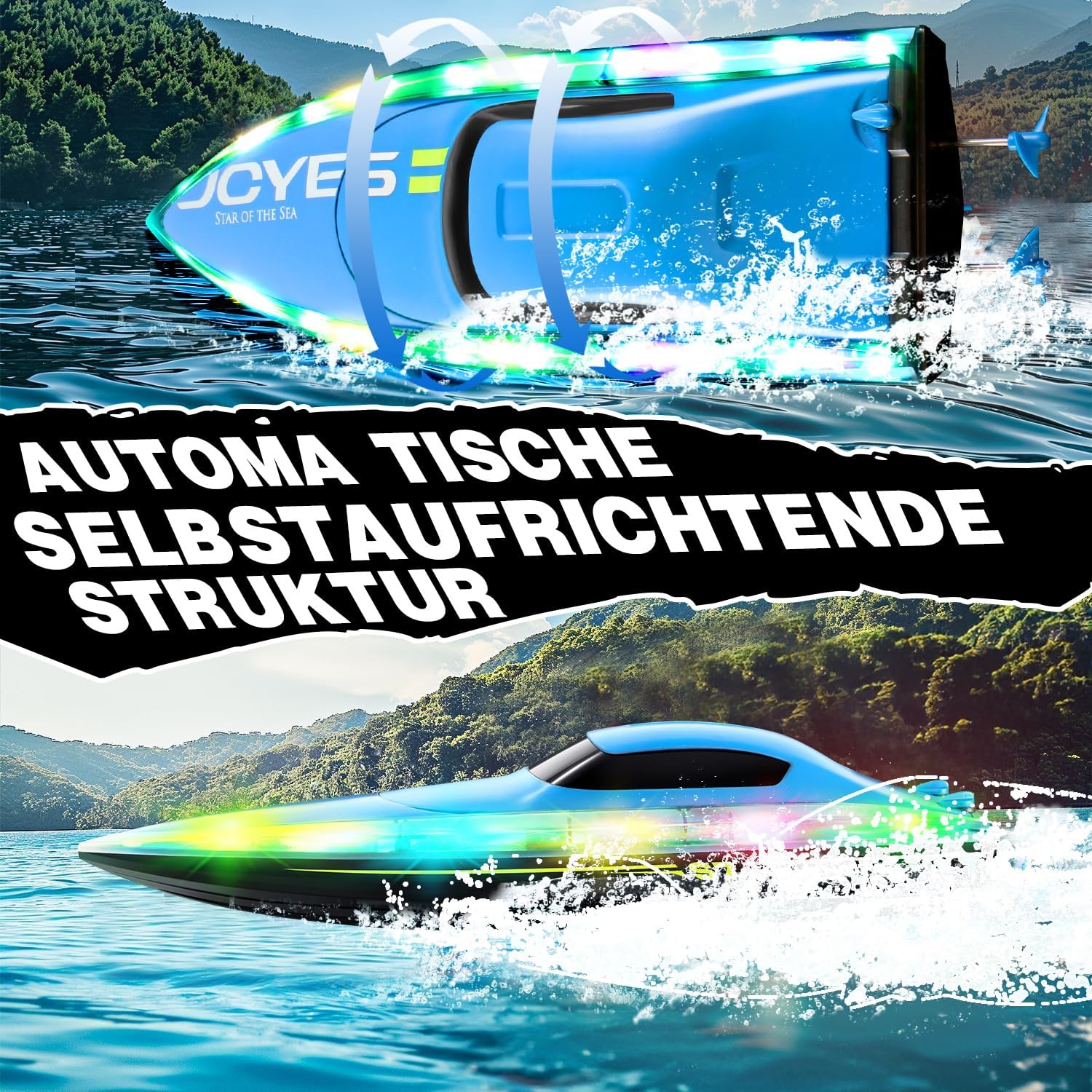
Figure 4.3: The boat's automatic self-righting mechanism.
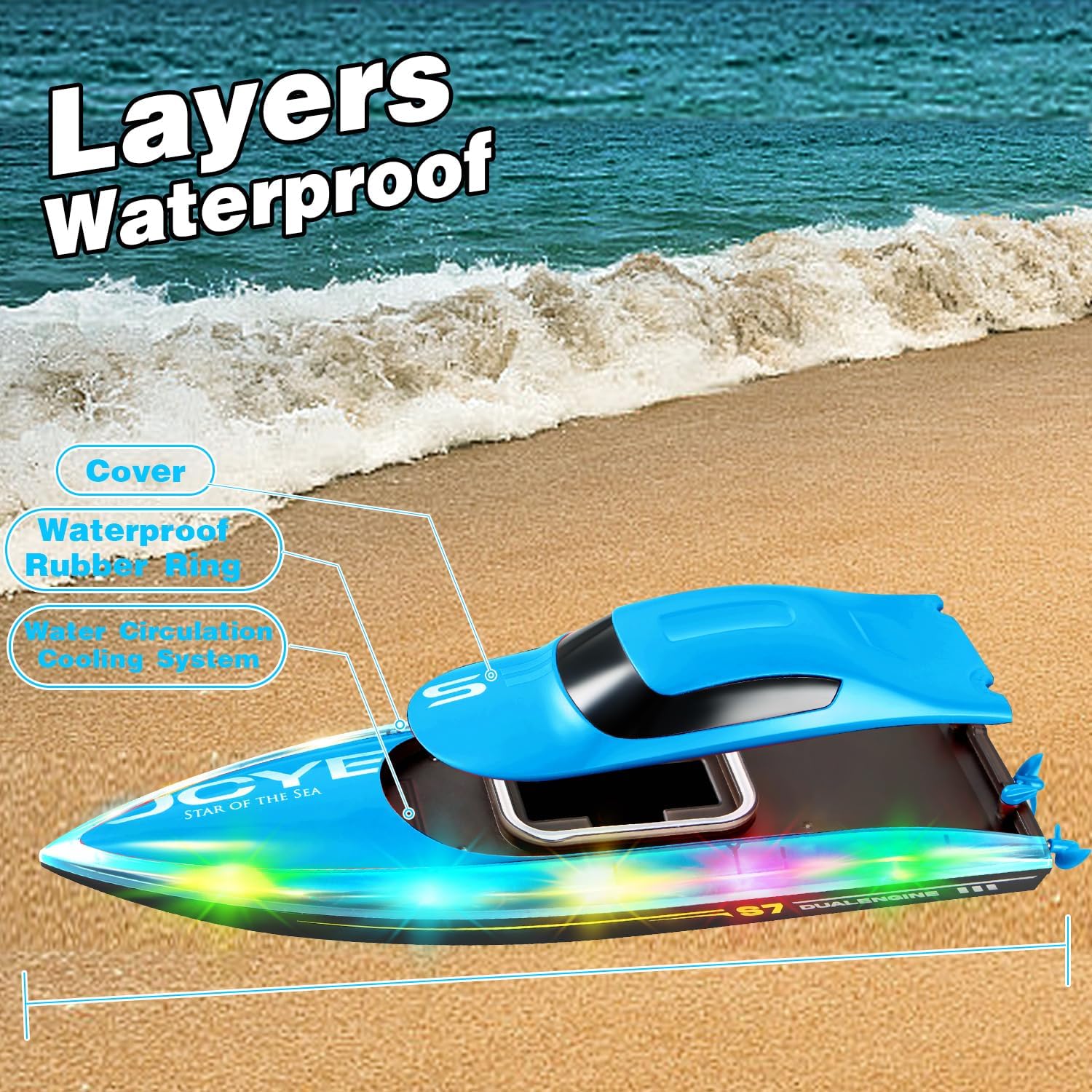
Figure 4.4: Cross-section view illustrating the multi-layered waterproof design.
5. Setup
5.1 Charging the Boat Battery
- Open the boat's battery compartment by unlatching the cover.
- Remove the rechargeable battery from the boat.
- Connect the boat battery to the USB charging cable.
- Plug the USB charging cable into a standard USB power adapter (not included).
- The charging indicator light on the USB cable will illuminate during charging and turn off when fully charged.
- Charging time is approximately 50 minutes per battery.

Figure 5.1: Battery life and charging time information.
5.2 Installing Batteries in the Remote Control
- Locate the battery compartment on the back of the remote control.
- Open the battery cover.
- Insert 2 AA batteries (included) into the compartment, observing correct polarity (+/-).
- Close the battery cover securely.
5.3 Installing the Boat Battery
- After charging, insert the boat battery into the battery compartment.
- Connect the battery plug to the boat's power connector.
- Ensure the battery is seated correctly and the wires are not pinched.
- Close the battery compartment cover firmly, ensuring the waterproof seal is intact.
6. Operating Instructions
6.1 Powering On and Pairing
- Place the boat in water. The boat will not activate out of water for safety.
- Turn on the remote control. The indicator light on the remote will flash.
- The remote control and boat will automatically pair. The remote's indicator light will become solid when paired successfully.
6.2 Basic Controls
- Forward/Backward: Push the left joystick forward or backward.
- Turn Left/Right: Push the right joystick left or right.
- Speed Adjustment: The remote may have a speed adjustment button or trigger for varying speeds.

Figure 6.1: Remote control range and frequency.
6.3 LED Light Modes
The boat features multiple LED light modes. Refer to your remote control for specific buttons to cycle through or activate different light patterns.
6.4 Low Power Alarm
When the boat's battery is low, the remote control will emit an alarm sound or the boat's lights may flash. This indicates it's time to bring the boat back to shore to avoid losing control.

Figure 6.2: Visual representation of the low power alarm feature.
6.5 One-Click Demo Mode
The boat may feature a one-click demo mode for automatic display of its capabilities. Consult your remote control for the specific button to activate this feature.

Figure 6.3: The boat executing its one-click demo routine.
6.6 Official Product Video
Video 6.1: Official demonstration of the 4DRC S7 RC Boat's features and operation, including LED lights and speed capabilities.
7. Maintenance
- After each use, thoroughly dry the boat with a soft cloth.
- Open the battery compartment and dry any moisture inside.
- Remove the boat battery and remote control batteries for long-term storage.
- Inspect the propeller for any debris or damage. Clean if necessary.
- Store the boat and remote control in a cool, dry place away from direct sunlight.
8. Troubleshooting
| Problem | Possible Cause | Solution |
|---|---|---|
| Boat does not move. | Boat not in water; battery low/not connected; remote not paired; propeller obstructed. | Place boat in water; charge/connect battery; re-pair remote; clear propeller. |
| Loss of control/short range. | Low remote battery; interference; boat too far. | Replace remote batteries; move to a different location; operate within range (approx. 394ft). |
| Water inside battery compartment. | Battery cover not sealed properly. | Immediately remove battery, dry compartment and components thoroughly. Ensure proper sealing before next use. |
| Boat capsizes frequently. | Operating in rough water; excessive speed in turns. | Operate in calmer water; reduce speed during turns. The self-righting feature should correct it. |
9. Specifications
- Product Dimensions: 12.6 x 3.9 x 2.7 inches
- Item Weight: 1.21 pounds
- Item Model Number: 4D-S7
- Manufacturer Recommended Age: 8 - 8 years
- Batteries: 2 AA batteries required for remote (included), 2 rechargeable boat batteries (included).
- Max Speed: Up to 30KMH
- Control Frequency: 2.4GHz
10. Warranty and Support
For warranty information or technical support, please refer to the contact details provided on the product packaging or the official 4DRC website. Keep your purchase receipt as proof of purchase for any warranty claims.

