
1. Introduction
This manual provides essential instructions for the proper setup, operation, and maintenance of your SUMREDA G38 RGB Mechanical Keyboard. Please read this manual thoroughly before using the product to ensure optimal performance and longevity.
2. Package Contents
Upon unboxing, please verify that all items listed below are present and in good condition:
- SUMREDA G38 RGB Mechanical Keyboard (82-key layout)
- Type-C USB Cable
- User Manual (this document)
If any items are missing or damaged, please contact your retailer or SUMREDA customer support.
3. Setup
3.1 Connecting the Keyboard
- Locate the Type-C port on the back or side of your SUMREDA G38 keyboard.
- Insert one end of the provided Type-C USB cable into the keyboard's Type-C port.
- Insert the other end of the USB cable into an available USB port on your computer.
- The keyboard will be automatically recognized by your operating system (Windows, macOS, Linux). No additional drivers are typically required for basic functionality.
The keyboard's RGB lighting should illuminate upon successful connection, indicating it is powered on and ready for use.
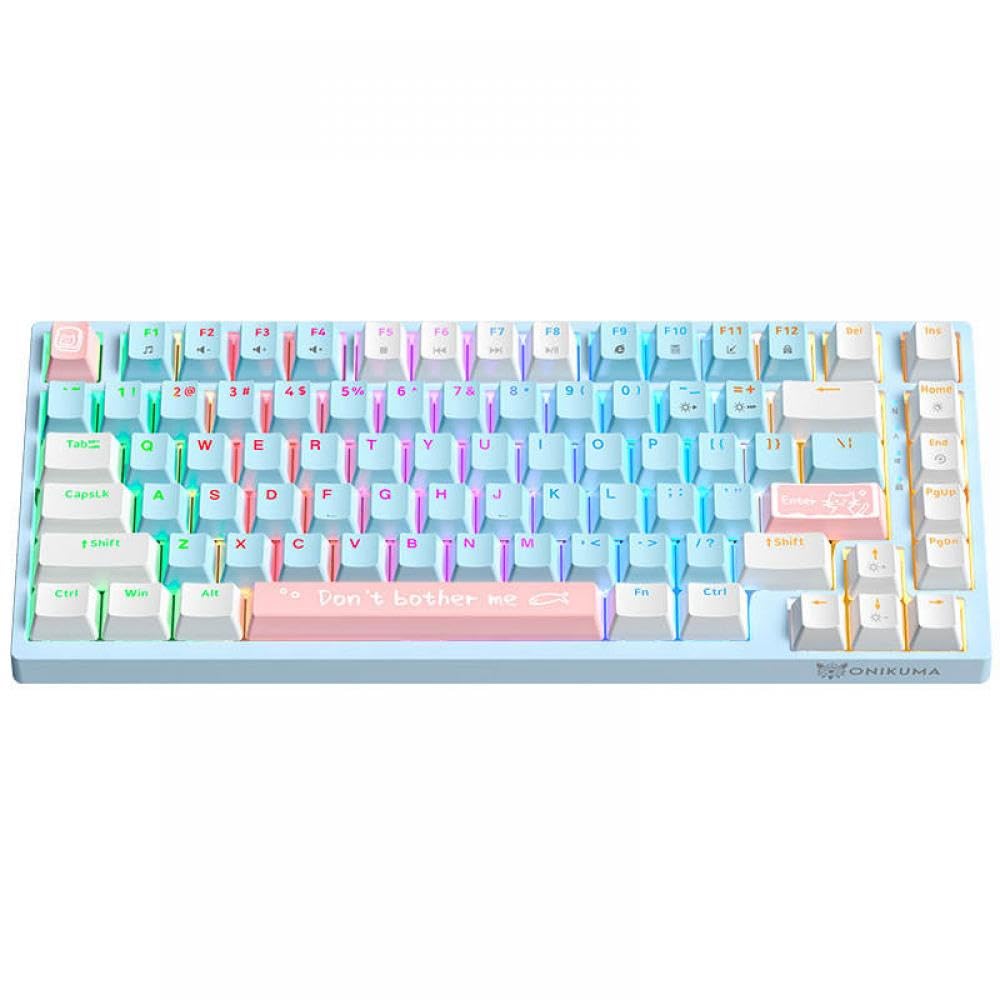
Image: The SUMREDA G38 RGB Mechanical Keyboard, showcasing its compact 82-key layout and the Type-C connection port.
4. Operating Instructions
4.1 Basic Keyboard Functions
The SUMREDA G38 functions as a standard 82-key mechanical keyboard. All keys perform their labeled functions. For special characters or functions typically accessed via a full-sized keyboard's number pad, refer to your operating system's character map or on-screen keyboard.
4.2 RGB Lighting Control
The G38 keyboard features customizable RGB backlighting. Use the following key combinations to adjust the lighting effects:
- Fn + \ |: Cycle through different RGB lighting modes.
- Fn + [ {: Decrease backlight brightness.
- Fn + ] }: Increase backlight brightness.
- Fn + ; :: Decrease lighting effect speed.
- Fn + ' ": Increase lighting effect speed.
- Fn + Left Arrow: Change backlight color (in certain modes).
- Fn + Right Arrow: Change backlight color (in certain modes).
Note: Specific lighting effects and color options may vary depending on the selected mode.
5. Maintenance
5.1 Cleaning the Keyboard
Regular cleaning helps maintain the keyboard's appearance and functionality.
- Disconnect Power: Always unplug the keyboard from your computer before cleaning.
- Dust Removal: Use a can of compressed air to blow away dust and debris from between the keycaps. Hold the can upright to prevent propellant discharge.
- Surface Cleaning: Gently wipe the keycaps and keyboard surface with a soft, lint-free cloth lightly dampened with water or a mild, non-abrasive cleaning solution. Avoid excessive moisture.
- Drying: Ensure the keyboard is completely dry before reconnecting it to your computer.
Do not immerse the keyboard in water or use harsh chemicals, as this can damage the electronic components.
5.2 Storage
When not in use for extended periods, store the keyboard in a cool, dry place away from direct sunlight and extreme temperatures.
6. Troubleshooting
If you encounter issues with your SUMREDA G38 keyboard, please refer to the following common solutions:
| Problem | Possible Cause | Solution |
|---|---|---|
| Keyboard not responding | Loose cable connection, faulty USB port, system driver issue. |
|
| RGB lighting not working or stuck | Incorrect lighting mode selected, software conflict, power issue. |
|
| Keys not registering or double-typing | Dust/debris under keycap, switch malfunction. |
|
If the problem persists after attempting these solutions, please contact SUMREDA customer support for further assistance.
7. Specifications
| Feature | Detail |
|---|---|
| Brand | SUMREDA (Manufacturer: YTbHXE) |
| Model Name | G38 |
| Model Number | YTbHXE996 |
| Connectivity | Wired, Type-C USB |
| Key Layout | 82 Keys |
| Keyboard Type | Mechanical |
| Backlighting | RGB, Customizable |
| Dimensions (approx.) | 3 x 2 x 1 cm (Parcel Dimensions, actual product dimensions may vary slightly) |
| Weight (approx.) | 400 g (Parcel Weight, actual product weight may vary slightly) |
| Color | Blue (82 keys variant) |
| Origin | China |
Note: Specifications are subject to change without prior notice.
8. Warranty and Support
8.1 Product Warranty
Specific warranty terms and conditions for the SUMREDA G38 RGB Mechanical Keyboard are provided by the retailer or manufacturer at the time of purchase. Please retain your proof of purchase for warranty claims. For detailed warranty information, refer to the documentation included with your product or contact your point of purchase.
8.2 Customer Support
For technical assistance, troubleshooting, or inquiries regarding your SUMREDA G38 keyboard, please contact the seller or the manufacturer, YTbHXE. Contact information can typically be found on the product packaging or the retailer's website.
