
OSOTEK WSC41A.1
OSOTEK F200 PRO Wet Dry Vacuum Cleaner User Manual
Product Overview
The OSOTEK F200 PRO is a revolutionary wet dry vacuum cleaner designed to provide deep and efficient cleaning for various floor types, including hardwood, tiles, and marble. It features an advanced foam cleaning system, smart dirt detection, and convenient self-cleaning capabilities.
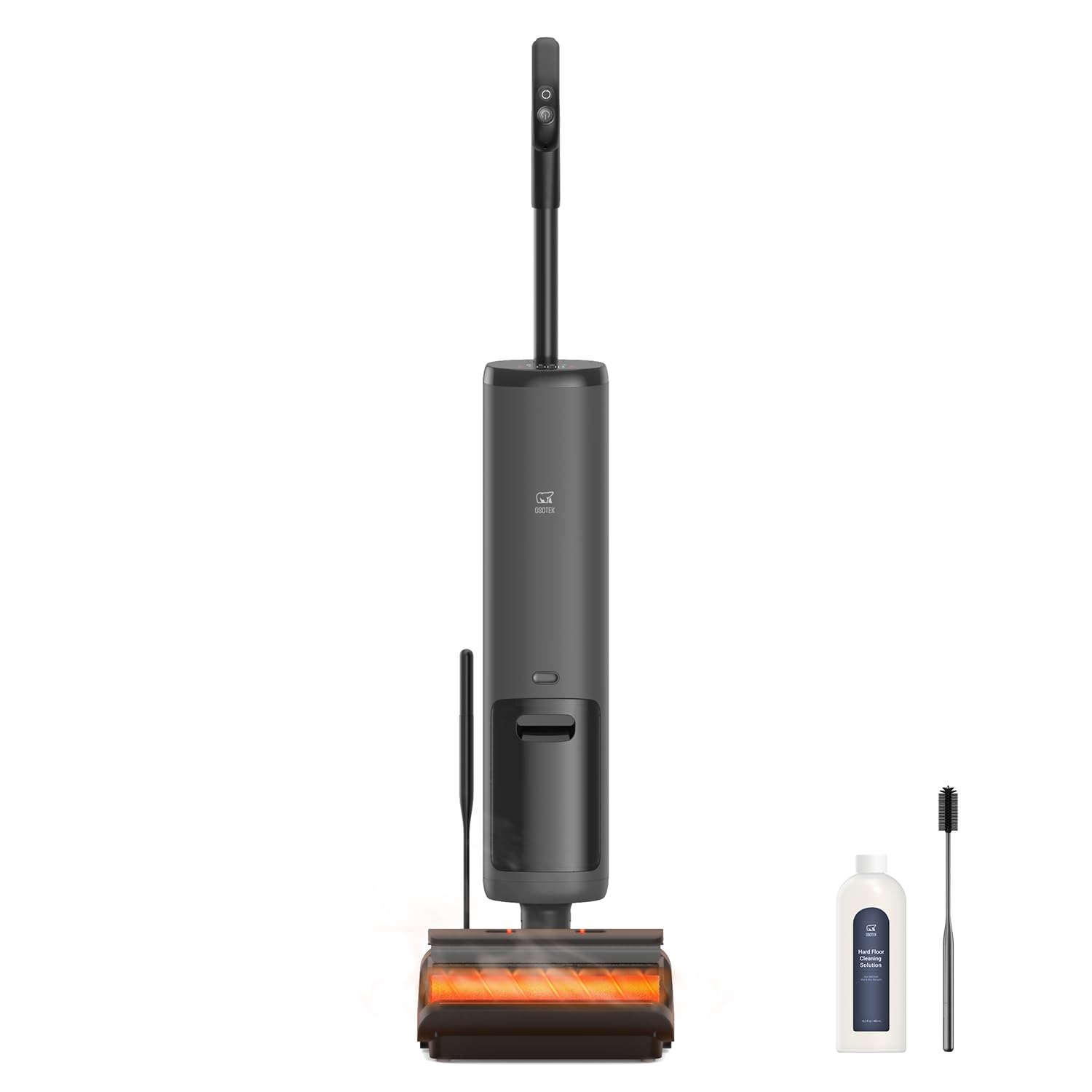
Image: The OSOTEK F200 PRO Wet Dry Vacuum Cleaner shown upright, with its charging dock, a bottle of cleaning solution, and a cleaning brush positioned beside it. The main unit is dark gray with a handle at the top and a roller brush visible at the base.
Key Features:
- Revolutionary Foam Cleaning Technology: Utilizes an advanced foam cleaning system for deep stain removal.
- 180° Tilt Design: Allows for flexible cleaning in hard-to-reach areas, such as under furniture.
- Smart Dirt Detection: Automatically identifies dirty areas and adjusts cleaning intensity for optimal results.
- Self-Cleaning & Hot Air Drying: Features hot water self-cleaning and 30-minute hot air drying for hygiene and convenience.
- Powerful 20000Pa Suction: Provides exceptional suction power for picking up dirt, debris, and liquids.
- Edge Cleaning & Brush Lighting: Equipped with brushes for cleaning along walls and LED lights for dark corners.
- Self-Propelled: Reduces user fatigue with effortless self-propelled motion.
- 40-Min Runtime: Long-lasting battery provides up to 40 minutes of continuous cleaning.
Setup Guide
- Unpacking: Carefully remove all components from the packaging. Verify that all parts listed in the packing list are present.
- Handle Assembly: Insert the handle into the main body of the vacuum cleaner until it clicks securely into place.
- Charging: Place the vacuum cleaner on the charging dock. Ensure the charging contacts align. The indicator light will show charging status. Fully charge the battery before first use (approximately 4-5 hours).
- Filling the Clean Water Tank: Locate the clean water tank (usually marked with a blue or clear cap). Remove the tank, open the cap, and fill with clean water up to the MAX line. For enhanced cleaning, add the recommended amount of OSOTEK cleaning solution. Securely close the cap and reinsert the tank into the vacuum cleaner.
- Initial Self-Cleaning Cycle: It is recommended to run a self-cleaning cycle before the first use to prime the system. Refer to the 'Maintenance' section for instructions on initiating a self-cleaning cycle.
Operating Instructions
- Power On: Press and hold the power button on the handle for 2 seconds to turn on the vacuum cleaner. The display screen will illuminate.
- Mode Selection: The vacuum cleaner typically starts in standard cleaning mode. If available, press the mode selection button to switch between different cleaning modes (e.g., MAX mode for stubborn stains, Foam mode for foam cleaning).
- Cleaning Process: Tilt the vacuum cleaner back to engage the brush roll. The self-propelled feature will assist in movement. Guide the vacuum cleaner slowly over the floor surface. The smart dirt detection system will automatically adjust suction and water flow based on the detected dirt level.
- Edge Cleaning: For cleaning along walls and baseboards, position the vacuum cleaner with its side against the edge. The edge-cleaning brushes will activate.
- Using the 180° Tilt: To clean under low furniture, gently tilt the handle back until the main body lies nearly flat. This allows the cleaning head to reach confined spaces.
- Monitoring Tanks: Pay attention to the clean water tank and dirty water tank indicators. Refill the clean water tank when empty and empty the dirty water tank when full.
- Power Off: After cleaning, return the vacuum cleaner to an upright position. Press and hold the power button for 2 seconds to turn it off.
Maintenance
Regular maintenance ensures optimal performance and extends the lifespan of your OSOTEK F200 PRO.
After Each Use:
- Self-Cleaning Cycle: Place the vacuum cleaner on the charging dock. Press the self-clean button (refer to your device's specific button layout). The vacuum will perform a hot water self-cleaning cycle, followed by 30 minutes of hot air drying for the brush roll and internal components.
- Empty Dirty Water Tank: Remove the dirty water tank, open its lid, and dispose of the dirty water. Rinse the tank thoroughly with clean water.
- Clean Filter: Remove the HEPA filter from the dirty water tank. Rinse it under running water until clean. Allow it to air dry completely for at least 24 hours before reinserting. Do not use the vacuum without a dry filter.
Monthly Maintenance:
- Brush Roll Cleaning: Remove the brush roll cover and then the brush roll. Use the provided cleaning brush to remove any hair, debris, or tangled fibers. Rinse the brush roll under water if necessary and allow it to air dry completely before reinstallation.
- Charging Dock Cleaning: Wipe down the charging contacts and the dock base with a dry cloth to remove any dust or residue.
Troubleshooting
| Problem | Possible Cause | Solution |
|---|---|---|
| Vacuum does not turn on | Battery is low or depleted. Not properly seated on charging dock. | Charge the battery fully. Ensure the vacuum is correctly placed on the charging dock. |
| Poor suction | Dirty water tank full. Clogged filter. Brush roll tangled. | Empty and clean the dirty water tank. Clean or replace the HEPA filter. Remove debris from the brush roll. |
| Water leakage | Clean/dirty water tank not properly installed. Tank caps not sealed. | Ensure both tanks are securely latched. Check that tank caps are tightly closed. |
| Abnormal noise | Debris caught in brush roll or air ducts. | Inspect and clear any obstructions from the brush roll area and air ducts. |
| Self-cleaning not working | Not enough water in clean water tank. Vacuum not on charging dock. | Fill the clean water tank. Ensure the vacuum is correctly positioned on the charging dock. |
Specifications
| Feature | Detail |
|---|---|
| Brand | OSOTEK |
| Model Name | F200 PRO |
| Item Model Number | WSC41A.1 |
| Special Feature | Wet/Dry Cleaning, Foam Cleaning, Self-Cleaning, Hot Air Drying, Smart Dirt Detection, Edge Cleaning, Self-Propelled |
| Filter Type | HEPA Filter |
| Included Components | Charging Dock |
| Cordless | Yes |
| Clean Water Tank Capacity | 770 Milliliters (approx.) |
| Color | Gray |
| Product Dimensions | 10.43"L x 10.28"W x 43.3"H |
| Item Weight | 12.57 pounds |
| Battery Type | Nonstandard Battery (included) |
| Runtime | Up to 40 minutes |
| Suction Power | 20000Pa |
Ask a question about this manual
Ask about setup, troubleshooting, compatibility, parts, safety, or missing instructions. Manuals+ will review the question and use this page’s manual context to help answer it.