1. Product Overview
The Braun MultiQuick 9 is a high-performance hand blender designed for versatile kitchen tasks. It features Active PowerDrive Technology with a powerful 700-watt motor, delivering up to 40% faster performance compared to previous models. The innovative iMode Technology offers three controlled speed modes (low, high, and pulse) for precise results. Its Advanced SmartSpeed control allows for intuitive, single-hand operation, adjusting power based on how hard you squeeze the trigger. The world's first ActiveBlade Technology ensures the blending shaft moves up and down, providing 250% more active cutting surface for finer blending with less effort. The unique PowerBell Plus design, with an extra milling blade, blends quicker and reduces splashing, keeping your kitchen clean.
This system is designed to simplify food preparation, offering a wide range of attachments for blending, chopping, crushing, emulsifying, and pureeing.
2. What's Included
Your Braun MQ9187XL MultiQuick 9 Hand Blender package includes the following components:
- Braun MQ9187XL MultiQuick 9 Hand Blender Motor Unit
- Metal Detachable Blending Wand with ActiveBlade Technology
- 1.5 Cups Chopper Attachment
- 20 oz Plastic Beaker
- Whisk Attachment
- Puree Masher Attachment
- 8 Cups Food Processor Attachment, including:
- Chopping Blade
- Julienne Insert
- Slicing Insert
- French Fry Insert
- Dough Kneading Hook

Image: All included attachments and the main motor unit of the Braun MultiQuick 9 Hand Blender.
3. Setup
Before first use, clean all parts that will come into contact with food. Ensure the motor unit is unplugged from the power outlet.
3.1 Assembling the Blending Wand
- Align the blending wand with the motor unit.
- Push the blending wand onto the motor unit until you hear a click, indicating it is securely locked.
- To detach, press the release buttons on the sides of the motor unit and pull the blending wand off.
3.2 Assembling Chopper/Food Processor
- Place the desired blade or insert into the chopper/food processor bowl.
- Place the lid onto the bowl, ensuring it is properly aligned.
- Attach the motor unit to the lid by aligning and pushing until it clicks into place.
3.3 Assembling Whisk/Masher
- Attach the whisk or masher accessory to its respective gearbox.
- Align the gearbox with the motor unit and push until it clicks into place.
4. Operating Instructions
The Braun MultiQuick 9 is designed for intuitive and efficient operation.
4.1 Power and Speed Control (iMode Technology & SmartSpeed)
- Plug the hand blender into a power outlet.
- The MultiQuick 9 features iMode Technology with three distinct speed modes:
- Low Speed Mode: Ideal for soft ingredients, slicing, and shredding.
- High Speed Mode: Provides the full 700-watt power for high-speed blending and tougher ingredients.
- Pulse Function: Delivers short bursts of power for even chopping without over-processing.
- Select your desired mode using the buttons on the top of the motor unit.
- Utilize the Advanced SmartSpeed trigger: The harder you squeeze the trigger, the more power you get. This allows for seamless speed adjustment without interruption.

Image: The iMode Technology control panel on the hand blender, illustrating the three speed modes.
4.2 ActiveBlade Technology
The blending wand's ActiveBlade moves up and down during operation. This unique feature allows the blade to reach ingredients at the bottom of deep containers and process tougher foods more effectively, ensuring smoother and finer results.
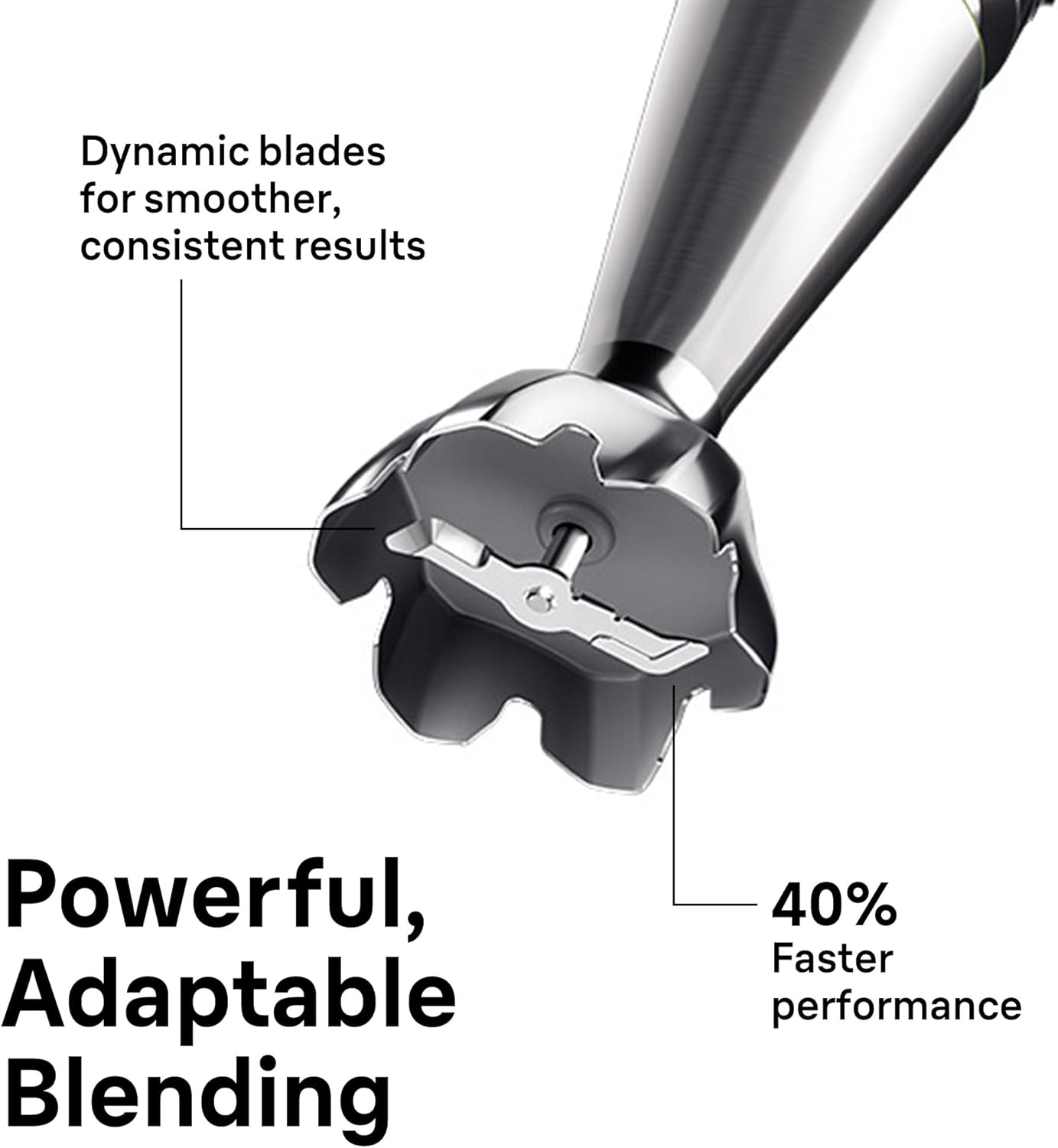
Image: The ActiveBlade mechanism of the blending wand, highlighting its ability to move vertically for improved blending.
4.3 EasyClick Plus System
The EasyClick Plus system allows for quick and easy attachment changes. Simply press the release buttons on the motor unit to detach an accessory, and then push the new accessory onto the motor unit until it clicks securely into place.
5. Attachment Usage
5.1 Blending Wand
Use the blending wand for pureeing soups directly in the pot, blending smoothies in the beaker, or preparing sauces and dips. The PowerBell Plus design minimizes splashing.

Image: The blending wand in action, demonstrating its use for pureeing soup.
5.2 1.5 Cups Chopper Attachment
Ideal for smaller chopping tasks such as herbs, onions, garlic, nuts, or small quantities of meat. Ensure ingredients are cut into small pieces before placing them in the chopper bowl.
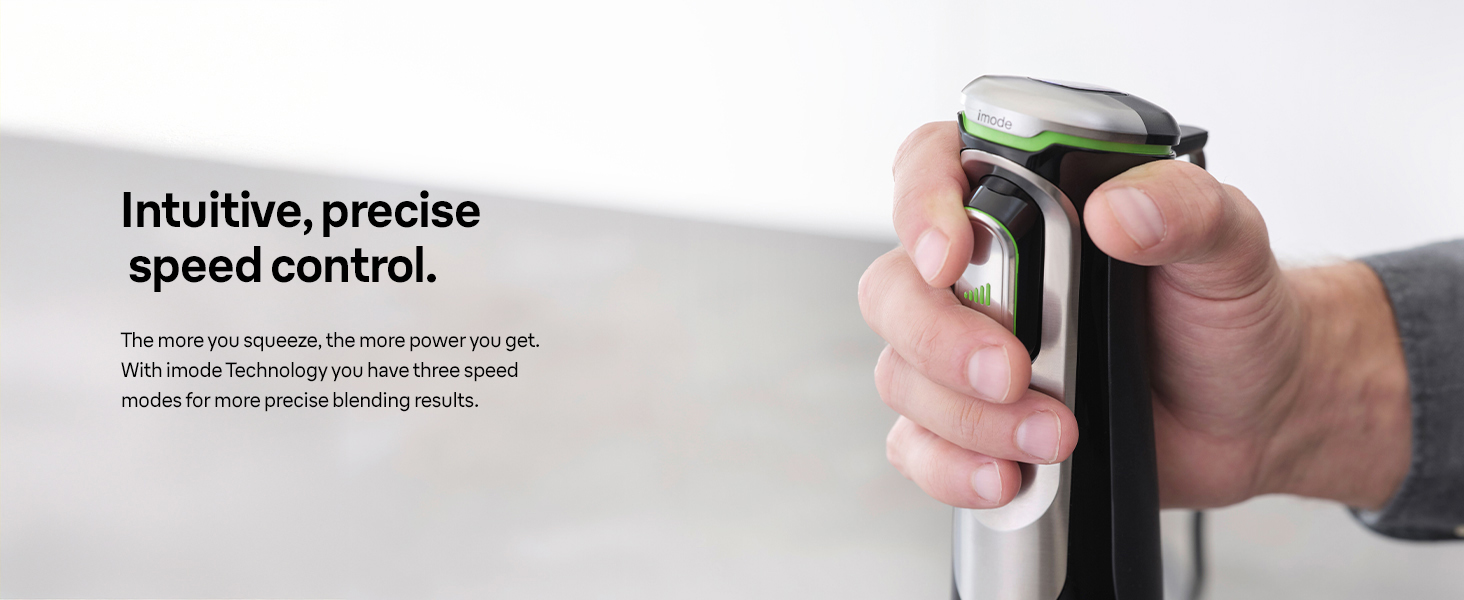
Image: The 500ml chopper attachment, suitable for mastering tasks from ice to hard cheese.
5.3 8 Cups Food Processor Attachment
This large capacity food processor is perfect for bigger tasks. It comes with various inserts:
- Chopping Blade: For chopping larger quantities of meat, vegetables, or nuts.
- Slicing/Shredding Discs: Use the Julienne, Slicing, and French Fry inserts for preparing vegetables for salads, stir-fries, or homemade fries.
- Dough Kneading Hook: For kneading small batches of dough.

Image: The XL Food Processor attachment, capable of chopping, slicing, shredding, and kneading.
5.4 Whisk Attachment
Attach the whisk for whipping cream, beating egg whites, or mixing light batters and dressings.

Image: The whisk attachment, perfect for fluffy omelettes and smooth dressings.
5.5 Puree Masher Attachment
Use the masher for effortlessly pureeing cooked vegetables like potatoes, carrots, or squash.
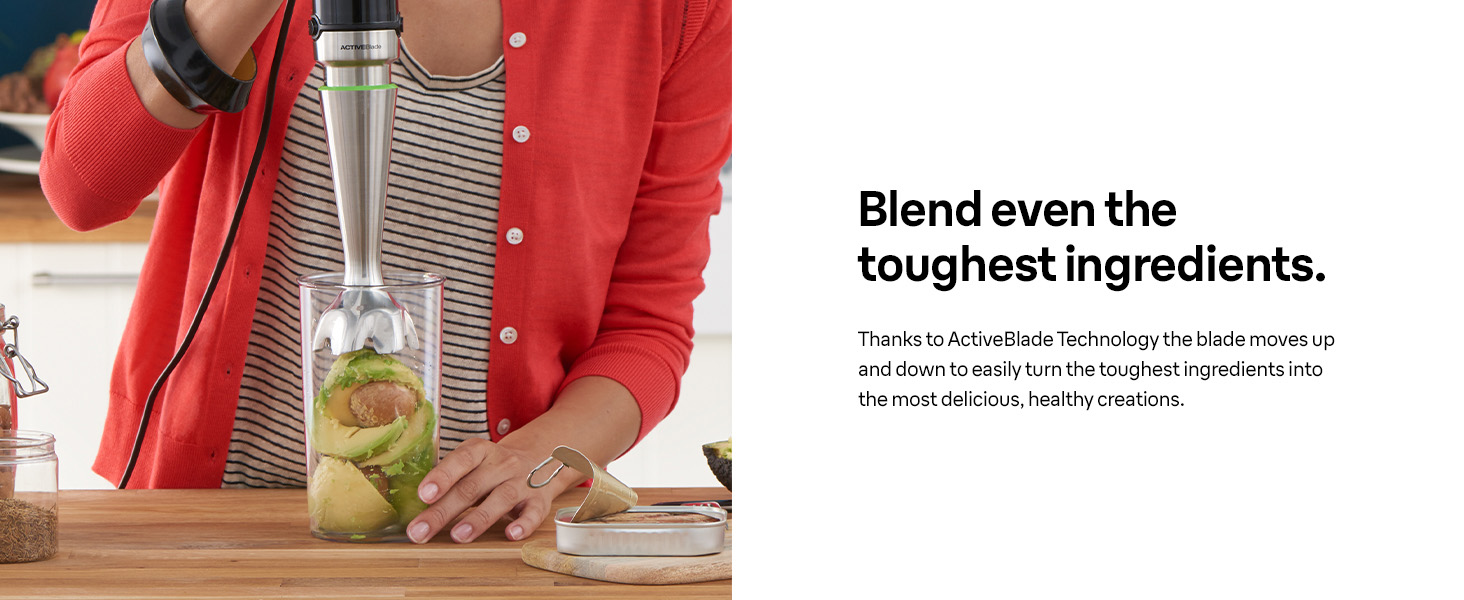
Image: The puree masher attachment, designed for effortlessly mashed vegetables.
5.6 20 oz Plastic Beaker
The included beaker is suitable for blending smaller quantities and for measuring ingredients. It features clear measurement markings.

Image: The 600ml beaker, combining measuring and mixing functionalities.
6. Cleaning and Maintenance
Proper cleaning ensures the longevity and optimal performance of your hand blender.
6.1 Motor Unit
Wipe the motor unit with a damp cloth. Do not immerse it in water or any other liquid. Do not use abrasive cleaners.
6.2 Attachments
All detachable parts (blending wand, chopper bowl, food processor bowl, blades, whisk, masher, beaker) are dishwasher safe. For best results, rinse them immediately after use to prevent food from drying on. Handle sharp blades with extreme care.
7. Troubleshooting
If you encounter issues with your Braun MultiQuick 9, consider the following:
- Appliance not turning on: Ensure the unit is properly plugged into a working power outlet and that the attachment is securely connected to the motor unit.
- Motor stops during operation: The appliance may have overheated due to prolonged use or processing very tough ingredients. Unplug the unit and let it cool down for at least 30 minutes before resuming use.
- Poor blending/chopping results: Ensure ingredients are cut into appropriate sizes for the attachment being used. Do not overload the bowls. Check that blades are correctly installed.
- Excessive splashing: Ensure the PowerBell Plus blending wand is fully immersed in the ingredients and that you are not lifting it too high during operation.
8. Specifications
| Brand | Braun |
| Model Number | MQ9187XL |
| Power Source | Electric |
| Motor Wattage | 700 Watts (Active PowerDrive Technology) |
| Voltage | 120 Volts |
| Number of Speeds | 3 (iMode Technology: Low, High, Pulse) |
| Special Features | Adjustable Speed Control, Ergonomic Handle, Multiple Attachments, One Handed Operation, Pulse Technology, ActiveBlade Technology, PowerBell Plus |
| Product Dimensions | 2.7"D x 2.7"W x 16.14"H |
| Item Weight | 2.2 pounds |
| Blade Material | Stainless Steel |
| Container Material | Plastic |
9. Warranty and Support
Your Braun MQ9187XL MultiQuick 9 Hand Blender comes with a 3-Year Limited Warranty. For warranty claims, technical support, or service inquiries, please refer to the contact information provided in your product packaging or visit the official Braun website.
10. Product Video
Video: Official product video showcasing the features and versatility of the Braun MultiQuick 9 Hand Blender.


