1. Introduction
Thank you for choosing the Neezee Magnetic Rowing Machine. This high-quality fitness equipment is designed to provide an effective full-body workout in the comfort of your home. Featuring a quiet magnetic resistance system and a stable dual-rail design, it offers a smooth and engaging rowing experience. This manual will guide you through the setup, operation, and maintenance of your rowing machine to ensure safe and optimal use.
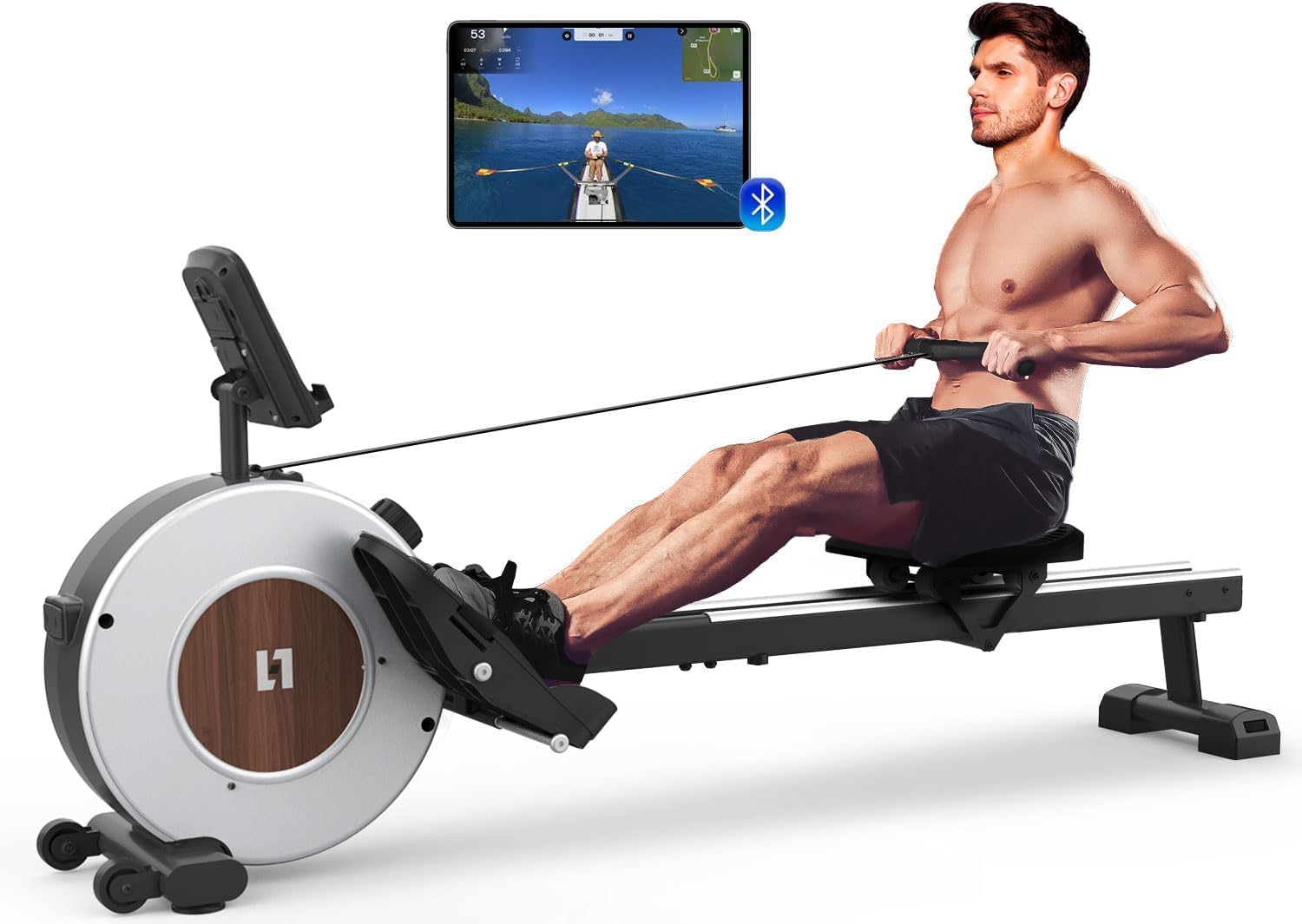
This image displays the Neezee Magnetic Rowing Machine with a user engaged in a rowing exercise. The machine features a sleek design, comfortable seat, and foot pedals, with an LCD monitor visible.
2. Safety Information
Before using the Neezee Magnetic Rowing Machine, please read and understand all safety instructions. Keep this manual for future reference.
- Consult your physician before starting any new exercise program.
- Ensure all parts are correctly assembled and tightened before each use.
- Place the rowing machine on a flat, stable surface.
- Maintain a clear area of at least 0.6 meters (2 feet) around the machine during use.
- Do not allow children or pets near the machine during operation.
- Wear appropriate athletic footwear and clothing.
- Stop exercising immediately if you feel faint, dizzy, or experience pain.
- The maximum user weight capacity for this machine is 130 kg (286 lbs).
3. Package Contents
Carefully unpack the box and verify that all the following components are present:
- Rowing Machine x1
- User Manual x1
- Assembly Tool Kit x1
If any parts are missing or damaged, please contact customer support immediately.
4. Setup and Assembly
The Neezee Magnetic Rowing Machine is designed for easy assembly, with approximately 85% of components pre-assembled. Most users can complete the assembly within 30 minutes.
4.1 Assembly Steps
Refer to the included assembly tool kit and the detailed diagrams in the user manual for specific instructions. Generally, assembly involves:
- Attaching the front and rear stabilizers.
- Securing the main rail to the flywheel unit.
- Installing the seat onto the rail.
- Mounting the foot pedals.
- Connecting the LCD monitor.

This diagram breaks down the rowing machine into its main components, including the monitor, handle, pedals, seat, floor protectors, and dual slide rails, illustrating the parts included for assembly.
4.2 Vertical Storage
For convenient storage, the rowing machine can be tilted and rolled using its integrated transport wheels, then stored vertically against a wall. This feature helps save space in your home.
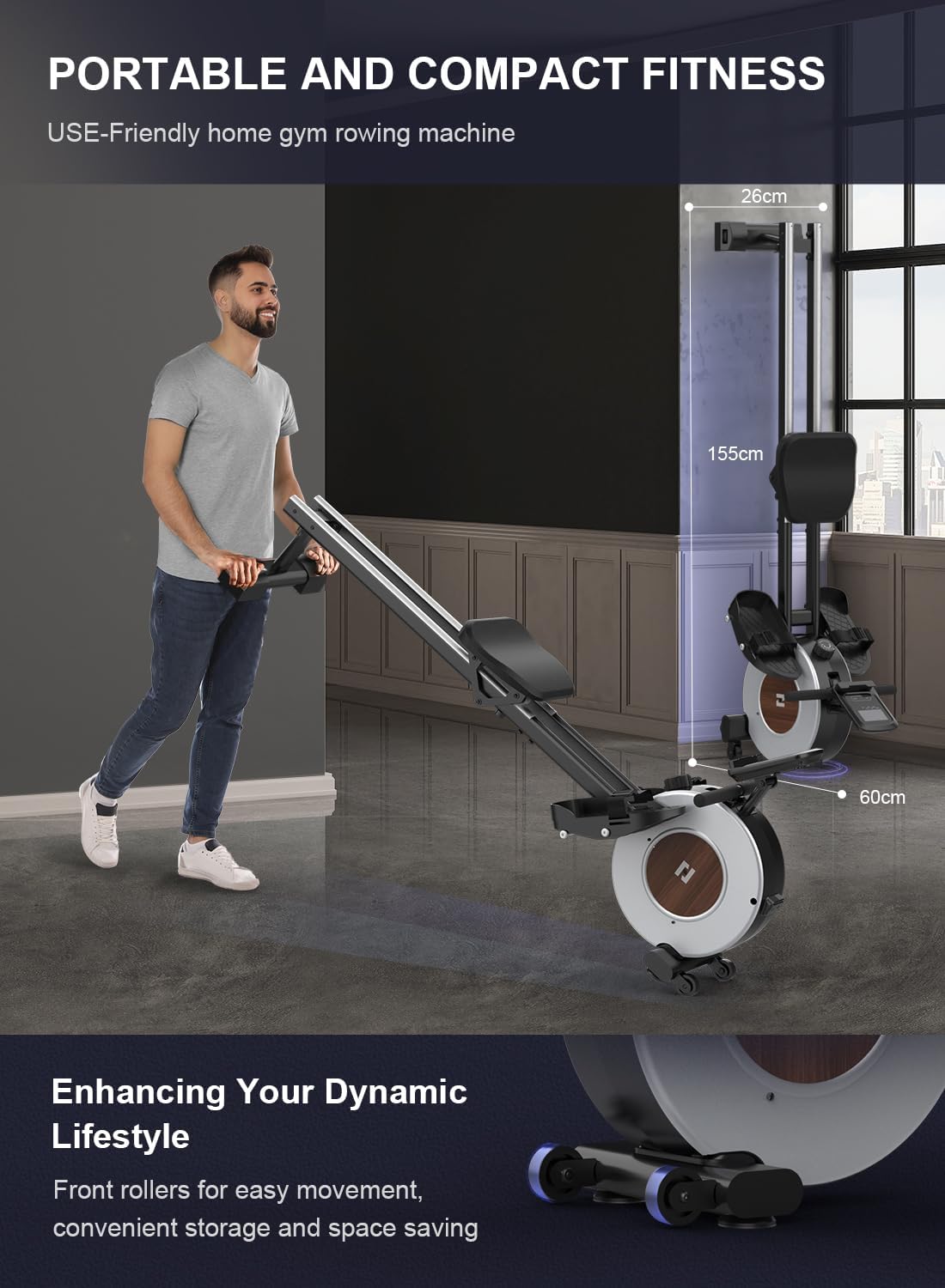
An illustration showing how the rowing machine can be easily folded and stored upright against a wall, demonstrating its space-saving design.
5. Operating Instructions
5.1 Adjusting Resistance Levels
The Neezee rowing machine features a silent magnetic flywheel system with 16 adjustable resistance levels. To change the resistance, simply turn the resistance knob located on the main unit. Levels 1-8 are suitable for aerobic training and beginners, while levels 9-16 are designed for strength training and experienced users. The 5.5 kg flywheel provides up to 30 kg of resistance.

An illustration detailing the internal magnetic flywheel system, highlighting its quiet operation and smooth resistance mechanism.
5.2 LCD Monitor Functions
The large LCD monitor displays various fitness statistics to help you track your progress. The monitor frame can be adjusted to a comfortable viewing angle.
- SCAN: Cycles through all metrics automatically.
- TIME: Displays the duration of your workout.
- CAL (Calories): Estimates calories burned.
- CNT (Count): Shows the number of strokes.
- DST (Distance): Displays the distance covered.
- TOT (Total Count): Shows the total accumulated strokes.

A detailed view of the LCD monitor, showing various tracked metrics such as scan, time, calories, count, distance, and total count, essential for monitoring workout progress.
5.3 Bluetooth and Kinomap App Connectivity
The LCD monitor supports Bluetooth connectivity, allowing you to connect your rowing machine to the Kinomap application. This enables access to personalized training plans, scenic routes, and the ability to track your workout data on your mobile device. Please note that the Kinomap app may require an additional paid subscription.

This image shows the rowing machine's LCD monitor and its Bluetooth capability, connecting to a tablet displaying the Kinomap fitness application, indicating interactive workout possibilities.
5.4 Proper Rowing Technique
To maximize your workout and prevent injury, maintain proper rowing form:
- Catch: Knees bent, shins vertical, arms extended forward, back straight, shoulders relaxed.
- Drive: Push off with your legs, then lean back slightly, and finally pull the handle towards your abdomen.
- Finish: Legs extended, body leaned back slightly, handle at your abdomen, elbows past your body.
- Recovery: Extend arms forward, then lean forward from the hips, and finally bend your knees to return to the catch position.
6. Maintenance
Regular maintenance ensures the longevity and optimal performance of your rowing machine.
- Cleaning: Wipe down the machine with a damp cloth after each use to remove sweat and dust. Avoid abrasive cleaners.
- Rail Cleaning: Periodically clean the dual aluminum slide rails to ensure smooth seat movement.
- Inspections: Regularly check all bolts, nuts, and moving parts for tightness and wear. Tighten any loose fasteners.
- Lubrication: The magnetic resistance system is generally maintenance-free. Do not attempt to lubricate internal components unless specifically instructed by customer support.
- Storage: Store the machine in a dry, cool place away from direct sunlight and extreme temperatures.
7. Troubleshooting
If you encounter any issues with your Neezee Magnetic Rowing Machine, refer to the following common troubleshooting tips:
- Squeaking/Noise: Check if all bolts are tightened. Clean the slide rails and seat rollers.
- Monitor Not Displaying: Ensure the batteries (2 AAA, not included) are correctly installed and not depleted. Replace if necessary. Check cable connections.
- Resistance Issues: Verify the resistance knob is functioning correctly. If resistance feels inconsistent, ensure the magnetic system is clear of obstructions.
- Bluetooth Connectivity Problems: Ensure Bluetooth is enabled on your mobile device. Restart both the monitor and your device. Check the Kinomap app for specific connection instructions.
- Unstable Machine: Adjust the floor stabilizers located on the base of the machine to ensure it sits level on uneven surfaces.
For issues not covered here, please contact Neezee customer support.
8. Specifications
| Feature | Specification |
|---|---|
| Model Name | RW505-RM |
| Resistance Mechanism | Magnetic |
| Resistance Levels | 16 Adjustable Levels |
| Monitor Type | LCD (Bluetooth Compatible) |
| Track Material | High Strength Aluminum (Dual Rail) |
| Maximum Weight Capacity | 130 kg (286 lbs) |
| Product Dimensions (L x W x H) | 155 x 60 x 26 cm (61 x 23.6 x 10.2 inches) |
| Power Source (Monitor) | Manual (2 AAA batteries, not included) |
| Noise Level | < 25 dB |
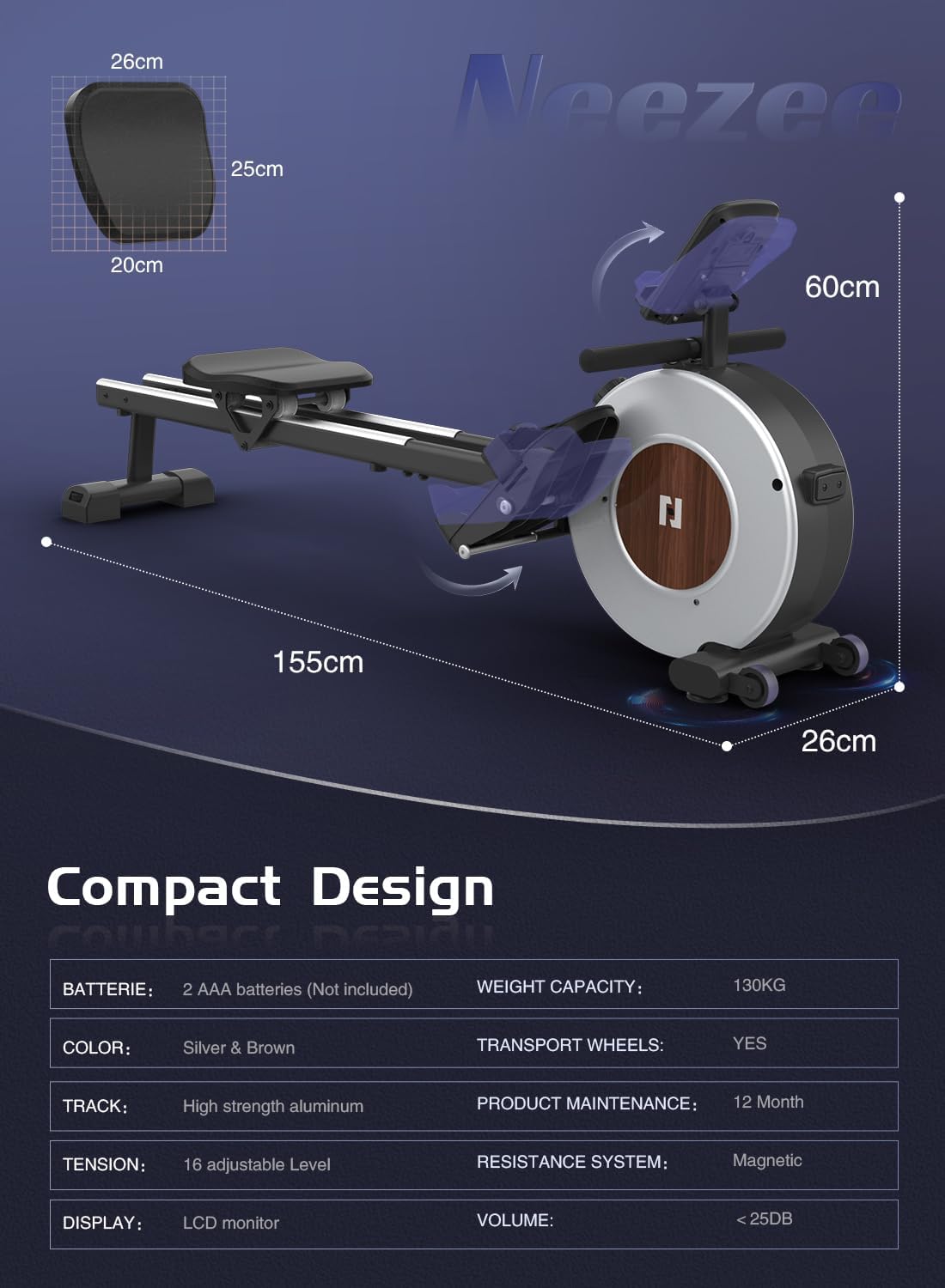
This image provides a visual overview of the rowing machine's compact design and key specifications, including dimensions and weight capacity.

This image emphasizes the robust construction of the rowing machine, featuring its dual aluminum guide rails for smooth operation and a stated maximum user weight capacity of 130 kg.
9. Warranty and Support
Neezee is committed to providing quality products and customer satisfaction.
- Return Policy: Free returns are available within one month of purchase.
- Parts Warranty: A two-year warranty is provided for replacement parts.
- Customer Support: All inquiries will be answered within 24 hours.
For assistance, please contact Neezee customer support through your order history or by clicking on the seller's username to ask a question.


