1. Product Overview
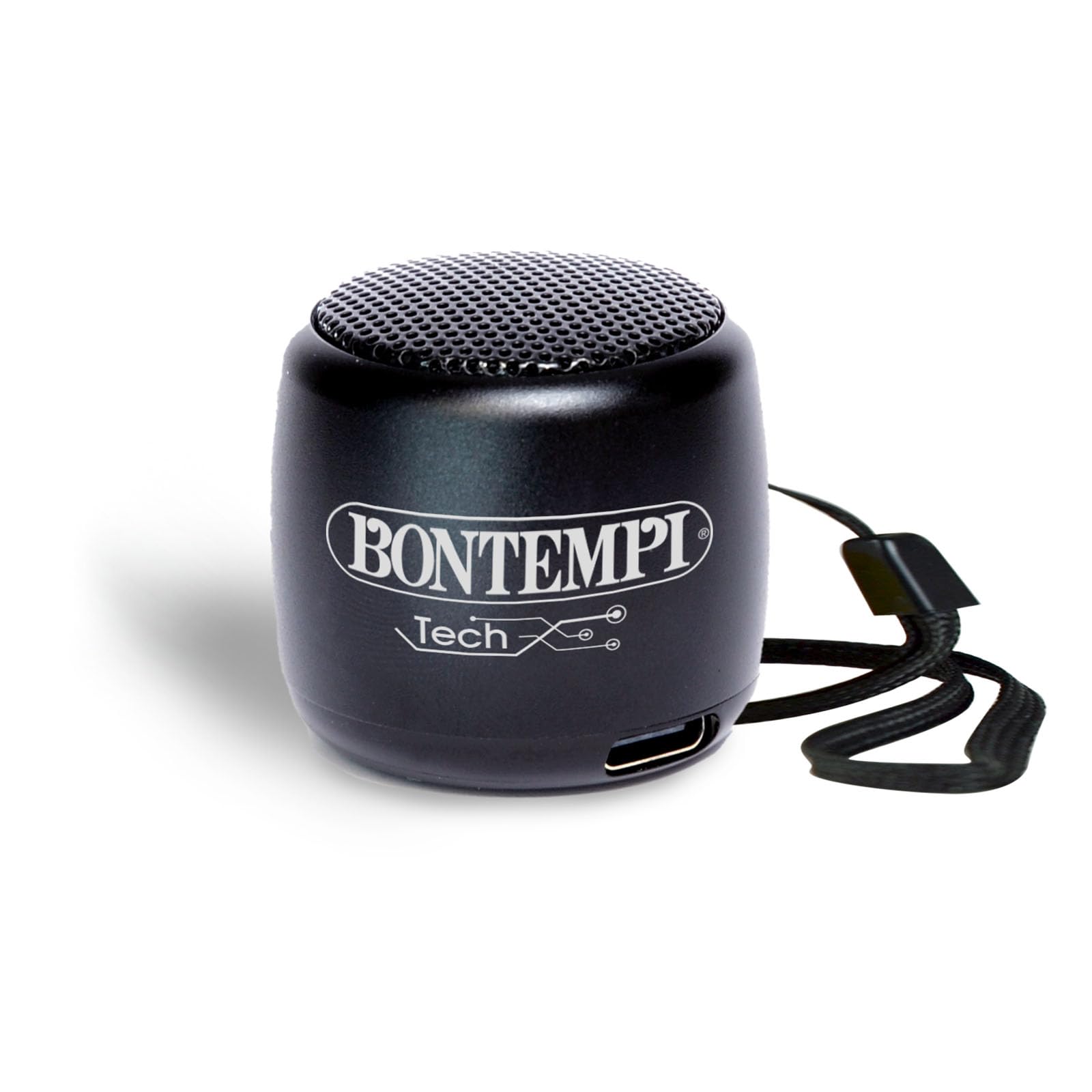
The Bontempi Mini Wireless Speaker is a compact and lightweight portable audio device designed for easy connectivity and clear sound. It features Bluetooth wireless technology for seamless pairing with smartphones and tablets, making it ideal for various occasions.
Package Contents
- 1x Bontempi Mini Wireless Speaker (Black)
- 1x USB Charging Cable
- User Manual

2. Safety Information
This product is intended for use under adult supervision. Ensure proper handling and charging to prevent damage or injury. Do not expose the speaker to extreme temperatures or direct sunlight. Keep away from water unless the charging port cover is securely closed.

3. Setup
Charging the Speaker
Connect the provided USB charging cable to the speaker's charging port and to a compatible USB power adapter (0.5-5W recommended). A full charge takes approximately 2 hours. The LED indicator will show charging status.
Powering On/Off
To power on the speaker, press and hold the power button located on the bottom of the speaker until the LED indicator lights up. To power off, press and hold the power button again.
4. Operating Instructions
Bluetooth Pairing
- Ensure the speaker is powered on and in pairing mode (LED indicator will flash).
- On your smartphone or tablet, enable Bluetooth and search for available devices.
- Select "Bontempi Speaker" (or similar name) from the list to connect. The LED indicator will turn solid when connected.
Audio Playback
Once paired, audio from your connected device will play through the speaker. Use your device to control music playback (play, pause, skip tracks).
Volume Control
The speaker features touch controls for volume adjustment. Gently tap or swipe the designated area on the speaker to increase or decrease the volume.
Hands-Free Calling
When connected to a smartphone, the speaker can be used for hands-free calls. Press the multi-function button (often integrated with the power button or a dedicated touch area) to answer or end calls.


5. Maintenance
To ensure the longevity of your speaker, keep it clean and dry. Use a soft, dry cloth for cleaning. Avoid exposing it to extreme temperatures or direct sunlight.
The speaker is resistant to splashes but should not be submerged in water. Ensure the charging port cover is securely closed when not charging to maintain water resistance.
6. Troubleshooting
Speaker does not power on.
- Ensure the battery is charged. Connect the speaker to a power source using the USB cable.
Cannot pair with Bluetooth device.
- Make sure the speaker is in pairing mode (flashing LED).
- Ensure your device's Bluetooth is enabled and within range.
- Forget previous pairings on your device and try pairing again.
No sound or low volume.
- Check the volume levels on both the speaker and your connected device.
- Ensure the speaker is properly paired.
- Try restarting both the speaker and your device.
7. Specifications
| Feature | Detail |
|---|---|
| Brand | Bontempi |
| Model Number | 49 01101 |
| Dimensions | 3 x 3 x 3 cm; 70 grams |
| Speaker Size | 30 Centimeters |
| Connectivity Technology | Bluetooth |
| Wireless Communication | Bluetooth |
| Control Method | Touch |
| Power Source | Battery Powered |
| Audio Output Mode | Stereo |
| Mounting Type | Tabletop |
| Material | Plastic |
| Color | Black |
| Waterproof | False |
| Compatible Devices | Smartphone, Tablet |
| Included Components | Mini wireless acoustic speaker BLACK |
8. Warranty and Support
This Bontempi Mini Wireless Speaker comes with a Limited Warranty. For detailed warranty information and customer support, please refer to the contact details provided in the product packaging or visit the official Bontempi website.
For technical assistance or inquiries, please contact Bontempi customer service through their official channels.