
Introduction
Thank you for choosing the MechLands AJAZZ AK680 MAX Wired Gaming Keyboard. This manual provides detailed instructions for setting up, operating, maintaining, and troubleshooting your new keyboard. Please read this manual thoroughly before use to ensure optimal performance and longevity of your device.
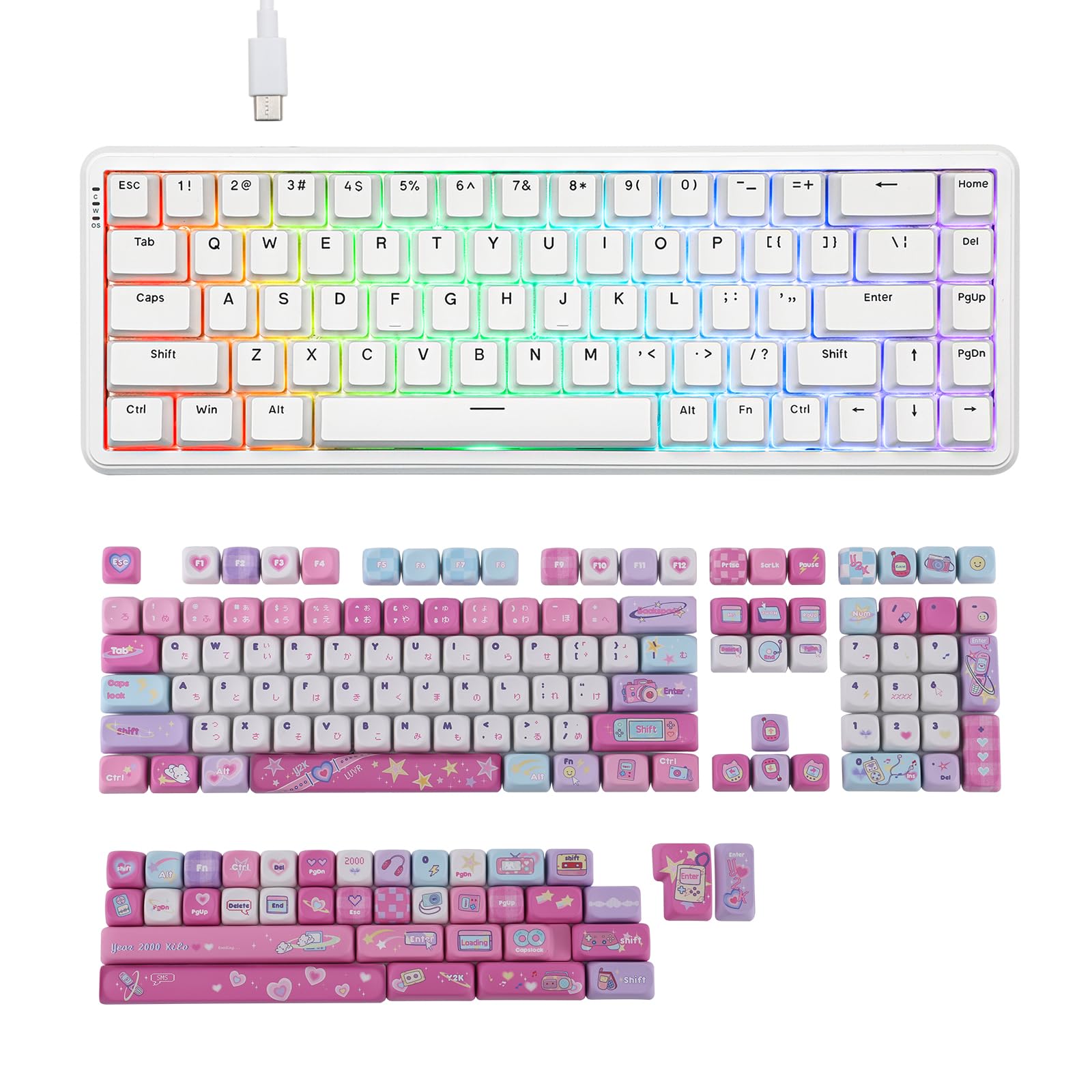
Image: The AK680 MAX keyboard showcasing its compact 68% layout and key features such as Hall Effect Switches, Adjustable Actuation, Dynamic Keystrokes, and USB-C Wired connectivity. It also highlights 8K Polling Rate, WIN/MAC/Android compatibility, and an Aluminum Plate construction.
Package Contents
Ensure all items are present in the package:
- MechLands AJAZZ AK680 MAX Wired Gaming Keyboard
- USB-C to USB-A Cable
- Keycap Puller (if included)
- User Manual (this document)
- KiiBOOM X Elyxirine Digital Dreams Pastel Y2K Keycap Set (if purchased as a bundle)
Setup
- Unpack the Keyboard: Carefully remove the keyboard and all accessories from the packaging.
- Connect the USB Cable: Insert the USB-C end of the provided cable into the port on the keyboard. Connect the USB-A end to an available USB port on your computer or compatible device.
- System Recognition: Your operating system should automatically detect and install the necessary drivers. This process may take a few moments.
- Test Functionality: Open a text editor or browser and type to confirm the keyboard is functioning correctly.

Image: The AK680 MAX wired gaming keyboard connected to a desktop PC, laptop, and tablet, illustrating its broad compatibility with Windows, Mac, Android, PC, Laptop, Tablet, Switch, Xbox, and PlayStation devices.
Operating Instructions
Magnetic Switch Technology
The AK680 MAX features magnetic switches, offering adjustable actuation points and rapid trigger capabilities for enhanced gaming performance.
- Dynamic Keystrokes (DKS): Allows for multiple actions on a single key press based on actuation depth.
- Snap Key: Enables instant key repetition upon release.
- Toggle Key (TGL): Assigns different actions to a key based on its pressed or released state.
- Mod-Tap (MT): Allows a key to perform one action when tapped and another when held.

Image: Detailed illustrations of the magnetic switch functionalities, including Dynamic Keystrokes (DKS) showing actuation range from 0.1mm to 4.0mm, Snap Key for quick repetition, Toggle Key (TGL) for state-dependent actions, and Mod-Tap (MT) for tap/hold functions.
Backlight Control
The keyboard features 16.8 million RGB backlights with 19 effects and 9 colors. Use the following key combinations to control the backlighting:
- FN + \: Toggles between different backlight effects.
- FN + X: Turns the backlights ON or OFF.

Image: The AK680 MAX keyboard displaying its vibrant 16.8M RGB backlights. The image highlights the key combinations FN + \ for toggling backlight effects and FN + X for turning lights on/off.
KiiBOOM X Elyxirine Digital Dreams Pastel Y2K Keycap Set
If your product includes the KiiBOOM X Elyxirine Digital Dreams Pastel Y2K Keycap Set, here are its features:
- Quantity: 144 Keys
- Material: PBT
- Profile: MOA Profile
- Printing: 5-Side Dye-Sublimation
- Layout Compatibility: ANSI & ISO Layout
- Switch Compatibility: MX Structure

Image: The KiiBOOM X Elyxirine Digital Dreams Pastel Y2K Keycap Set, featuring 144 PBT keys with MOA profile and 5-side dye-sublimation, designed for a nostalgic Y2K aesthetic.
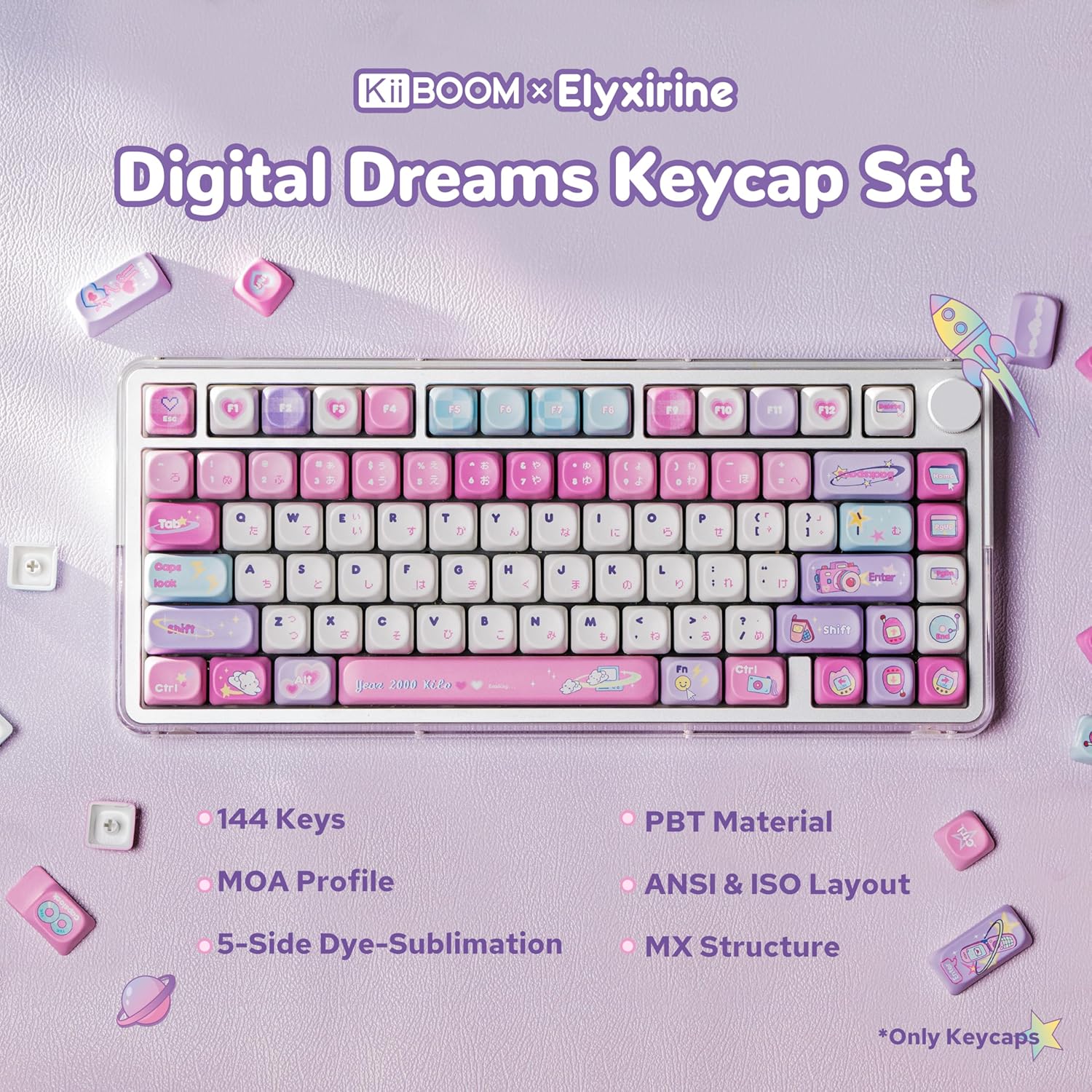
Image: A size map illustrating the various keycap sizes included in the KiiBOOM X Elyxirine Digital Dreams Pastel Y2K Keycap Set, indicating compatibility with 60%, 65%, 75%, TKL, 1800, full-sized, and Alice layout keyboards.
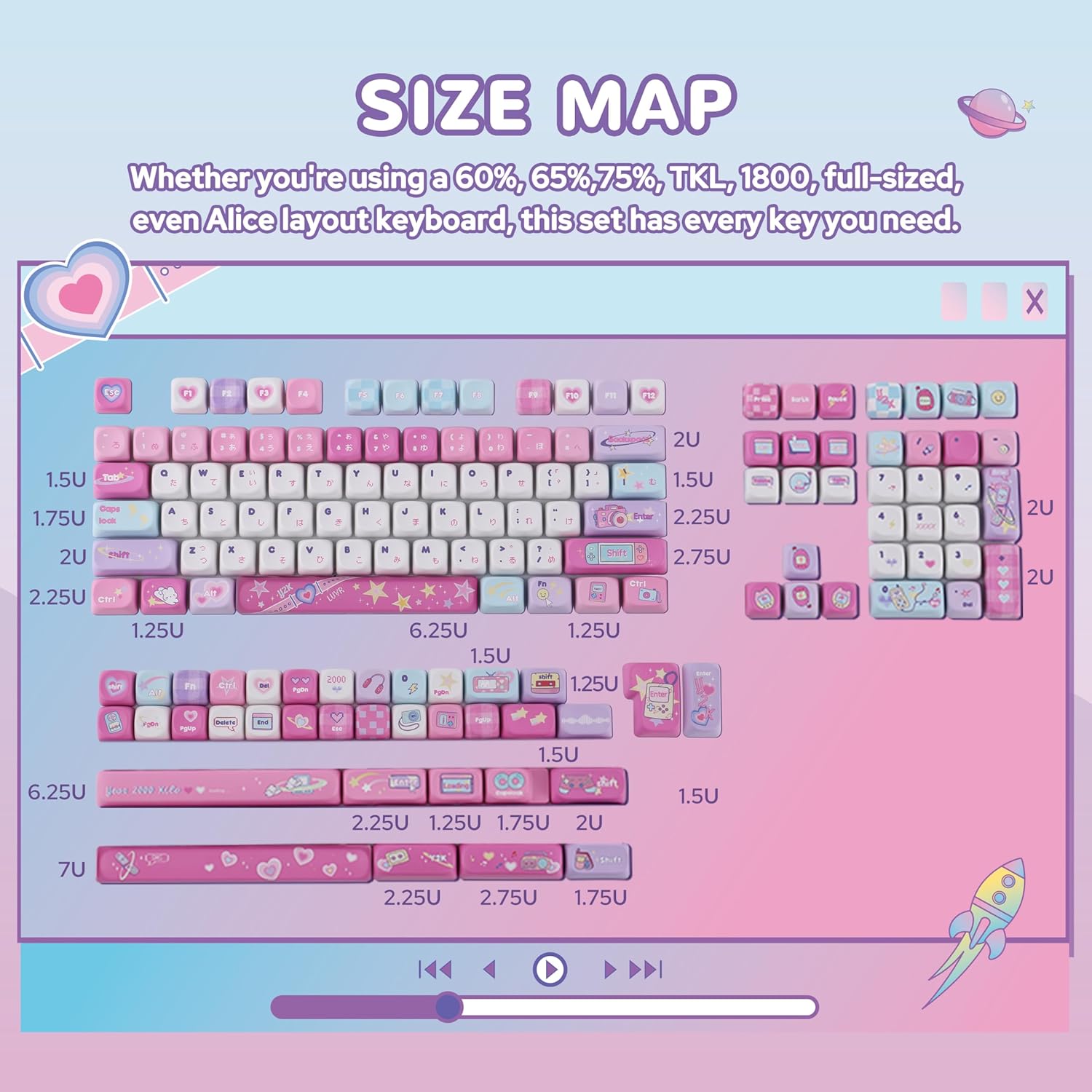
Image: A close-up view of keycaps demonstrating the MOA profile, characterized by its uniform height and spherical top, measuring approximately 9.8mm in height.
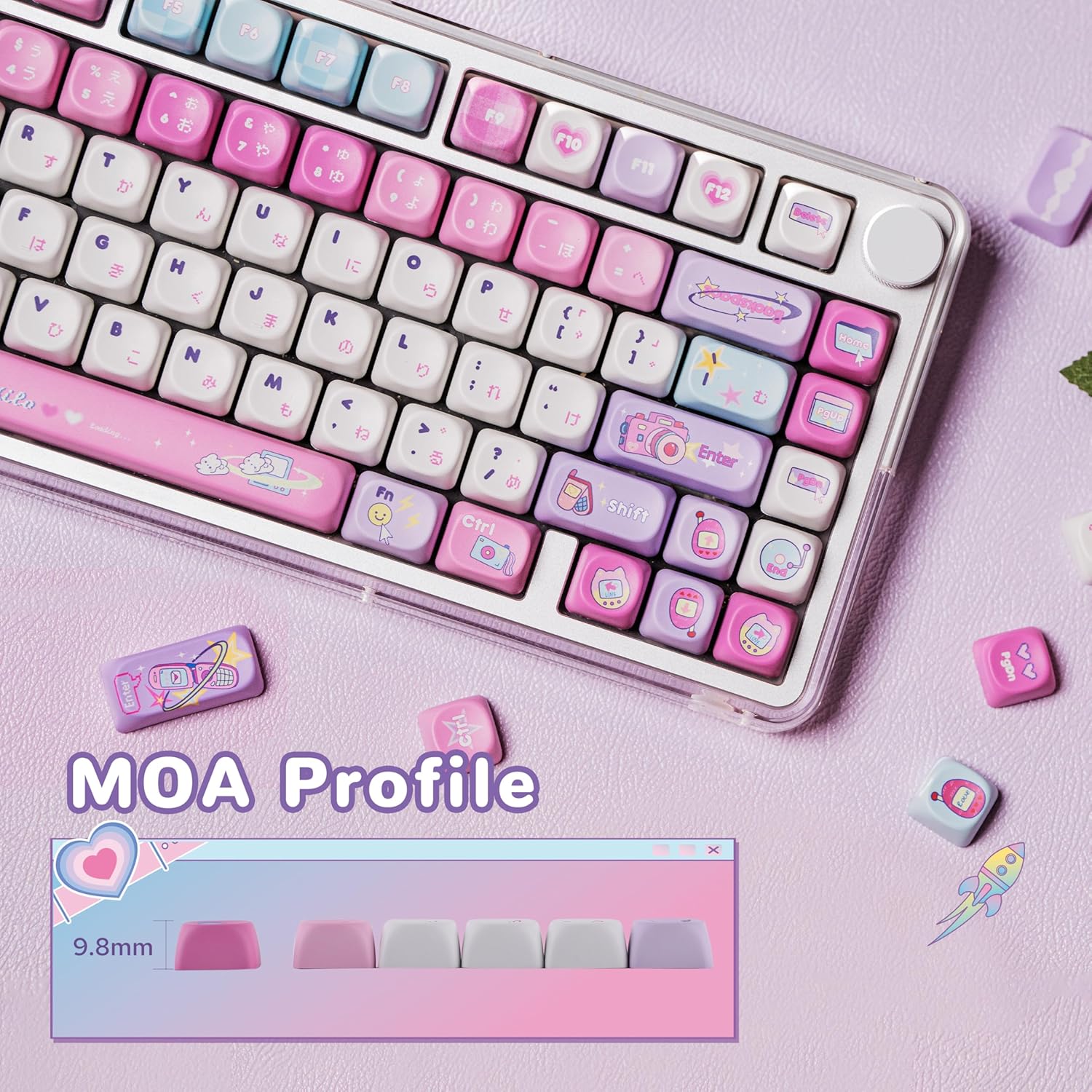
Image: Various individual keycaps showcasing the 5-side dye-sublimation PBT material, which ensures resistance to wear and fading, maintaining the vibrant pastel Y2K designs.
Maintenance
- Cleaning the Keyboard: Use a soft, lint-free cloth slightly dampened with water or a mild cleaning solution to wipe the keycaps and keyboard surface. Avoid excessive moisture.
- Removing Dust: Use compressed air to remove dust and debris from between the keycaps.
- Keycap Removal: If removing keycaps for deeper cleaning or replacement, use a keycap puller to avoid damaging the keycaps or switches. Pull straight up with gentle, even force.
- Storage: When not in use for extended periods, store the keyboard in a dry, dust-free environment.
Troubleshooting
- Keyboard not responding:
- - Ensure the USB cable is securely connected to both the keyboard and the computer.
- - Try connecting the keyboard to a different USB port on your computer.
- - Test the keyboard on another computer to rule out system-specific issues.
- - Restart your computer.
- Backlights not working:
- - Press FN + X to ensure the backlights are not turned off.
- - Press FN + \ to cycle through different backlight effects, as some effects might appear dim or off.
- - Ensure the keyboard is receiving sufficient power from the USB port.
- Keys are sticky or unresponsive:
- - Clean the affected keycaps and the area around the switch using compressed air or a soft brush.
- - If a keycap was removed, ensure it is re-seated correctly on the switch stem.
Specifications
| Model Name | AJAZZ AK680 MAX |
| Connectivity | Wired (USB-C) |
| Switch Type | Magnetic Switches (Hall Effect) |
| Polling Rate | 8K (8000Hz) |
| Layout | 68% |
| Keycap Material | PBT (5-Side Dye-Sublimation) |
| Compatibility | Windows, macOS, Android, PC, Laptop, Tablet, Switch, Xbox, PlayStation |
| ASIN | B0F38G3T3X |
| Date First Available | April 1, 2025 |
Warranty and Support
MechLands products are designed for quality and reliability. For warranty information, technical support, or customer service inquiries, please refer to the official MechLands website or contact your retailer.
Please retain your proof of purchase for any warranty claims.


