
1. Introduction
Welcome to the user manual for your new NIMO 15.6" FHD Laptop. This guide provides essential information to help you set up, operate, maintain, and troubleshoot your device. Designed for both adults and students, this laptop combines powerful performance with user-friendly features, including an Intel Core i3-1215U processor, 32GB RAM, 2TB SSD, a vibrant Full HD display, and a backlit keyboard with fingerprint security. Please read this manual thoroughly to ensure optimal performance and longevity of your laptop.

Figure 1.1: NIMO 15.6" FHD Laptop. This image shows the laptop open, highlighting its display and key features such as Full HD, IPS, 32GB RAM, 2TB SSD, Type-C PD Charger, Fingerprint reader, and Backlit keyboard.
2. What's in the Box
Upon unboxing your NIMO 15.6" FHD Laptop, please verify that all the following items are included:
- 1 x Nimo N154 Laptop
- 1 x Type-C 65W PD Fast Charger
- 1 x User Manual (this document)
- Windows 11 Home (pre-installed)
3. Setup
3.1 Initial Charging
Before first use, it is recommended to fully charge your laptop.
- Connect the Type-C 65W PD Fast Charger to the Type-C charging port on your laptop.
- Plug the charger into a power outlet.
- The charging LED indicator will illuminate. Allow the laptop to charge until the indicator shows a full charge.
3.2 First Boot and Windows Setup
Your NIMO laptop comes with Windows 11 Home pre-installed.
- Press the power button located on the keyboard to turn on the laptop.
- Follow the on-screen instructions to complete the Windows 11 setup process. This typically includes selecting your region, language, connecting to a Wi-Fi network, and creating a user account.
- Once setup is complete, your laptop is ready for use.
4. Operating Instructions
4.1 Display
The NIMO laptop features a 15.6-inch Full HD (1920x1080) IPS display, offering vibrant colors and wide viewing angles.
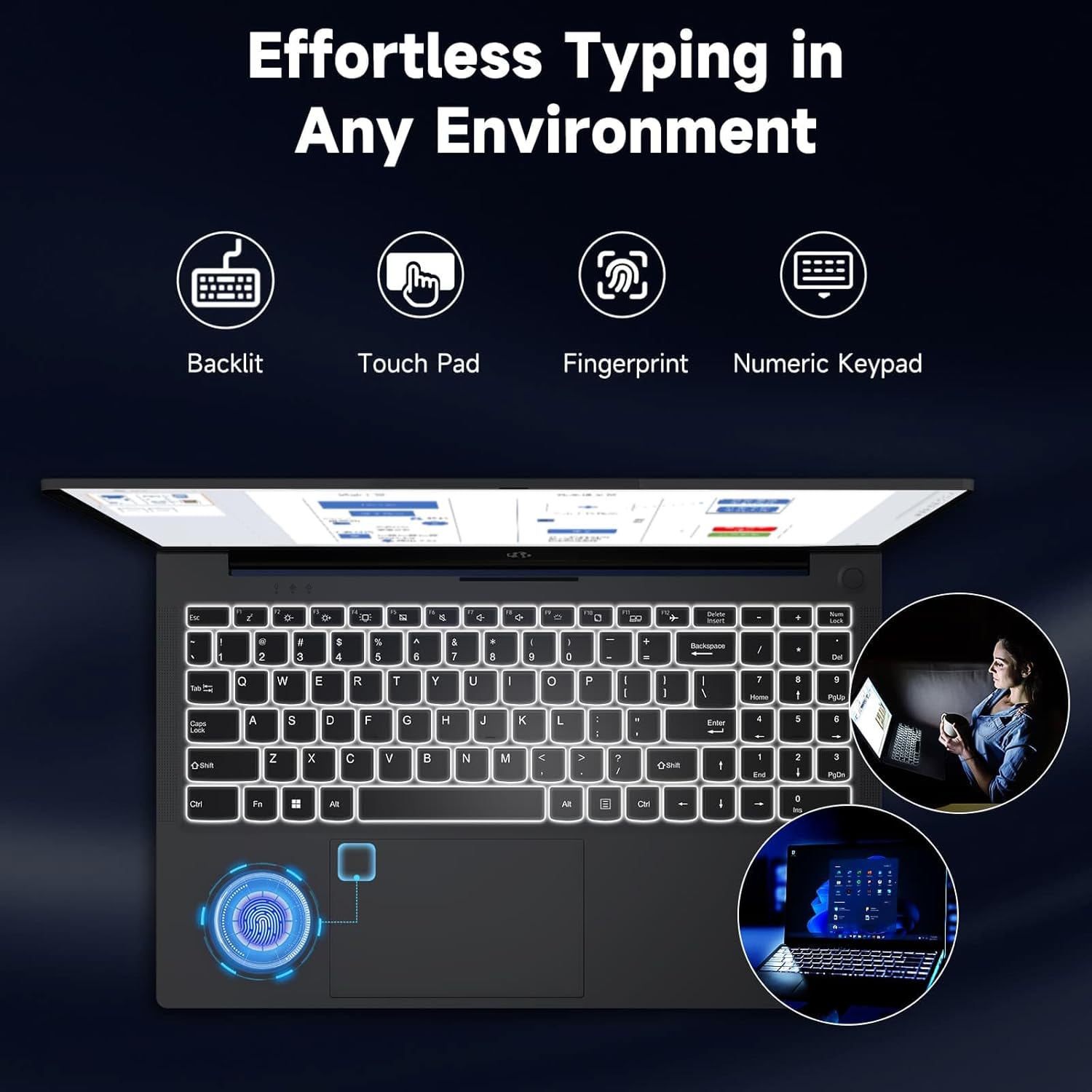
Figure 4.1: Vivid Full HD Display. This image highlights the laptop's 15.6-inch Full HD (1920x1080) IPS display, emphasizing its clarity and vibrant color reproduction.
4.2 Keyboard and Input
The laptop is equipped with a backlit keyboard, a responsive touchpad, and a dedicated numeric keypad for enhanced productivity.
- Backlit Keyboard: Adjust the keyboard backlight intensity using the function keys (Fn + Fx, refer to keyboard legends) for comfortable typing in low-light conditions.
- Touchpad: Use the multi-touch touchpad for navigation, scrolling, and gestures.
- Numeric Keypad: The integrated numeric keypad on the right side provides quick data entry.

Figure 4.2: Effortless Typing in Any Environment. This image showcases the laptop's backlit keyboard, touchpad, fingerprint sensor, and numeric keypad, highlighting features that enhance typing comfort and efficiency.
4.3 Connectivity
Your NIMO laptop offers a variety of ports for connecting external devices and peripherals.
- USB 2.0 Ports: 1 port for standard USB devices.
- USB 3.0 Ports: 2 ports for high-speed data transfer.
- Type-C Ports: Includes one for charging (PD Type-C) and one for multi-functionality (data, display output).
- HDMI Port: Connect to external monitors or projectors.
- Micro SD Card Reader: For expanding storage or transferring files from memory cards.
- Headphone Combo Jack: For audio output and microphone input.
- Kensington Lock Slot: For physical security.

Figure 4.3: Multiple Ports for Greater Versatility. This image illustrates the various connectivity options available on the NIMO laptop, including USB, Type-C, HDMI, Micro SD, and audio ports.
4.4 Performance
The NIMO laptop is powered by an Intel Core i3-1215U processor, 32GB DDR4 RAM, and a 2TB SSD, ensuring smooth multitasking and fast data access.
- Processor: Intel Core i3-1215U (up to 4.4 GHz) provides efficient performance for daily tasks.
- RAM: 32GB DDR4 RAM allows for seamless switching between applications.
- Storage: The 2TB SSD offers rapid boot times, quick application loading, and ample space for your files.

Figure 4.4: 12th Gen Core i3-1215U Processor. This image details the specifications of the Intel Core i3-1215U processor, highlighting its core count, thread count, power consumption, and turbo boost frequency.
4.5 Charging
The laptop supports 65W PD fast-charging via its Type-C port, allowing for quick replenishment of the 65Wh battery.
- Use the provided 65W PD Type-C charger for optimal charging speed.
- The laptop can be charged from any compatible Type-C PD power source.
- Average battery life is approximately 5 hours, depending on usage.
4.6 Security Features
Enhance your laptop's security with the integrated fingerprint reader and privacy-focused webcam.
- Fingerprint Reader: Set up your fingerprint for quick and secure login via Windows Hello. The sensor is typically integrated into the power button or touchpad area.
- Webcam with Privacy Switch: The 2MP webcam includes a physical privacy switch (Webcam Shield) to ensure your privacy when the camera is not in use.
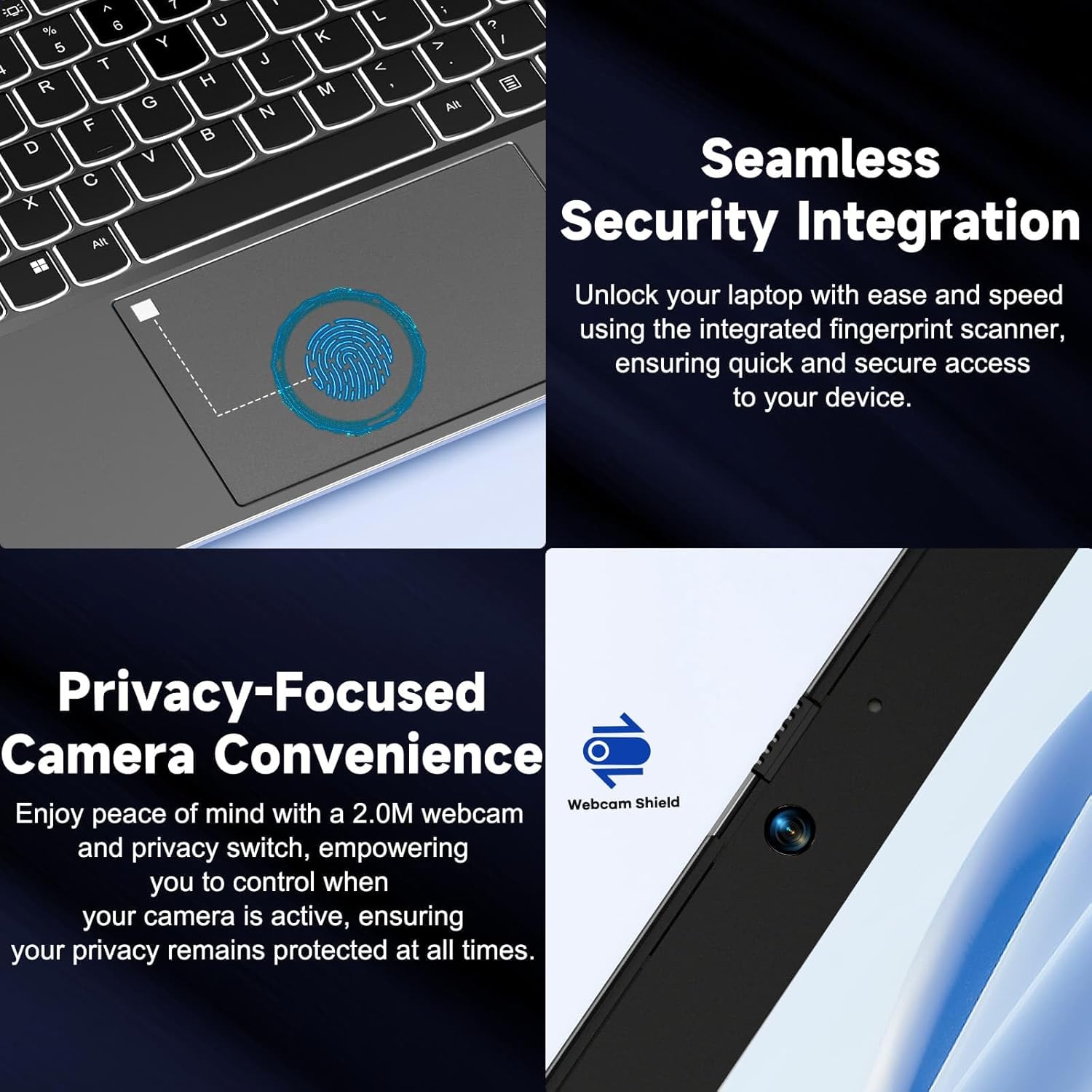
Figure 4.5: Seamless Security Integration. This image highlights the laptop's security features, including the integrated fingerprint scanner for secure access and the 2.0M webcam with a physical privacy switch (Webcam Shield).
5. Maintenance
Proper maintenance ensures the longevity and optimal performance of your NIMO laptop.
- Cleaning: Use a soft, lint-free cloth to clean the screen and exterior. For stubborn marks, dampen the cloth slightly with water or a screen cleaner. Avoid harsh chemicals.
- Battery Care: To prolong battery life, avoid extreme temperatures. It is recommended to occasionally discharge the battery below 20% and then fully recharge it.
- Software Updates: Regularly check for and install Windows updates and driver updates to ensure system stability and security.
- Ventilation: Ensure the laptop's ventilation openings are not blocked to prevent overheating. Use the laptop on a hard, flat surface.
- Storage: When not in use for extended periods, store the laptop in a cool, dry place.
6. Troubleshooting
This section addresses common issues you might encounter with your NIMO laptop.
| Problem | Possible Cause | Solution |
|---|---|---|
| Laptop does not power on. | Low battery; Power adapter issue; System crash. | Connect the charger and wait a few minutes. Ensure the power outlet is working. Perform a hard reset by holding the power button for 10-15 seconds. |
| Screen is blank or black. | Display settings; External display connected; System sleep/hibernate. | Press any key or move the mouse. Press Fn + F7 (or relevant display toggle key) to cycle display modes. Disconnect external monitors. |
| Wi-Fi connection issues. | Wi-Fi disabled; Router issue; Driver issue. | Ensure Wi-Fi is enabled in Windows settings. Restart your router. Update Wi-Fi drivers from the NIMO support website. |
| Laptop is running slow. | Too many programs open; Low storage space; Malware. | Close unnecessary applications. Free up disk space. Run a full system scan with antivirus software. |
If you encounter issues not listed here or require further assistance, please refer to the Warranty and Support section for contact information.
7. Specifications
Detailed technical specifications for the NIMO 15.6" FHD Laptop (Model NIMO N154G):
| Feature | Detail |
|---|---|
| Brand | NIMO |
| Model Name | NIMO N154G |
| Screen Size | 15.6 Inches |
| Screen Resolution | 1920 x 1080 Pixels (Full HD) |
| Processor | Intel Core i3-1215U (up to 4.4 GHz) |
| RAM | 32 GB DDR4 |
| Hard Drive | 2 TB SSD (Solid State) |
| Graphics Coprocessor | Integrated Graphics |
| Operating System | Windows 11 Home |
| Wireless Type | 802.11a/b/g/n/ac |
| USB 2.0 Ports | 1 |
| USB 3.0 Ports | 2 |
| Type-C Ports | 2 (1 for PD charging, 1 multi-function) |
| HDMI Port | Yes |
| Micro SD Slot | Yes |
| Headphone Combo Jack | Yes |
| Kensington Lock Slot | Yes |
| Average Battery Life | 5 Hours |
| Battery Type | 1 Lithium Polymer battery (included) |
| Item Weight | 5 pounds |
| Product Dimensions (LxWxH) | 14.07 x 8.98 x 0.76 inches |
| Color | Gray |
| Rear Webcam Resolution | 2 MP |
| Special Features | Backlit Keyboard, Fingerprint Reader, High Definition Audio, Memory Card Slot, Numeric Keypad |
8. Warranty and Support
NIMO is committed to providing reliable products and excellent customer service.
- 2-Year Laptop Protection: Your NIMO laptop is backed by a 2-year warranty covering manufacturing defects.
- 90-Day Laptop Returns: Enjoy a 90-day return policy for your laptop purchase.
- 24/7 Laptop Experts: Access instant help from our dedicated laptop experts for any queries or issues you may encounter.
- Protection Plans: Additional protection plans are available for purchase, including 2-Year and 4-Year options, and a monthly "Complete Protect" plan. For details, please visit the NIMO store on Amazon or contact customer service.
For further assistance, please visit the official NIMO support website or contact their customer service team.


