Introduction
Thank you for choosing the JOYROOM Open Ear Headphones JR-OE4. These headphones are designed to provide a comfortable listening experience while maintaining environmental awareness. This manual will guide you through the setup, operation, and maintenance of your new headphones.
Package Contents
Ensure all items are present in your package:
- JOYROOM Open Ear Headphones (Left and Right)
- Charging Case
- USB-C Charging Cable
- User Manual (this document)
Product Overview
The JOYROOM JR-OE4 headphones feature an open-ear design for comfort and situational awareness, advanced Bluetooth 5.4 connectivity, and intuitive touch controls. They are also IPX4 water-resistant, making them suitable for sports and outdoor activities.
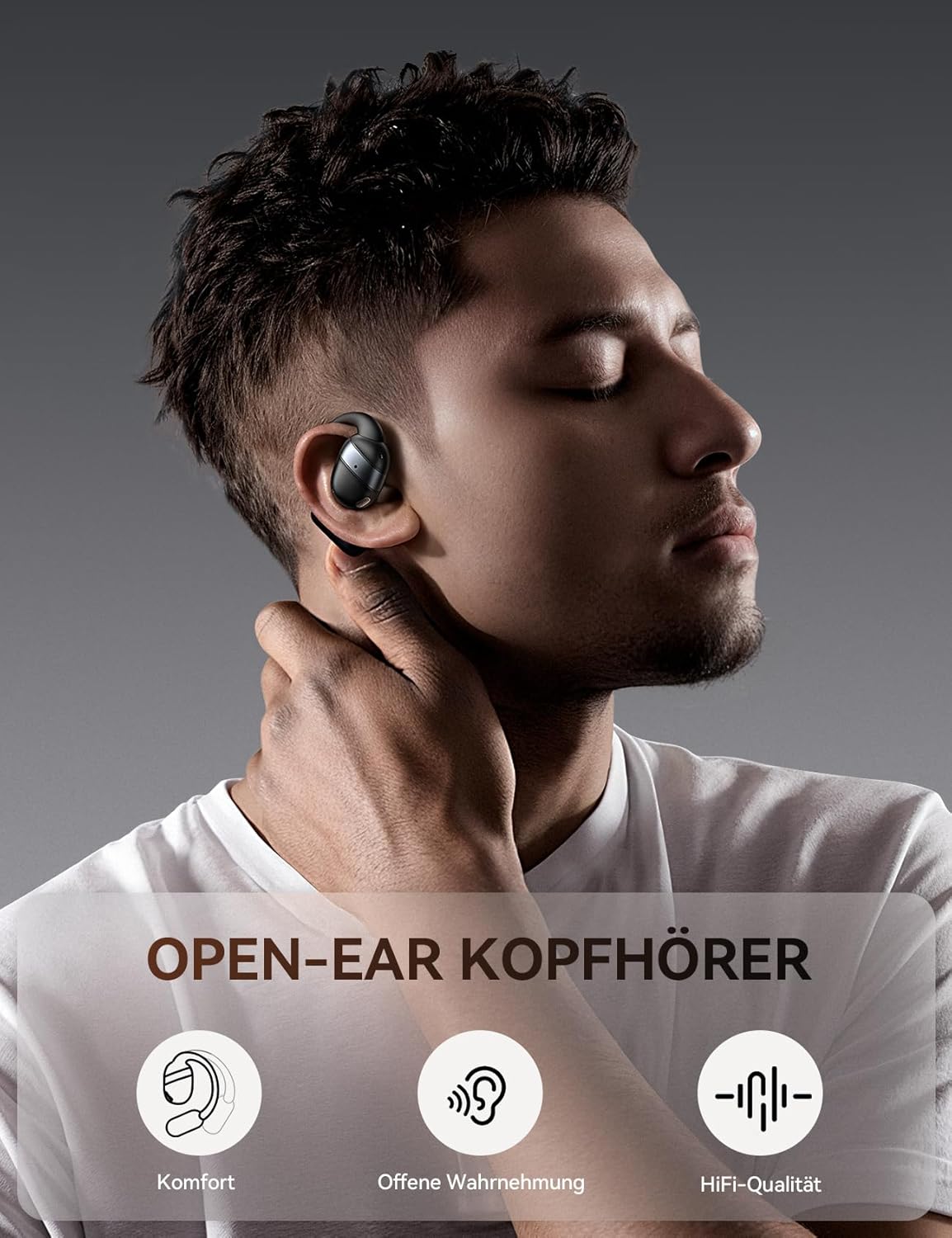
Image: JOYROOM Open Ear Headphones JR-OE4 with their charging case.
Key Features:
- Open-Ear Design: Provides comfort without blocking the ear canal, allowing for environmental awareness.
- Bluetooth 5.4: Ensures stable and fast wireless connection with low latency.
- Long Battery Life: Up to 50 hours of total playback with the charging case, 12.5 hours on a single charge.
- 16mm Dynamic Drivers: Delivers powerful sound and enhanced bass.
- IPX4 Water Resistance: Protects against sweat and splashes, ideal for workouts.
- Intuitive Touch Controls: Easy management of music, calls, and voice assistant.
- LED Battery Display: The charging case features a digital LED display to show battery status.

Image: A user wearing the JOYROOM Open Ear Headphones, highlighting the comfortable, non-intrusive design that allows for ambient sound awareness.

Image: The charging case for the JOYROOM Open Ear Headphones, displaying the LED battery indicator and emphasizing the 50-hour total battery life.

Image: An exploded view diagram illustrating the 16mm dynamic driver responsible for the balanced sound quality and powerful bass.
Setup
1. Charging the Headphones and Case
Before first use, fully charge the headphones and the charging case. Connect the provided USB-C cable to the charging port on the case and to a power source. The LED display on the case will show the charging status.
- A full charge for the case and headphones typically takes approximately 2 hours.
- The headphones provide up to 12.5 hours of playback on a single charge.
- The charging case extends total playback time to up to 50 hours.
2. Pairing with a Device
Follow these steps to pair your JOYROOM JR-OE4 headphones with your Bluetooth-enabled device:
- Open the charging case and remove both headphones. They will automatically enter pairing mode.
- On your device (smartphone, tablet, etc.), go to the Bluetooth settings.
- Ensure Bluetooth is enabled.
- Search for available devices and select "JOYROOM Openfree OE4" from the list.
- Once selected, the headphones will connect, and you will hear a confirmation sound.

Image: Visual guide demonstrating the steps to pair the JOYROOM Open Ear Headphones with a mobile device via Bluetooth settings.
The headphones will automatically reconnect to the last paired device when removed from the case, if Bluetooth is enabled on the device.
Wearing Instructions
For optimal comfort and sound quality, wear the headphones correctly:
- Gently hook the earbud over your ear.
- Rotate and secure the ear hook behind your ear.
- Adjust the ear hook for a snug and comfortable fit that ensures stability during activity.

Image: Step-by-step diagram illustrating the correct method for wearing the JOYROOM Open Ear Headphones for a secure and comfortable fit.
Operating Instructions
The JOYROOM JR-OE4 headphones feature intuitive touch controls on each earbud. The following table outlines the functions:

Image: A visual representation of the touch control functions on the JOYROOM Open Ear Headphones, detailing actions for music playback, calls, and voice assistant.
| Action | Control |
|---|---|
| Play/Pause | Double tap on either earbud |
| Answer/End Call | Double tap on either earbud |
| Volume Up | Single tap on the right earbud |
| Volume Down | Single tap on the left earbud |
| Next Track | Press and hold the right earbud for 2 seconds |
| Previous Track | Press and hold the left earbud for 2 seconds |
| Reject Call | Press and hold either earbud for 2 seconds during an incoming call |
| Activate Voice Assistant | Triple tap on either earbud |
| Factory Reset | 5 simultaneous taps on both earbuds |
Maintenance
To ensure the longevity and optimal performance of your JOYROOM JR-OE4 headphones, follow these maintenance guidelines:
- Cleaning: Use a soft, dry, lint-free cloth to clean the headphones and charging case. Do not use abrasive cleaners, alcohol, or chemical solvents.
- Water Exposure: While IPX4 rated for sweat and splashes, do not submerge the headphones in water. Dry them thoroughly if they get wet.
- Storage: Store the headphones in their charging case when not in use to protect them and keep them charged. Avoid extreme temperatures.
- Charging: Use only the provided charging cable or a certified USB-C cable.
Troubleshooting
If you encounter issues with your headphones, refer to the following common solutions:
| Problem | Solution |
|---|---|
| Headphones do not turn on. | Ensure the headphones are charged. Place them in the charging case and check the LED indicator. |
| Cannot pair with device. |
|
| Only one earbud is working. |
|
| Low volume or poor sound quality. |
|
| Headphones disconnect frequently. |
|
Specifications
| Feature | Detail |
|---|---|
| Model | JR-OE4 |
| Brand | JOYROOM |
| Wireless Technology | Bluetooth 5.4 |
| Earbud Placement | Open-Ear (External to the ear) |
| Form Factor | True Wireless |
| Driver Size | 16mm |
| Impedance | 16 Ohm |
| Frequency Response | 20 KHz |
| Battery Life (Earbuds) | Up to 12.5 hours |
| Total Battery Life (with Case) | Up to 50 hours |
| Charging Time | Approximately 2 hours |
| Water Resistance | IPX4 (Sweat and splash resistant) |
| Control Type | Touch Control |
| Material | Acrylonitrile Butadiene Styrene (ABS), Polycarbonate (PC) |
| Weight | 140 g (total package weight) |
| Compatible Devices | Smartphones, tablets, laptops, desktops, cars (with Bluetooth) |
Warranty and Support
JOYROOM products are designed and manufactured to the highest quality standards. For detailed warranty information and customer support, please refer to the warranty card included in your product packaging or visit the official JOYROOM website. If you experience any issues not covered in this manual, please contact JOYROOM customer service for assistance.
Online Support: www.joyroom.com (Please note: This is a placeholder URL as the exact support link is not provided in the data. Users should refer to their product packaging for official support channels.)


