
DUSONLAP SU8
DUSONLAP SU8 Sleep Earbuds User Manual
Model: SU8 | Brand: DUSONLAP
1. Product Overview
The DUSONLAP SU8 Sleep Earbuds are designed for comfort and extended use, especially for side sleepers. Featuring Bluetooth 5.4 connectivity, these lightweight earbuds provide clear audio and calls, with a long-lasting battery life.
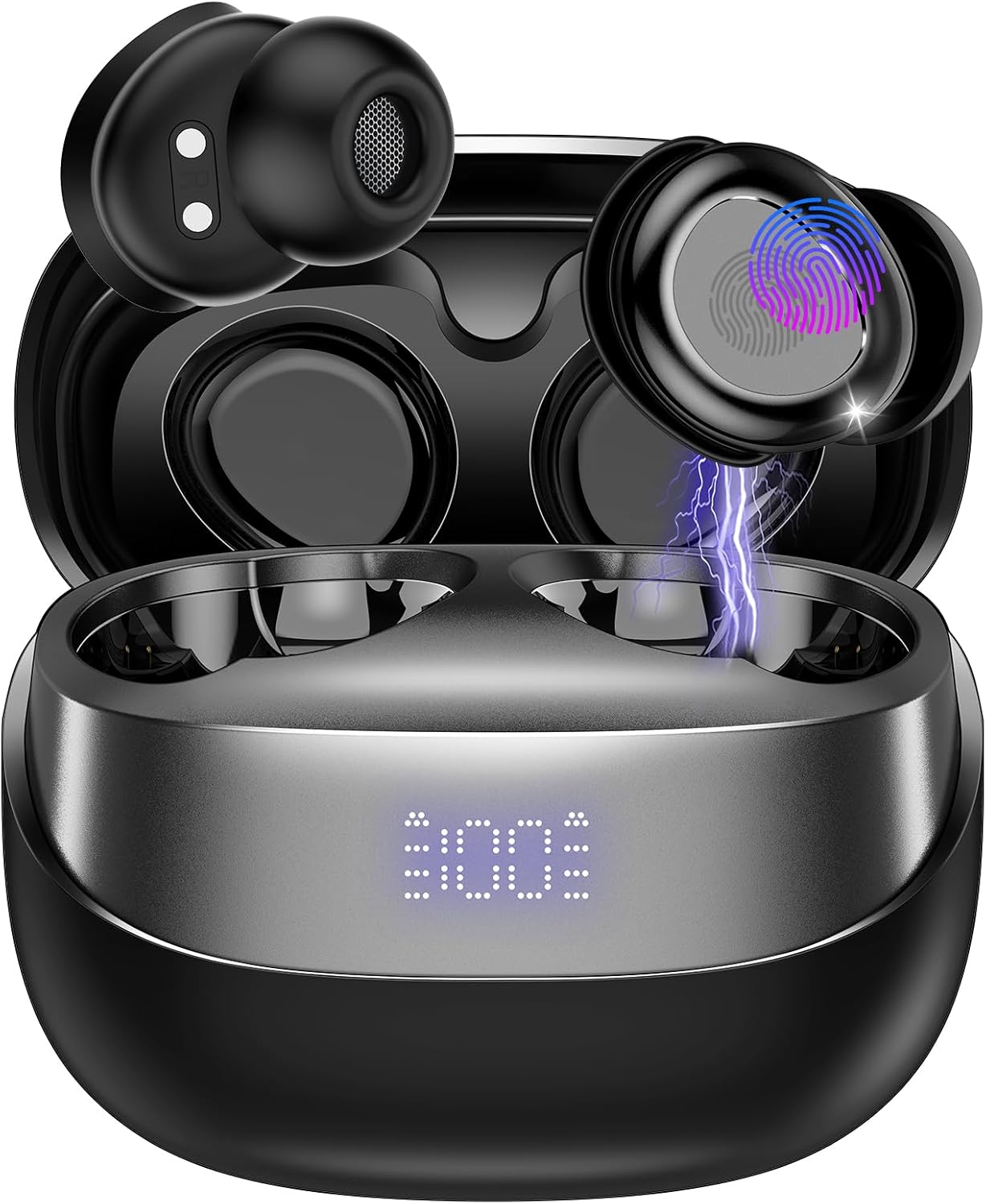
Image: DUSONLAP SU8 Sleep Earbuds in their charging case, showcasing their compact and sleek design.
Key Features:
- Bluetooth 5.4: Ensures stable and efficient wireless connection.
- Ultra-Lightweight Design: Each earbud weighs approximately 3.0 grams for maximum comfort during sleep.
- Extended Playtime: Up to 47 hours total playtime with the charging case, offering 5-7 hours of listening time per charge.
- 24dB Noise Blocking: Helps reduce ambient noise for a more peaceful experience.
- Clear Calls: Equipped for clear voice communication.
- Intuitive Touch Controls: Easy management of music, calls, and sleep mode.
- USB-C Fast Charging: Convenient and quick recharging of the case.
2. What's in the Box
Upon opening your DUSONLAP SU8 Sleep Earbuds package, you will find the following items:

Image: An illustration showing the DUSONLAP SU8 Sleep Earbuds, charging case, USB-C cable, and user manual, representing the package contents.
- DUSONLAP SU8 Sleep Earbuds (x2)
- SU8 Charging Case (x1)
- USB-C Charging Cable (x1)
- User Guide (x1)
3. Setup Guide
3.1 Initial Charging
Before first use, fully charge the earbuds and the charging case. Connect the provided USB-C cable to the charging case and a power source. The LED digital display on the case will indicate the charging status.

Image: The DUSONLAP SU8 charging case with earbuds inside, displaying the battery percentage on its LED screen, indicating charging status.
- Charging Case: The display shows the battery percentage.
- Earbuds: Indicators on the earbuds will show charging status when placed in the case.
3.2 Wearing the Earbuds
For optimal sound quality and comfort, especially for sleep, ensure the earbuds are properly fitted.

Image: A three-step diagram illustrating how to properly wear the SU8 Sleep Earbuds: 1) Choose appropriate ear caps, 2) Place ear cap downwards and insert into ear canal, 3) Twist to lock into place.
- Choose the appropriate ear caps for a snug fit.
- Place the earbud with the ear cap pointing downwards.
- Gently insert the earbud into your ear canal and twist to lock it into place.
3.3 Bluetooth Pairing
The SU8 earbuds feature one-step pairing for quick connection to your device.

Image: The DUSONLAP SU8 Sleep Earbuds and their open charging case next to a smartphone displaying its Bluetooth settings, showing 'SU8 Connected audio' for pairing.
- Open the charging case lid. The earbuds will automatically enter pairing mode.
- On your device (smartphone, tablet, laptop), enable Bluetooth.
- Search for "SU8" in the list of available devices and select it to connect.
- Once connected, you will hear a confirmation tone, and the earbuds will be ready for use.
4. Operating Instructions
4.1 Touch Controls
The SU8 earbuds are equipped with touch-sensitive areas for easy control of various functions.

Image: A close-up of the DUSONLAP SU8 Sleep Earbuds, highlighting the touch control area with a fingerprint icon and indicating various functions like calls, music, volume, and sleep mode.
| Action | Function |
|---|---|
| Tap x1 | Play/Pause Music |
| Tap x2 | Answer/Hang up Call |
| Tap x3 | Activate Voice Assistant |
| Tap x4 | Toggle Sleep Mode (No shutdown, no low battery beep) |
| Long Press (2S) | Reject Call / Adjust Volume (Left for volume down, Right for volume up) |
4.2 Sleep Mode
The SU8 earbuds feature a dedicated sleep mode designed for uninterrupted rest.

Image: A person sleeping peacefully on a pillow, wearing the DUSONLAP SU8 Sleep Earbuds, illustrating the product's use for sleep.
- Activate Sleep Mode by tapping the earbud 4 times.
- In Sleep Mode, the earbuds will not automatically power off and will suppress low battery beeps, ensuring continuous audio without disturbances.
5. Maintenance
Proper maintenance ensures the longevity and optimal performance of your DUSONLAP SU8 Sleep Earbuds.
5.1 Cleaning
- Gently wipe the earbuds and charging case with a soft, dry, lint-free cloth.
- For earwax or debris in the ear tips, carefully remove the ear caps and clean them with a small, soft brush or cotton swab. Ensure they are completely dry before reattaching.
- Do not use abrasive cleaners, alcohol, or chemical solvents.
5.2 Storage
- Always store the earbuds in their charging case when not in use to protect them and keep them charged.
- Store in a cool, dry place away from direct sunlight and extreme temperatures.
6. Troubleshooting
If you encounter issues with your SU8 Sleep Earbuds, refer to the following common solutions:
6.1 Earbuds Not Pairing/Connecting
- Ensure both earbuds are charged.
- Place earbuds back into the charging case, close the lid, wait a few seconds, then open it again to re-initiate pairing mode.
- Turn off and on Bluetooth on your device.
- Forget "SU8" from your device's Bluetooth list and attempt to pair again.
- Ensure your device is within the Bluetooth range (typically 10 meters/33 feet).
6.2 No Sound or Low Volume
- Check the volume level on both your device and the earbuds.
- Ensure the earbuds are properly seated in your ears.
- Clean any debris from the earbud mesh.
- Reconnect the earbuds to your device.
6.3 Charging Issues
- Verify the USB-C cable is securely connected to both the case and the power source.
- Try a different USB-C cable and power adapter.
- Ensure the charging contacts on the earbuds and inside the case are clean and free of debris.
7. Specifications
| Feature | Detail |
|---|---|
| Model Number | SU8 |
| Bluetooth Version | 5.4 |
| Earbud Weight | Approx. 3.0g per earbud |
| Total Playtime | Up to 47 hours (with charging case) |
| Listening Time (Single Charge) | 5-7 hours |
| Noise Blocking | 24dB |
| Charging Port | USB-C |
| ASIN | B0F3862NN3 |
| Manufacturer | DUSONLAP |
8. Warranty and Support
For information regarding product warranty, returns, or technical support, please refer to the official DUSONLAP website or contact their customer service directly. The user guide included in your package may also contain specific warranty details.
Visit the DUSONLAP Store: DUSONLAP Official Store
Ask a question about this manual
Ask about setup, troubleshooting, compatibility, parts, safety, or missing instructions. Manuals+ will review the question and use this page’s manual context to help answer it.