
Introduction
This manual provides detailed instructions for the setup, operation, and maintenance of your oneisall Cordless WiFi Automatic Cat Feeder. Please read this manual thoroughly before using the product to ensure proper function and safety.
What's in the Box
Upon unboxing, verify that all components are present:
- Automatic Pet Feeder Unit
- Charger (USB cable and power adapter)
- Desiccant Bag
- Stainless Steel Bowl and Holder
- User Manual

Image: The oneisall Cordless WiFi Automatic Cat Feeder, showcasing its sleek design and the accompanying mobile application interface.
Setup
1. Powering the Feeder
The feeder can be powered via the included charger or its built-in 5000mAh rechargeable lithium battery, offering up to 100 days of cordless operation. The smart display indicates remaining battery life.

Image: The feeder highlighting its 100-day battery life, indicating long-lasting cordless operation.
3. Assembling the Feeder
Attach the stainless steel bowl to the feeder unit. Ensure it is securely in place. The feeder's low-profile design with a weighted base and anti-skid pads provides stability.
4. Filling the Food Tank
Open the top lid of the feeder. The food tank has a 5L (20 cups) capacity. This feeder is compatible with dry foods and treats up to 0.7 inches (18mm) in size. It features an advanced anti-clogging system for reliable dispensing. Note: Not suitable for dog food.
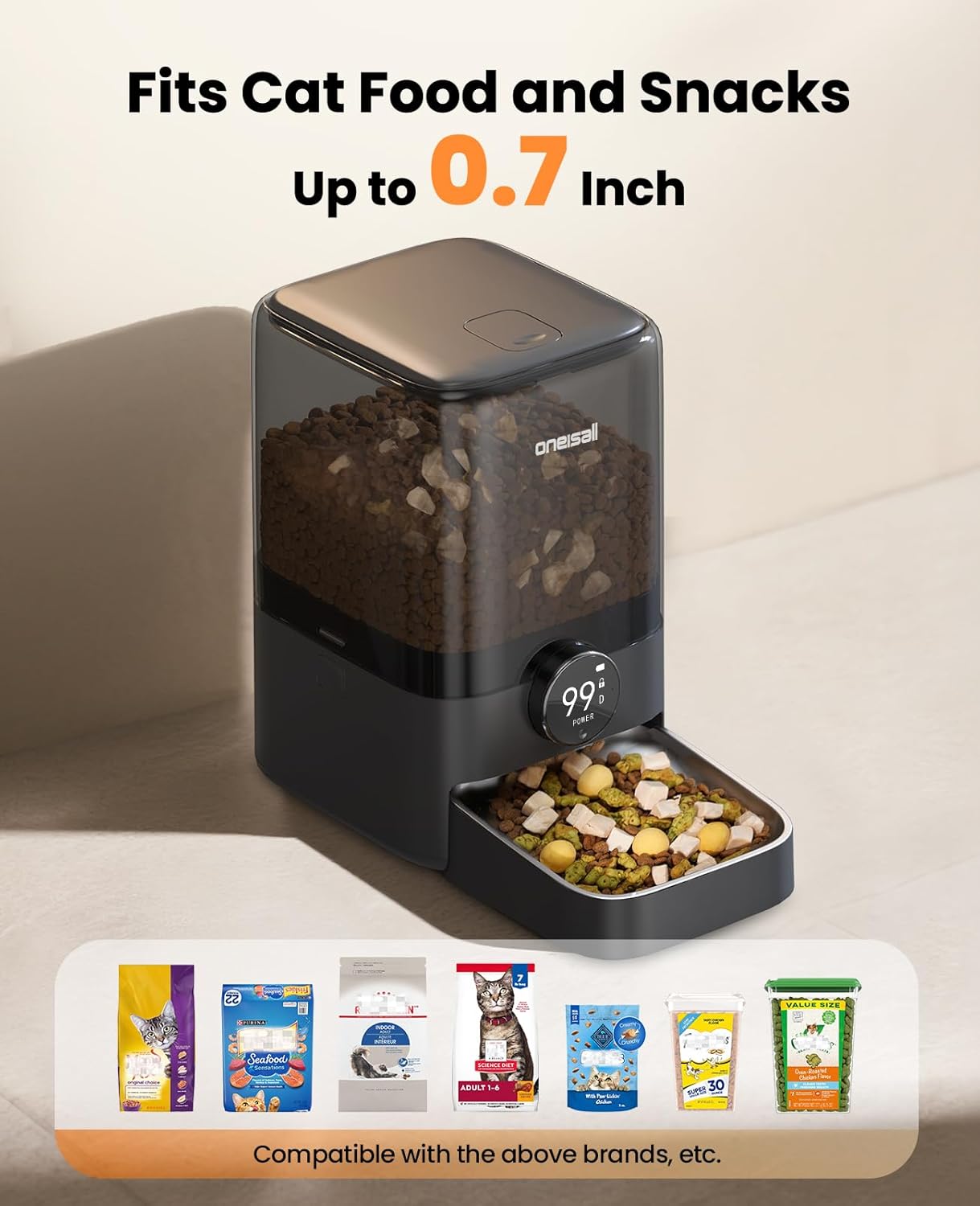
Image: The feeder demonstrating its compatibility with various dry cat foods and treats up to 0.7 inches.
5. App Connection (WiFi Setup)
Download the oneisall app on your iOS or Android device. Follow the in-app instructions to connect the feeder to your 2.4GHz WiFi network. This enables remote control and monitoring of feeding patterns.

Image: A user interacting with the oneisall app on a smartphone to manage pet feeding schedules.
Operating Instructions
1. Setting Feeding Schedule
Through the oneisall app, you can program up to 10 daily meals. Each meal can be set with 1-12 portions. This allows for precise control over your pet's diet, preventing overeating and promoting healthy habits.
2. Manual Feeding
The feeder also supports manual feeding directly from the unit. Refer to the display and controls on the feeder for immediate dispensing.
3. Voice Recording
Record a personal message through the app to play during feeding times. This feature creates a sense of closeness and routine for your pet, even when you are away.

Image: The feeder illustrating the customized meal call feature with a voice message.
Maintenance
1. Cleaning
Regular cleaning of the food tank and stainless steel bowl is recommended to maintain hygiene. Disassemble the removable parts and wash them with mild soap and water. Ensure all parts are completely dry before reassembly.
2. Desiccant Replacement
The feeder includes a desiccant bag to keep food fresh. It is recommended to replace the desiccant bag every month. Contact customer support or visit the oneisall website for replacement desiccant bags.
Troubleshooting
- Feeder not dispensing food: Check for food clogs in the dispenser mechanism. Ensure the food size is within the 0.7-inch limit. Verify the food tank is not empty.
- App connectivity issues: Ensure your WiFi network is 2.4GHz. Restart the feeder and your router. Re-attempt the pairing process in the app.
- Battery not charging/holding charge: Ensure the charger is properly connected. If using the battery, check the smart display for battery level. If issues persist, contact customer support.
- Feeder unstable: Ensure the feeder is placed on a flat, stable surface. The anti-skid pads should be clean and intact.
Specifications
| Feature | Detail |
|---|---|
| Model Name | PF08 |
| Capacity | 5L / 20 Cups |
| Item Weight | 3.33 pounds |
| Product Dimensions | 7.68 x 6.89 x 11.42 inches |
| Power Source | Rechargeable 5000mAh Lithium Battery (included), Charger |
| Food Compatibility | Dry Food, Large Cat Food (0-0.7in) |
| Special Features | Smart App Control (iOS/Android), Feeding Schedule, Voice Recording, Cordless Design |
| Material | Stainless Steel (bowl) |

Image: Detailed specifications of the oneisall cat feeder including model, capacity, weight, and dimensions.
Warranty and Support
The oneisall Cordless WiFi Automatic Cat Feeder comes with a 2-Year Warranty. For any inquiries, technical assistance, or warranty claims, please contact our 24-hour Customer Service. Refer to the contact information provided in your product packaging or on the official oneisall website.