1. Introduction
This manual provides instructions for the installation and use of your SDFCVBTYU Full-Body Protective Case and Tempered Glass Screen Protector, specifically designed for the Samsung Galaxy A16 5G. This product offers comprehensive protection for your device.
1.1 Product Overview
The protective case features a 2-in-1 design, combining a front bumper frame with a built-in tempered glass screen protector, a hard PC (Polycarbonate) cover, and a soft TPU (Thermoplastic Polyurethane) cover. This multi-layer construction is engineered to provide robust defense against drops, scratches, and daily wear.
The case includes raised edges around the screen and camera to prevent direct contact with surfaces, further enhancing protection. Its design ensures full access to all ports, buttons, and features of your Samsung Galaxy A16 5G, including wireless charging compatibility.

Image 1.1: The SDFCVBTYU Full-Body Protective Case and Tempered Glass Screen Protector for Samsung Galaxy A16 5G.
1.2 Compatibility
This product is exclusively compatible with the Samsung Galaxy A16 5G. Please verify your phone model before attempting installation.
2. Setup and Installation
Proper installation is crucial for optimal protection. Follow these steps carefully:
- Prepare Your Device: Ensure your Samsung Galaxy A16 5G is clean and free of dust, smudges, or debris. Use a microfiber cloth if necessary.
- Separate Case Components: The case consists of a front bumper frame (with integrated screen protector), a hard PC back cover, and a soft TPU inner layer. Carefully separate these components.
- Install the Front Bumper Frame: Place your Samsung Galaxy A16 5G into the front bumper frame, ensuring the built-in tempered glass screen protector aligns perfectly with your phone's screen. Press gently around the edges to secure it.
- Attach the Soft TPU Cover: Slide the phone (now with the front bumper frame attached) into the soft TPU cover. Ensure all corners and edges are snugly fitted within the TPU layer.
- Secure with Hard PC Cover: Finally, snap the hard PC back cover onto the assembled phone and TPU layer. Ensure all clips engage securely, providing a firm and complete enclosure.

Image 2.1: Exploded view illustrating the multi-layer construction of the protective case, including the screen protector, front bumper, hard PC, and soft TPU components.
3. Operating Instructions and Features
3.1 Full Access and Functionality
The case is designed with precision cutouts to ensure full and unobstructed access to all ports, buttons, speakers, and the camera of your Samsung Galaxy A16 5G. You can operate your device normally without removing the case.

Image 3.1: The phone case allows for comfortable and functional use of the Samsung Galaxy A16 5G during calls.
3.2 Wireless Charging Compatibility
The case supports wireless charging. You do not need to remove the case to charge your Samsung Galaxy A16 5G wirelessly. Simply place your device on a compatible wireless charging pad.

Image 3.2: The case is compatible with wireless charging, allowing convenient power replenishment without removal.
3.3 Enhanced Protection Features
- Drop Protection: The combination of hard PC and soft TPU materials, along with reinforced corners, absorbs impact from accidental drops, protecting your device.
- Screen and Camera Protection: Raised edges (approximately 0.76 mm for the screen and 0.5 mm for the camera) prevent direct contact with flat surfaces, guarding against scratches and damage.
- Scratch Resistance: The tempered glass screen protector and durable case materials offer resistance against scratches from keys, coins, and other objects.
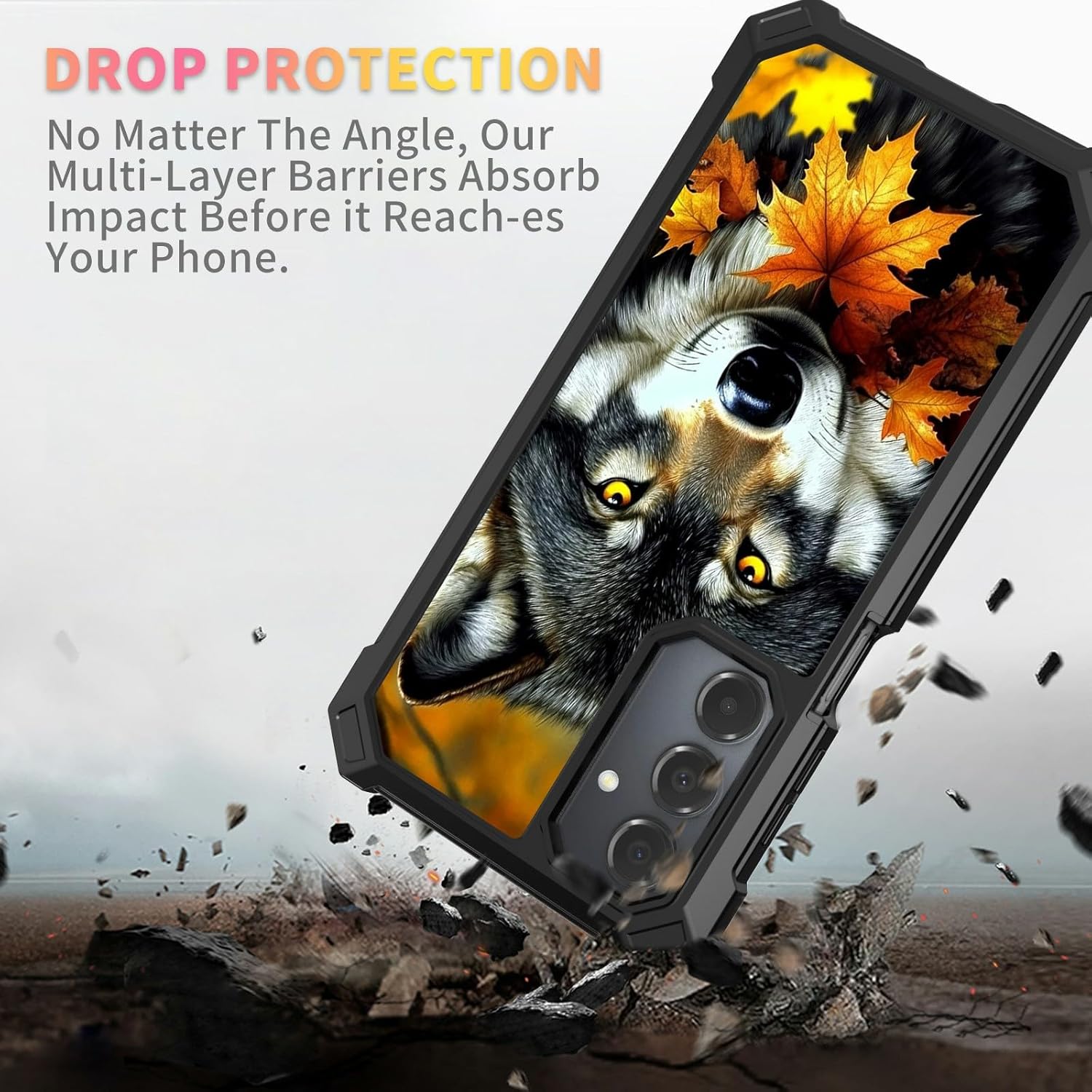
Image 3.3: The case is designed to absorb impact, providing drop protection for the Samsung Galaxy A16 5G.

Image 3.4: Detailed view highlighting the raised edges around the camera and screen, designed to prevent direct surface contact.
4. Maintenance
To maintain the appearance and protective qualities of your case:
- Cleaning: Wipe the case regularly with a soft, damp cloth to remove dust and smudges. For stubborn dirt, a mild soap solution can be used, followed by thorough drying.
- Avoid Harsh Chemicals: Do not use abrasive cleaners, solvents, or harsh chemicals, as these can damage the case material or finish.
- Screen Protector Care: The tempered glass screen protector can be cleaned with a screen cleaner or a damp microfiber cloth. Avoid excessive force.
5. Troubleshooting
This section addresses common inquiries regarding the product.
- Difficulty with Installation: If you encounter difficulty installing the case, ensure all components are correctly aligned. Refer to Section 2 for detailed steps. Ensure your phone model is indeed the Samsung Galaxy A16 5G.
- Wireless Charging Not Working: Verify that your wireless charger is functional and properly connected. Ensure the phone is centered on the charging pad. If issues persist, temporarily remove the case to confirm it is not interfering.
- Screen Protector Bubbles: Small bubbles during installation can often be pushed out towards the edges using a soft card or cloth. Ensure the screen was thoroughly cleaned before installation to prevent dust-induced bubbles.
6. Specifications
| Feature | Detail |
|---|---|
| Brand | SDFCVBTYU |
| Compatible Phone Models | Samsung Galaxy A16 5G |
| Item Model Number | SD-FSPB-A16 5G-B68 |
| Material | Thermoplastic Polyurethane (TPU), Polycarbonate (PC) |
| Special Features | Built-in Screen Protector, Shockproof, Wireless Charging Compatible |
| Form Factor | Basic Case |
| Item Weight | 2.64 ounces |
| Product Dimensions (L x W x H) | 0.5 x 3.4 x 6.3 inches |
7. Warranty and Support
Information regarding product warranty and customer support is not available in the provided data. Please refer to the product packaging or the seller's website for details on warranty coverage and how to contact support.