
1. Introduction
The SRNE Shiner2440 is an advanced Maximum Power Point Tracking (MPPT) solar charge controller designed for off-grid photovoltaic systems. It efficiently manages power flow from solar panels to batteries and loads, ensuring optimal charging and discharge protection. This manual provides essential information for the safe and effective installation, operation, and maintenance of your Shiner2440 controller.
2. Safety Instructions
- Read all instructions carefully before installation and operation.
- Ensure all wiring is correctly polarized and securely connected to prevent damage to the controller or other components.
- Always disconnect the solar panel and battery power before installing or adjusting the controller.
- Install the controller in a well-ventilated area, away from flammable gases, moisture, and direct sunlight.
- Do not disassemble or attempt to repair the controller yourself. Contact qualified personnel for service.
- Use appropriate circuit breakers or fuses for the solar panel, battery, and load circuits.
- Wear eye protection when working with batteries.
3. Product Overview
3.1 Key Features
- Designed for off-grid applications, connecting to PV, battery, and load.
- Multiple load operating modes to meet diverse energy needs.
- Supports various battery types for versatile use.
- Highly integrated design for space and wire saving.
- MPPT efficiency up to 99.9% for optimal power harvest.
- Complete charge and discharge protection mechanisms.
- Natural cooling for quiet operation.
- Supports TTL RS485 and CAN (RV-C protocol) communication.
- Bluetooth connectivity with mobile application for monitoring and control.
3.2 Controller Components
The SRNE Shiner2440 controller features a compact design with an integrated display and control buttons for easy operation.
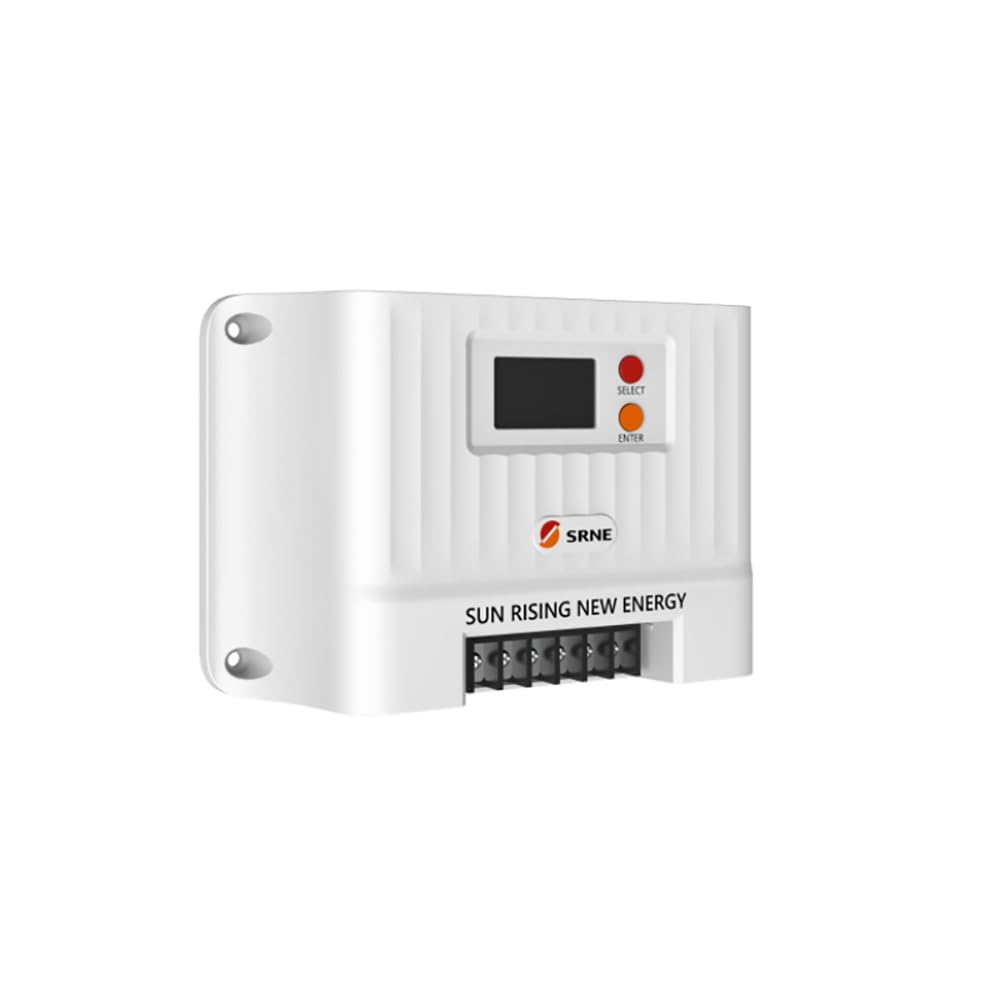
Figure 1: Front view of the SRNE Shiner2440 MPPT Solar Charge Controller, showing the LCD display and control buttons.
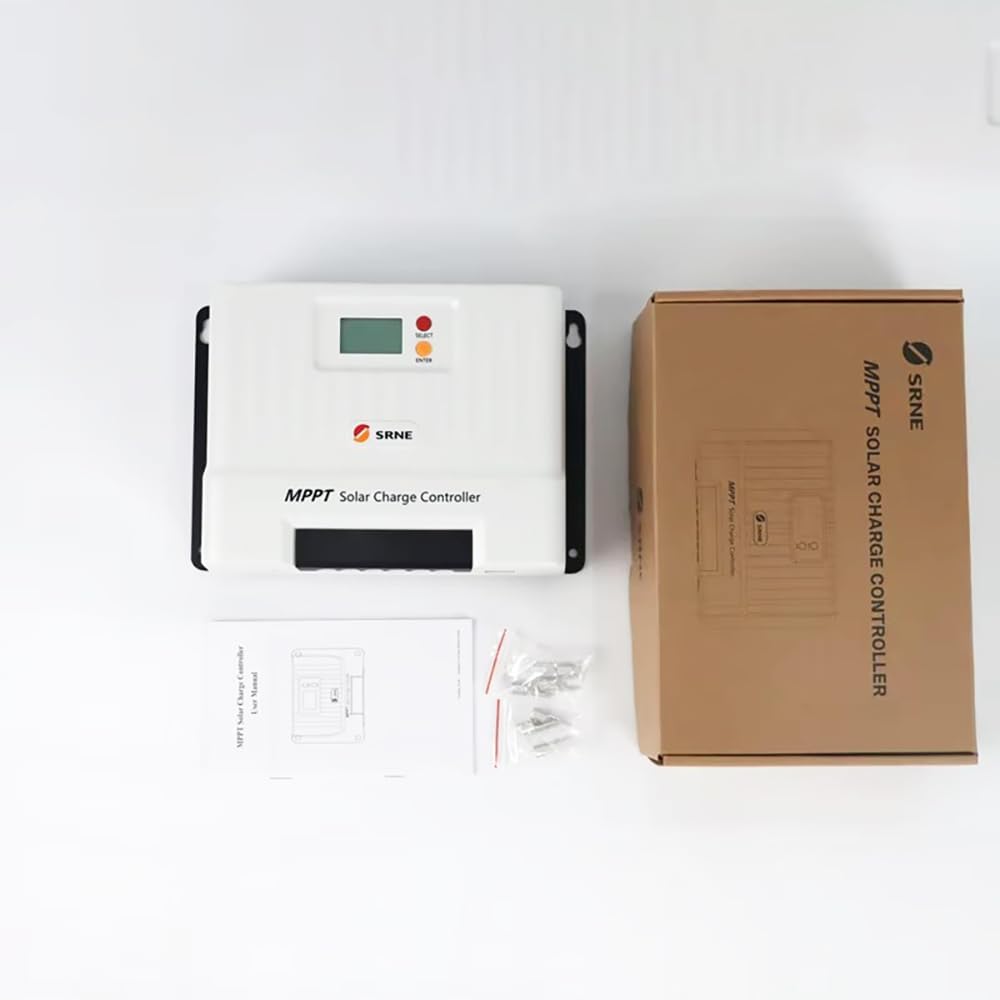
Figure 2: The SRNE Shiner2440 controller alongside its retail packaging and included accessories, such as mounting screws and a user manual.

Figure 3: A summary of key features for the SRNE Shiner series solar charge controllers, highlighting off-grid application, user-friendliness, safety, all-in-one design, efficiency, and intelligent functions.
4. Specifications
The following table details the technical specifications of the SRNE Shiner2440 MPPT Solar Charge Controller:
| Parameter | Value |
|---|---|
| Model | Shiner2440 |
| Rated Battery Voltage | 12V/24V (Auto-recognition) |
| Rated Charging Current | 40A |
| Rated Load Current | 20A |
| Max. PV Open Circuit Voltage | 100Vdc |
| MPPT Tracking Efficiency | >99% |
| Max. PV Input Power (12V Battery) | 520W |
| Max. PV Input Power (24V Battery) | 1040W |
| Battery Type Support | Lead-acid, Li-ion, User Defined |
| Communication | TTL RS485 (default), CAN (optional), Bluetooth (optional via external module) |
| Dimensions (L*W*H) | 228mm * 160mm * 72mm (8.98in * 6.30in * 2.83in) |
| Weight | 1.75 kg (3.86 lbs) |
| Protection Degree | IP32 |
| Operating Temperature Range | -35°C to 65°C (-31°F to 149°F) |

Figure 4: Comprehensive technical specifications for the Shiner series, including the Shiner2440, and a general connection diagram for the MPPT controller in an off-grid system.
5. Setup and Installation
5.1 Mounting the Controller
- Mount the controller vertically on a non-flammable surface in a dry, well-ventilated indoor location.
- Ensure adequate clearance around the controller for natural cooling. Avoid enclosed spaces.
- Use appropriate screws to secure the controller to the mounting surface.
5.2 Wiring Connections
Follow the wiring sequence below to ensure safe and correct installation. Refer to Figure 4 for a visual representation of the connection diagram.
- Connect the Battery: Connect the battery to the controller's battery terminals. Ensure correct polarity (+ to + and - to -). The controller will automatically detect the battery voltage (12V or 24V).
- Connect the Solar Panel: Connect the solar panel array to the controller's PV terminals. Ensure correct polarity. Do not exceed the maximum open circuit voltage (100Vdc) or maximum input power (520W for 12V battery, 1040W for 24V battery).
- Connect the DC Load: Connect the DC load to the controller's load terminals. Ensure correct polarity. Do not exceed the rated load current (20A).
Important: Always connect the battery first, then the solar panel, and finally the load. Disconnect in the reverse order: load, then solar panel, then battery.
6. Operating Instructions
6.1 Display and Button Functions
The controller features an LCD display and two buttons: "SELECT" and "ENTER".
- SELECT Button: Used to navigate through different display screens and menu options.
- ENTER Button: Used to confirm selections or enter a menu for parameter settings.
6.2 Parameter Settings
To adjust parameters such as battery type or load operating mode:
- Press the "ENTER" button to enter the main menu.
- Use the "SELECT" button to scroll through the menu options.
- Press "ENTER" to select a parameter for adjustment.
- Use "SELECT" to change the value or option.
- Press "ENTER" again to confirm and save the setting.
6.3 Load Operating Modes
The controller supports multiple load operating modes, which can be configured via the menu:
- Normal Open: Load is always on when battery voltage is sufficient.
- Light Control: Load turns on automatically at dusk and off at dawn.
- Time Control: Load turns on at dusk and stays on for a set duration.
- Light Control + Time Control: Load turns on at dusk and stays on for a set duration, then turns off.
- Debugging Mode: For testing purposes.
6.4 Battery Type Selection
The controller supports various battery types. Select the correct battery type in the settings to ensure proper charging algorithms and protection:
- Lead-acid (e.g., Sealed, Gel, Flooded)
- Lithium-ion
- User Defined (for custom battery parameters)
6.5 Bluetooth Connectivity
The Shiner2440 supports Bluetooth connectivity via an optional external module. Once connected, you can monitor system status and adjust parameters using a mobile application.
7. Maintenance
- Periodically inspect all wiring connections to ensure they are tight and free from corrosion.
- Keep the controller clean and free from dust and debris. Use a dry cloth for cleaning.
- Ensure the ventilation openings are not obstructed to maintain proper cooling.
- Monitor the system's performance regularly through the display or mobile app.
8. Troubleshooting
If you encounter issues with your SRNE Shiner2440 controller, refer to the following common troubleshooting steps:
- No Display/No Power: Check battery connections and ensure the battery voltage is within the operating range. Verify that the battery fuse or circuit breaker is not tripped.
- No Charging: Check solar panel connections and ensure they are receiving sunlight. Verify that the solar panel fuse or circuit breaker is not tripped. Ensure the PV open circuit voltage is within the controller's limits.
- Load Not Working: Check load connections and ensure the load fuse or circuit breaker is not tripped. Verify the load operating mode settings. Ensure battery voltage is above the low voltage disconnect threshold.
- Incorrect Readings: Ensure all parameters, especially battery type, are correctly set in the controller's menu.
For persistent issues or error codes not listed, please consult the manufacturer's support or a qualified technician.
9. Warranty and Support
Warranty information for the SRNE Shiner2440 MPPT Solar Charge Controller is typically provided with the product packaging or can be obtained directly from the manufacturer, YXSMPS, or your authorized dealer. Please retain your proof of purchase for warranty claims.
For technical support, product inquiries, or service, please contact the manufacturer or your local distributor.


