Product Overview
The UGREEN MagFlow 10,000mAh Power Bank is a portable charging solution designed for efficiency and convenience. It features Qi2 25W certified wireless charging for compatible devices, including MagSafe-enabled iPhones, and a built-in 30W USB-C cable for fast wired charging. Its compact design and integrated cable make it suitable for on-the-go use, while multiple safety features ensure reliable operation.

Image: The UGREEN MagFlow 10,000mAh Power Bank, showcasing its sleek design and integrated USB-C cable.
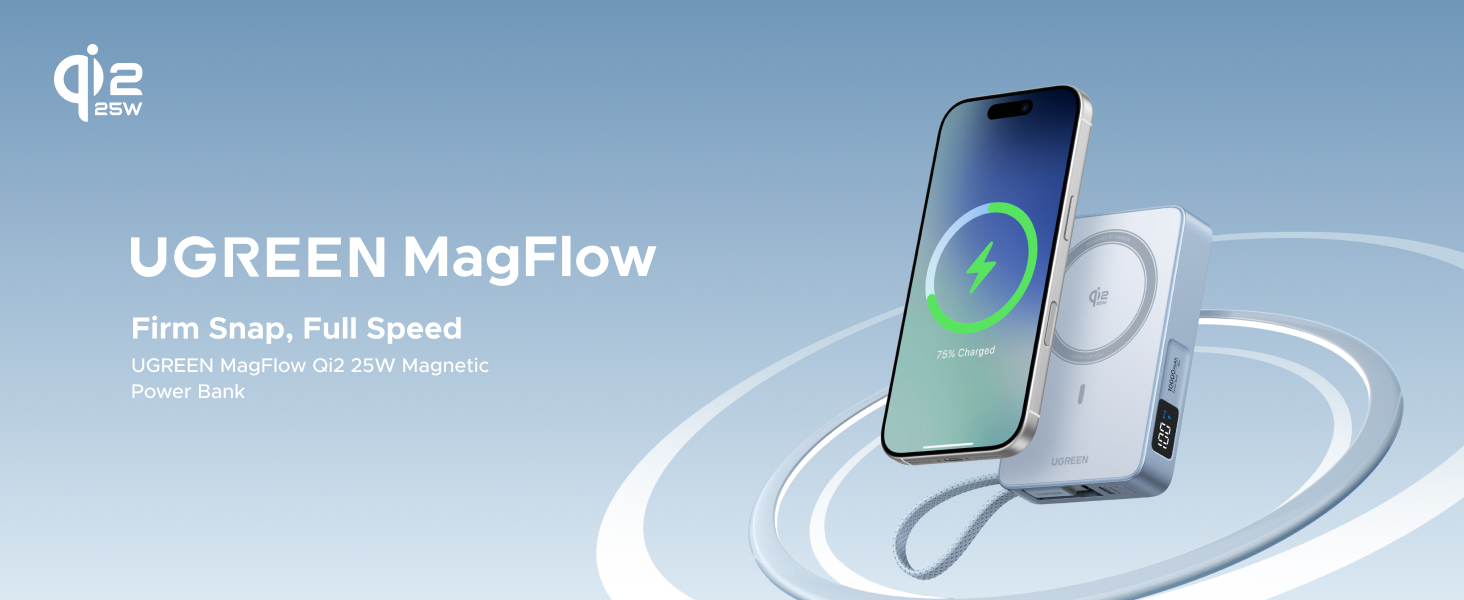
Image: The UGREEN MagFlow Power Bank magnetically attached to an iPhone, illustrating its firm and secure connection for charging.
Package Contents
Verify that all items are present in the package:
- 1 x UGREEN MagFlow 10,000mAh Power Bank (Model: PB773)
- 1 x USB-C to USB-C Charging Cable (built-in)
- 1 x User Manual

Image: Illustration of the UGREEN MagFlow Power Bank and its included accessories: the power bank, a USB-C cable, and the user manual.
Setup and Initial Use
Charging the Power Bank
Before first use, it is recommended to fully charge the power bank. The UGREEN MagFlow Power Bank supports 30W self-recharge via its built-in USB-C cable.
- Connect the built-in USB-C cable to a compatible USB-C power adapter (not included).
- Plug the power adapter into a wall outlet.
- The digital display on the power bank will show the charging progress, indicating 100% when fully charged. A full recharge takes approximately 2 hours.

Image: The UGREEN MagFlow Power Bank connected to a wall adapter via its built-in USB-C cable, demonstrating the self-recharge process.
Operating Instructions
Wireless Charging (Qi2 25W)
The power bank supports Qi2 25W wireless charging, providing fast and efficient power delivery to compatible devices, especially MagSafe-enabled iPhones.
- Ensure your device supports Qi2 wireless charging or MagSafe.
- Align your device's wireless charging coil with the magnetic charging pad on the power bank. For MagSafe-compatible devices, the magnets will automatically snap into place, ensuring optimal alignment.
- The power bank will begin charging your device wirelessly. The digital display will indicate wireless charging activity.

Image: An iPhone being wirelessly charged by the UGREEN MagFlow Power Bank, highlighting the Qi2 25W fast charging capability.
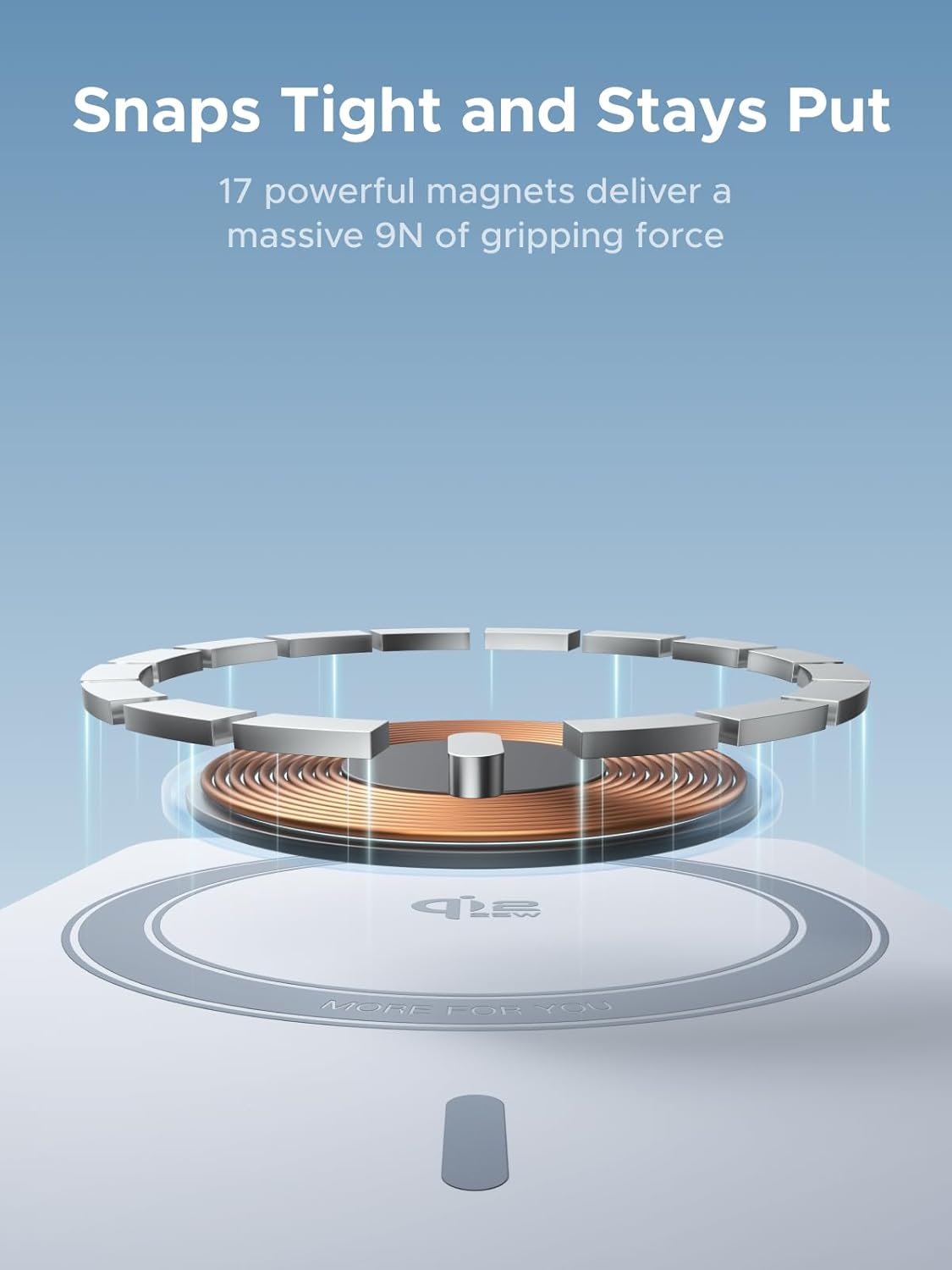
Image: An internal view illustrating the 17 powerful magnets within the UGREEN MagFlow Power Bank, designed for a secure and stable magnetic connection.
Wired Charging (30W USB-C)
The built-in USB-C cable provides up to 30W of wired power for fast charging laptops, tablets, or other smartphones.
- Unfurl the built-in USB-C cable from its storage slot.
- Connect the USB-C cable to the charging port of your device.
- The power bank will automatically detect and begin charging your device.

Image: The UGREEN MagFlow Power Bank using its built-in USB-C cable to fast charge an iPhone, demonstrating 30W two-way fast charging.
Charging Multiple Devices
The power bank can charge up to three devices simultaneously: two via USB-C ports (one built-in cable, one additional port) and one wirelessly.

Image: The UGREEN MagFlow Power Bank simultaneously charging an iPhone wirelessly, AirPods via the built-in USB-C cable, and an Apple Watch via an additional USB-C port (watch charging module sold separately).
Real-Time Battery Display
The integrated digital display provides real-time battery percentage, fast charging status, and wireless charging indication.
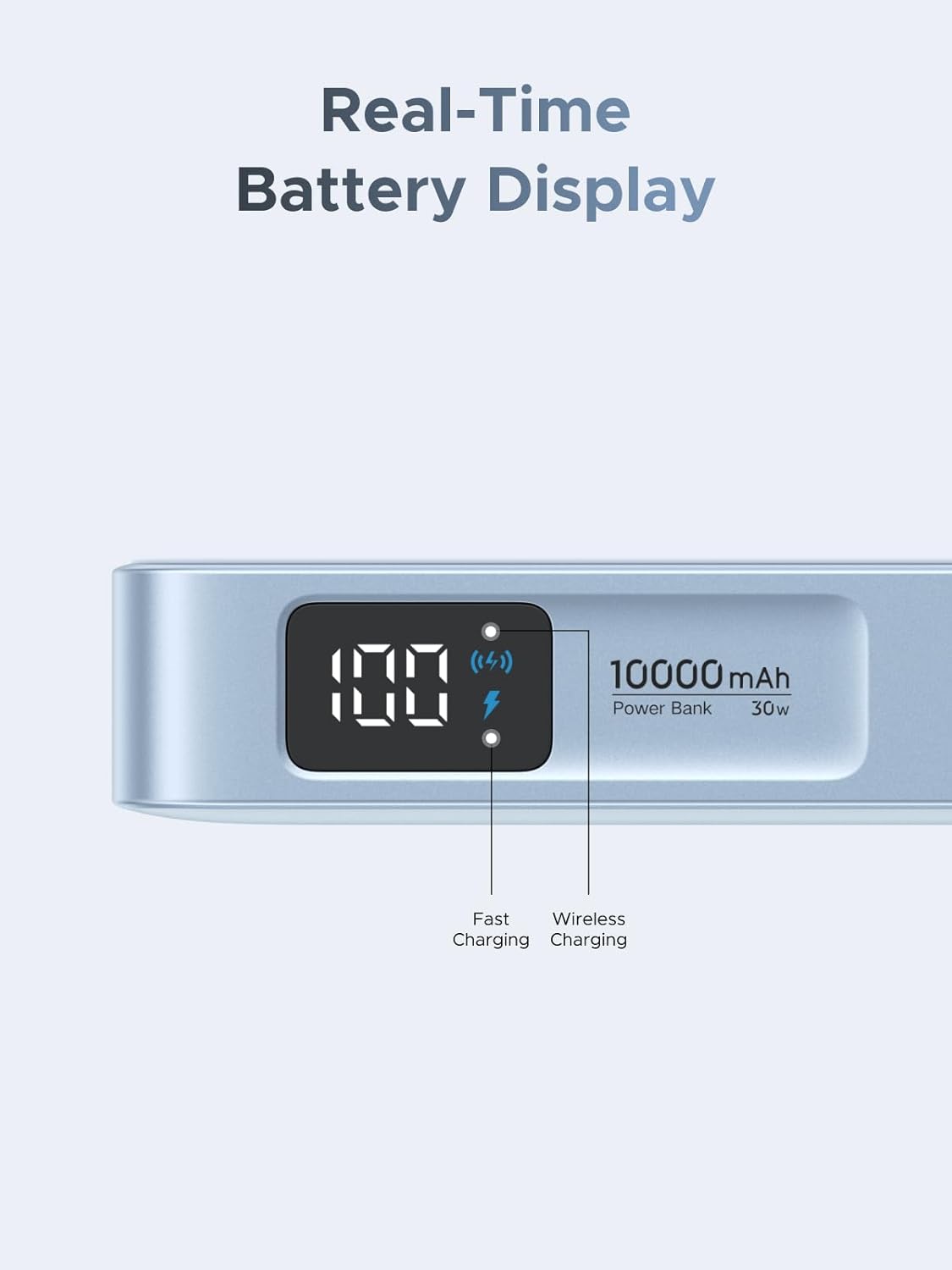
Image: A close-up of the UGREEN MagFlow Power Bank's digital display, showing the battery percentage, fast charging icon, and wireless charging icon.
Pass-Through Charging
The power bank supports pass-through charging, allowing you to charge your devices while the power bank itself is being recharged.

Image: The UGREEN MagFlow Power Bank connected to a wall outlet for self-recharge, while simultaneously wirelessly charging a smartphone, demonstrating pass-through charging.
Safety Features and Protection
The UGREEN MagFlow Power Bank incorporates 13 layers of safety protection to safeguard your devices and ensure safe operation.
- High temperature protection
- Low temperature protection
- Input overcurrent protection
- Output overcurrent protection
- Input overvoltage protection
- Output overvoltage protection
- Overcharge protection
- Overdischarge protection
- Overpower protection
- Undervoltage protection
- Short circuit protection
- Manual reset protection
- Auto circuit interruption

Image: A diagram illustrating the 13 layers of safety protection integrated into the UGREEN MagFlow Power Bank, including temperature, voltage, current, and circuit protections.
Thermal Guard™ Technology
The power bank features Thermal Guard™ technology, which monitors temperature 200 times per second to prevent overheating and ensure stable charging.

Image: An exploded view of the UGREEN MagFlow Power Bank, highlighting the internal smart cooling system and metal heat sink for efficient thermal management.
Maintenance
- Cleaning: Use a soft, dry cloth to clean the surface of the power bank. Avoid using harsh chemicals or abrasive materials.
- Storage: Store the power bank in a cool, dry place away from direct sunlight, extreme temperatures, and humidity.
- Battery Care: To prolong battery life, avoid fully discharging the power bank frequently. Recharge it regularly, even if not in use for extended periods.
- Cable Care: Ensure the built-in USB-C cable is properly tucked into its slot when not in use to prevent damage.
Troubleshooting
| Problem | Possible Cause | Solution |
|---|---|---|
| Power bank not charging | Loose connection; faulty adapter/cable; power bank fully discharged. | Ensure all connections are secure. Try a different USB-C cable or power adapter. Allow a few minutes for the power bank to respond if deeply discharged. |
| Device not charging wirelessly | Misalignment; non-compatible device/case; foreign object between device and power bank. | Realign the device on the charging pad. Ensure your device supports Qi2/MagSafe. Remove any metal objects or thick cases. |
| Slow wireless charging | Device not Qi2/MagSafe compatible; poor alignment; background apps on device. | Ensure optimal alignment. Confirm device supports Qi2 25W. Close unnecessary background applications on your device. |
| Device not charging via built-in cable | Cable not fully inserted; device not compatible with USB-C PD; power bank battery low. | Ensure the USB-C cable is fully inserted into both the power bank and your device. Check if your device supports USB-C Power Delivery. Recharge the power bank. |
| Power bank feels warm during charging | Normal operation; high power output. | It is normal for the power bank to generate some heat during high-speed charging. If it becomes excessively hot, disconnect it and contact support. |
Specifications
| Feature | Detail |
|---|---|
| Model Number | PB773 |
| Battery Capacity | 10,000mAh |
| Wireless Charging Output | Qi2 25W Certified |
| Wired Charging Output | Up to 30W (USB-C PD) |
| Input (Self-Recharge) | Up to 30W (USB-C) |
| Dimensions | 0.83 x 2.76 x 4.33 inches |
| Item Weight | 9 ounces |
| Battery Type | Lithium Polymer (2 included) |
| Color | Blue |
| Special Features | Fast Charging, Magnetic Attachment, Built-in USB-C Cable, Real-Time Battery Display, 13-Layer Safety Protection, Thermal Guard™ |
Warranty and Support
UGREEN products are designed and manufactured to the highest quality standards. For warranty information and technical support, please refer to the official UGREEN website or contact their customer service directly.
Manufacturer: Ugreen Group Limited
For further assistance, visit the official UGREEN website: www.ugreen.com


