
1. Safety Information
Please read all safety instructions carefully before using this product. Failure to follow these instructions may result in fire, electric shock, product damage, or property damage.
- Do not expose the power bank to extreme temperatures (above 45°C/113°F or below -10°C/14°F).
- Avoid dropping, disassembling, or attempting to repair the device yourself.
- Keep the power bank away from water, moisture, and flammable materials.
- Use only certified charging cables and adapters.
- Do not place metal objects or foreign materials on the wireless charging surface.
- Dispose of the power bank according to local regulations. Do not dispose of it in household waste.
- Keep out of reach of children.
2. Package Contents
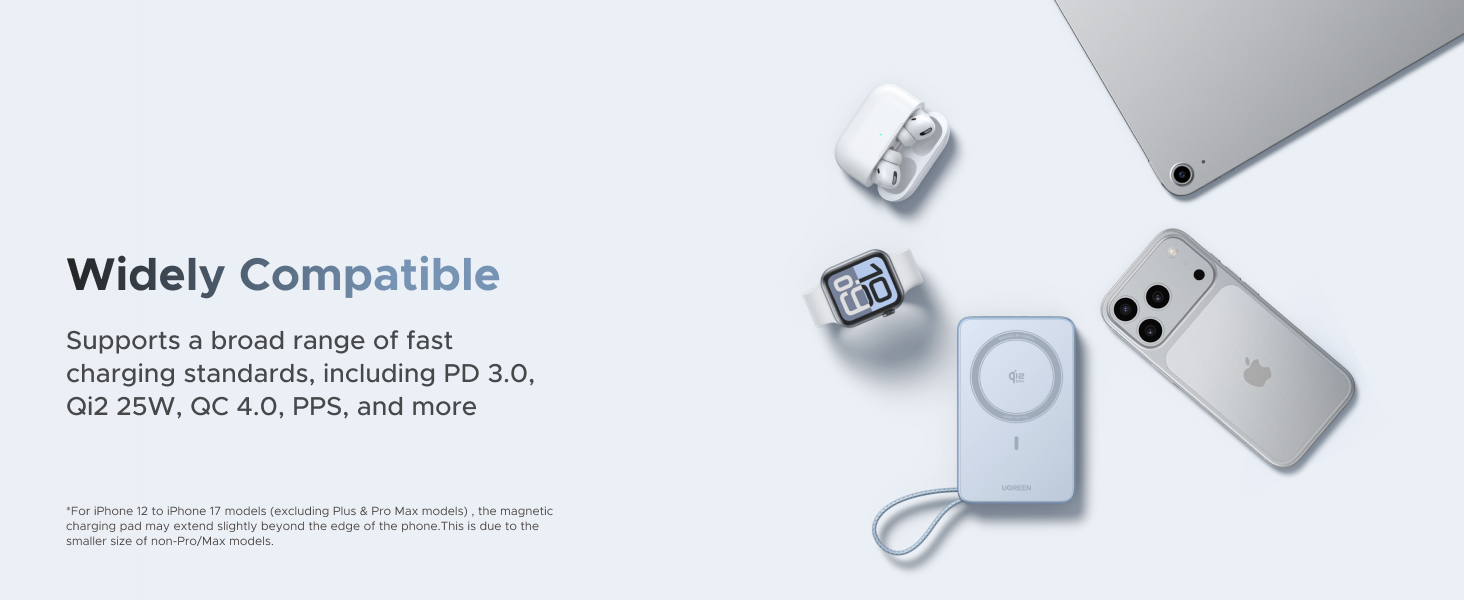
Image: Contents of the UGREEN MagFlow Power Bank retail box, including the power bank, a USB-C to USB-C cable, and a user manual.
The package includes the following items:
- 1 x UGREEN MagFlow 20000mAh Magnetic Power Bank (Model PB775)
- 1 x USB-C to USB-C Charging Cable
- 1 x User Manual
3. Product Overview
The UGREEN MagFlow 20000mAh Magnetic Power Bank is a versatile portable charger featuring Qi2 25W certified wireless charging and 45W PD fast charging capabilities. It includes a built-in USB-C cable for convenience and a real-time battery display.
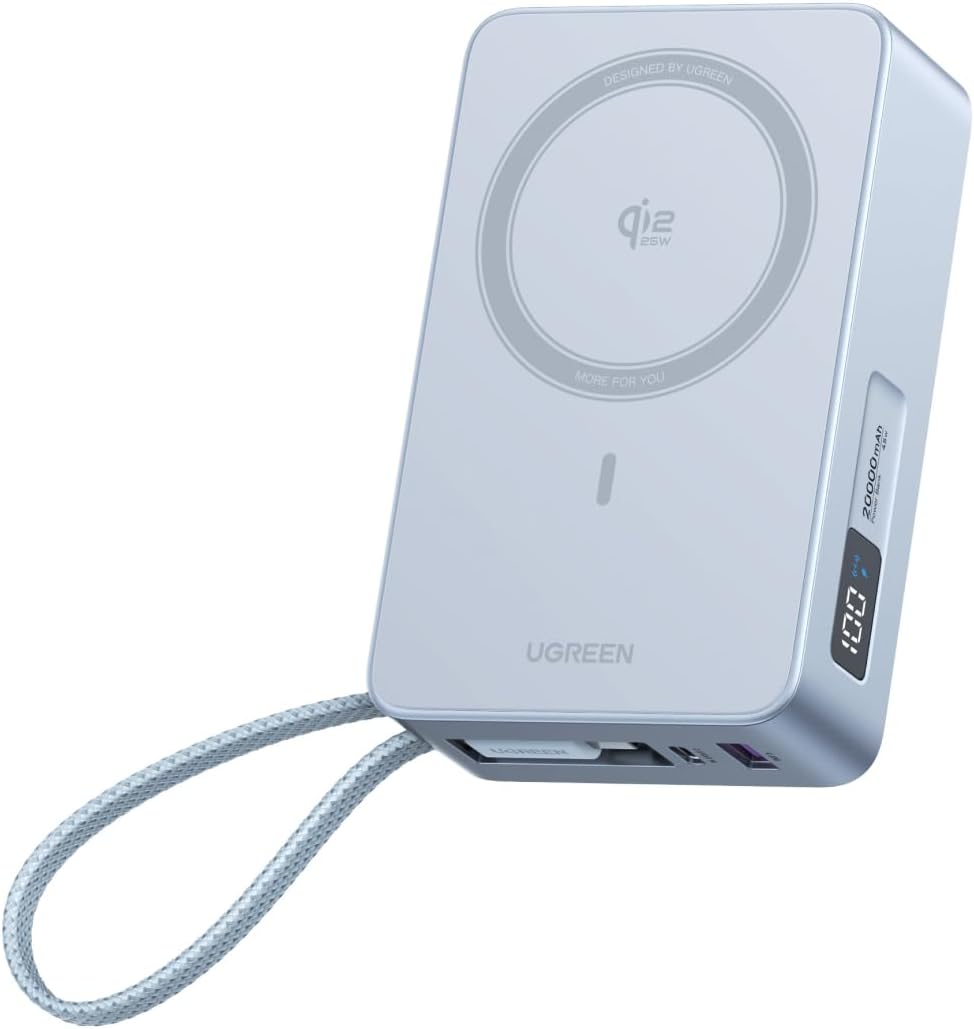
Image: An angled view of the UGREEN MagFlow 20000mAh Magnetic Power Bank, showcasing its light blue color, magnetic charging pad, built-in cable, and digital display.
Key Features:
- High Capacity: 20000mAh battery provides multiple charges for smartphones.
- Qi2 25W Wireless Charging: Certified for fast and efficient magnetic wireless charging.
- 45W PD Fast Charging: USB-C port supports Power Delivery for rapid wired charging of various devices.
- Built-in USB-C Cable: Integrated cable for convenient wired charging and doubles as a carry strap.
- Dual-Device Charging: Charge wirelessly and via USB-C simultaneously.
- Strong Magnetic Hold: 17 powerful magnets ensure secure attachment to compatible devices.
- Real-Time Battery Display: Digital screen shows remaining battery percentage and charging status.
- Advanced Safety Features: Includes temperature control, surge protection, and smart power management.

Image: A person holding the UGREEN MagFlow Power Bank, highlighting the built-in USB-C cable which also functions as a carry strap.

Image: A close-up view of the power bank's digital display, showing '100%' battery, fast charging indicator, and wireless charging indicator.
4. Setup
4.1 Initial Charging of the Power Bank
Before first use, fully charge your UGREEN MagFlow Power Bank.
- Connect the included USB-C to USB-C cable to the power bank's USB-C port.
- Connect the other end of the cable to a compatible USB-C wall charger (not included) with a minimum output of 45W for optimal charging speed.
- The digital display will show the charging progress. The power bank is fully charged when the display shows 100%.
A full recharge takes approximately 3.5 hours with a 45W charger.
5. Operating Instructions
5.1 Wireless Charging (MagSafe/Qi2)
The power bank supports Qi2 25W magnetic wireless charging for compatible devices.
- Ensure the power bank is sufficiently charged.
- Align your MagSafe-compatible iPhone (iPhone 12 series or newer) or other Qi2-enabled device with the magnetic charging pad on the power bank. The magnets will snap into place.
- The wireless charging indicator on the digital display will illuminate, and your device will begin charging.

Image: A comparison showing an iPhone 17 Pro Max charging to 50% in approximately 38 minutes with 25W Qi2 wireless charging versus 54 minutes with 15W wireless charging.

Image: A diagram illustrating the internal magnetic array of the UGREEN MagFlow Power Bank, indicating 17 powerful magnets for a secure hold.
5.2 Wired Charging (USB-C/USB-A)
The power bank offers both USB-C and USB-A ports for wired charging.
- Connect your device to the power bank using a compatible charging cable.
- Use the built-in USB-C cable for devices that support USB-C input.
- Use the additional USB-C port or USB-A port for other devices.
- The digital display will indicate wired charging activity.
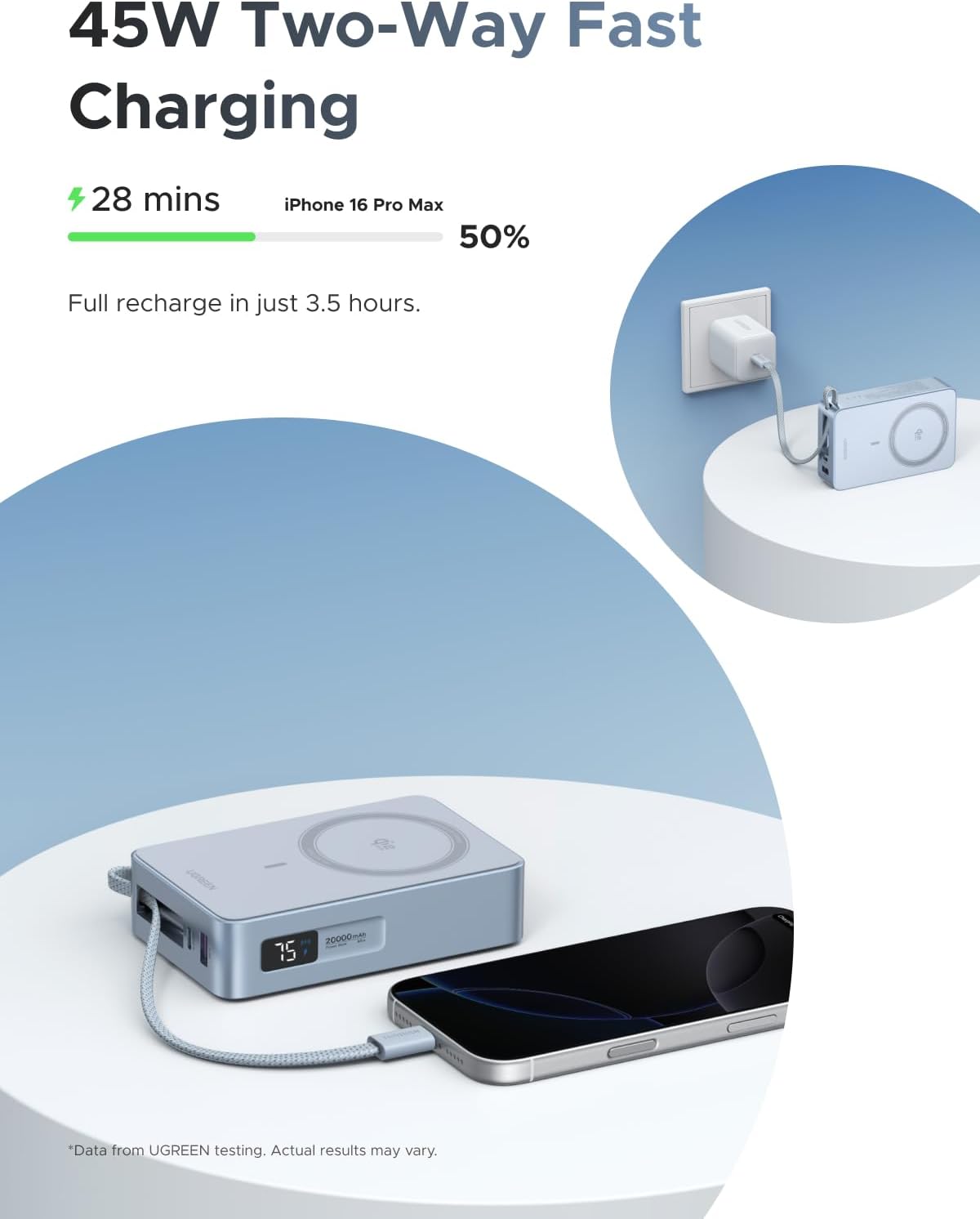
Image: The UGREEN MagFlow Power Bank simultaneously charging an iPhone 16 Pro Max via its built-in USB-C cable and being recharged itself from a wall adapter, demonstrating 45W two-way fast charging.
5.3 Charging Multiple Devices
The power bank can charge up to four devices simultaneously:
- One device via wireless charging.
- One device via the built-in USB-C cable.
- One device via the additional USB-C port.
- One device via the USB-A port.

Image: The UGREEN MagFlow Power Bank simultaneously charging an iPhone wirelessly, AirPods via the built-in USB-C cable, an Apple Watch via the USB-A port, and an iPad via the second USB-C port.
5.4 Pass-Through Charging
The UGREEN MagFlow Power Bank supports pass-through charging, allowing you to charge your devices while the power bank itself is being recharged. This ensures your devices remain powered without interruption.
6. Maintenance
- Clean the power bank with a soft, dry cloth. Do not use harsh chemicals or abrasive materials.
- Store the power bank in a cool, dry place away from direct sunlight and extreme temperatures.
- If not used for extended periods, charge the power bank to approximately 50% every three months to prolong battery life.
7. Troubleshooting
7.1 Power Bank Not Charging
- Ensure the charging cable is securely connected to both the power bank and the wall adapter.
- Verify that the wall adapter is functioning correctly and provides sufficient power (e.g., 45W for fast charging).
- Try a different USB-C cable and wall adapter.
7.2 Device Not Charging Wirelessly
- Ensure your device is MagSafe-compatible or supports Qi2 wireless charging.
- Check that your device is properly aligned with the magnetic charging pad on the power bank.
- Remove any thick phone cases or metal attachments that may interfere with wireless charging.
- Ensure the power bank has sufficient charge.
7.3 Device Not Charging Via Cable
- Ensure the cable is securely connected to both the power bank and your device.
- Try a different charging cable.
- Test a different port on the power bank (USB-C or USB-A).
- Ensure the power bank has sufficient charge.
7.4 Power Bank Overheating
- It is normal for the power bank to become slightly warm during charging.
- If it becomes excessively hot, disconnect all devices and the power source immediately. Allow it to cool down.
- Ensure proper ventilation and avoid charging in confined spaces or direct sunlight.

Image: An exploded view of the UGREEN MagFlow Power Bank, illustrating its internal smart cooling system and metal heat sink for thermal management.
8. Specifications
| Feature | Detail |
|---|---|
| Model Number | PB775 |
| Battery Capacity | 20000 Milliamp Hours (mAh) |
| Wireless Charging Output | Qi2 25W Certified |
| Wired Charging Output | Up to 45W Power Delivery (PD) |
| Input (Recharge) | Up to 45W via USB-C |
| Connector Type | USB Type C (2x), USB Type A (1x) |
| Product Dimensions | 4.36 x 2.72 x 1.32 inches |
| Item Weight | 1.06 pounds |
| Battery Type | Lithium Polymer (2 included) |
| Color | Blue |
| Special Features | Fast Charging, Magnetic Attachment, Real-Time Display, Built-in Cable |

Image: A diagram illustrating the 13-layer protection system of the UGREEN MagFlow Power Bank, including high/low temperature, overcurrent, overvoltage, overcharge, overdischarge, overpower, undervoltage, short circuit, manual reset, and auto circuit interruption protections.
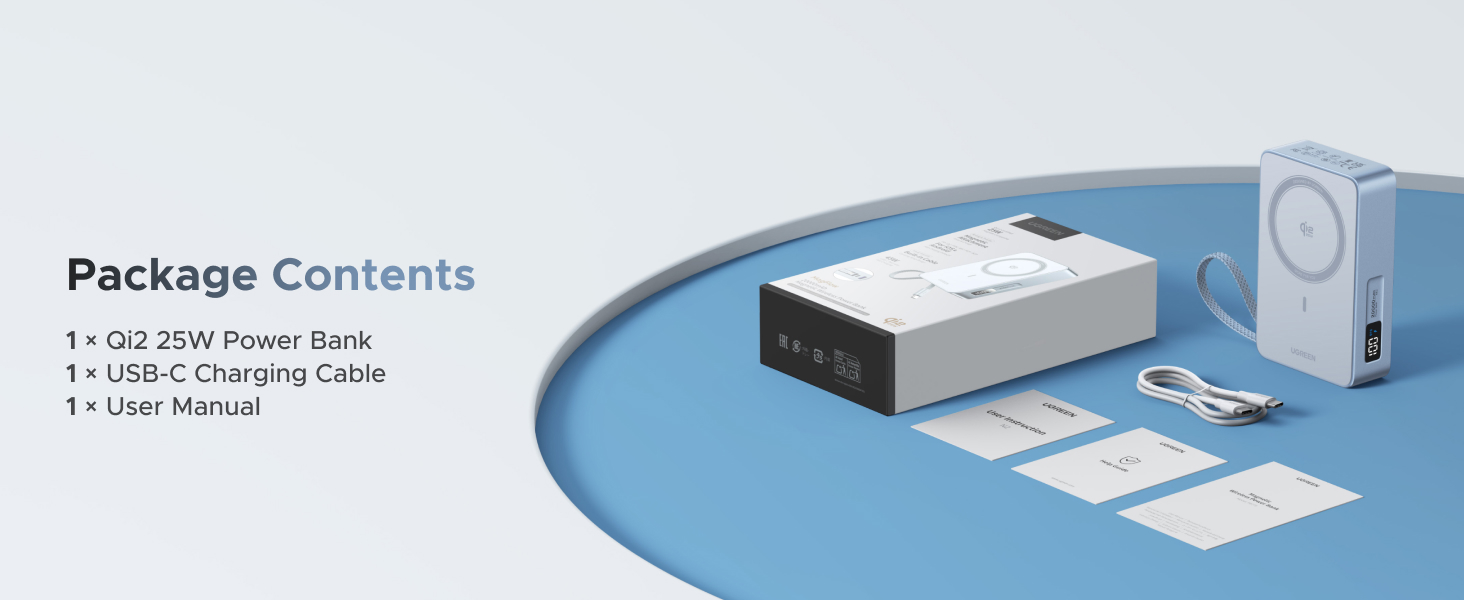
Image: An illustration showing the UGREEN MagFlow Power Bank's compatibility with various devices, including iPhones, Apple Watch, AirPods, and tablets, supporting standards like PD 3.0, Qi2 25W, QC 4.0, and PPS.
9. Warranty and Support
UGREEN products come with a standard manufacturer's warranty. For specific warranty terms and conditions, please refer to the warranty card included in your package or visit the official UGREEN website.
For technical support, troubleshooting assistance, or warranty claims, please contact UGREEN customer service through their official website or the contact information provided in your product documentation.
UGREEN Official Website: www.ugreen.com