1. Important Safety Instructions
Please read all instructions carefully before operating the appliance and retain them for future reference. Always follow basic safety precautions to reduce the risk of fire, electric shock, or injury.
- Ensure the power supply matches the voltage specified on the rating label.
- Do not operate the unit with a damaged cord or plug. If the supply cord is damaged, it must be replaced by the manufacturer, its service agent, or similarly qualified persons to avoid a hazard.
- Do not block air outlets or inlets. Maintain a minimum distance of 20 cm from walls or other objects for proper airflow.
- Do not insert fingers or foreign objects into the air inlet or outlet.
- Keep the appliance away from flammable gases or combustible materials.
- Always unplug the unit before cleaning or servicing.
- Do not use the appliance in a bathroom or other excessively humid environments.
- This appliance is not intended for use by persons (including children) with reduced physical, sensory or mental capabilities, or lack of experience and knowledge, unless they have been given supervision or instruction concerning use of the appliance by a person responsible for their safety.
- Children should be supervised to ensure that they do not play with the appliance.
- Only use accessories recommended by the manufacturer.
2. Product Overview
The GAOMON 8000 BTU Portable Air Conditioner is designed to provide efficient cooling, dehumidification, and air circulation for rooms up to 350 sq. ft. This 3-in-1 unit offers versatile climate control with user-friendly features.
Key Features:
- Cooling Capacity: 8000 BTU, suitable for areas up to 350 sq. ft.
- 3-in-1 Functionality: Cool, Dehumidifier, and Fan modes.
- Portability: Equipped with rolling wheels for easy movement.
- Control: Intuitive control panel and remote control.
- Timer: Programmable 24-hour timer.
- Sleep Mode: Low noise operation for undisturbed rest.
- Noise Level: Approximately 55 Decibels during normal operation, less than 50 Decibels in Sleep Mode.
Included Components:
- Portable Air Conditioner Unit
- Remote Control
- Window Kits
- Drain Pipe
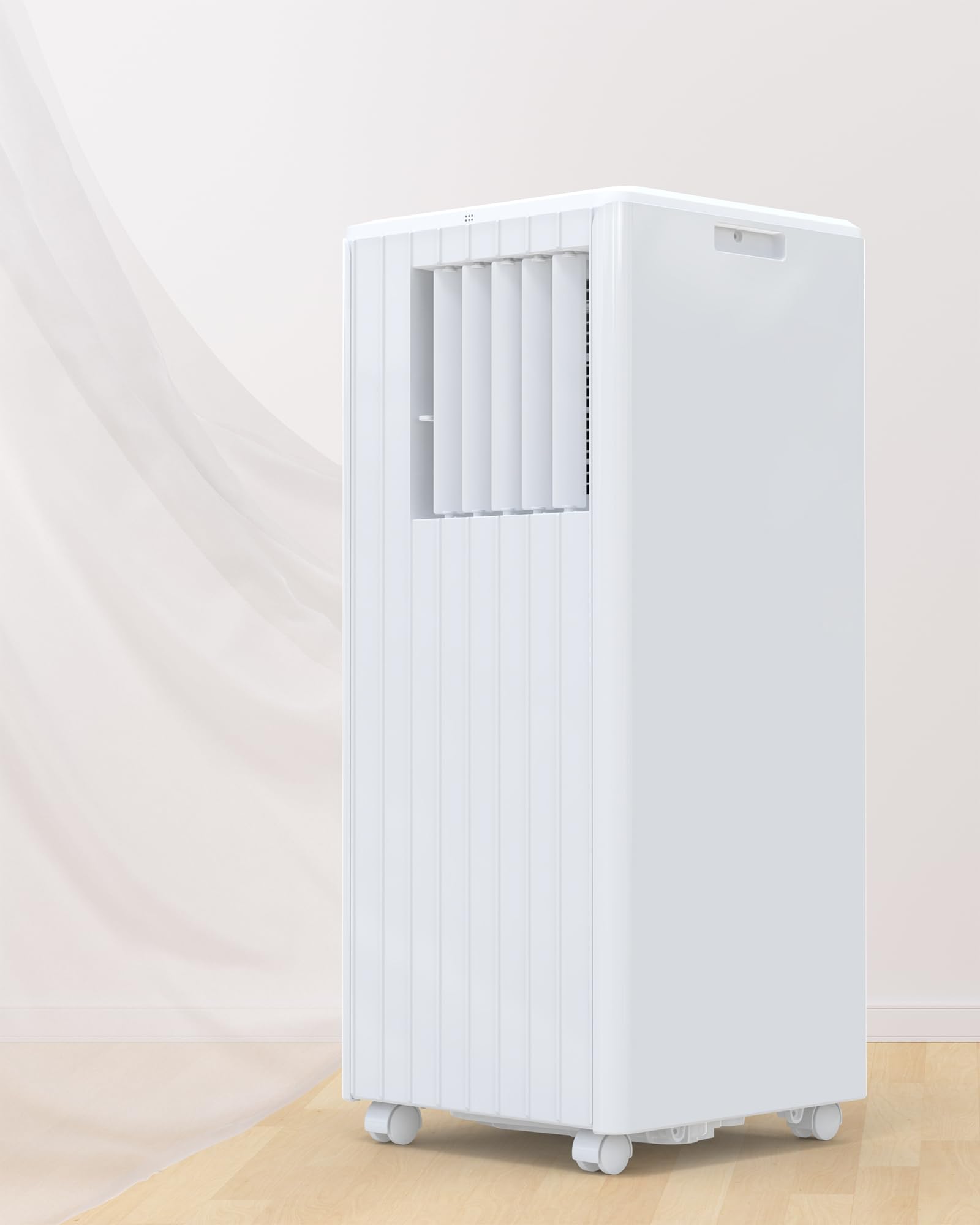
Figure 2.1: Front view of the GAOMON 8000 BTU Portable Air Conditioner.
3. Setup and Installation
Proper installation of the exhaust hose and window kit is crucial for efficient operation. Follow these steps to set up your portable air conditioner.
3.1 Exhaust Hose and Window Kit Installation
- Connect Adapters: Attach the exhaust hose adapters to both ends of the exhaust hose. Ensure a secure fit.
- Attach to AC Unit: Slide one end of the exhaust hose (with adapter) into the designated port at the back of the portable AC unit.
- Prepare Window Sealing Board: Adjust the window sealing board to fit your window opening. Extend or retract the panels as needed to create a snug fit.
- Attach Hose to Sealing Board: Connect the other end of the exhaust hose (with adapter) to the port on the window sealing board.
- Install Sealing Board: Place the assembled window sealing board into your window frame, ensuring it is securely positioned to prevent air leakage.
- Extend Exhaust Hose: Extend the exhaust hose as needed, ensuring it is not kinked or bent sharply, to allow hot air to vent outside.

Figure 3.1: Step-by-step guide for installing the window kit and exhaust hose.
3.2 Drainage Setup
The unit collects condensate during operation, especially in Dehumidifier mode. You may need to periodically drain the collected water. Connect the provided drain pipe to the drainage outlet at the back of the unit if continuous drainage is desired, or manually drain the internal tank when the "Full Water" indicator illuminates.
4. Operating Instructions
Your GAOMON portable air conditioner can be operated using the control panel on the unit or the included remote control.
4.1 Control Panel and Remote Control
The control panel on top of the unit and the remote control provide access to all functions. Ensure the remote control has working batteries and is pointed towards the unit's receiver.

Figure 4.1: Overview of control panel functions.
4.2 Operating Modes
- Cool Mode: Provides cooling for the room. Set your desired temperature using the up/down arrows. The unit will cycle on and off to maintain the set temperature.
- Dry Mode (Dehumidifier): Removes excess moisture from the air. In this mode, the fan speed is typically fixed, and the unit focuses on dehumidification. Ensure continuous drainage is set up or monitor the water tank.
- Fan Mode: Circulates air without cooling. You can select different fan speeds (e.g., Low, High) to adjust airflow.
4.3 Timer Function
The 24-hour timer allows you to program the unit to turn on or off automatically after a set period (1 to 24 hours). Press the "Timer" button and use the up/down arrows to set the desired duration.
4.4 Sleep Mode
Activate Sleep Mode for quieter operation during rest periods. In this mode, the unit operates at a lower fan speed and gradually adjusts the temperature to maintain comfort while minimizing noise. The noise level in Sleep Mode is typically below 50 Decibels.

Figure 4.2: Sleep Mode operates with low noise, typically below 50 Decibels, for quiet environments.
5. Maintenance
Regular maintenance ensures optimal performance and extends the lifespan of your portable air conditioner. Always unplug the unit before performing any maintenance.
5.1 Air Filter Cleaning
The unit is equipped with a HyperFilter Technology system, including a Silver Ion filter and Carbon Cotton filter, which helps in air purification and deodorization. Clean the air filters every two weeks or more frequently depending on usage and air quality.
- Turn off and unplug the unit.
- Locate and remove the air filter panels, typically found on the back or side of the unit.
- Gently remove the Silver Ion and Carbon Cotton filters.
- Wash the Silver Ion filter with warm, soapy water. Rinse thoroughly and allow it to air dry completely before reinstallation.
- The Carbon Cotton filter is reusable; gently tap it to remove dust or vacuum it with a soft brush attachment. Do not wash the Carbon Cotton filter with water.
- Once dry, reinsert the filters and replace the filter panels.

Figure 5.1: HyperFilter Technology components for air purification.
5.2 Water Drainage
When the internal water tank is full, the unit will stop operating, and an indicator light will illuminate. To drain the water:
- Turn off and unplug the unit.
- Place a shallow pan or container under the drainage outlet at the bottom rear of the unit.
- Remove the drain plug to allow water to flow out.
- Once all water has drained, replace the drain plug securely.
For continuous drainage, connect the provided drain pipe to the drainage outlet and direct it to a suitable floor drain or container.
5.3 Exterior Cleaning
Wipe the exterior of the unit with a soft, damp cloth. Do not use harsh chemicals, abrasives, or solvents, as these can damage the surface.
6. Troubleshooting
Before contacting customer support, please refer to the following troubleshooting guide for common issues.
| Problem | Possible Cause | Solution |
|---|---|---|
| Unit does not turn on. | No power, power cord unplugged, circuit breaker tripped. | Ensure unit is plugged into a working outlet. Check circuit breaker. |
| Unit is not cooling effectively. | Air filters are dirty, exhaust hose is blocked or improperly installed, room size too large, doors/windows open. | Clean air filters. Check exhaust hose for kinks or blockages and ensure proper window kit installation. Close all doors and windows. |
| Water leakage. | Drain plug is loose, continuous drainage hose is not properly connected, unit is tilted. | Ensure drain plug is secure. Check continuous drainage hose connection. Place unit on a level surface. |
| Unit is noisy. | Normal operating noise, unit not on a level surface, fan obstruction. | Some noise is normal. Ensure unit is on a flat, stable surface. Check for any obstructions near the fan. |
| Remote control not working. | Dead batteries, remote not pointed at receiver, obstruction. | Replace batteries. Point remote directly at the unit's control panel. Remove any obstructions. |
7. Specifications
| Feature | Detail |
|---|---|
| Brand | GAOMON |
| Model Number | ilj9Mq-g0H9Kgn2z9Y_diAtvIedeB |
| Cooling Power | 8000 British Thermal Units (BTU) |
| Floor Area Coverage | Up to 350 Square Feet |
| Product Dimensions | 13.15"D x 12.99"W x 34.25"H (approx. 11.3 x 11.8 x 27.4 inches) |
| Item Weight | 49.6 pounds |
| Voltage | 115V |
| Noise Level | 55 Decibels (typical) |
| Form Factor | Portable |
| Special Feature | Remote Controlled |
| Included Components | Portable Air Conditioner, Remote Control, Window Kits, Drain Pipe |
8. Warranty and Support
8.1 Product Warranty
This GAOMON Portable Air Conditioner comes with a two-year warranty from the date of purchase. This warranty covers defects in materials and workmanship under normal use. Please retain your proof of purchase for warranty claims.
The warranty does not cover damage resulting from misuse, accident, unauthorized modifications, or failure to follow the instructions in this manual.
8.2 Customer Support
If you encounter any issues not covered in the troubleshooting section or require further assistance, please contact GAOMON customer support. For the most up-to-date contact information, please refer to the GAOMON official website or your purchase documentation.
When contacting support, please have your model number (ilj9Mq-g0H9Kgn2z9Y_diAtvIedeB) and purchase date readily available.


