
LOBKIN Wireless Bluetooth Swimming Headphones
LOBKIN Bone Conduction Headphones User Manual
Model: Wireless Bluetooth Swimming Headphones
Introduction
Thank you for choosing LOBKIN Bone Conduction Headphones. These headphones are designed to provide a unique audio experience, transmitting sound through your cheekbones directly to your inner ear, leaving your ear canals open to ambient sounds. They are ideal for sports, especially swimming, due to their waterproof design and secure fit. This manual will guide you through the setup, operation, and maintenance of your new headphones.
Product Overview
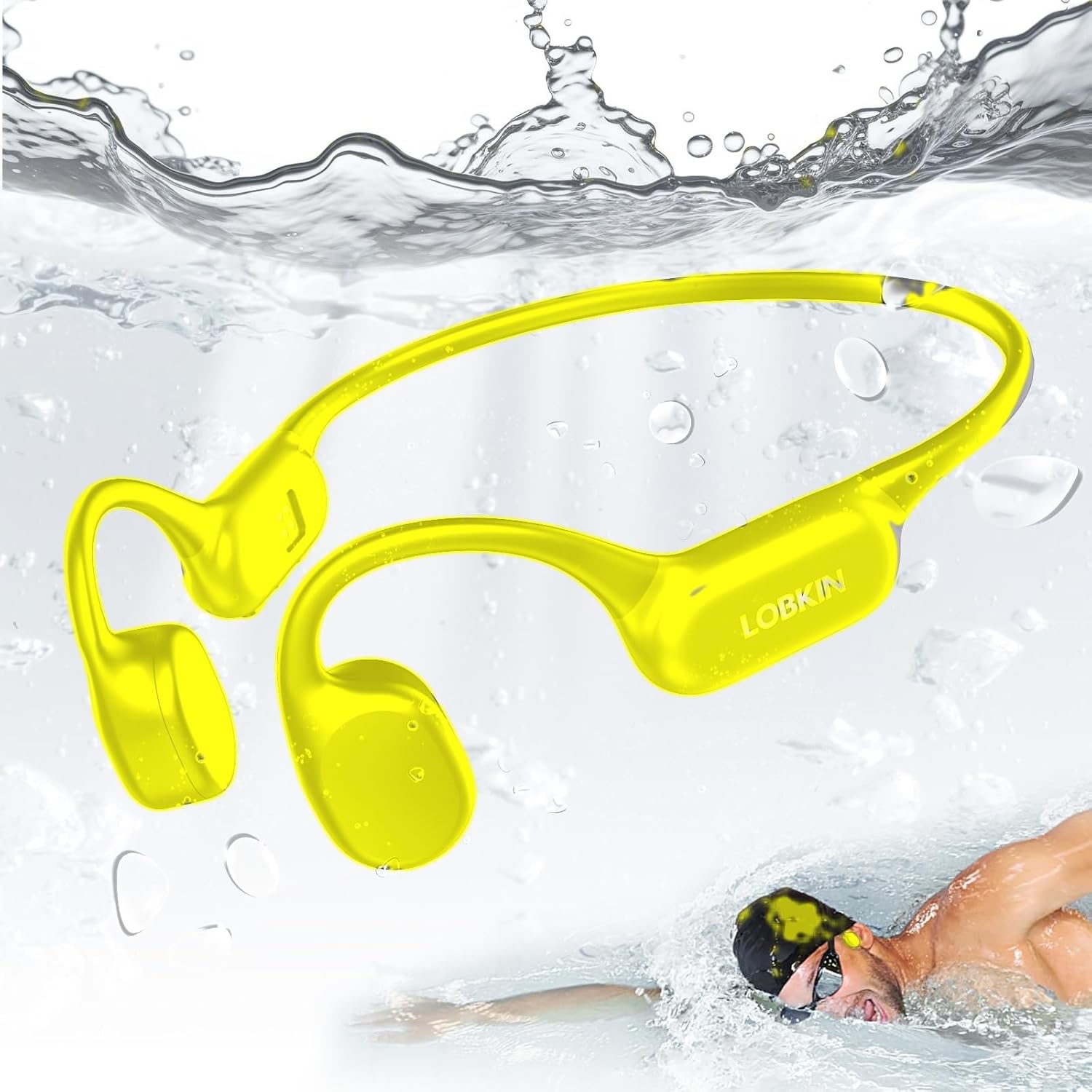
Image: LOBKIN Bone Conduction Headphones. These bright yellow headphones feature a flexible neckband and ear hooks, designed to sit comfortably on the cheekbones. The image shows them in a water environment, highlighting their waterproof capabilities, with water splashes and a swimmer in the background, indicating their suitability for aquatic activities.
The LOBKIN Bone Conduction Headphones offer a comfortable and secure fit, making them suitable for various activities, including swimming. They feature Bluetooth connectivity for wireless audio streaming and are built with durable, waterproof materials.
Setup Guide
1. Charging the Headphones
Before first use, fully charge your headphones. Use the provided charging cable and connect it to a USB power adapter (not included) or a computer's USB port.
- Connect the magnetic charging port on the headphones to the charging cable.
- The LED indicator will show red during charging and turn blue or off when fully charged.
- A full charge typically takes approximately 1.5 to 2 hours.
2. Bluetooth Pairing
To connect your headphones to a Bluetooth-enabled device:
- Ensure the headphones are turned off.
- Press and hold the Power/Multi-function button for 3-5 seconds until the LED indicator flashes red and blue alternately, indicating pairing mode.
- On your device (smartphone, tablet, etc.), enable Bluetooth and search for new devices.
- Select "LOBKIN Headphones" (or similar name) from the list of available devices.
- Once connected, the LED indicator will flash blue slowly, and you will hear a confirmation tone.
Note: The headphones will automatically attempt to reconnect to the last paired device when powered on.
Operating Instructions
Power On/Off
- Power On: Press and hold the Power/Multi-function button for 2 seconds.
- Power Off: Press and hold the Power/Multi-function button for 3 seconds.
Music Playback
- Play/Pause: Press the Multi-function button once.
- Next Track: Press and hold the Volume + button for 2 seconds.
- Previous Track: Press and hold the Volume - button for 2 seconds.
Volume Control
- Volume Up: Press the Volume + button.
- Volume Down: Press the Volume - button.
Call Management
- Answer/End Call: Press the Multi-function button once during an incoming call.
- Reject Call: Press and hold the Multi-function button for 2 seconds during an incoming call.
Swimming Mode (if applicable)
Some models may feature an internal memory for music playback without Bluetooth, which is ideal for swimming. Refer to your specific model's features for details on activating and using this mode.
- To switch to MP3 mode (if available), press a dedicated mode button or hold a combination of buttons as specified in your product's quick start guide.
- Ensure music files are loaded onto the internal memory before swimming.
Maintenance and Care
- Cleaning: Wipe the headphones with a soft, damp cloth after each use, especially after swimming or intense exercise. Do not use harsh chemicals or abrasive cleaners.
- Drying: Ensure the charging port is completely dry before charging to prevent damage.
- Storage: Store the headphones in a cool, dry place away from direct sunlight and extreme temperatures.
- Charging: Charge the headphones regularly, even if not in use, to maintain battery health. Avoid overcharging.
- Water Resistance: While designed for swimming, avoid prolonged submersion beyond specified depths and durations. Do not use in saltwater unless explicitly stated by the manufacturer. Rinse with fresh water after use in chlorinated pools.
Troubleshooting
| Problem | Possible Cause | Solution |
|---|---|---|
| No power | Low battery | Charge the headphones fully. |
| Cannot pair via Bluetooth | Headphones not in pairing mode; device Bluetooth off; too far from device | Ensure headphones are in pairing mode (flashing red/blue). Turn device Bluetooth on/off. Move closer to device (within 10 meters). |
| No sound | Volume too low; not connected; incorrect audio source | Increase headphone and device volume. Re-pair headphones. Check audio output settings on your device. |
| Sound quality is poor | Weak Bluetooth signal; interference; improper fit | Move closer to your device. Avoid obstacles. Adjust headphone position on your cheekbones for optimal sound. |
Specifications
- Product Name: LOBKIN Bone Conduction Headphones
- Model: Wireless Bluetooth Swimming Headphones
- Connectivity: Bluetooth
- Water Resistance: IPX8 (suitable for swimming, specific depth/duration may vary by model)
- Battery Life: Approximately 6-8 hours (varies with volume and usage)
- Charging Time: 1.5 - 2 hours
- Charging Port: Magnetic charging
- Weight: Approx. 25-30g
- Audio Format (for MP3 mode, if applicable): MP3, WMA, WAV, FLAC, APE
Warranty and Support
LOBKIN products are designed and manufactured to the highest quality standards. For information regarding warranty coverage, technical support, or service inquiries, please refer to the warranty card included with your product or visit the official LOBKIN website. Please retain your proof of purchase for warranty claims.
For further assistance, you may contact LOBKIN customer support through the contact information provided on the product packaging or the official brand website.
Related Documents - Wireless Bluetooth Swimming Headphones
 |
POLVCDG X7 Bone Conduction Swimming Headphones User Guide Comprehensive user guide for the POLVCDG X7 bone conduction swimming headphones, covering product specifications, features, controls, operating instructions, pairing, charging, file transfer, and important precautions. |
 |
LOBKIN X7 Bone Conduction Headphones - Product Overview and User Guide Detailed overview of the LOBKIN X7 bone conduction headphones, covering package contents, features, benefits, potential drawbacks, common user feedback and solutions, and version updates. Learn about its waterproof capabilities, comfort, and how to troubleshoot common issues. |
 |
Sayrelances R20 Pro Bone Conduction Sport Headphones Operating Manual Comprehensive operating manual for the Sayrelances R20 Pro bone conduction sport headphones, detailing features, usage instructions, Bluetooth pairing, charging, technical specifications, safety precautions, and included accessories. |
 |
POLVCDG X7 Bone Conduction Swimming Headphones User Guide | IPX8 Waterproof Bluetooth 5.3 Comprehensive user guide for the POLVCDG X7 bone conduction swimming headphones. Learn about features, pairing, controls, AI voice control, MP3 mode, charging, and important precautions for this IPX8 waterproof Bluetooth 5.3 device. |
 |
DIXSG IPX8 Waterproof Wireless Headphones User Manual User manual for DIXSG IPX8 waterproof wireless headphones. Includes product overview, safety precautions, operation instructions, maintenance, and troubleshooting for Bluetooth 5.4 headphones. |
 |
X6 Bone Conduction Headphones | IPX8 Waterproof MP3 Player Discover the X6 Bone Conduction Headphones, featuring IPX8 waterproofing, 32GB MP3 storage, and Bluetooth 5.3 for immersive underwater audio. Ideal for swimming, surfing, and running. |
Ask a question about this manual
Ask about setup, troubleshooting, compatibility, parts, safety, or missing instructions. Manuals+ will review the question and use this page’s manual context to help answer it.