1. Introduction
This manual provides essential information for the safe and efficient use of your Samsung UN32F6000 32-inch Class FHD Smart TV. Please read it thoroughly before operating the device and retain it for future reference.
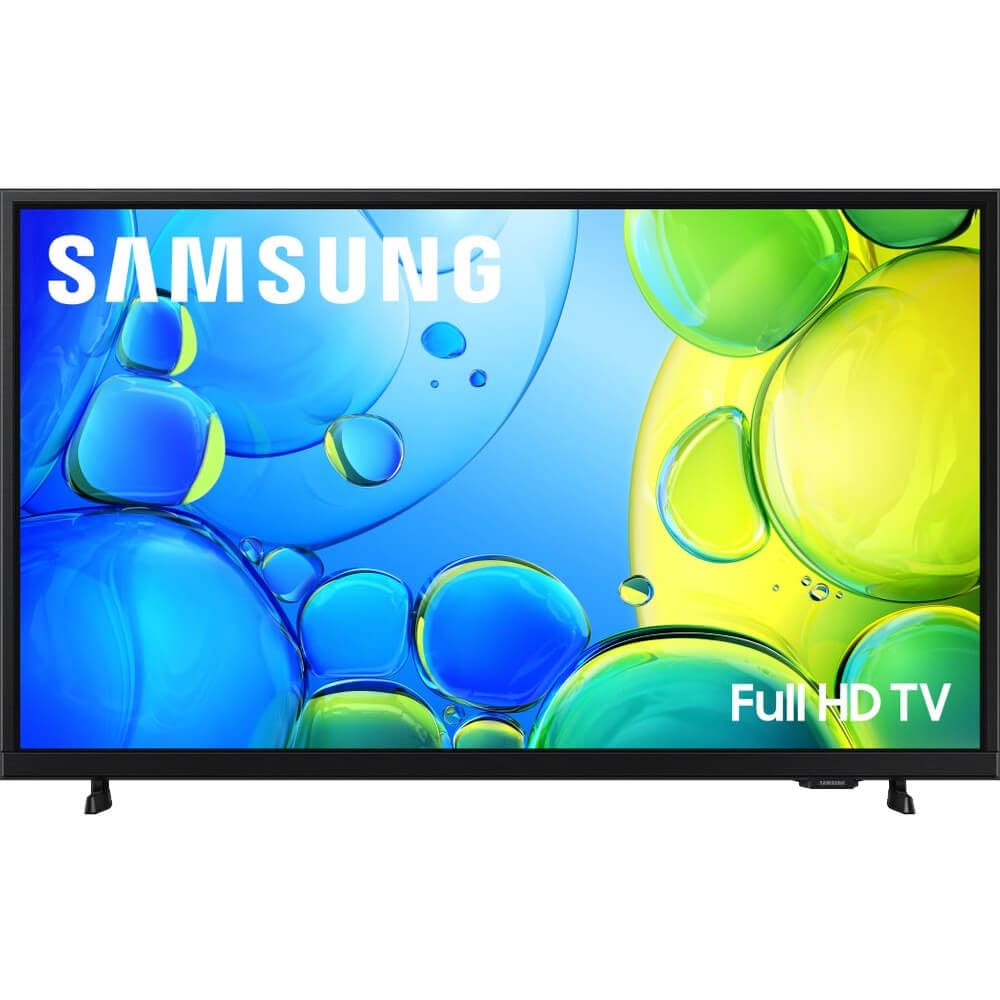
Image 1.1: Front view of the Samsung UN32F6000 Smart TV.
2. Safety Information
Always follow these basic safety precautions to reduce the risk of fire, electric shock, and injury:
- Do not expose this apparatus to rain or moisture.
- Do not block any ventilation openings. Install in accordance with the manufacturer's instructions.
- Do not install near any heat sources such as radiators, heat registers, stoves, or other apparatus (including amplifiers) that produce heat.
- Protect the power cord from being walked on or pinched, particularly at plugs, convenience receptacles, and the point where they exit from the apparatus.
- Only use attachments/accessories specified by the manufacturer.
- Refer all servicing to qualified service personnel.
3. What's in the Box
Verify that all components are present before proceeding with the setup. The package should contain the following items:
- Samsung UN32F6000 TV
- Power Cable
- User Manual (this document)
- Remote Controller (TM1240A) with 2 AAA Batteries

Image 3.1: Illustration of package contents and TV dimensions.
4. Setup
4.1 Unpacking
Carefully remove the TV from its packaging. It is recommended to have two people for this process to prevent damage to the screen or the unit. Keep all packaging materials for potential future transport or servicing.
4.2 Attaching the Stand
If you are not wall-mounting the TV, attach the included stand. Refer to the diagram in Image 3.1 for proper orientation and screw placement. Ensure all screws are tightened securely to prevent the TV from wobbling.
- TV Without Stand Dimensions (W x H x D): 28.9 x 17.3 x 2.9 inches
- TV With Stand Dimensions (W x H x D): 28.9 x 17.8 x 2.9 inches
- Stand Footprint: 0.8 x 1.5 x 5.9 inches
4.3 Connecting Peripherals
Connect the power cable to the TV and then to a wall outlet. Use HDMI cables for connecting external devices such as Blu-ray players, game consoles, or cable boxes. The TV also supports RCA connectivity.
4.4 Initial Power On and Setup Wizard
Once powered on, the TV will guide you through an initial setup wizard. This includes selecting your language, connecting to a Wi-Fi network, and configuring basic settings for your Samsung Tizen OS Smart TV experience.
5. Operating the TV
5.1 Remote Control Overview
The included remote controller (TM1240A) allows you to navigate the TV's features. It requires 2 AAA batteries (included). Familiarize yourself with the buttons for power, volume, channel selection, smart hub access, and navigation.
5.2 Smart TV Features (Tizen OS)
Your Samsung TV runs on the One UI Tizen OS, providing access to a wide range of streaming services and applications such as Netflix, Prime Video, and YouTube. Navigate through the Smart Hub to discover and launch your favorite content.

Image 5.1: The Samsung Tizen OS Smart Hub interface.
5.3 Picture and Sound Settings
Access the TV's settings menu to customize picture and sound to your preference.
- Picture Settings: Adjust brightness, contrast, sharpness, and color. The TV supports HDR (High Dynamic Range) for enhanced contrast and vibrant colors.

Image 5.2: HDR technology enhances deep contrast with rich darks and bright lights.
- Sound Settings: Adjust volume, sound mode, and balance. The TV features Object Tracking Sound Lite, which provides a virtual 3D sound experience to immerse you in the action.

Image 5.3: Object Tracking Sound Lite provides virtual 3D sound.
5.4 Samsung Knox Security
Your TV is equipped with Samsung Knox Security, offering triple-layer protection for your personal data and smart device information shared through the SmartThings app. Ensure your software is up to date for optimal security.

Image 5.4: Samsung Knox Security provides triple-layer protection.
6. Maintenance
6.1 Cleaning the TV
To clean the screen, gently wipe it with a soft, dry microfiber cloth. For the frame and other surfaces, use a soft, damp cloth. Avoid using harsh chemicals, abrasive cleaners, or alcohol-based solutions, as these can damage the TV's finish.
6.2 Software Updates
Periodically check for software updates through the TV's settings menu. Keeping your TV's software up to date ensures optimal performance, security, and access to the latest features.
7. Troubleshooting
If you encounter issues with your TV, refer to the following common troubleshooting steps:
- No Power: Ensure the power cable is securely connected to both the TV and the wall outlet. Try plugging another device into the same outlet to confirm it has power.
- No Picture/Sound: Check that the correct input source is selected. Verify all HDMI or RCA cables are properly connected to both the TV and external devices.
- Remote Control Not Working: Replace the AAA batteries in the remote. Ensure there are no obstructions between the remote and the TV's IR receiver.
- Wi-Fi Connection Issues: Restart your router and the TV. Re-enter your Wi-Fi password in the TV's network settings. Ensure the TV is within range of your Wi-Fi signal.
- Smart App Problems: Try restarting the app. If the issue persists, clear the app's cache or reinstall it from the Smart Hub.
For more complex issues, consult the Samsung support website or contact customer service.
8. Specifications
| Feature | Specification |
|---|---|
| Brand | Samsung |
| Model Number | CR-UN32F6000 |
| Screen Size | 32 Inches |
| Display Technology | LED |
| Resolution | 1080p (Full HD) |
| Refresh Rate | 60 Hz |
| Aspect Ratio | 16:9 |
| Operating System | One UI Tizen OS |
| Supported Internet Services | Netflix, Prime Video, YouTube |
| Special Features | Built-In Speaker, Object Tracking Sound Lite, Samsung Knox Security, HDR |
| Connectivity Technology | RCA, Wi-Fi |
| Item Weight | 11 Pounds |
| Color | Black |
| Included Components | TV, Power Cable, User Manual, Remote Controller (TM1240A) with 2 AAA batteries |
9. Warranty and Support
For warranty information and customer support, please refer to the warranty card included with your product or visit the official Samsung support website. You can find detailed FAQs, software downloads, and contact information for technical assistance there.
Online Support: www.samsung.com/us/support/


