
Introduction
The Avutrel Tire Pressure Monitoring System (TPMS) is designed to enhance driving safety by providing real-time monitoring of your vehicle's tire pressure and temperature. This system features dual power options (solar and USB), automatic on/off functionality, and comprehensive alert mechanisms to detect various tire conditions. This manual provides instructions for the proper setup, operation, and maintenance of your TPMS.
1. Setup and Installation
The Avutrel TPMS is designed for quick and easy "Plug and Drive" installation, requiring no complex wiring. Follow these steps to install the external sensors and position the monitor.
1.1 Monitor Placement
Place the monitor on your vehicle's dashboard in a location that allows for clear visibility without obstructing your view of the road. Ensure the solar panel on the monitor is exposed to sunlight for optimal charging.
1.2 Sensor Installation (4 External Sensors)
- Prepare the Valve Stem: Ensure the tire valve stem is clean and dry.
- Install Anti-Theft Nut: Screw the anti-theft nut onto the valve stem first, with the threaded side facing outwards.
- Install Sensor: Screw the corresponding sensor (labeled FL, FR, RL, RR for Front Left, Front Right, Rear Left, Rear Right) onto the valve stem until it is hand-tight.
- Secure Anti-Theft Nut: Use the provided spanner to tighten the anti-theft nut against the sensor, locking it in place. This prevents unauthorized removal.
The sensors are waterproof (IPX7) and designed for stable signal transmission up to 3.5 bar. No manual recalibration is needed for position detection.


2. Operating Instructions
The TPMS operates automatically to provide continuous monitoring of your tire conditions.
2.1 Automatic On/Off
The system automatically activates when it detects vehicle movement and enters sleep mode when the vehicle is stationary for an extended period, conserving battery life.
2.2 Real-Time Display
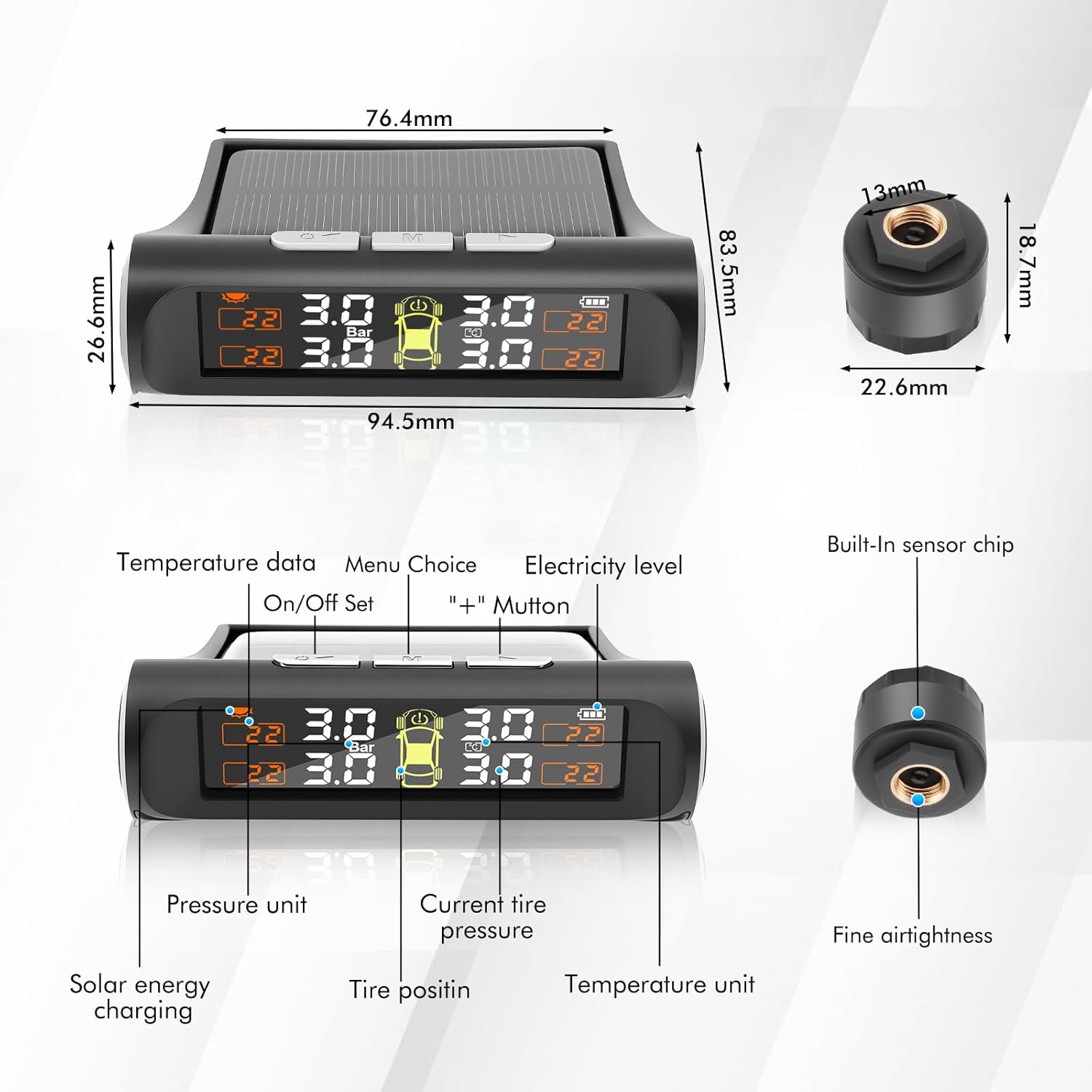
The anti-glare LCD screen displays real-time tire pressure (in Bar or PSI) and temperature (in °C or °F) for all four tires. The display also shows the monitor's power level and indicates which tire position corresponds to the readings.

2.3 Alert System
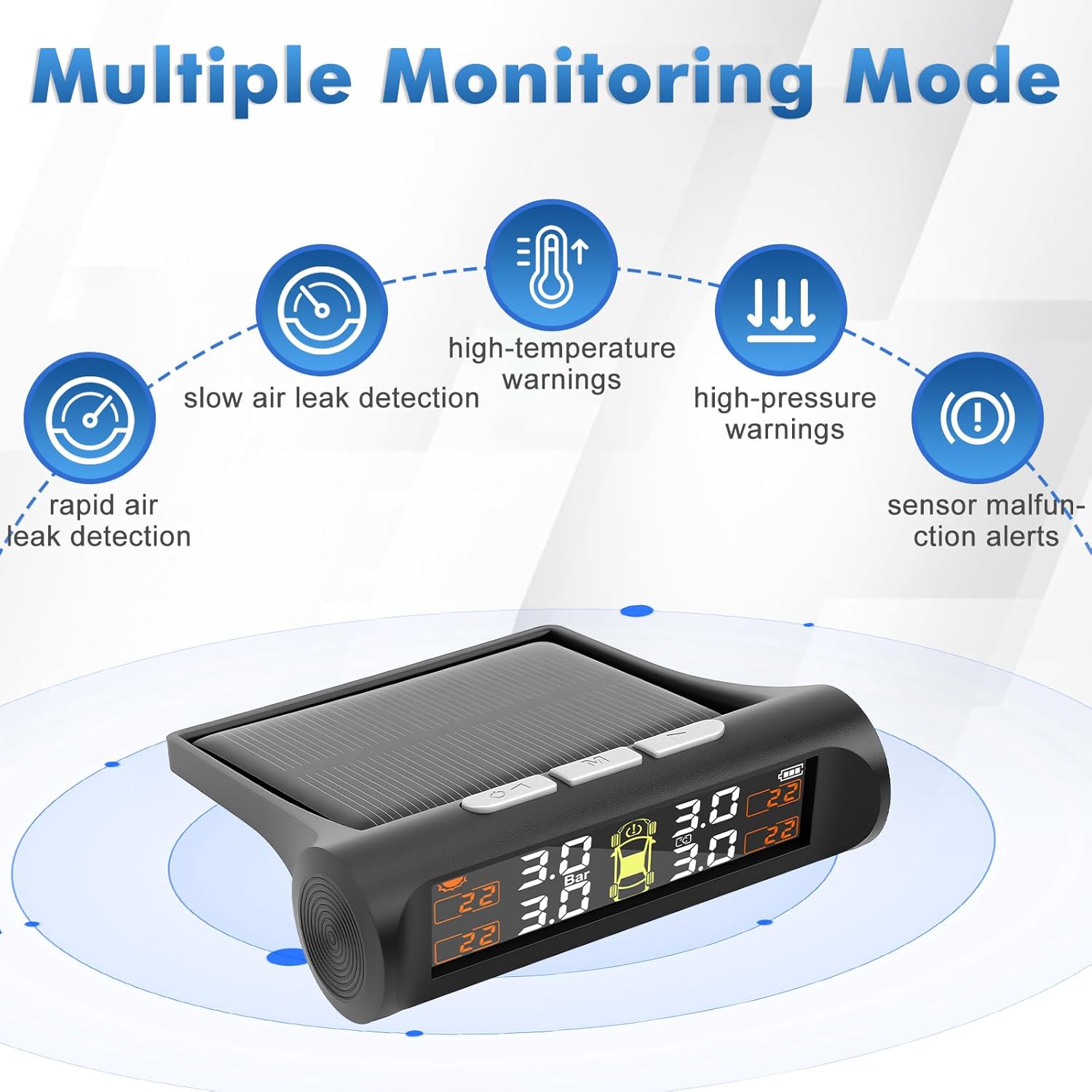
The system provides 5 intelligent warning functions:
- Rapid air leak detection
- Slow air leak detection
- High pressure warnings (e.g., > 3.5 bar)
- High temperature warnings (e.g., up to 70 °C)
- Sensor malfunction alerts and low battery warnings
Upon detection of a critical condition, the monitor will emit an 85 dB audible alarm and display flashing warning symbols for immediate driver awareness.
2.4 Charging the Monitor
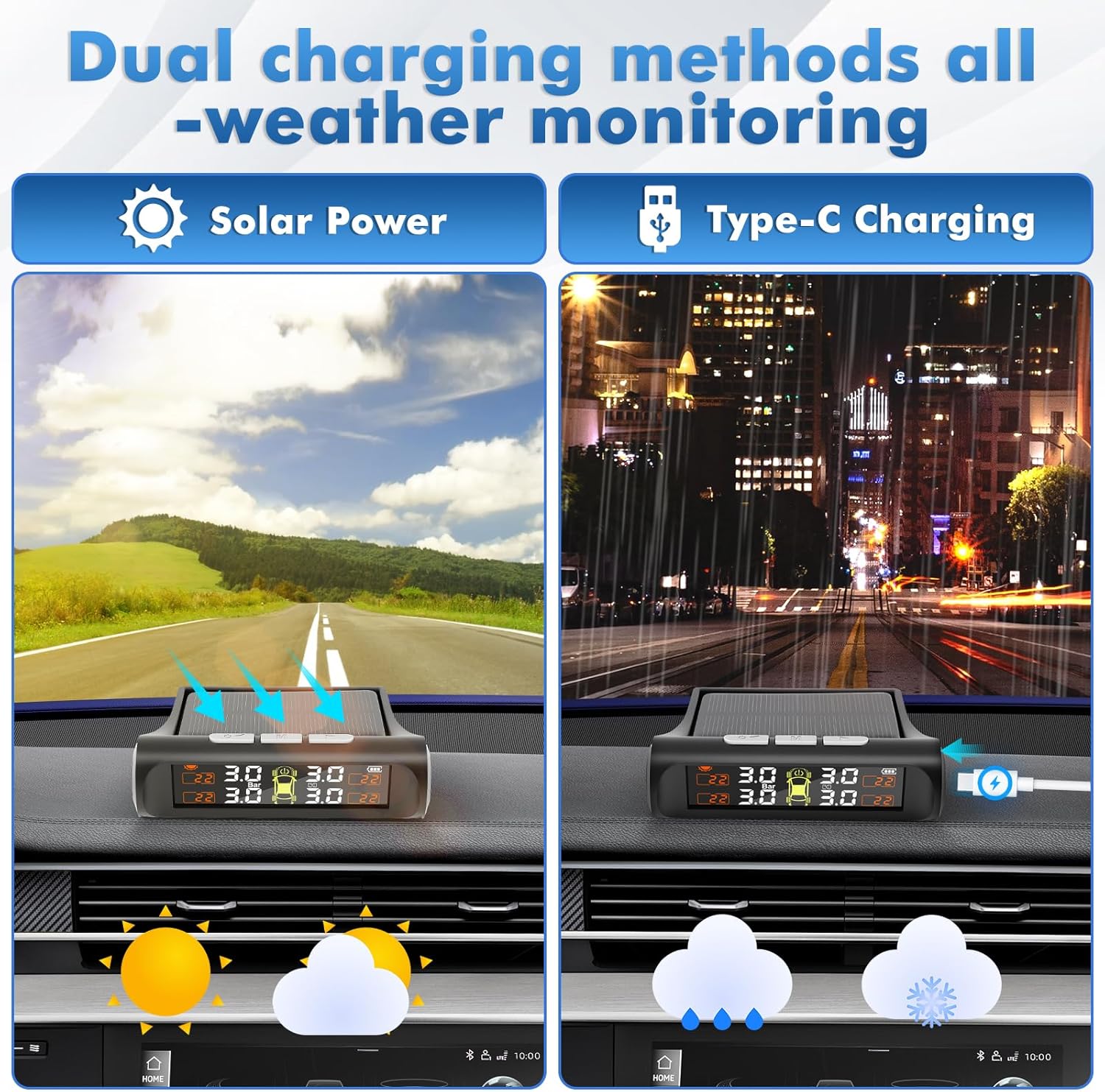
The monitor supports dual charging methods:
- Solar Power: The integrated solar panel charges the monitor's internal battery when exposed to sunlight.
- USB Charging: For periods of low light or extended indoor use, the monitor can be charged via the provided USB cable (Type-C).
3. Maintenance
3.1 Sensor Battery Replacement
Each external sensor is powered by a CR1632 coin cell battery, which typically lasts for 3 years. When a sensor's battery is low, the monitor will display a low battery warning. To replace the battery:
- Unscrew the sensor from the valve stem using the spanner to loosen the anti-theft nut.
- Carefully open the sensor casing.
- Remove the old CR1632 battery and insert a new one, ensuring correct polarity.
- Close the sensor casing and re-install the sensor onto the valve stem, securing it with the anti-theft nut.
3.2 Cleaning
Wipe the monitor and sensors with a soft, damp cloth. Do not use abrasive cleaners or solvents. Ensure the solar panel is kept clean for efficient charging.
4. Troubleshooting
4.1 Intermittent Data Display
If the data on the monitor is displayed intermittently, it may be due to signal interference. Try moving the display unit away from potential sources of electromagnetic interference within the vehicle. If the problem persists, a signal repeater may be required (not included).
4.2 Tire Puncture
The TPMS is designed to monitor tire pressure and temperature changes, but it cannot prevent punctures caused by sharp objects or pre-existing tire damage. It also cannot monitor instantaneous changes. In case of a puncture, safely pull over and address the tire issue as you normally would.
4.3 Post-Installation Tire Inspection
It is recommended to perform a complete tire inspection for at least one month after installing the TPMS. If any issues are detected, consult a tire technician to replace or repair defective tires promptly.
5. Specifications
| Brand | Avutrel |
| Model Number | Standard sensor model |
| Item Weight | 210 g |
| Product Dimensions (L x W x H) | 14.61 x 5.21 x 14.91 cm |
| Operating Temperature | -20 °C to 70 °C |
| Maximum Pressure Range | 3.5 bar |
| Sensor Battery Type | CR1632 (replaceable) |
| Signal Frequency | 868 MHz |
| Waterproof Rating | IPX7 (sensors) |
| ASIN | B0F36BX7JZ |
6. Warranty and Support
Avutrel provides a technical warranty for this product. For any technical assistance, warranty claims, or support inquiries, please refer to the contact information provided with your purchase or visit the official Avutrel website.