
1. Introduction
This manual provides essential instructions for the setup, operation, maintenance, and troubleshooting of your Full Swing KIT Golf Launch Monitor and Dark Energy Spectre 18W Solar Panel. Please read this manual thoroughly before using the products to ensure proper function and longevity.
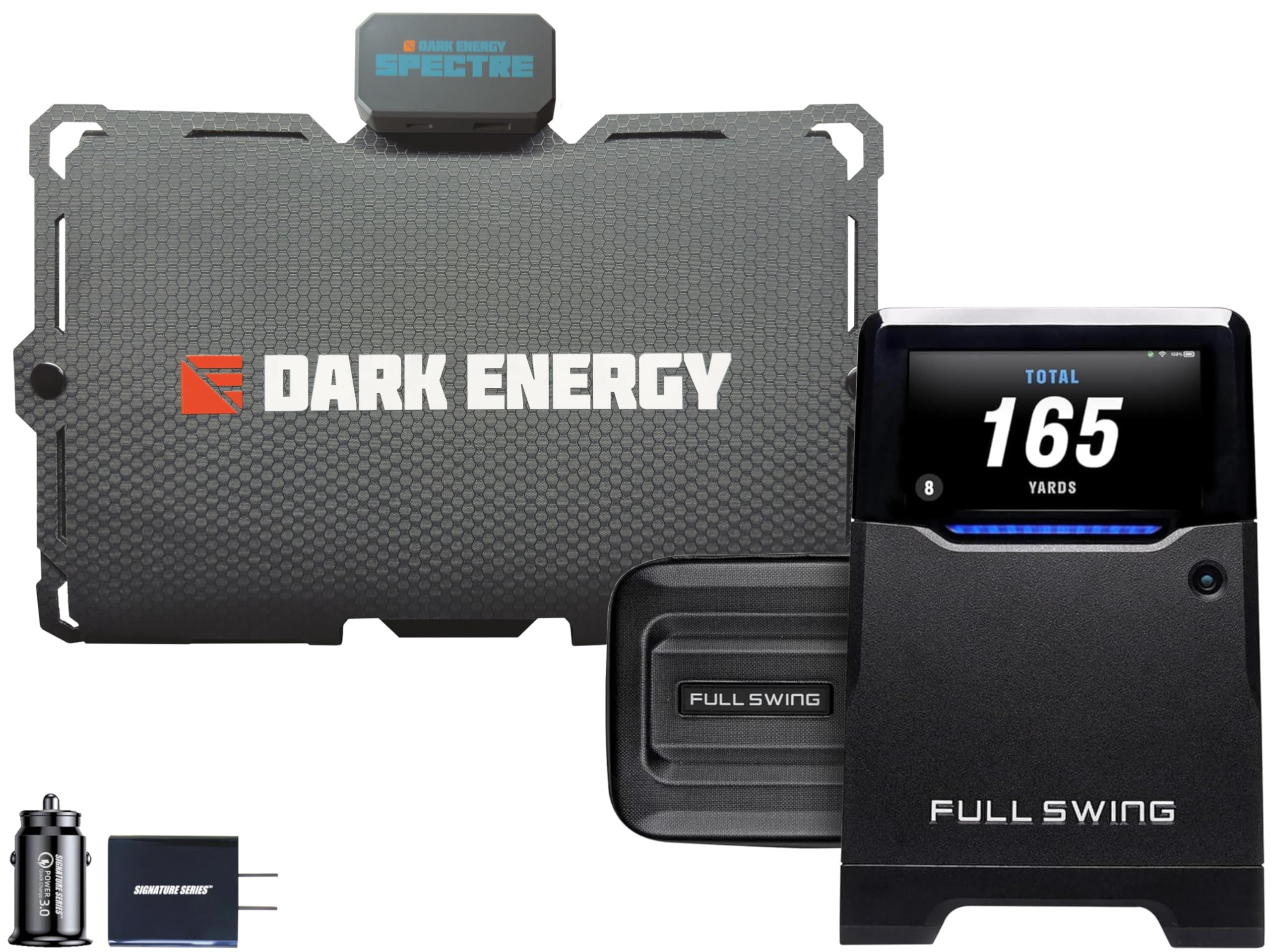
Image 1.1: The Full Swing KIT Golf Launch Monitor and Dark Energy Spectre 18W Solar Panel bundle.
Product Overview
The Full Swing KIT Golf Launch Monitor is a precision device designed to analyze your golf swing with 16 points of club and ball data. It features a built-in high-resolution camera and integrates with a dedicated mobile application for detailed analysis and video recording.
The Dark Energy Spectre 18W Solar Panel is a portable, durable, and lightweight solar charger. It is designed to provide efficient power to USB-C and USB-A devices, making it ideal for outdoor use.
This bundle also includes a Signature Series Adapter Kit for enhanced compatibility and use.
2. Setup
2.1 Full Swing KIT Golf Launch Monitor Setup
Before first use, ensure the Full Swing KIT is fully charged. The device has a battery life of approximately 5 hours.
- Placement: Position the Full Swing KIT on a stable, level surface behind the ball, ensuring a clear line of sight to the ball and target. Refer to the on-screen guide for optimal distance and alignment.
- Power On: Press and hold the power button located on the side of the device until the display illuminates.
- App Connection: Download the official Full Swing app from your device's app store. Enable Bluetooth and Wi-Fi on your iOS device (Apple Watch, iPhone, iPad) and follow the in-app instructions to pair with the Full Swing KIT.

Image 2.1: Side view of the Full Swing KIT, showing buttons and profile.
2.2 Dark Energy Spectre 18W Solar Panel Setup
The Spectre 18W Solar Panel is designed for portability and ease of use.
- Unfold: Carefully unfold the solar panel to its full extent.
- Positioning: Place the solar panel in direct sunlight. For optimal charging efficiency, use the integrated kickstand to angle the panel towards the sun. The built-in sun meter will assist in finding the best orientation.
- Connect Device: Use a compatible USB-C or USB-A cable to connect your device to the corresponding port on the solar panel.

Image 2.2: The Dark Energy Spectre 18W Solar Panel unfolded and ready for use.
3. Operating Instructions
3.1 Using the Full Swing KIT Golf Launch Monitor
Once set up and connected to the app, the Full Swing KIT is ready to capture your golf data.
- Data Collection: The device automatically detects and measures 16 points of club and ball data, including: Carry Distance, Total Distance, Spin Rate, Spin Axis, Face Angle, Face to Path, Attack Angle, Launch Angle, Ball Speed, Club Speed, Smash Factor, Club Path, Horizontal Angle, Apex Height, Side Carry Distance, and Side Total Distance.
- Display: View real-time data on the full-color customizable display of the KIT or through the connected Full Swing app.
- Camera Function: The built-in 4K camera with 1080 output records your swing, allowing for detailed visual analysis within the app. Review and share your swing videos to identify areas for improvement.
- App Integration: The Full Swing app provides a comprehensive interface for viewing session data, swing videos, and accessing features like the e6 Connect Perpetual Package (5 courses and 15 practice areas for iPhone or iPad).

Image 3.1: The Full Swing KIT in use, displaying data alongside an iPad showing detailed swing analysis.

Image 3.2: Visual representation of the 16 club and ball data points measured by the Full Swing KIT.

Image 3.3: The Full Swing app interface on a smartphone, showing detailed golf swing data.
3.2 Using the Dark Energy Spectre 18W Solar Panel
The Spectre 18W Solar Panel provides portable power for your electronic devices.
- Charging: Connect your USB-C or USB-A compatible device to the solar panel. The panel will begin charging automatically when exposed to sufficient sunlight.
- Sun Meter: Monitor the built-in sun meter to ensure optimal sunlight exposure for efficient charging.
- Portability: Its ultra-light design (15.34 oz) makes it suitable for various outdoor activities, including hiking and travel.

Image 3.4: The Dark Energy Spectre 18W Solar Panel attached to a backpack, demonstrating its portability.
4. Maintenance
4.1 Full Swing KIT Golf Launch Monitor Maintenance
- Cleaning: Use a soft, dry cloth to clean the exterior of the device. Avoid abrasive cleaners or solvents. Ensure the camera lens and display are free from dust and debris for accurate readings.
- Storage: Store the device in its included durable padded case when not in use to protect it from impacts and environmental elements. Store in a cool, dry place.
- Battery Care: To prolong battery life, avoid fully discharging the device frequently. Recharge the battery regularly, even during periods of non-use.
4.2 Dark Energy Spectre 18W Solar Panel Maintenance
- Cleaning: Wipe the solar panel surface with a damp cloth to remove dirt or dust that may reduce efficiency. Ensure the panel is dry before folding and storing.
- Durability: The Spectre 18W features an IPX7 waterproof design and a 200 lb crush rating. While robust, avoid unnecessary exposure to extreme conditions or sharp objects.
- Storage: Fold the panel neatly and store it in a protective environment when not in use.

Image 4.1: The Dark Energy Spectre 18W Solar Panel demonstrating its crush resistance.
5. Troubleshooting
- Device Not Powering On: Ensure the Full Swing KIT is fully charged. Connect it to a power source using the provided charging cable.
- No Data Captured: Verify the Full Swing KIT is correctly positioned behind the ball and has a clear view. Check app connectivity (Bluetooth/Wi-Fi) and ensure the app is running.
- App Connectivity Issues: Restart both the Full Swing KIT and your iOS device. Ensure Bluetooth and Wi-Fi are enabled. Try re-pairing the device within the app settings.
- Solar Panel Not Charging: Ensure the Dark Energy Spectre 18W Solar Panel is unfolded and positioned in direct sunlight. Check the sun meter for optimal exposure. Verify that the charging cable and connected device are functioning correctly.
- Inaccurate Readings: Ensure the Full Swing KIT's camera lens and radar area are clean and unobstructed. Calibrate the device if an option is available in the app.
If issues persist after attempting these steps, please refer to the support section.
6. Specifications
| Feature | Specification |
|---|---|
| Item Weight (KIT) | 4 pounds |
| Product Dimensions (KIT) | 6.57"L x 2.32"W x 10.23"H |
| Model Number | FSKIT1102 + SSPF18GYGY |
| Batteries (KIT) | 1 Lithium Ion battery required (included) |
| Display Size (KIT) | 5.3 Inches |
| Display Resolution (KIT) | 1920x1080 |
| Battery Life (KIT) | 5 Hours |
| Connectivity Technology | Bluetooth |
| Included Components | Full Swing KIT Golf Launch Monitor, Dark Energy Spectre 18W Solar Panel, Signature Series Adapter Kit |
| Solar Panel Output | 18W |
| Solar Panel Weight | 15.34 oz (435g) |
| Solar Panel Ports | USB-A (15W), USB-C (18W) |
| Solar Panel Durability | IPX7 Waterproof, 200 lb Crush Rating |
7. Warranty & Support
7.1 Warranty Information
The Full Swing KIT Golf Launch Monitor and Dark Energy Spectre 18W Solar Panel come with a 1 Year Limited Warranty. This warranty covers manufacturing defects under normal use. Please retain your proof of purchase for warranty claims.
For specific details regarding warranty coverage and limitations, refer to the warranty documentation included with your product packaging or contact Certified Brands customer support.
7.2 Customer Support
For technical assistance, troubleshooting beyond the scope of this manual, or warranty inquiries, please contact Certified Brands customer support. Contact information can typically be found on the product packaging or the official Certified Brands website.
When contacting support, please have your product model number (FSKIT1102 + SSPF18GYGY) and proof of purchase readily available.