
1. Introduction
Thank you for choosing the Dylect Sense 4K Max 2 Channel Dash Cam. This device is designed to provide comprehensive road surveillance, capturing high-quality video footage from both the front and rear of your vehicle. Equipped with advanced features such as 4K resolution, Sony STARVIS 2 sensor, ADAS safety alerts, GPS, and Wi-Fi connectivity, this dash cam enhances your driving safety and provides reliable evidence in case of incidents. Please read this manual thoroughly before installation and operation to ensure proper use and optimal performance.
2. Product Overview
2.1. Package Contents
Verify that all items are present in your package:
- Dylect Sense 4K Max Front Dash Cam
- Rear Camera
- Type-C USB Cable
- Car Charger (Dual USB)
- Installation Tool (Pry Tool)
- User Manual
- Warranty Card
- Electrostatic Film (4 pieces)
- Adhesive Sticker (2 pieces)
- Wire Clips (5 pieces)
- Cable Ties (10 pieces)
- Wet and Dry Wipes (4 pieces)

Image: All components included in the Dylect Sense 4K Max Dash Cam package.
2.2. Key Features
- Dual Channel Recording: 4K Ultra HD (Front) + 1080p Full HD (Rear) with 140° wide-angle lenses.
- Sony STARVIS 2 Sensor: Enhanced low-light performance and Wide Dynamic Range (WDR) for clear footage in varying light conditions.
- Advanced ADAS: Forward Collision Warning, Front Car Departure, and Lane Departure Warnings for increased safety.
- Emergency Recording: G-Sensor automatically locks critical video segments upon impact.
- Built-in GPS: Tracks driving route, speed, and location data.
- Wi-Fi & App Connectivity: View live footage, download recordings, and adjust settings via the Dylect App (iOS/Android).
- Loop Recording: Continuously records by overwriting the oldest files when the memory card is full.
- Massive Storage Support: Compatible with MicroSD cards up to 1TB (Class 10, U3 Speed recommended).
- Super Capacitor: Provides reliable operation in extreme temperatures (-10°C to +60°C).
- 2.4” IPS Display: For on-device viewing and settings adjustment.
3. Setup and Installation
3.1. MicroSD Card Insertion
Before mounting, insert a compatible MicroSD card (not included) into the dash cam. The device supports Class 10, U3 Speed MicroSD cards up to 1TB. Recommended brands include Samsung EVO Plus, SanDisk Extreme (V30/A2), and SanDisk High Endurance (U3/V30). CP Plus and HP cards are not supported.
- Ensure the dash cam is powered off.
- Locate the MicroSD card slot on the side of the main camera unit.
- Insert the MicroSD card with the gold contacts facing the front of the camera until it clicks into place.
- To remove, gently push the card in until it clicks, then release.

Image: Supported MicroSD cards (Samsung EVO Plus, SanDisk Extreme, SanDisk High Endurance, SanDisk Ultra) and unsupported cards (CP Plus, HP). A QR code for installation services is also shown. For installation services, scan the QR code or visit https://uniqo.de/9RURnD.
3.2. Mounting the Cameras
Use the provided electrostatic film and adhesive stickers for secure mounting.
- Front Camera: Clean the windshield area behind the rearview mirror. Apply an electrostatic film, then attach the front camera using its adhesive mount. Ensure the lens has a clear view of the road.
- Rear Camera: Clean the rear window. Attach the rear camera using its adhesive mount, ensuring a clear view of the rear.
- Cable Routing: Carefully route the rear camera cable to the front camera, tucking it along the headliner and A-pillar using the pry tool and wire clips. Connect the rear camera cable to the main unit.
3.3. Power Connection
- Connect the Type-C USB cable to the main dash cam unit.
- Plug the other end of the USB cable into the provided car charger.
- Insert the car charger into your vehicle's 12V power outlet (cigarette lighter socket).
- The dash cam will power on automatically when the vehicle starts and begin recording.
4. Operation
4.1. Basic Recording
The dash cam automatically starts recording when powered on. Footage is saved to the MicroSD card.
- Loop Recording: Videos are recorded in segments (e.g., 1, 3, or 5 minutes). When the card is full, the oldest unlocked files are overwritten.
- Emergency Recording (G-Sensor): In case of sudden impact or collision, the built-in G-Sensor detects the event and automatically locks the current video segment, preventing it from being overwritten.
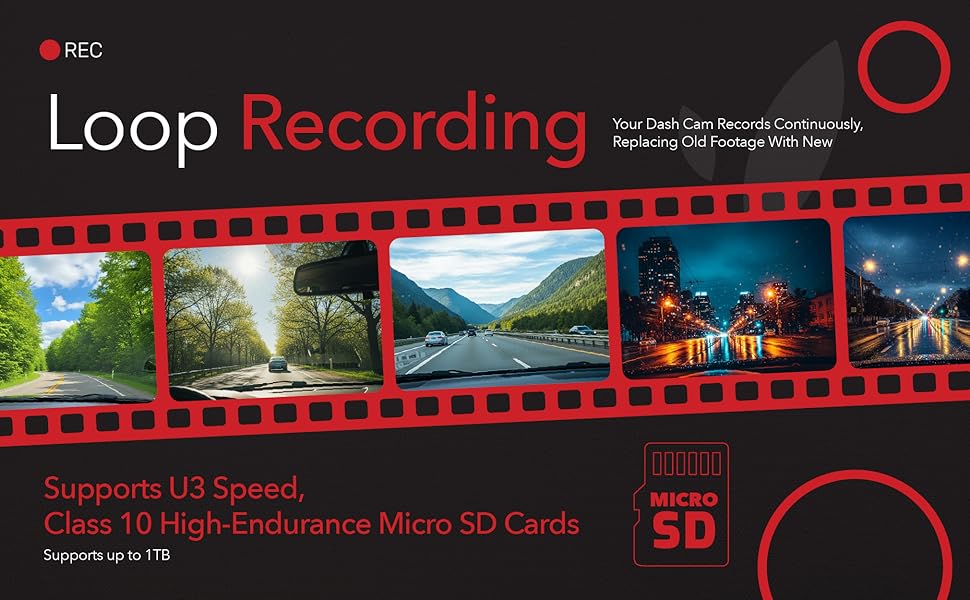
Image: Loop Recording functionality, showing how the dash cam continuously records and overwrites older files.
4.2. Video Quality and Night Vision
The front camera records in 4K (3840x2160) and the rear in 1080p Full HD. The Sony STARVIS 2 sensor with WDR technology ensures clear video capture even in challenging lighting conditions, such as bright sunlight or low-light night driving.

Image: Visual representation of 4K front and 1080p rear recording capabilities with 140° wide-angle lenses.

Image: Demonstrates the clarity of footage captured by the Sony STARVIS 2 sensor, highlighting license plate readability in both daytime and nighttime conditions.
4.3. Wi-Fi and App Connectivity
Connect your smartphone to the dash cam via Wi-Fi using the Dylect App (available on iOS and Android).
- Download the 'Dylect' app from your smartphone's app store.
- On the dash cam, enable Wi-Fi (refer to the on-screen menu).
- On your smartphone, go to Wi-Fi settings and connect to the dash cam's Wi-Fi network (SSID and password displayed on the dash cam screen).
- Open the Dylect App to access live footage, review recorded videos, download files, and adjust camera settings.

Image: Smartphone connectivity with the Dylect App, illustrating features like real-time footage access, settings adjustment, and recorded video review.
4.4. Built-in GPS
The integrated GPS module records your vehicle's speed, location, and driving route, providing valuable data that can be viewed alongside your video footage via the Dylect App or dedicated PC viewer software.
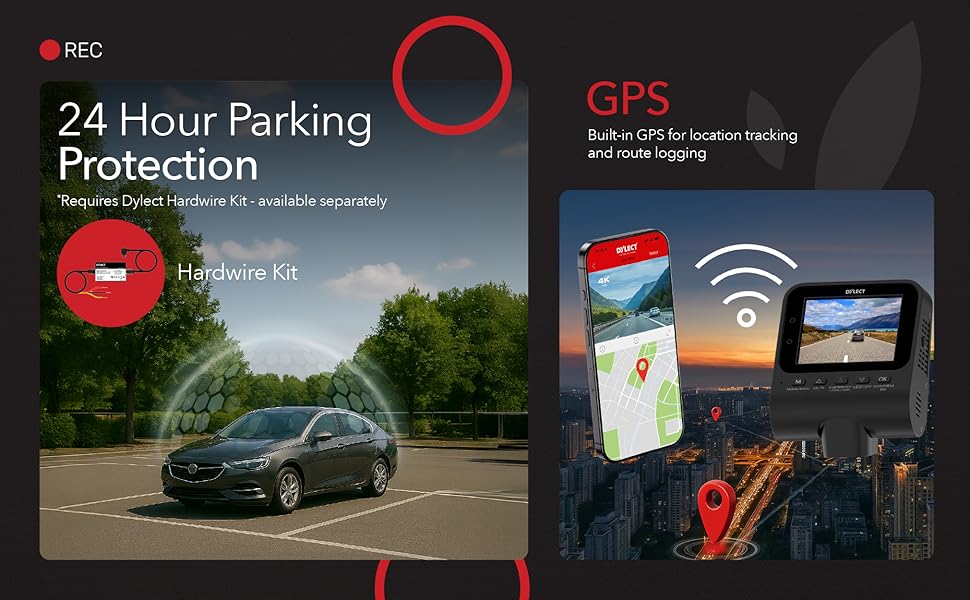
Image: GPS functionality, demonstrating location tracking and route logging capabilities.
4.5. Advanced Driving Assistant System (ADAS)
The ADAS feature provides real-time alerts to help prevent potential accidents:
- Forward Collision Warning (FCW): Alerts you if you are approaching a vehicle ahead too quickly.
- Front Car Departure (FCD): Notifies you when the vehicle in front starts moving from a stop.
- Lane Departure Warning (LDW): Warns you if your vehicle drifts out of its lane without signaling.

Image: Visual representation of ADAS alerts: Lane Departure Warning, Front Car Departure, and Forward Collision Alert.
4.6. 24-Hour Parking Protection
For continuous surveillance when your vehicle is parked, the 24-hour parking protection mode can be activated. This feature requires a separate Dylect Hardwire Kit (sold separately) to provide constant power to the dash cam.
Image: 24-Hour Parking Protection feature, noting the requirement for a separate hardwire kit.
4.7. On-Device Display and Playback
The 2.4-inch IPS display allows for real-time viewing of recordings, instant playback, and access to camera settings. You can check recording status, Wi-Fi connectivity, time and date, and real-time alerts directly on the screen.

Image: The dash cam's on-device display, showing recording status, Wi-Fi connectivity, time/date, and real-time alerts.
5. Storage
The Dylect Sense 4K Max supports MicroSD cards up to 1TB. For stable performance, use Class 10, U3/V30 high-speed cards. Regular formatting of the MicroSD card (every 2-4 weeks) is recommended to maintain optimal recording performance and prevent data corruption.
6. Maintenance
- Cleaning: Use a soft, dry cloth to clean the camera lenses and display. Avoid abrasive cleaners.
- Firmware Updates: Check the Dylect website or app periodically for firmware updates to ensure your dash cam has the latest features and bug fixes.
- Temperature: The dash cam is designed to operate reliably in temperatures from -10°C to +60°C. Avoid prolonged exposure to temperatures outside this range.

Image: Super Capacitor technology, ensuring reliable performance in extreme temperatures from -10°C to +60°C.
7. Troubleshooting
- Dash Cam Not Powering On: Check the power connection to the 12V outlet and ensure the car charger is functioning.
- Recording Stops/Errors: Ensure you are using a compatible Class 10, U3/V30 MicroSD card. Format the card regularly. Replace the card if issues persist.
- Wi-Fi Connectivity Issues: If your phone is connected to your car's Bluetooth infotainment system, it might interfere with the dash cam's Wi-Fi connection. Disconnect from car Bluetooth or try connecting to the dash cam Wi-Fi first.
- Poor Video Quality: Clean the camera lenses. Ensure the protective film is removed. Check settings for resolution.
- GPS Not Working: Ensure the dash cam has a clear view of the sky. Allow a few minutes for GPS signal acquisition.
8. Specifications
| Feature | Specification |
|---|---|
| Model Name | DYDC24K |
| Video Capture Resolution | Front: 4K (3840 x 2160), Rear: 1080p |
| Field of View | 140 Degrees |
| Connectivity Technology | Wi-Fi |
| Display Type | 2.4" IPS LCD |
| Storage Support | MicroSD up to 1TB (Class 10, U3 Speed) |
| Operating Temperature | -10°C to +60°C |
| Dimensions (D x W x H) | 7.3D x 8W x 4.8H Centimeters |
| Weight | 130 Grams |
| Included Components | Car Charger, Charging Cable, Installation Tool, User Manual, Warranty Card |
9. Warranty and Support
The Dylect Sense 4K Max 2 Channel Dash Cam comes with a standard 1-year manufacturer's warranty from the date of purchase. This warranty covers manufacturing defects. Please retain your purchase receipt for warranty claims.

Image: Dylect offers a 12-month protection plan for the dash cam.
Contact Information:
For technical support, warranty claims, or any inquiries, please contact Dylect customer service:
- Phone: +91 8669393000
- Email: care@dylect.in
