1. Introduction
The TMKB T68-C HE Rapid Trigger Gaming Keyboard is engineered for competitive gaming, featuring Hall Effect magnetic switches for adjustable actuation and an ultra-responsive 8000 Hz polling rate. This compact 60% layout keyboard provides precise control and extensive customization options through its web-based driver software, making it an ideal choice for FPS and RTS gamers.
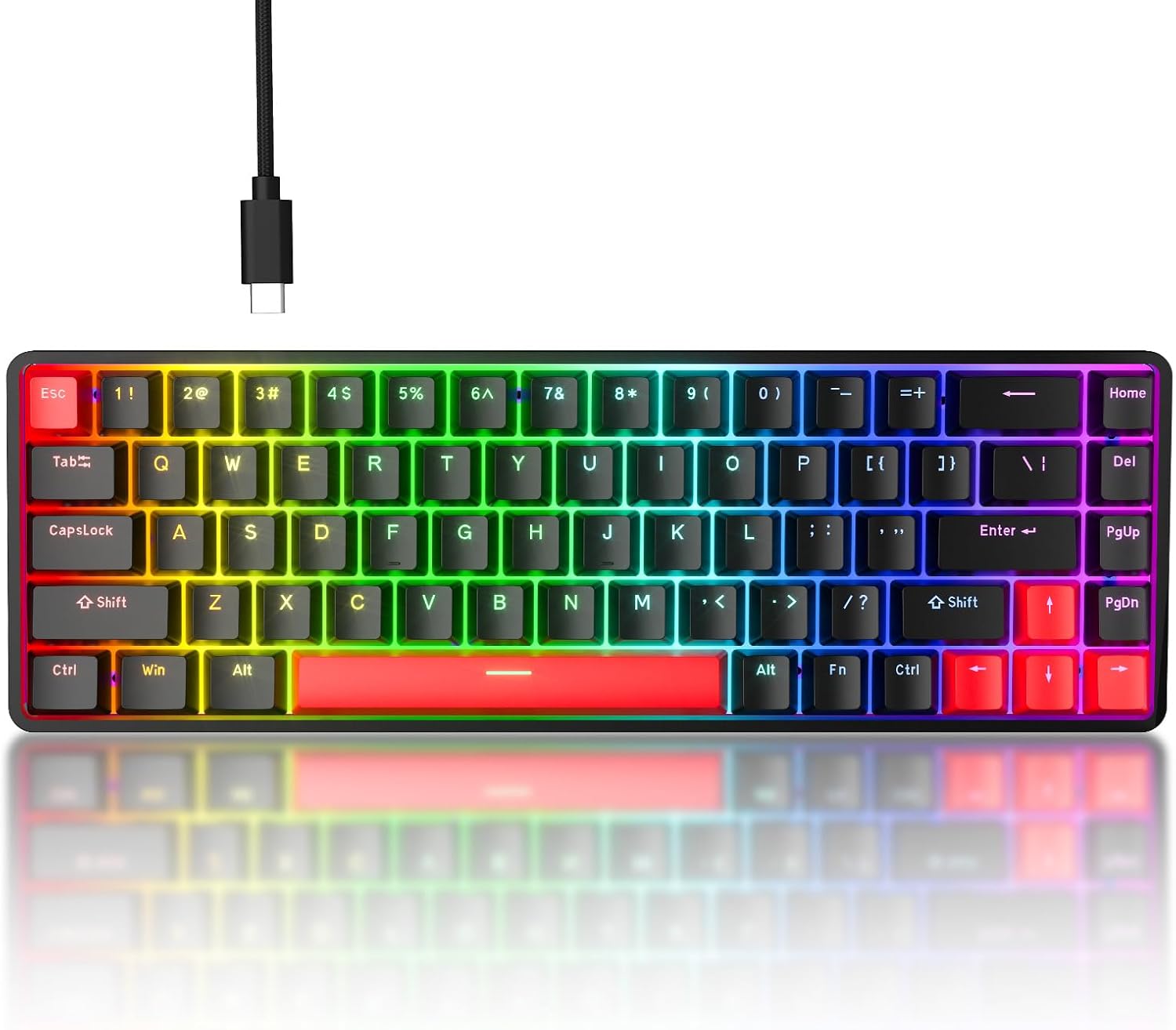
Image: The TMKB T68-C HE Rapid Trigger Gaming Keyboard, showcasing its compact 60% layout and vibrant RGB backlighting.
2. Package Contents
Please verify that all items are present in the package:
- T68-C Keyboard x 1
- Keycap Puller x 1
- USB Cable x 1
- User Manual x 1

Image: All items included in the TMKB T68-C keyboard package: the keyboard, USB cable, keycap puller, and user manual.
3. Product Features
3.1 Hall Effect Magnetic Switches & Rapid Trigger
The T68-C features Hall Effect magnetic switches, offering adjustable actuation points from 0.1mm to 4.0mm with 0.1mm precision. This allows for personalized key sensitivity. The Rapid Trigger technology enables instant key reset, meaning keys re-actuate as soon as they begin to rise, providing unparalleled responsiveness for competitive gaming.

Image: An illustration detailing the magnetic precision of Hall Effect switches, highlighting adjustable actuation, 8K polling rate, and 100M+ keystroke durability.
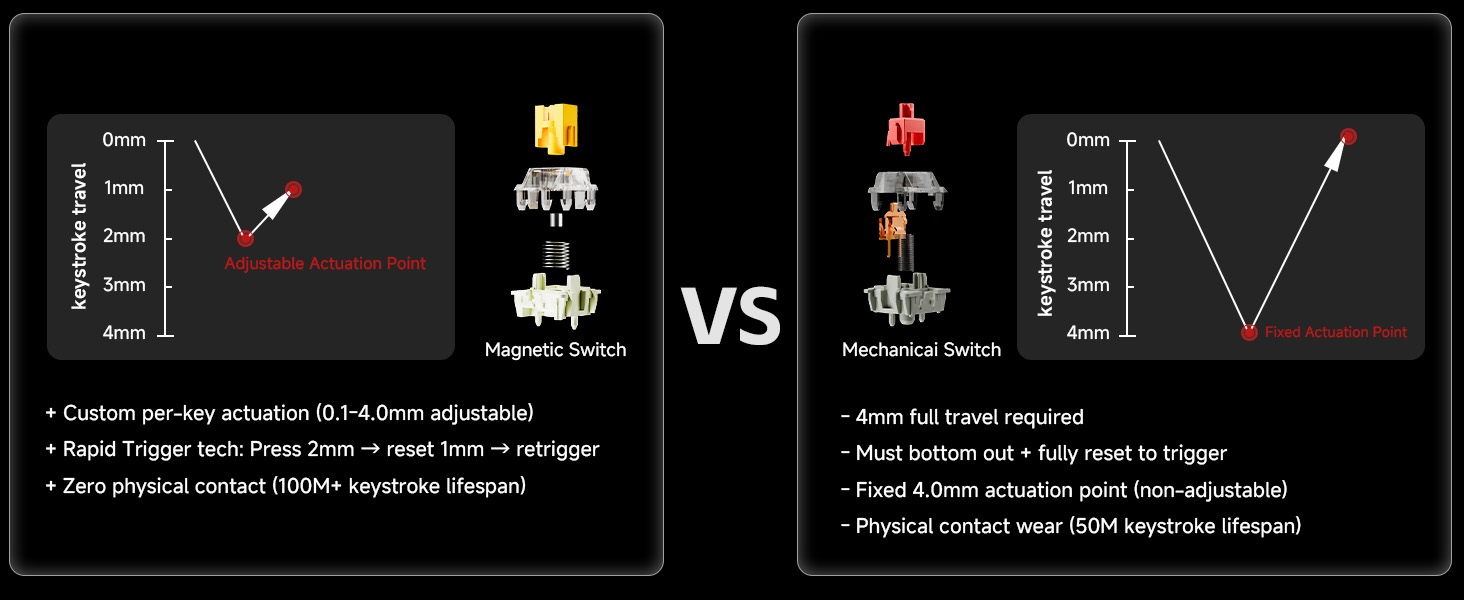
Image: A comparison diagram showing the difference in keystroke travel and actuation between magnetic switches with adjustable actuation and traditional mechanical switches with fixed actuation.
3.2 8000 Hz Polling Rate
Experience minimal input lag with an 8000 Hz polling rate, delivering a response time of less than 0.3ms. This high polling rate ensures that every keystroke is registered almost instantaneously, providing a significant advantage in fast-paced gaming scenarios.

Image: A visual representation of the keyboard's 8000 Hz polling rate, emphasizing its esports-level responsiveness and ultra-low latency.

Image: Examples of game genres such as FPS, MOBA, and other fast-paced action games where the keyboard's features are highly beneficial.
3.3 Web-Based Customization Hub
Customize your keyboard settings without installing any software. The T68-C utilizes a browser-driven customization hub, accessible via Chrome or Edge, allowing for easy adjustment of actuation points, key mapping, and RGB lighting effects. Settings are stored directly on the device.

Image: A screenshot of the web-based customization hub, showing options for key mapping, lighting, and actuation adjustments.
3.4 Compact 60% Layout
The 68-key compact design retains essential keys, including arrow keys, while minimizing desk footprint. This layout provides more space for mouse movement, which is crucial for FPS and RTS gamers.
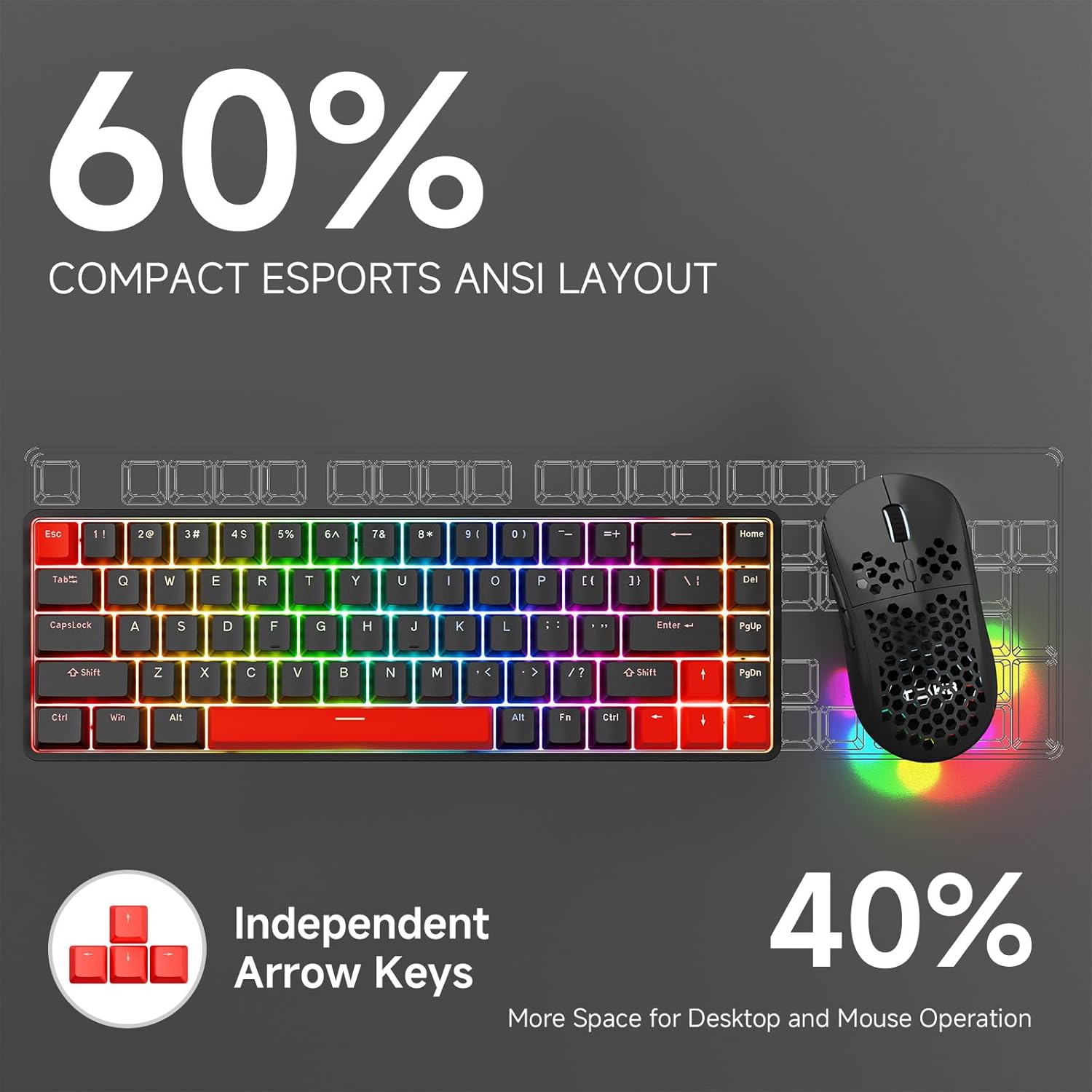
Image: The keyboard's 60% compact esports ANSI layout, highlighting the inclusion of independent arrow keys and the space-saving design.

Image: A detailed diagram illustrating the compact 60% esports layout, showing essential keys, arrow keys, and media controls accessible via the Fn key.
3.5 Durability & Design
The keyboard features durable double-shot keycaps for enhanced visibility and fade resistance. Its robust construction includes a two-stage adjustable stand for ergonomic typing and anti-slip rubber pads for stability. The internal design incorporates high-density sandwich foam and sound-absorbing bottom foam for improved acoustics.
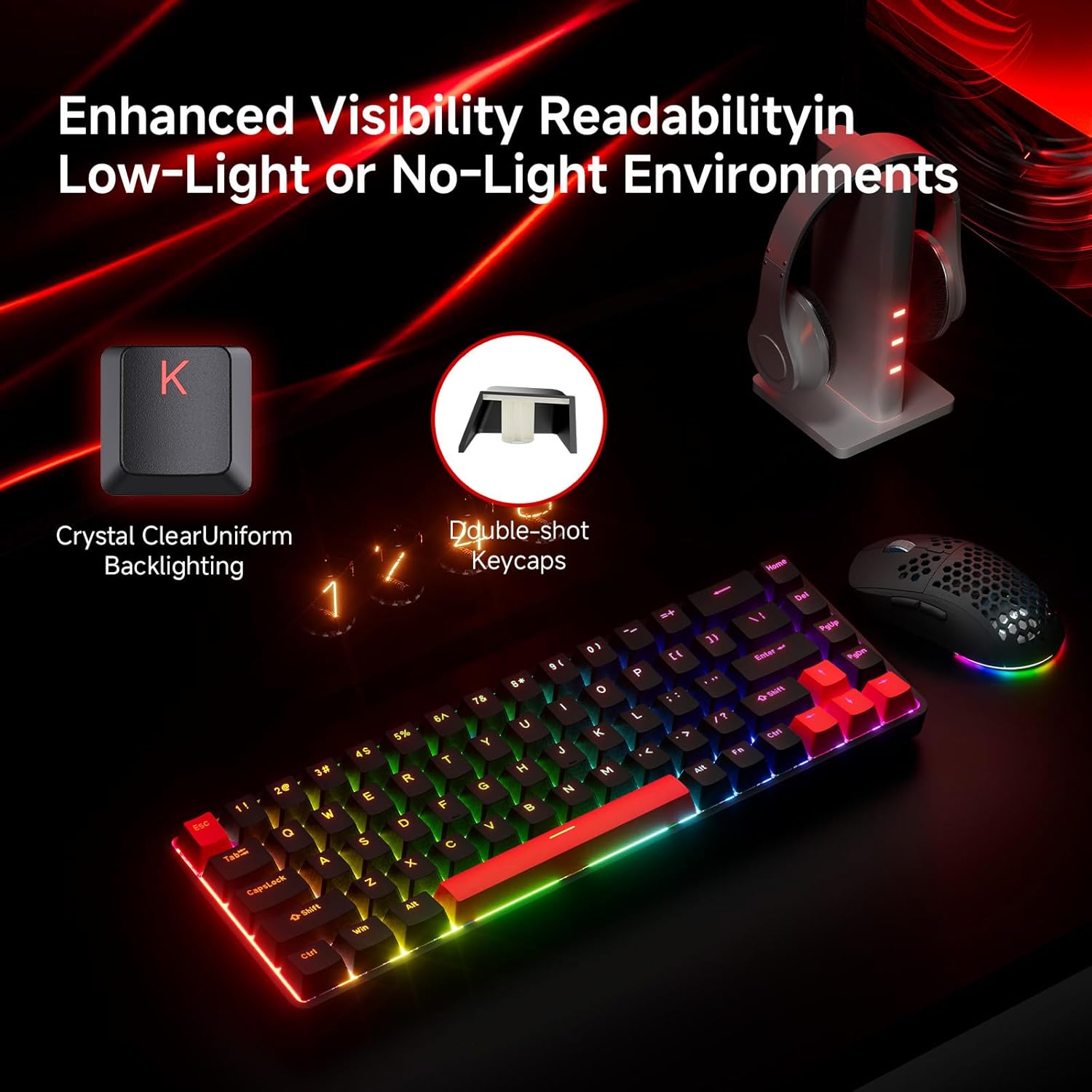
Image: The keyboard illuminated with RGB backlighting, demonstrating enhanced visibility and readability of characters in low-light conditions due to crystal clear uniform backlighting and double-shot keycaps.
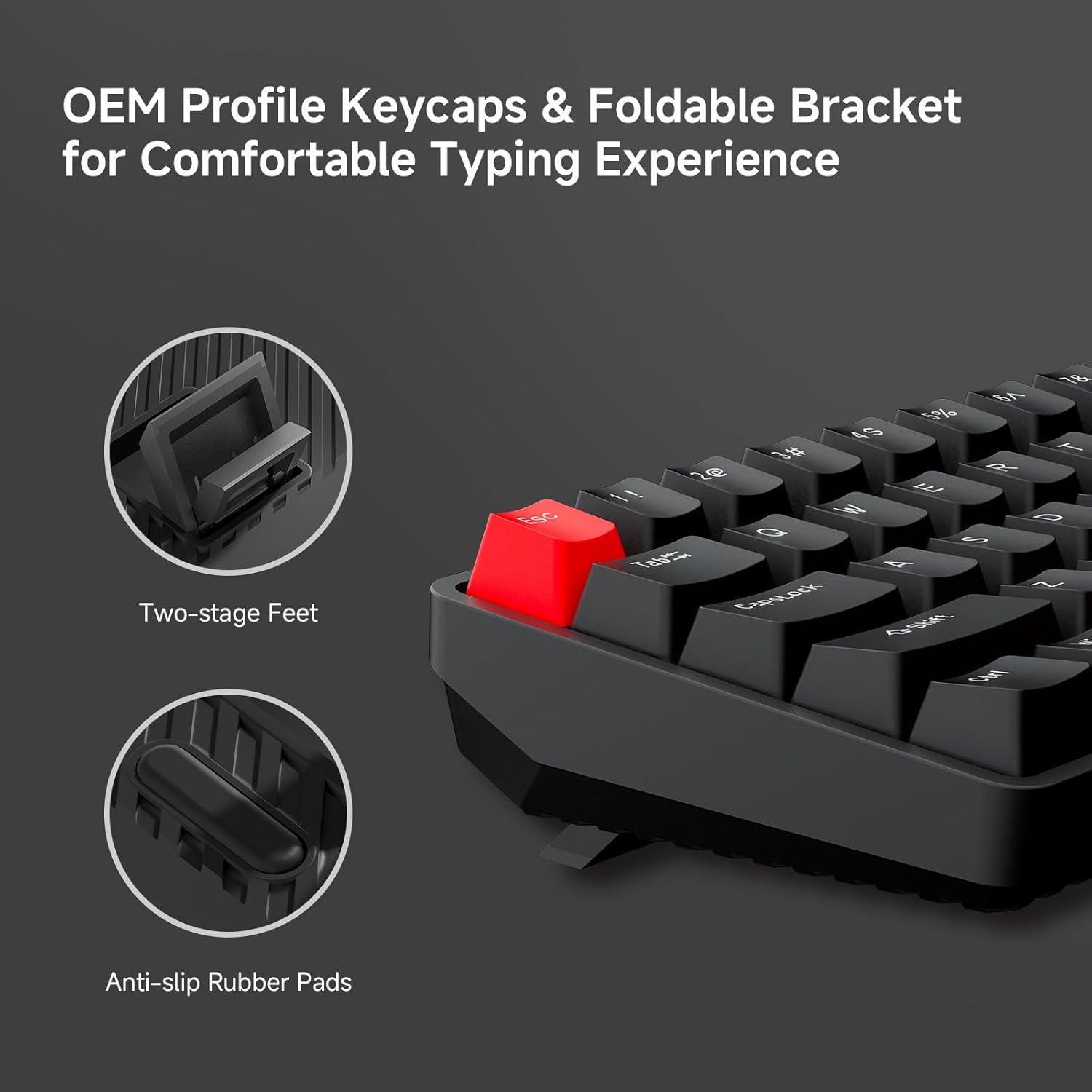
Image: A close-up view of the keyboard's OEM profile keycaps, two-stage adjustable feet, and anti-slip rubber pads, designed for comfortable typing and stability.

Image: A visual breakdown of the keyboard's design elements, including the two-stage adjustable stand, detachable USB-C braided cable, precision engineered keycaps, double-shot backlight keycaps, and sandwich foam dampening base foam.

Image: An exploded view diagram illustrating the internal components of the keyboard, including translucent keycaps, magnetic gold switches, aluminum positioning plate, high-density sandwich foam, PCB, high-density sound-absorbing bottom foam, bottom case, two-stage adjustable feet, and anti-slip pads.
4. Setup Guide
4.1 Connecting the Keyboard
- Connect the provided USB-C cable to the keyboard's USB-C port.
- Connect the other end of the USB cable to an available USB-A port on your computer.
- The keyboard will automatically be recognized by your operating system (Windows, macOS, Linux).
4.2 Accessing the Customization Hub
The TMKB T68-C uses a web-based driver for customization. Follow these steps to access it:
- Open a compatible web browser (Google Chrome or Microsoft Edge).
- Navigate to illumiipc.com.
- Click 'Allow browser access' when prompted to connect to your device.
- Select 'Gaming Keyboard' from the list of HID devices and click 'Connect'.
- The customization interface will load, allowing you to adjust settings.

Image: Step 1 of accessing the web-based driver: Open illumiipc.com in your Google Chrome browser.

Image: Step 2 of accessing the web-based driver: Click 'Allow browser access' to permit the browser to connect to your keyboard.

Image: Steps 3 and 4 of accessing the web-based driver: Select 'Gaming Keyboard' from the device list and click 'Connect' to establish the connection.
5. Operation Guide
5.1 Adjusting Actuation Points
Within the web-based customization hub, navigate to the 'Actuation' tab. Here you can select individual keys or groups of keys and adjust their actuation point from 0.1mm to 4.0mm. This allows for fine-tuning key sensitivity to your preference.
5.2 Customizing RGB Lighting
The 'Lighting' tab in the customization hub provides options to personalize the 16.8 million RGB backlight. Choose from 14 different effects (e.g., Breath, Static, Flow, Starlight) and adjust brightness and speed to match your setup or mood.
5.3 Key Remapping and Macros
Under the 'Keymap' tab, you can remap keys to different functions or assign complex macros. This feature is useful for optimizing your workflow or gaining an edge in games by executing multiple commands with a single key press.
5.4 Using the Fn Layer
The T68-C utilizes an Fn (Function) layer to access secondary functions for certain keys, including media controls and F-keys (F1-F12). Press and hold the Fn key, then press the desired key to activate its secondary function.
6. Maintenance
6.1 Cleaning the Keyboard
- Disconnect the keyboard from your computer before cleaning.
- Use a soft, lint-free cloth slightly dampened with water or a mild cleaning solution to wipe down the keycaps and chassis.
- For dust and debris between keys, use compressed air or a small brush.
- Avoid using harsh chemicals or abrasive materials.
6.2 Keycap and Switch Care
- Use the provided keycap puller to safely remove keycaps for deeper cleaning or replacement.
- When reattaching keycaps, ensure they are aligned correctly with the switch stem and press down gently until they click into place.
- Avoid excessive force when removing or installing keycaps to prevent damage to the switches.
7. Troubleshooting
7.1 Keyboard Not Responding
- Ensure the USB cable is securely connected to both the keyboard and the computer.
- Try connecting the keyboard to a different USB port on your computer.
- Test the keyboard on another computer to rule out system-specific issues.
7.2 RGB Lighting Not Working
- Check the lighting settings in the web-based customization hub to ensure RGB is enabled and brightness is not set to zero.
- Ensure the keyboard is receiving sufficient power from the USB port.
7.3 Keys Not Registering Correctly
- Verify the actuation point settings for the affected keys in the customization hub.
- Ensure no debris is lodged under the keycap or around the switch.
- If the issue persists, perform a factory reset via the customization hub if available, or contact support.
8. Specifications

Image: A comprehensive feature overview table for the TMKB T68-C keyboard, detailing its specifications.
| Feature | Description |
|---|---|
| Model | T68-C |
| Switch Type | Magnetic Switch (Golden Magnetic Switch) |
| Key Lifespan | 100 million keystrokes |
| Actuation Point Range | 0.1mm - 4.0mm (adjustable precision) |
| Latency | <0.3ms |
| Polling Rate | 8000Hz (esports-grade) |
| Key Count | 68 keys (60% layout) |
| Dedicated Keys | Arrow keys, Delete, Home, PgUp, PgDn |
| Supported Features | Key remapping, Macro recording, RGB lighting customization, Actuation point adjustment, Rapid Trigger Technology |
| RGB Backlighting | Customizable with multiple dynamic effects |
| Keycaps | Double-shot backlight keycaps |
| Plate Material | Aluminum positioning plate |
| Noise Dampening | Dual-layer foam dampening |
| Connection Type | Detachable USB-C (braided cable) |
| System Compatibility | Windows / macOS / Linux |
| Weight | 576g ± 20g (1.27 lbs) |
| Dimensions | 313mm x 104mm x 44mm (12.32 x 4.09 x 1.73 inches) |
| Web-based Driver | illumiipc.com |
9. Warranty and Support
TMKB Technology Mechanical KeyBoard products are covered by a limited warranty. For detailed warranty information, technical support, or service inquiries, please refer to the official TMKB website or contact their customer service directly. Keep your purchase receipt for warranty claims.
10. Important Safety Information
- Do not expose the keyboard to liquids or excessive moisture.
- Avoid extreme temperatures.
- Do not attempt to disassemble or modify the keyboard, as this will void the warranty and may cause damage.
- Keep out of reach of small children.


