
1. Safety Information
Please read all instructions carefully before using the MERACH Under Desk Elliptical. Retain this manual for future reference.
- Ensure the elliptical is placed on a stable, flat surface.
- Do not stand on the elliptical. It is designed for seated use only.
- Keep hands and feet clear of moving parts during operation.
- Do not use if the power cord is damaged.
- Maximum user weight recommendation: 250 pounds.
- Consult a physician before starting any new exercise program.
2. Product Overview
The MERACH MR-E32 Under Desk Elliptical is a compact, motorized leg exerciser designed for low-impact workouts while seated. It features adjustable speed and direction, with both manual and automatic modes, controlled via a touch screen or remote.
Key Features:
- All-in-One Design: Integrates speed, time, distance, counter, and calorie tracking.
- 2-in-1 Auto & Manual Modes: 12 manual speed levels and 12 auto modes (P1–P12).
- Whisper-Quiet Operation: Operates at less than 15dB, suitable for home or office.
- Dual Controls: LED touch screen and remote control for easy adjustments.
- Forward & Reverse Motion: Engages different muscle groups for a comprehensive leg workout.
- Compact & Portable: Designed to fit under desks or next to couches.
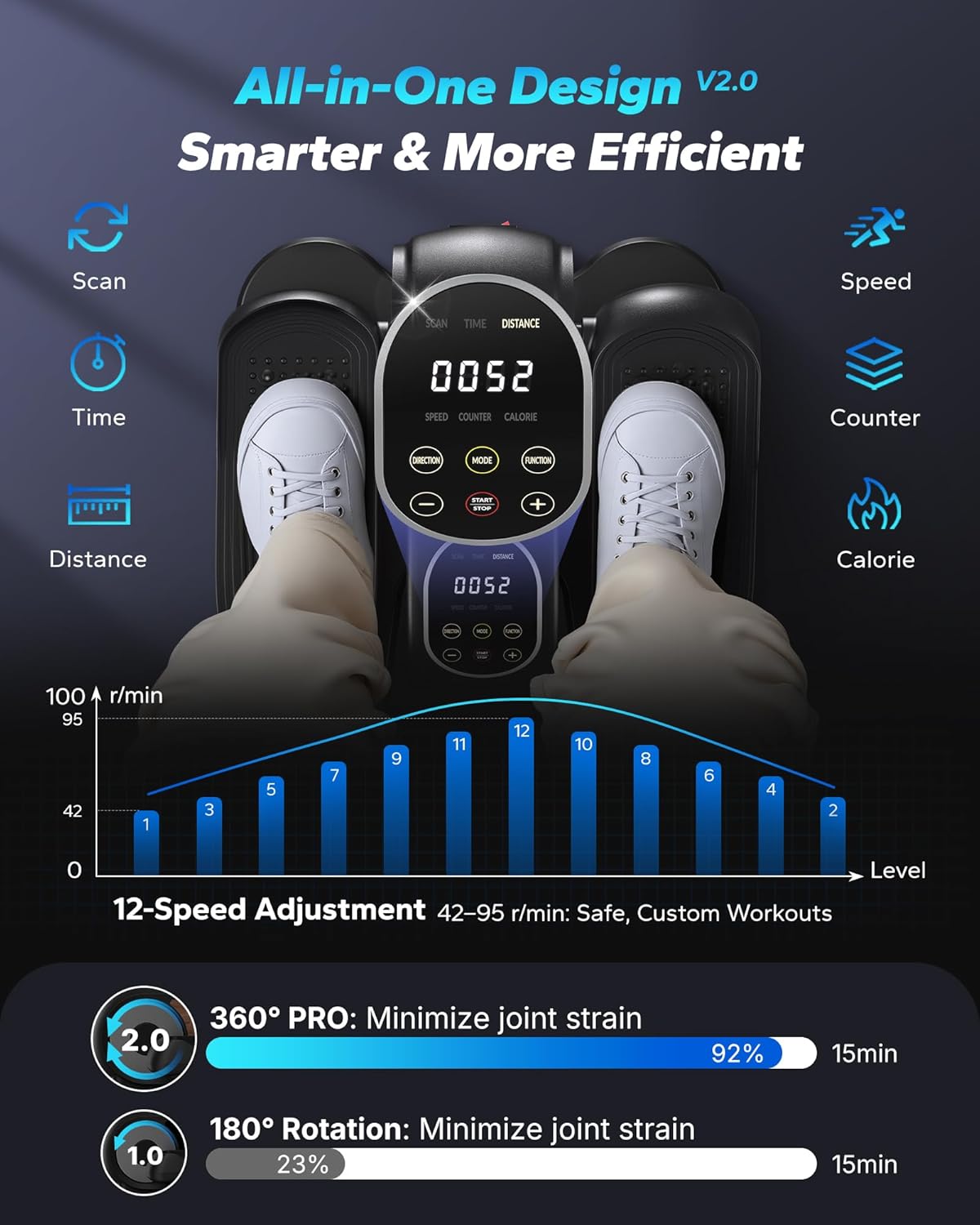
Figure 2.1: Display metrics and 12-speed adjustment levels.
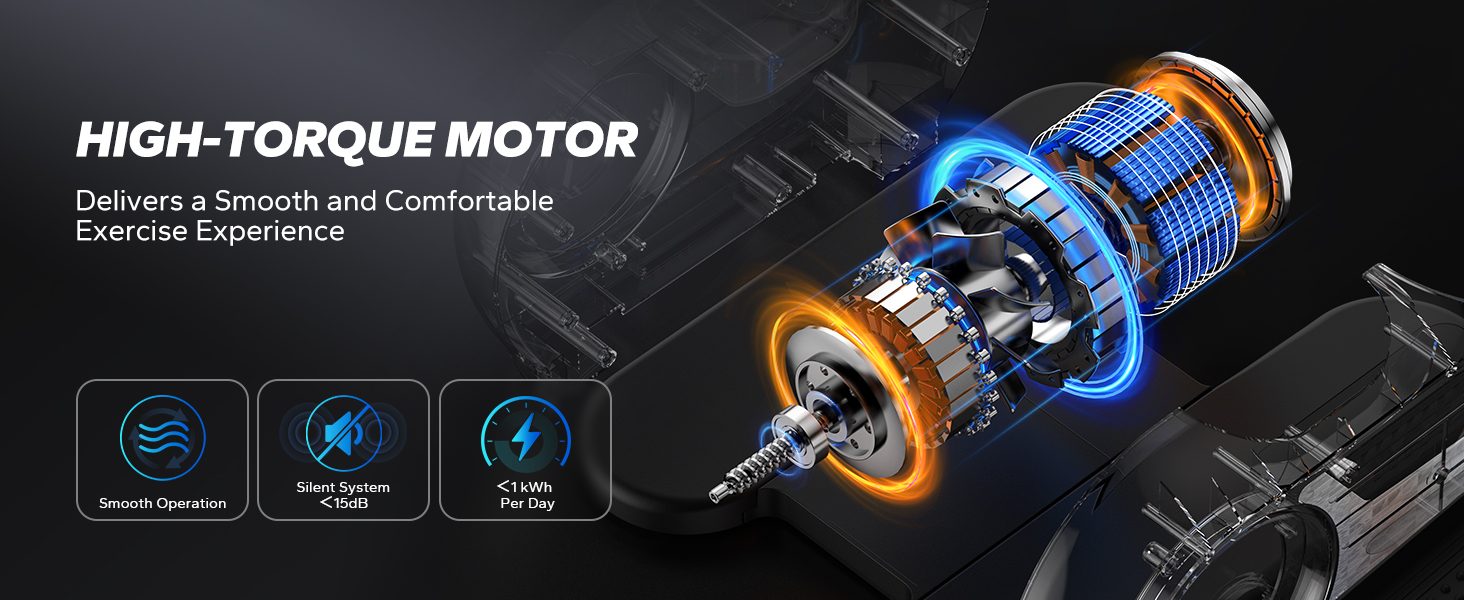
Figure 2.2: Knee-friendly elliptical motion with forward and reverse options.
3. Setup
The MERACH MR-E32 Under Desk Elliptical comes fully assembled, requiring no complex setup. Simply unbox, connect power, and you are ready to use.
What's in the Box:
- MERACH Under Desk Elliptical Machine (x1)
- Power Cord (x1)
- Remote Control (x1)
- AAA Batteries (x2)
- User Manual (x1)

Figure 3.1: Package contents of the MERACH MR-E32.
Initial Setup Steps:
- Carefully remove the elliptical from its packaging.
- Insert the two AAA batteries into the remote control.
- Place the elliptical on a flat, stable surface in your desired exercise location.
- Connect the power cord to the elliptical and then plug it into a standard electrical outlet.
Video 3.1: Unboxing and initial setup of the MERACH Under Desk Elliptical.
4. Operating Instructions
The MERACH MR-E32 offers flexible operation through its integrated touch screen and remote control.
Controls:
- Touch Screen: Located on the top of the unit, allows direct control of modes, speed, direction, and start/stop.
- Remote Control: Provides convenient access to all functions from a distance.

Figure 4.1: Dual control options: remote and touch panel.
Modes of Operation:
The elliptical features two primary operating modes: HR Mode (Manual) and Auto Mode (Programmed).
- HR Mode (Manual): Allows you to manually adjust the speed through 12 levels and change the direction of the elliptical motion.
- Auto Mode (P1-P12): Offers 12 pre-programmed modes that automatically adjust speed and direction over a 15-minute cycle.

Figure 4.2: Overview of Auto and HR (Manual) workout modes.
Using the Elliptical:
- Sit comfortably in a chair with the elliptical placed in front of you.
- Place your feet securely on the pedals.
- Press the 'Power' button on the remote or 'Start/Stop' on the touch screen to turn on the unit.
- Select your desired mode:
- For HR Mode, use the 'Speed' buttons (+/-) to adjust the intensity. Use the 'Direction' button to change pedal rotation.
- For Auto Mode, press the 'Mode' button to cycle through P1-P12 programs.
- The LED display will show real-time data including time, distance, speed, counter, and calories burned.
- To stop, press the 'Start/Stop' button. To turn off, press the 'Power' button.
Video 4.1: Demonstration of the MERACH Under Desk Elliptical in use, showcasing its smooth operation.
Video 4.2: Short clip demonstrating a leg exerciser workout with the portable under desk elliptical.
5. Maintenance
Regular maintenance ensures the longevity and optimal performance of your MERACH Under Desk Elliptical.
Cleaning:
- Unplug the unit before cleaning.
- Wipe down the surface with a soft, damp cloth. Avoid abrasive cleaners or solvents.
- Ensure no moisture enters the display or motor housing.
Storage:
- Store the elliptical in a cool, dry place away from direct sunlight.
- Keep the unit covered to prevent dust accumulation if storing for extended periods.
6. Troubleshooting
If you encounter any issues with your elliptical, refer to the following common solutions:
| Problem | Possible Cause | Solution |
|---|---|---|
| Unit does not power on | Power cord not connected; Power outlet not working; Remote batteries dead | Check power cord connection; Try a different outlet; Replace remote batteries |
| Pedals are not moving smoothly | Obstruction; Unit needs cleaning | Check for obstructions around pedals; Clean the unit as per maintenance instructions |
| Remote control not responding | Batteries are low or incorrectly inserted; Obstruction between remote and unit | Replace batteries, ensure correct polarity; Remove any obstructions; Point remote directly at the unit |
| Unusual noise during operation | Loose parts; Unit needs lubrication (unlikely for sealed unit) | Stop use immediately and contact customer support if noise persists. |
If the problem persists after trying these solutions, please contact MERACH customer support.
7. Specifications
| Feature | Detail |
|---|---|
| Model Name | MR-E32 |
| Brand | MERACH |
| Color | Black |
| Product Dimensions (D x W x H) | 15.6" x 14.9" x 7.4" |
| Material | Alloy Steel |
| Item Weight | 11.1 pounds |
| Resistance Mechanism | Magnetic |
| Number of Resistance Levels | 12 |
| Power Source | Corded Electric |
| Maximum Weight Recommendation | 250 pounds |
8. Warranty
The MERACH Under Desk Elliptical MR-E32 comes with a 1-Year Manufacturer Warranty. This warranty covers defects in materials and workmanship under normal use. Please retain your proof of purchase for warranty claims.
For detailed warranty terms and conditions, please refer to the official MERACH website or contact customer support.
9. Customer Support
MERACH provides lifetime technical support for a superior customer experience.
- For technical assistance, troubleshooting, or warranty inquiries, please contact MERACH customer support through the platform where you purchased the product.
- Visit the official MERACH Store for more product information and support resources: MERACH Official Store


