
Introduction
Thank you for choosing the Maxtek Rolling Whiteboard. This manual provides essential information for the safe and efficient assembly, operation, and maintenance of your new whiteboard. Please read these instructions carefully before use and retain them for future reference.
Safety Information
- Ensure all parts are present and undamaged before assembly.
- Assemble the whiteboard on a soft, clean surface to prevent scratches.
- Always lock the casters when the whiteboard is in a stationary position to prevent accidental movement.
- Do not overload the marker tray.
- Keep small parts away from children to avoid choking hazards.
- Use only dry-erase markers and appropriate cleaning solutions designed for whiteboards.
Package Contents
Verify that all the following items are included in your package:
- 1 x Double-Sided Whiteboard Panel
- 1 x Rolling Stand Frame
- 3 x Dry Erase Markers (various colors)
- 6 x Colorful Magnets
- 1 x Magnetic Dry Erase Eraser
- 1 x Magnetic Timer
- 1 x Pen Tray (48 inches long)
- Installation Tools (wrenches, screwdriver)
- Illustrated Assembly Guide

Image: Included accessories with the Maxtek Rolling Whiteboard.
Setup and Assembly
Follow the detailed steps in the included illustrated assembly guide. The process typically involves:
- Attaching the casters to the base of the stand frame.
- Connecting the vertical support bars to the base.
- Securing the horizontal crossbars to the vertical supports.
- Mounting the whiteboard panel onto the assembled frame, ensuring the flipping mechanism is correctly aligned.
- Attaching the pen tray to the lower section of the frame.

Image: Initial assembly of the whiteboard stand frame.
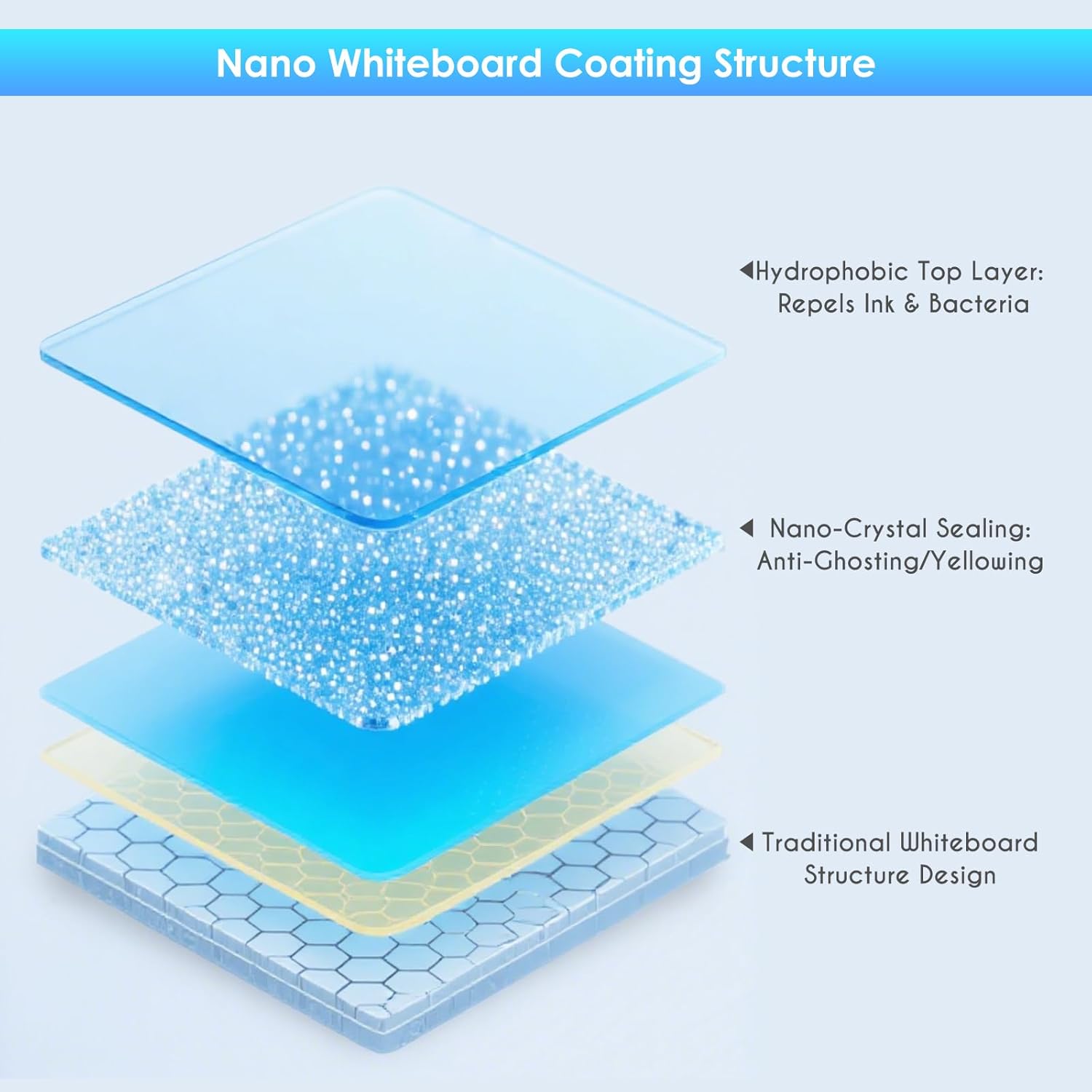
Image: Attaching the whiteboard panel to the assembled frame.
Operating Instructions
Double-Sided Functionality
The Maxtek whiteboard features a double-sided panel that can be easily flipped 180 degrees. To flip the board, locate the locking mechanism on the side of the frame, release it, rotate the board to the desired side, and then re-engage the lock to secure it in place. This allows for maximum writing space without needing to erase content immediately.

Image: Demonstrating the 180-degree flip feature of the double-sided whiteboard.
Height Adjustment
The whiteboard offers 3 preset height positions to accommodate various users and settings. To adjust the height, loosen the adjustment knobs on the vertical support bars, slide the whiteboard panel to one of the three desired positions, and then securely tighten the knobs. This feature makes it suitable for both children and adults.

Image: Illustrating the height adjustment feature for different user heights.
Mobility and Stability
The whiteboard is equipped with 4 oversized, silent casters for smooth movement across various floor types. Each caster includes a brake. To move the whiteboard, ensure all brakes are disengaged. To stabilize the whiteboard for writing or presentation, press down on the brake levers on all four casters until they lock into place.
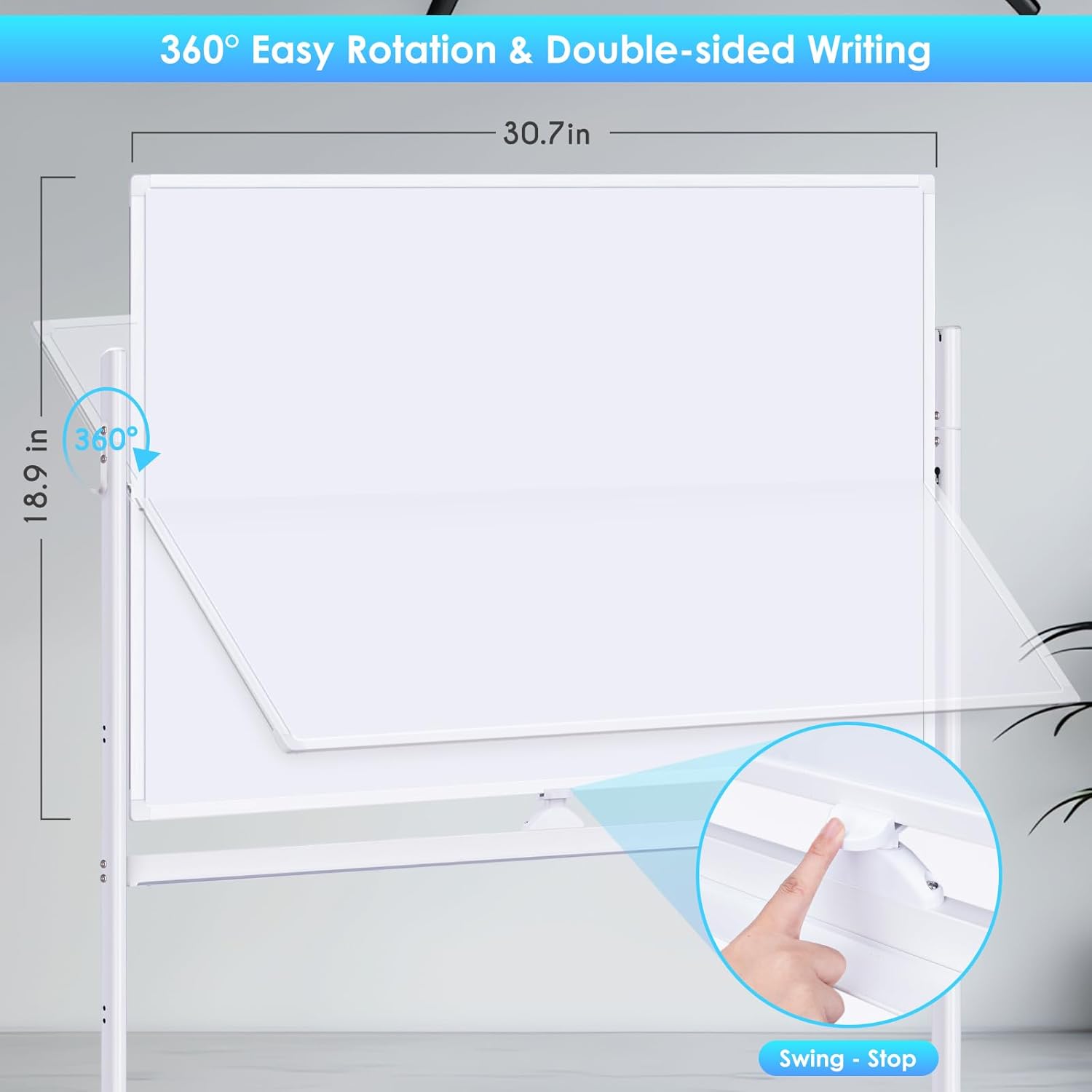
Image: Close-up view of the oversized, silent caster wheels with locking mechanism.
Magnetic Surface Use
Both sides of the whiteboard are magnetic, allowing you to attach documents, notes, or magnetic teaching aids using the provided magnets. The included magnetic timer can also be placed directly on the board or in the pen tray.

Image: Example of using the magnetic surface to hold documents.
Maintenance
Cleaning the Nano-Clean Surface
The whiteboard features an advanced non-porous nano-coating designed for effortless cleaning and durability. To maintain its pristine condition:
- Use the included dry erase eraser to remove marker ink after each use.
- For stubborn marks or to refresh the surface, use a specialized whiteboard cleaning spray and a soft cloth.
- Avoid abrasive cleaners or materials that could damage the nano-coating.

Image: Diagram illustrating the multi-layered Nano-Clean coating for easy erasing and durability.
Troubleshooting
- Ghosting or Stains: Ensure you are using only dry-erase markers. For persistent ghosting, use a commercial whiteboard cleaner or a mixture of rubbing alcohol and water.
- Board Wobbles: Check that all four casters are fully locked. Ensure all assembly screws are tightened securely.
- Difficulty Flipping Board: Verify that the locking mechanism is fully disengaged before attempting to flip the board. Ensure no obstructions are present.
Specifications
| Feature | Detail |
|---|---|
| Model Number | MDW-4832 |
| Board Dimensions | 48"W x 32"H |
| Overall Dimensions | 32 x 32 x 48 inches (adjustable height) |
| Material | Aluminum Frame, Nano-Coated Steel Surface |
| Weight | 17.6 pounds |
| Mobility | 4 Oversized, Silent Caster Wheels with Locks |
| Adjustable Height | 3 Preset Positions |
| Surface Type | Nano-Clean Magnetic Dry Erase |
Warranty and Support
Maxtek is committed to providing high-quality products. For any questions, concerns, or warranty claims, please contact Maxtek customer support through the retailer's platform or the official Maxtek website. Please have your purchase receipt and product model number ready when contacting support.


