
DREAME RLL77SE
DREAME L40s Ultra AE Robot Vacuum and Mop Combo User Manual
Model: L40s Ultra AE | Brand: DREAME
1. Introduction
This manual provides essential instructions for the safe operation, maintenance, and troubleshooting of your DREAME L40s Ultra AE Robot Vacuum and Mop Combo. Please read this manual thoroughly before using the product and retain it for future reference.

Image: The DREAME L40s Ultra AE Robot Vacuum docked in its white all-in-one base station, with two types of roller brushes displayed next to it. This illustrates the main components of the system.
2. Safety Information
To reduce the risk of injury, electric shock, fire, or damage, observe the following safety precautions:
- Read all instructions before use.
- Do not allow children to operate the robot vacuum. Supervise children and pets when the robot is operating.
- Ensure the power voltage matches the rating label on the base station.
- Do not use the robot vacuum on wet surfaces or in areas with standing water.
- Keep hair, loose clothing, fingers, and all parts of the body away from openings and moving parts.
- Do not pick up large or sharp objects, flammable or combustible materials, or toxic solutions.
- Use only manufacturer-recommended accessories and replacement parts.
- Unplug the base station before performing any maintenance or cleaning.
3. Package Contents
Verify that all items are present in the package:
- Robot Vacuum (x1)
- Base Station (x1)
- TriCut Brush (x1)
- Side Brush (x1)
- Mop Pad Holders (x2)
- Mop Pads (x2)
- Dust Bags (x2)
- 200ml Cleaning Solution (x1)
- Base Station Ramp Extension (x1)
- Quick Start Guide (x1)
- User Manual (x1)
4. Product Overview
4.1 Robot Vacuum
The robot vacuum features advanced sensors, powerful suction, and dual brush options for comprehensive cleaning.

Image: A detailed view of the robot vacuum's underside, highlighting the liftable rubber brush and a separate diagram illustrating the TriCut brush. This shows the two brush types for different cleaning needs.
4.2 All-in-One Base Station
The PowerDock Base provides automatic dust emptying, mop washing with hot water, hot-air drying, and auto water/solution refilling.
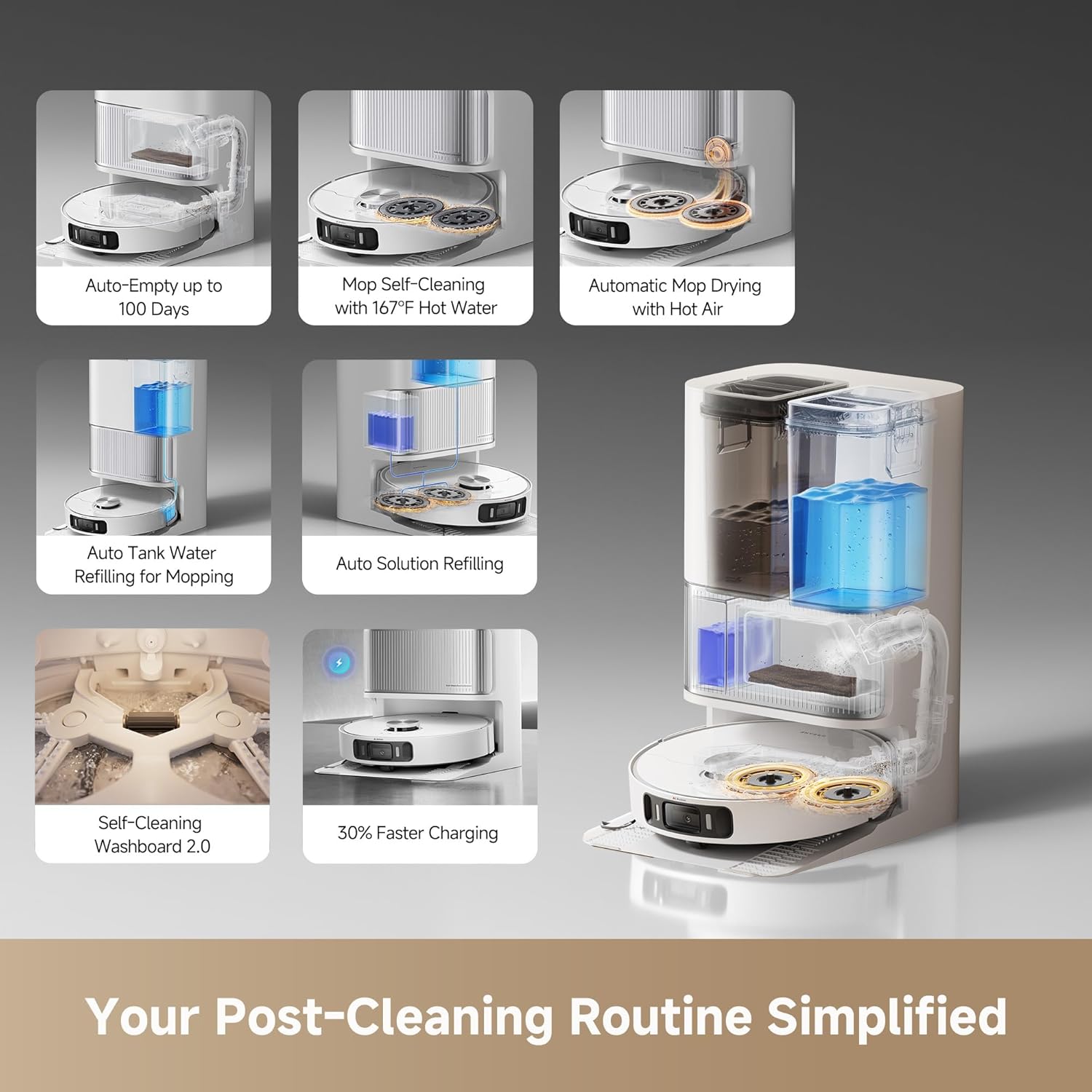
Image: An infographic displaying six key features of the base station: auto-empty (up to 100 days), mop self-cleaning with 167°F hot water, automatic mop drying with hot air, auto tank water refilling for mopping, auto solution refilling, and 30% faster charging. A larger diagram shows the internal water and dust pathways.
5. Setup
5.1 Unpacking
Carefully remove all components from the packaging. Remove any protective films or packing materials from the robot and base station.
5.2 Base Station Placement
Place the base station on a hard, level surface against a wall, ensuring at least 0.5 meters (1.6 feet) of clear space on both sides and 1.5 meters (4.9 feet) in front. Connect the power cord.
5.3 Robot Preparation
- Install the side brush by pressing it into its slot until it clicks.
- Attach the mop pads to the mop pad holders, then attach the holders to the robot.
- Ensure the dust bag is correctly installed in the base station.
- Fill the clean water tank and cleaning solution tank in the base station.
5.4 App Installation and Connection
Download the Dreamehome app from your mobile app store. Follow the in-app instructions to add your DREAME L40s Ultra AE and connect it to your Wi-Fi network.

Image: A mobile phone displaying the Dreamehome app interface, showing options for suction power (Quiet, Standard, Turbo, Max), wetness level (Slightly Dry, Moist, Wet), and cleaning cycles (x1, x2, x3). This illustrates the customization available through the app.
6. Operation
6.1 Starting a Cleaning Task
Press the power button on the robot or use the Dreamehome app to start a cleaning cycle. The robot will automatically map your home and begin cleaning.
6.2 Cleaning Modes
Select from various cleaning modes via the app:
- Vacuum Only: For dry debris on all floor types.
- Mop Only: For wet cleaning hard floors.
- Vacuum & Mop: Simultaneous cleaning for efficiency.
- Custom Cleaning: Define specific areas or settings.
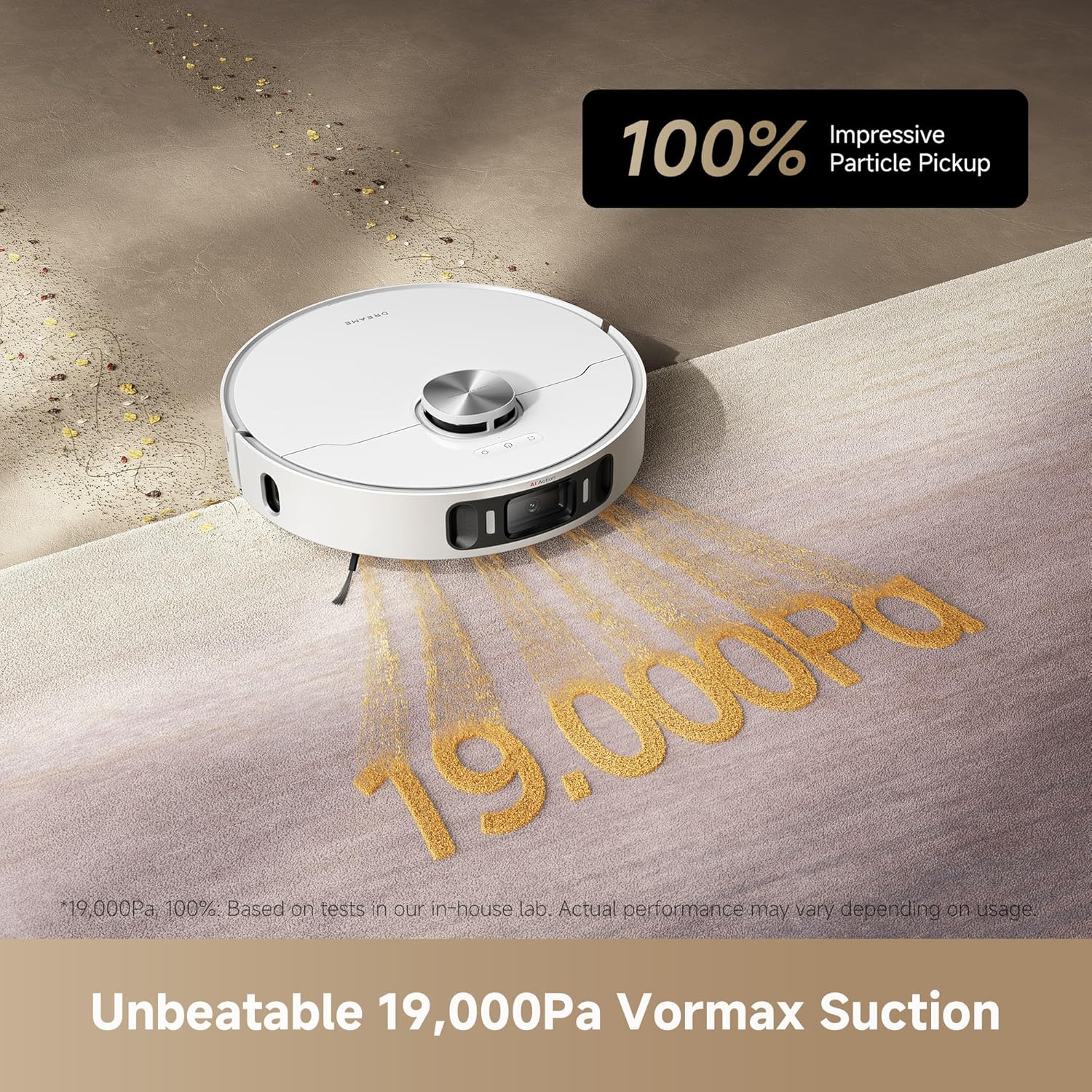
Image: The robot vacuum cleaning a carpet, with visual effects indicating 19,000Pa suction power and 100% impressive particle pickup. This highlights the vacuum's strong cleaning capability.
6.3 Smart Navigation and Obstacle Avoidance
The robot uses AI-powered 3D obstacle avoidance to navigate around over 120 types of objects, including cables, socks, and shoes. MopExtend technology allows the mopping pad to expand for better coverage along edges and under furniture.
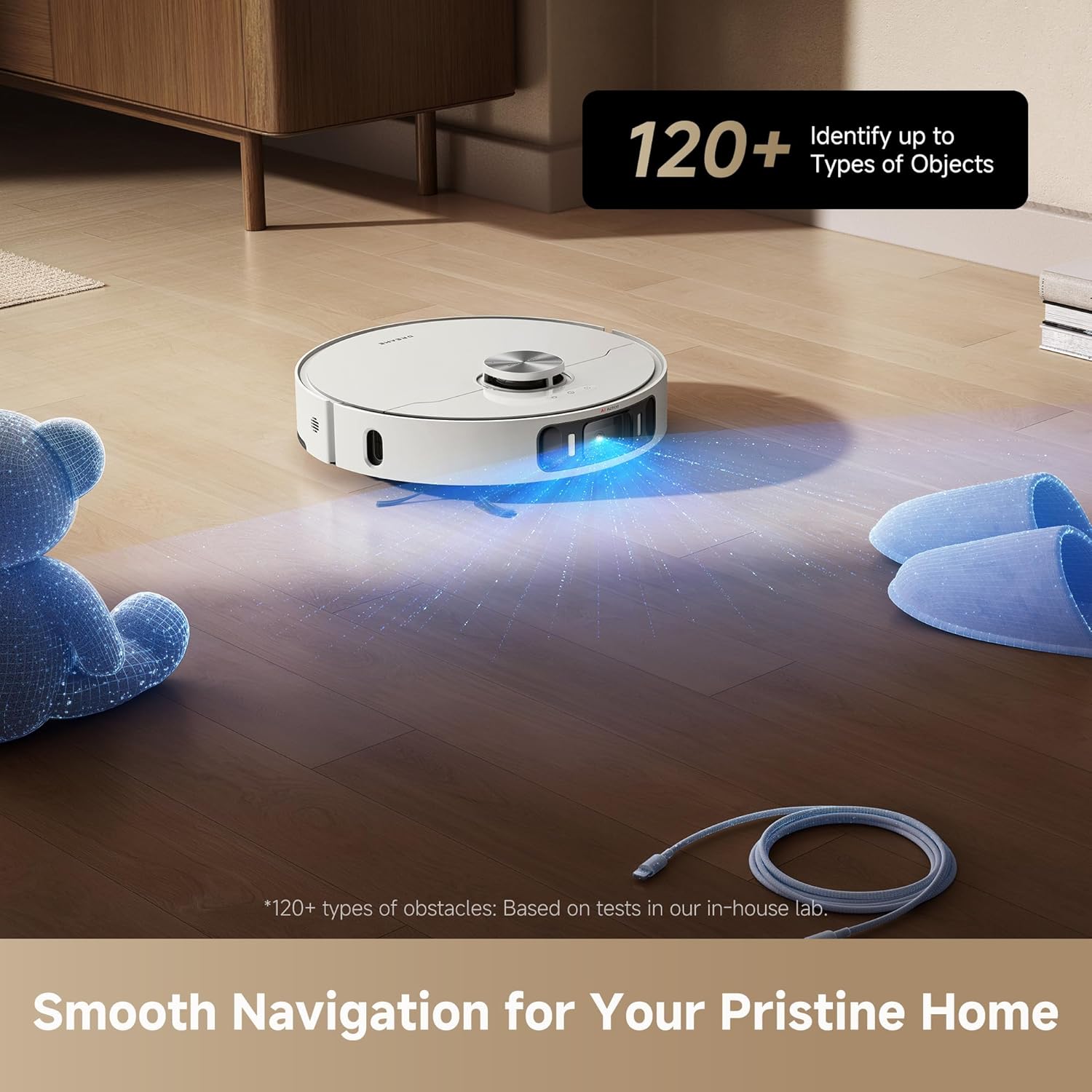
Image: The robot vacuum emitting a blue light as it navigates around a teddy bear, slippers, and a coiled cable on a wooden floor, demonstrating its ability to identify and avoid over 120 types of objects.
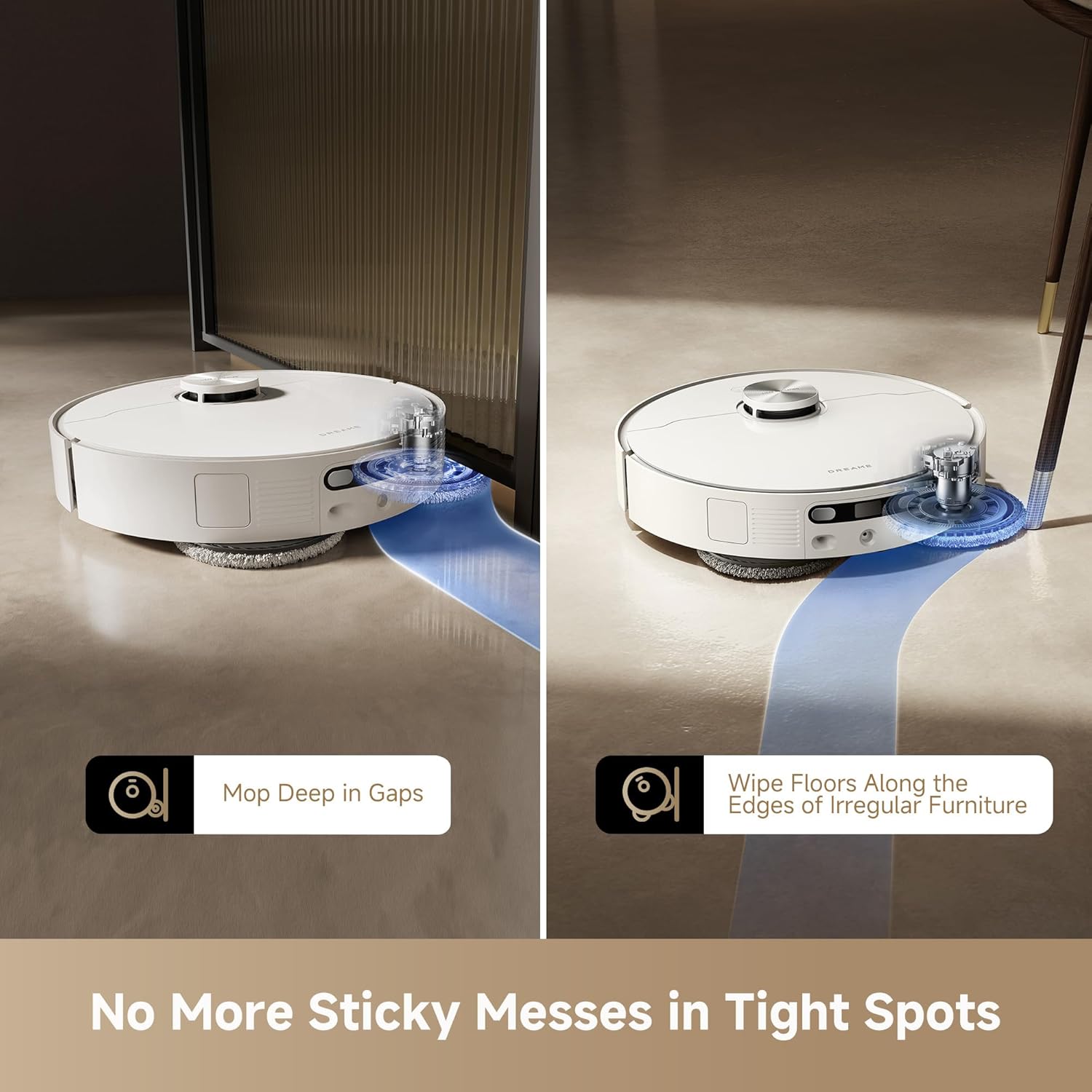
Image: Two panels illustrating the MopExtend technology. The left panel shows the mop extending to clean deep in gaps, while the right panel shows it wiping floors along the edges of irregular furniture, ensuring thorough cleaning in tight spots.
6.4 Carpet Cleaning Features
The robot intelligently adapts to carpets with features like mop lifting, suction boost, and carpet recognition. It can be set to clean carpets twice for deeper cleaning or avoid them entirely.
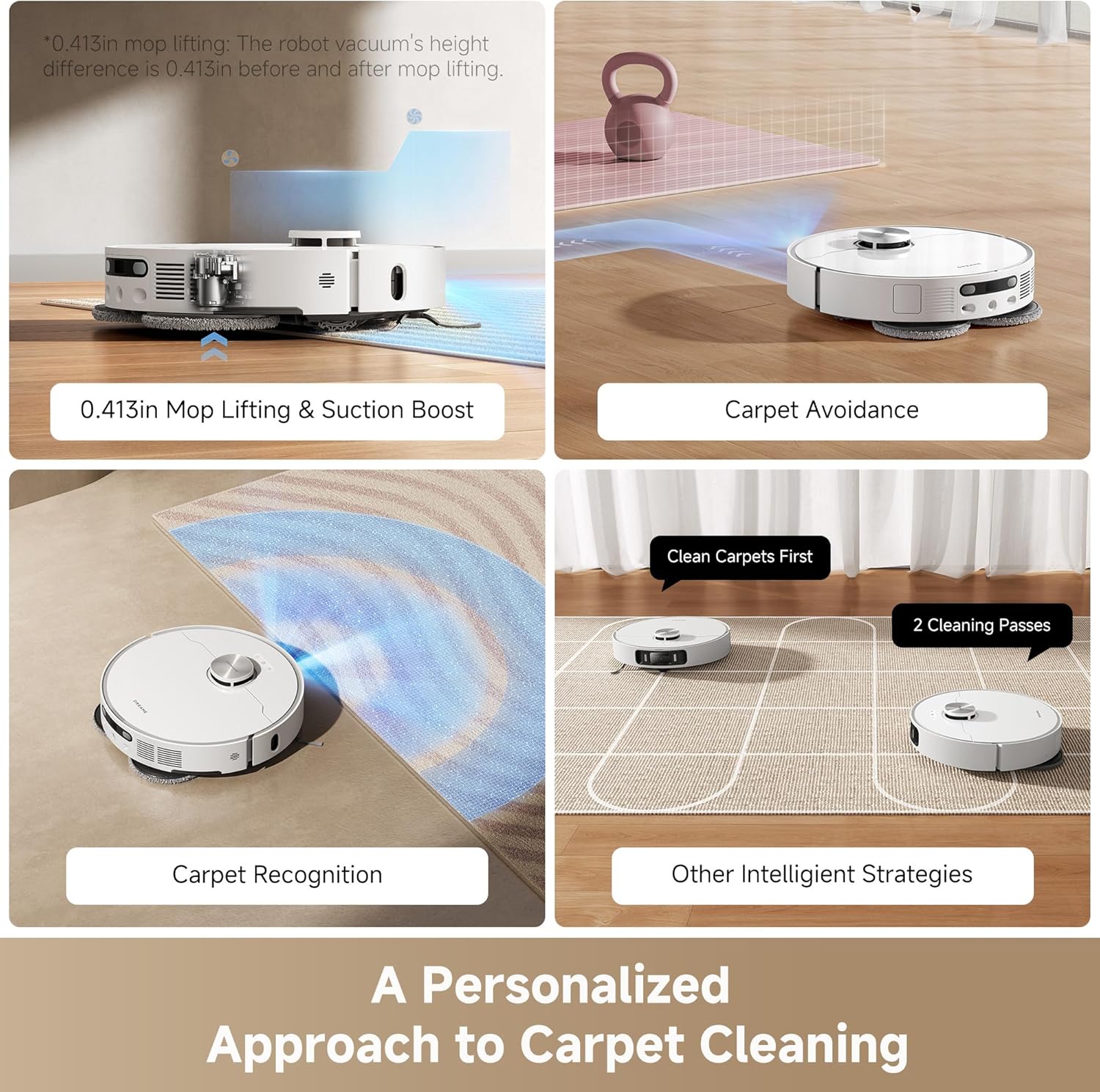
Image: Four panels demonstrating carpet cleaning capabilities: 0.413in Mop Lifting & Suction Boost, Carpet Avoidance, Carpet Recognition, and Other Intelligent Strategies like 2 Cleaning Passes. This shows the robot's tailored approach to carpet care.
6.5 Pet-Friendly Features
Utilize the Dreamehome app for pet-specific functions, including remote pet monitoring, dynamic spot cleaning for pet messes, and a pet-finding mode.
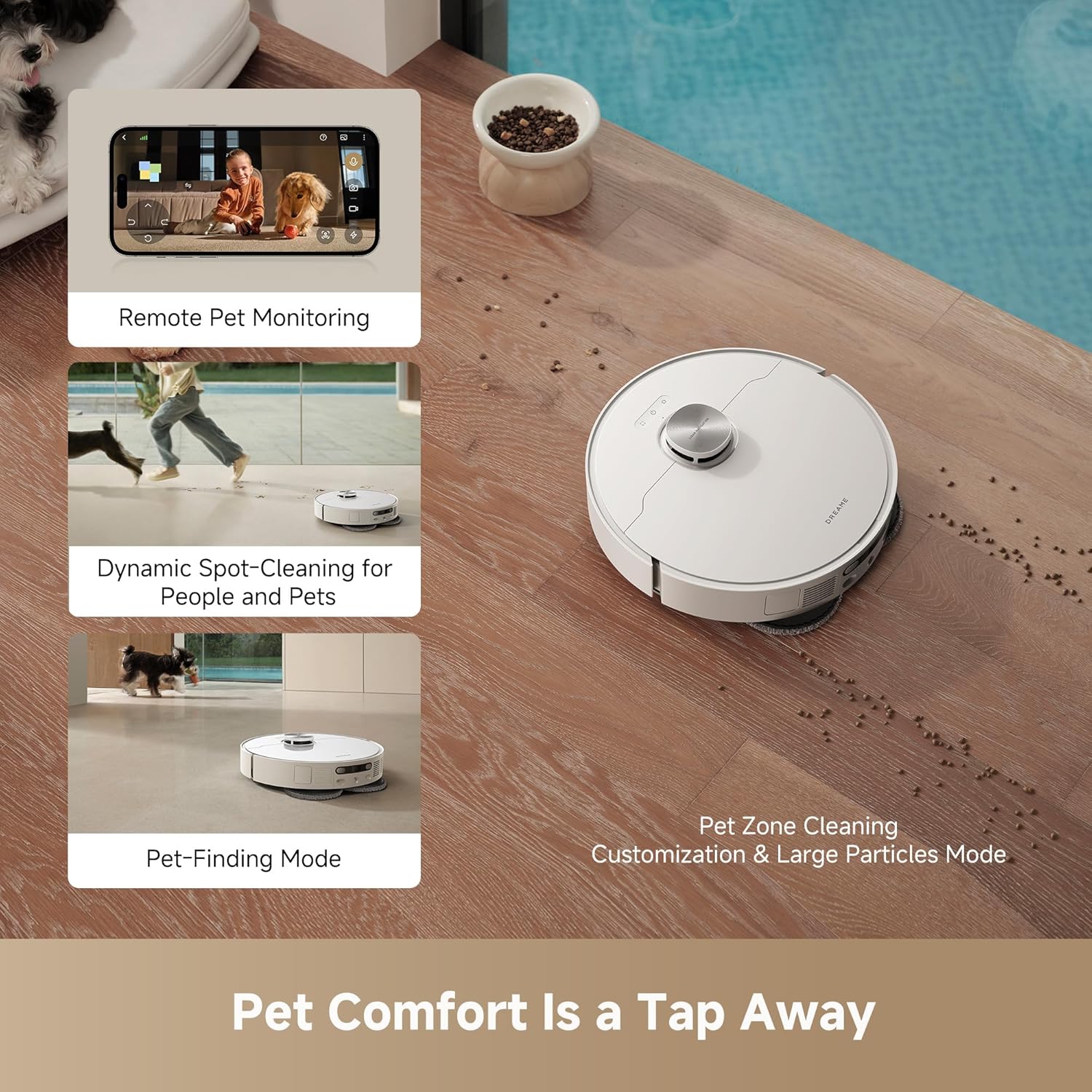
Image: Three panels illustrating pet-friendly features: Remote Pet Monitoring via the app, Dynamic Spot-Cleaning for People and Pets, and a Pet-Finding Mode. A larger image shows the robot cleaning near pet food on a wooden floor.
6.6 Voice Control
The robot vacuum is compatible with third-party voice assistants like Alexa, Siri, and Google Home for hands-free control. Link your device through the respective app.

Image: An illustration depicting the robot vacuum's compatibility with popular voice assistants: Alexa, Siri, and Google Home, enabling intuitive voice commands for cleaning tasks.
7. Maintenance
Regular maintenance ensures optimal performance and extends the lifespan of your robot vacuum.
7.1 Robot Vacuum Maintenance
- Dust Box: Empty the dust box after each cleaning cycle or as indicated by the app. Clean the filter regularly.
- Brushes: Remove and clean the main brush (liftable rubber brush or TriCut brush) and side brush weekly. Use the cleaning tool to remove tangled hair.
- Sensors: Wipe all sensors (cliff sensors, wall sensor, charging contacts) with a soft, dry cloth monthly.
- Mop Pads: Remove and wash mop pads after each mopping session. Replace them every 1-3 months depending on usage.
7.2 Base Station Maintenance
- Clean/Dirty Water Tanks: Empty the dirty water tank and refill the clean water tank as needed. Clean both tanks regularly to prevent odor and buildup.
- Washboard: The base station features a self-cleaning washboard. Periodically inspect and clean any residue manually if necessary.
- Dust Bag: Replace the dust bag in the base station approximately every 100 days, or when full.

Image: A close-up view of the base station's washboard, showing the duo scraper mechanism that cleans the washboard during mop washing, minimizing stains and odors.

Image: A diagram illustrating the base station's hot water mop self-cleaning process, with water at 167°F being applied to the mop pads to eliminate oil and grease. This ensures the mop pads are fresh and clean for each use.
8. Troubleshooting
If you encounter issues, refer to the following table for common problems and solutions:
| Problem | Possible Cause | Solution |
|---|---|---|
| Robot does not start | Low battery; Power button not pressed; Robot stuck. | Charge the robot; Press and hold power button; Clear obstacles. |
| Poor cleaning performance | Dust box full; Brushes tangled; Filter clogged. | Empty dust box; Clean brushes; Clean/replace filter. |
| Robot cannot return to base station | Base station obstructed; Robot too far; Charging contacts dirty. | Clear area around base station; Move robot closer; Clean charging contacts. |
| Mop pads not cleaning effectively | Mop pads dirty/worn; Water tank empty; Cleaning solution low. | Wash/replace mop pads; Refill water tank; Refill cleaning solution. |
| App connection issues | Incorrect Wi-Fi password; Router too far; App outdated. | Verify Wi-Fi credentials; Move robot closer to router; Update app. |
9. Specifications
| Feature | Detail |
|---|---|
| Brand | DREAME |
| Model Name | L40s Ultra AE |
| Model Number | RLL77SE |
| Suction Power | 19,000Pa Vormax Suction |
| Battery Life | Up to 180 minutes |
| Battery Type | 5,200mAh (8 9V batteries included) |
| Charging Time | 30% Faster Charging |
| Coverage Area | Up to 1,808 sq ft on a single charge |
| Obstacle Avoidance | AI-powered 3D, identifies 120+ types of objects |
| Mopping System | DuoScrub Mopping, Robo Swing, MopExtend Technology, 10.5mm Mop Lifting |
| Base Station Features | Auto-empty (100 days), Hot Air Drying, 149°F Hot Water Mop Washing, Auto Refill |
| Control Method | App, Remote, Voice (Alexa, Siri, Google Home) |
| Product Dimensions | 18"L x 17"W x 26"H |
| Item Weight | 40 pounds |
10. Warranty and Support
DREAME provides comprehensive support for your product.
- Product Warranty: The DREAME L40s Ultra AE comes with up to a 3-year product warranty. Please refer to the warranty card included in your package for specific terms and conditions.
- Returns: Enjoy hassle-free returns within 30 days of purchase.
- Customer Support: For technical assistance, troubleshooting, or warranty claims, please contact DREAME customer support. Refer to the Quick Start Guide or the official DREAME website for contact information.
- Service: Trusted, fast, and local warranty repair services are available.
11. Official Product Videos
No official seller videos in .m3u8 format were provided in the product data for embedding in this manual.
Related Documents - RLL77SE
 |
Dreame L40s Ultra Robot Vacuum & Mop User Manual | Auto-Empty, Self-Cleaning Comprehensive user manual for the Dreame L40s Ultra robot vacuum and mop. Learn about its 19,000Pa suction, auto-empty dustbin, self-cleaning mop pads, extending mops, DuoBrush technology, obstacle clearing, and app/voice control. Get detailed setup and usage instructions from Dreame. |
 |
Dreame L40 Ultra AE Robot Vacuum and Mop: Advanced Cleaning with Auto-Empty and Mop Self-Cleaning Discover the Dreame L40 Ultra AE, an advanced robot vacuum and mop featuring 19,000Pa suction, intelligent obstacle avoidance, and an 8-in-1 PowerDock for automated dust emptying and mop self-cleaning. Experience a spotless home with hands-free maintenance. |
 |
Dreame L40s Ultra AE Robot Vacuum and Mop User Manual Discover the Dreame L40s Ultra AE, a powerful robot vacuum and mop with auto-empty and self-cleaning mop functions. This user manual provides comprehensive setup, operation, and maintenance guidance for effortless home cleaning. |
 |
Dreame L40 Ultra AE Robot Vacuum and Mop User Manual Discover the Dreame L40 Ultra AE, an advanced robot vacuum and mop featuring auto-empty and self-cleaning mop functions for effortless home cleaning. This comprehensive user manual guides you through setup, operation, and maintenance. |
 |
Dreame L40s Ultra Robot Vacuum and Mop User Manual Comprehensive user manual for the Dreame L40s Ultra Robot Vacuum and Mop with Auto-Empty and Mop Self-Cleaning. Includes setup, operation, maintenance, troubleshooting, and specifications. |
 |
Dreame L40 Ultra AE Robot Vacuum and Mop User Manual Comprehensive user manual for the Dreame L40 Ultra AE Robot Vacuum and Mop, detailing setup, operation, maintenance, troubleshooting, and specifications for auto-empty and mop self-cleaning features. |