
1. Important Safety Instructions
- Read all instructions before operating the appliance.
- Do not immerse the power cord, plug, or any part of the appliance in water or other liquids.
- Supervise children when the appliance is in use.
- Do not operate the appliance with a damaged cord or plug. Contact customer service for repair.
- Ensure the appliance is placed on a stable, level surface with adequate ventilation.
- Use only potable water in the ice maker.
- Unplug the appliance before cleaning or when not in use.
2. Product Overview
The HiCOZY Clear View Countertop Ice Maker is designed for convenient ice production in your home or office. It features a transparent lid, ambient lighting, and an automatic cleaning function.

Image 2.1: The HiCOZY Clear View Countertop Ice Maker, showing its compact design, transparent lid, control panel, and included ice scoop.
Package Contents:
- HiCOZY Ice Maker Unit
- Ice Basket
- Ice Scoop
- User Manual
3. Setup and First Use
3.1 Unpacking
- Carefully remove the ice maker from its packaging.
- Remove all packaging materials, including any tape or protective films.
- Inspect the appliance for any damage. If damaged, do not operate and contact customer support.
3.2 Placement
- Place the ice maker on a flat, stable, and level surface.
- Ensure there is at least 6 inches (15 cm) of space around the unit for proper ventilation. Avoid placing near heat sources or in direct sunlight.
- Ensure the power outlet is easily accessible.

Image 3.1: The compact size of the HiCOZY ice maker on a kitchen countertop, illustrating its dimensions (12.4"D x 11.3"W x 9.5"H).
3.3 Initial Cleaning
Before first use, it is recommended to clean the unit. Refer to the 'Automatic Cleaning' section for detailed instructions.
3.4 First Ice Production
- Open the lid and remove the ice basket.
- Fill the water reservoir with potable water up to the MAX fill line. Do not overfill.
- Replace the ice basket and close the lid.
- Plug the power cord into a grounded electrical outlet.
- Press the Power Button to turn on the unit.
- Select your desired ice size (Small or Large) using the Mode Button.
- The unit will begin the ice-making cycle. The first few batches of ice may be smaller or irregular. Discard the first 3-4 batches of ice.
4. Operating Instructions
4.1 Control Panel
The intuitive control panel provides clear indicators and simple buttons for operation.
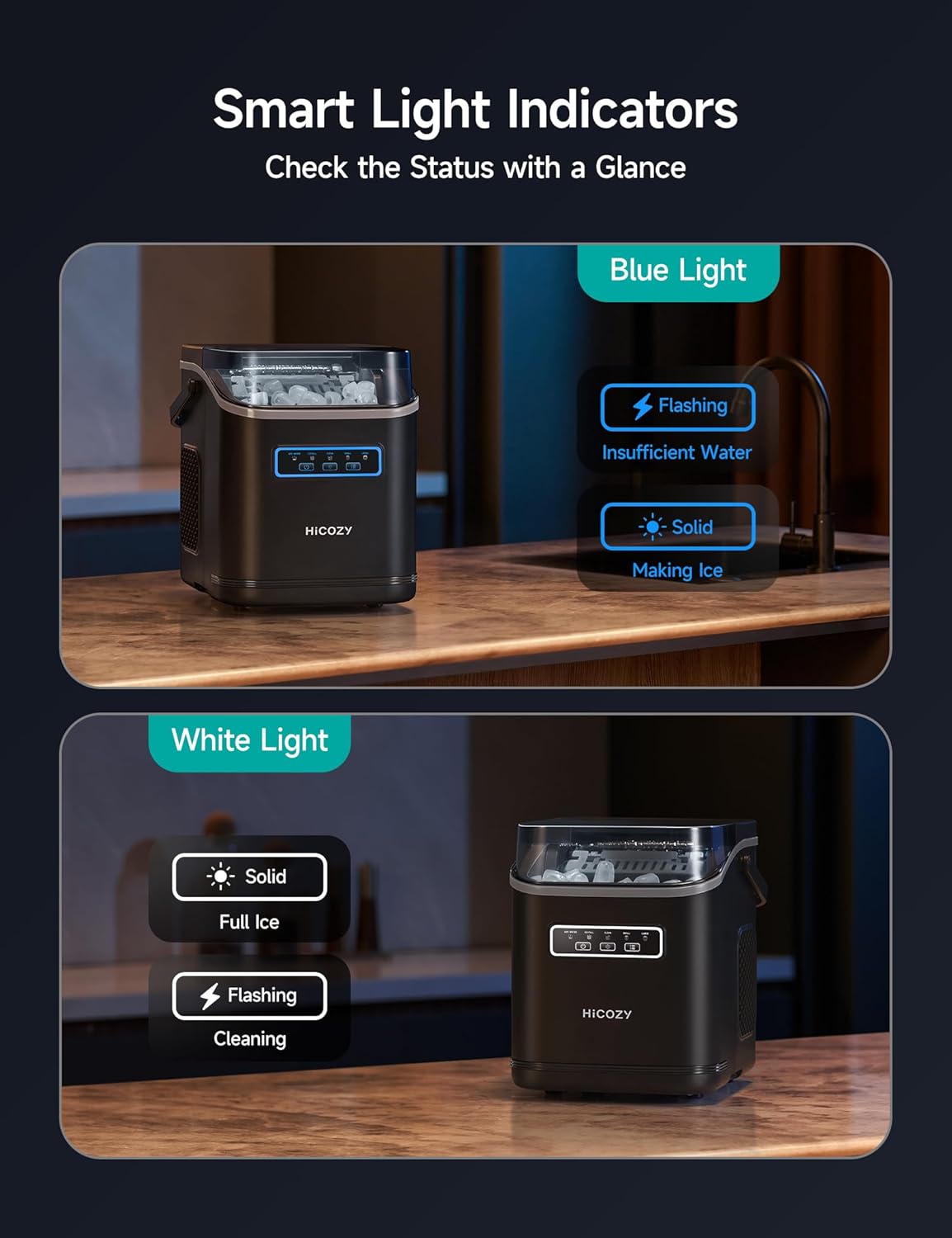
Image 4.1: The control panel of the HiCOZY ice maker, showing the illuminated indicators for water level, ice full, ice making, and cleaning status.
- Power Button: Turns the unit on or off.
- Mode Button: Press to switch between Small and Large ice sizes. Press and hold for 3 seconds to activate the automatic cleaning mode.
- Light Button: Toggles the ambient lighting on or off.
4.2 Ice Making Process
- Ensure the water reservoir is filled.
- Press the Power Button.
- Select desired ice size (Small or Large). The unit will begin making ice.
- The first batch of 9 ice cubes will be ready in approximately 6-8 minutes.
- The ice maker can produce up to 26 lbs of ice per day.

Image 4.2: A refreshing drink with ice, demonstrating the rapid ice-making capability of the unit.
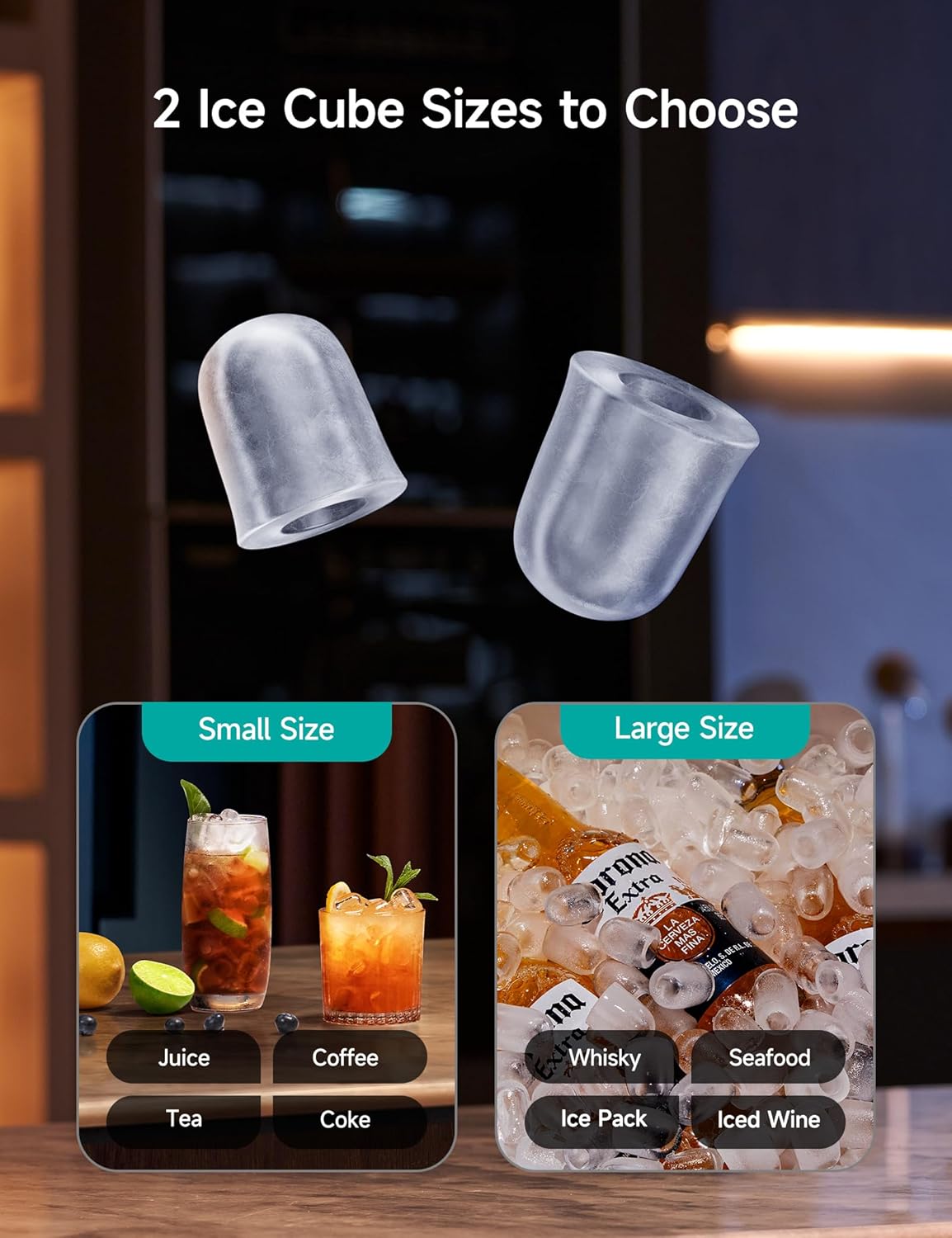
Image 4.3: Visual representation of the two available ice cube sizes: small for quick chilling and large for longer-lasting chill.
4.3 Indicator Lights
- Blue Light (Flashing): Indicates insufficient water. Refill the water reservoir.
- Blue Light (Solid): Indicates ice is being made.
- White Light (Solid): Indicates the ice basket is full. Remove ice to continue production.
- White Light (Flashing): Indicates the unit is in cleaning mode.
4.4 Ambient Lighting
The built-in ambient lighting can be controlled using the Light Button on the control panel. This feature allows for visibility in low-light conditions.

Image 4.4: The ice maker with its ambient lighting feature, providing illumination in a dimly lit room.
4.5 Clear View Cover
The transparent cover allows you to monitor the ice-making process without opening the lid, maintaining optimal temperature and hygiene.

Image 4.5: A close-up view of the ice maker's transparent cover, allowing observation of ice formation.
4.6 Portable Handle
The ice maker is equipped with a detachable handle for easy transportation.
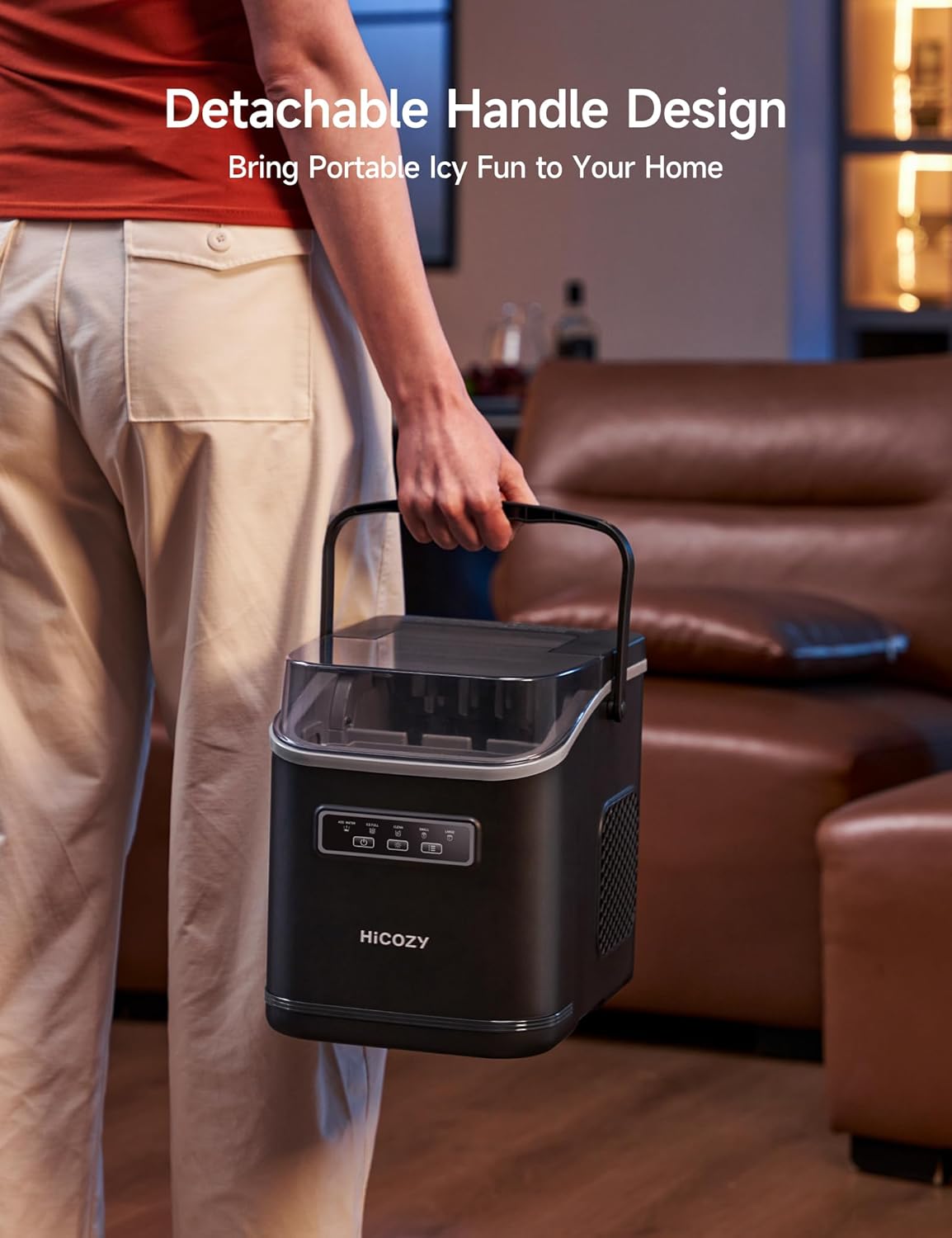
Image 4.6: A user carrying the HiCOZY ice maker by its integrated handle, highlighting its portability.
5. Maintenance
5.1 Automatic Cleaning Function
The ice maker features an automatic cleaning cycle to maintain hygiene and performance.
- Ensure the water reservoir is filled with clean water.
- Press and hold the Mode Button for 3 seconds to activate the cleaning mode. The white light will flash.
- The unit will perform an internal rinse cycle.
- Once the cleaning cycle is complete, drain the water from the unit by unplugging it and removing the drain plug (usually located at the bottom or side).
- Replace the drain plug securely.
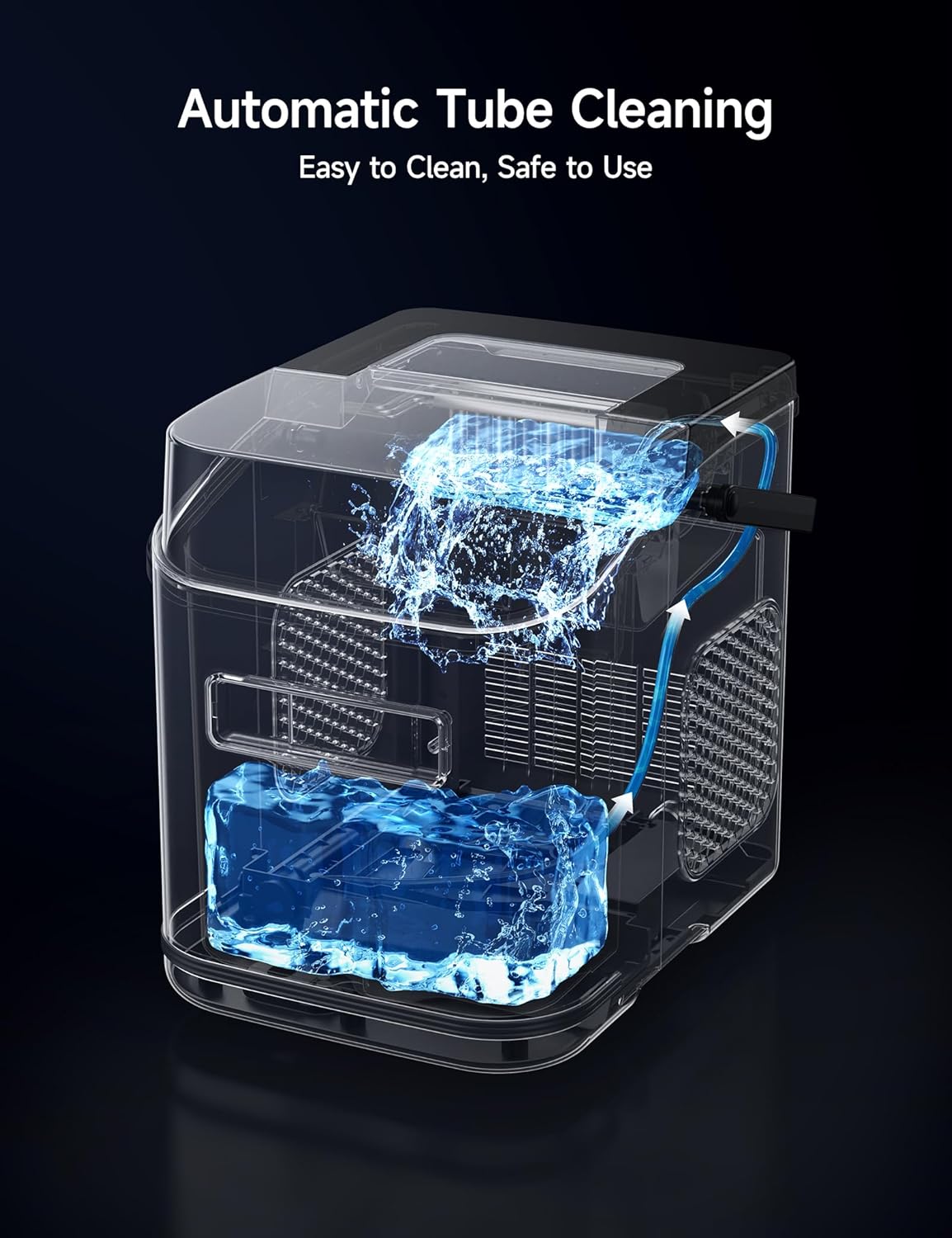
Image 5.1: A visual representation of the internal water circulation during the automatic cleaning process.
5.2 Regular Cleaning
- Unplug the ice maker before cleaning.
- Remove the ice basket and clean it with mild detergent and warm water. Rinse thoroughly.
- Wipe the interior and exterior surfaces of the unit with a soft cloth dampened with mild detergent.
- Ensure all parts are dry before reassembling and operating.
- For optimal performance, clean the unit regularly, especially if used frequently.
5.3 Storage
If the ice maker will not be used for an extended period:
- Perform an automatic cleaning cycle and drain all water.
- Ensure the interior is completely dry to prevent mold or mildew growth.
- Store the unit in a cool, dry place, away from direct sunlight.
6. Troubleshooting
Review the following common issues and solutions before contacting customer support.
| Problem | Possible Cause | Solution |
|---|---|---|
| "Insufficient Water" indicator flashing | Water reservoir is empty or below minimum level. | Add potable water to the reservoir up to the MAX fill line. |
| "Full Ice" indicator solid | Ice basket is full. | Remove ice from the basket. The unit will resume ice production. |
| No ice production |
|
|
| Ice cubes are small or irregular |
|
|
7. Specifications
| Feature | Detail |
|---|---|
| Model Number | HAMBZD5DG |
| Brand | HiCOZY |
| Product Dimensions | 14.45 x 10.08 x 12.4 inches |
| Item Weight | 13.01 Pounds |
| Water Tank Capacity | 1.4 Liters |
| Ice Production | Up to 26 lbs per day |
| Ice Cycle Time | 6-8 minutes per batch (9 cubes) |
| Ice Cube Sizes | Small, Large (Bullet Ice) |
| Material | Plastic, Stainless Steel |
| Special Feature | Portable, Self-Cleaning, Ambient Lights, Clear View Cover |
8. Warranty and Support
8.1 Warranty Information
This product comes with a manufacturer's warranty. Please refer to the warranty card included in your packaging or visit the official HiCOZY website for detailed warranty terms and conditions.
8.2 Customer Support
For any questions, technical assistance, or service inquiries, please contact HiCOZY customer support. Contact information can typically be found on the product packaging, the official HiCOZY website, or through your retailer.
You may also refer to the official Installation Manual (PDF) for additional guidance: Download Installation Manual

