
Introduction
Thank you for choosing APOMAO Solar Spot Lights Outdoor. These 36-LED, 1000-lumen adjustable spotlights are designed to provide reliable and energy-efficient illumination for your garden, yard, pathways, and other outdoor areas. With a durable, waterproof design and flexible installation options, these lights offer a convenient solution for enhancing the beauty and safety of your property without the need for electrical wiring.
What's in the Box
- Solar Spot Lights Outdoor (4 units)
- Ground Stakes (4 units)
- Mounting Hardware (screws and wall anchors)
- Instruction Manual
Key Features
- Super Bright Illumination: Each spotlight features 36 high-lumen LEDs, delivering up to 1000 lumens of cool white light (6500 Kelvin) for focused brightness.
- Dual Adjustable Heads: The solar panel can be rotated 180° to maximize sun exposure, and the light head is 90° adjustable to direct the beam precisely where needed.
- Enhanced Solar Panel: Equipped with an oversized 1.5W monocrystalline solar panel for 25% faster charging and extended illumination.
- Smart Auto On/Off & 2 Modes: Built-in light sensors automatically activate the lights at dusk and turn them off at dawn. Choose between Low Mode (up to 12 hours) for ambient lighting or High Mode (up to 6 hours) for brighter spotlighting.
- All-Weather Performance: Constructed with durable ABS casing and IP67 waterproof protection, these lights are designed to withstand rain, snow, frost, and heat for year-round dependability.
- Versatile 2-in-1 Installation: Easily install by staking into the ground or screwing onto any wall. No wiring or tools are required for ground installation.

Image: Comparison highlighting adjustable panel and light head, larger solar panel, higher efficiency, and longer working time of APOMAO lights.
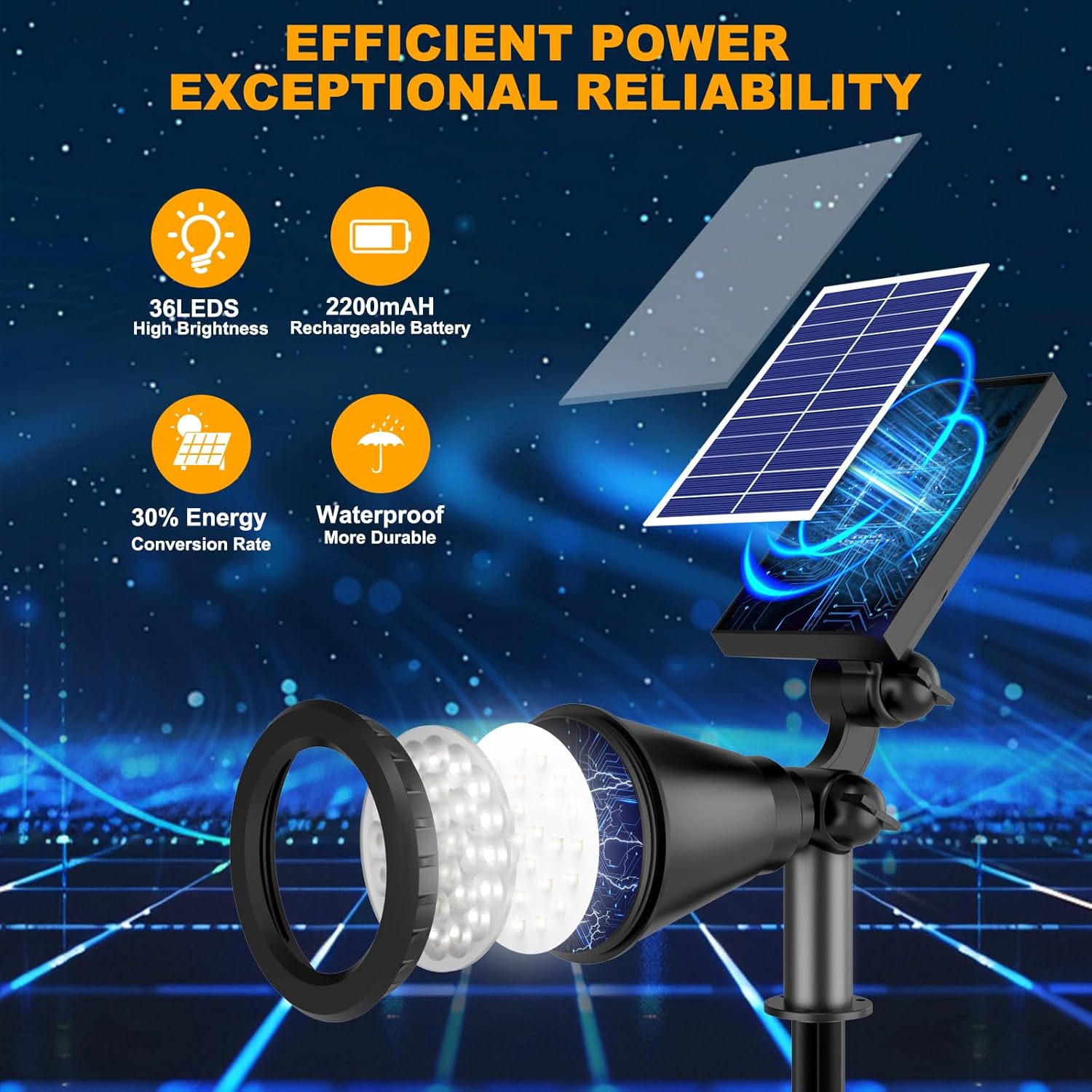
Image: Detailed view of the solar light's components, including 36 LEDs, 2200mAh rechargeable battery, 30% energy conversion rate, and waterproof design.
Setup & Installation
Your APOMAO Solar Spot Lights offer two primary installation methods: ground staking or wall mounting.
- Ground Staking:
- Attach the provided ground stake to the base of the solar spotlight.
- Select a location that receives direct sunlight for at least 6-8 hours daily to ensure optimal charging. Avoid shaded areas.
- Firmly insert the stake into the ground.
- Adjust the solar panel to face the sun and the light head to illuminate your desired area.
- Wall Mounting:
- Remove the ground stake if attached.
- Use the included mounting hardware (screws and wall anchors) to secure the light's base to a wall or fence.
- Ensure the solar panel is positioned to receive maximum direct sunlight.
- Adjust the light head to direct illumination as needed.
Important Note:
- Before initial use, cover the solar panel and turn on the light to test its functionality.
- For best performance, allow the lights to charge for a full day in direct sunlight before first use.
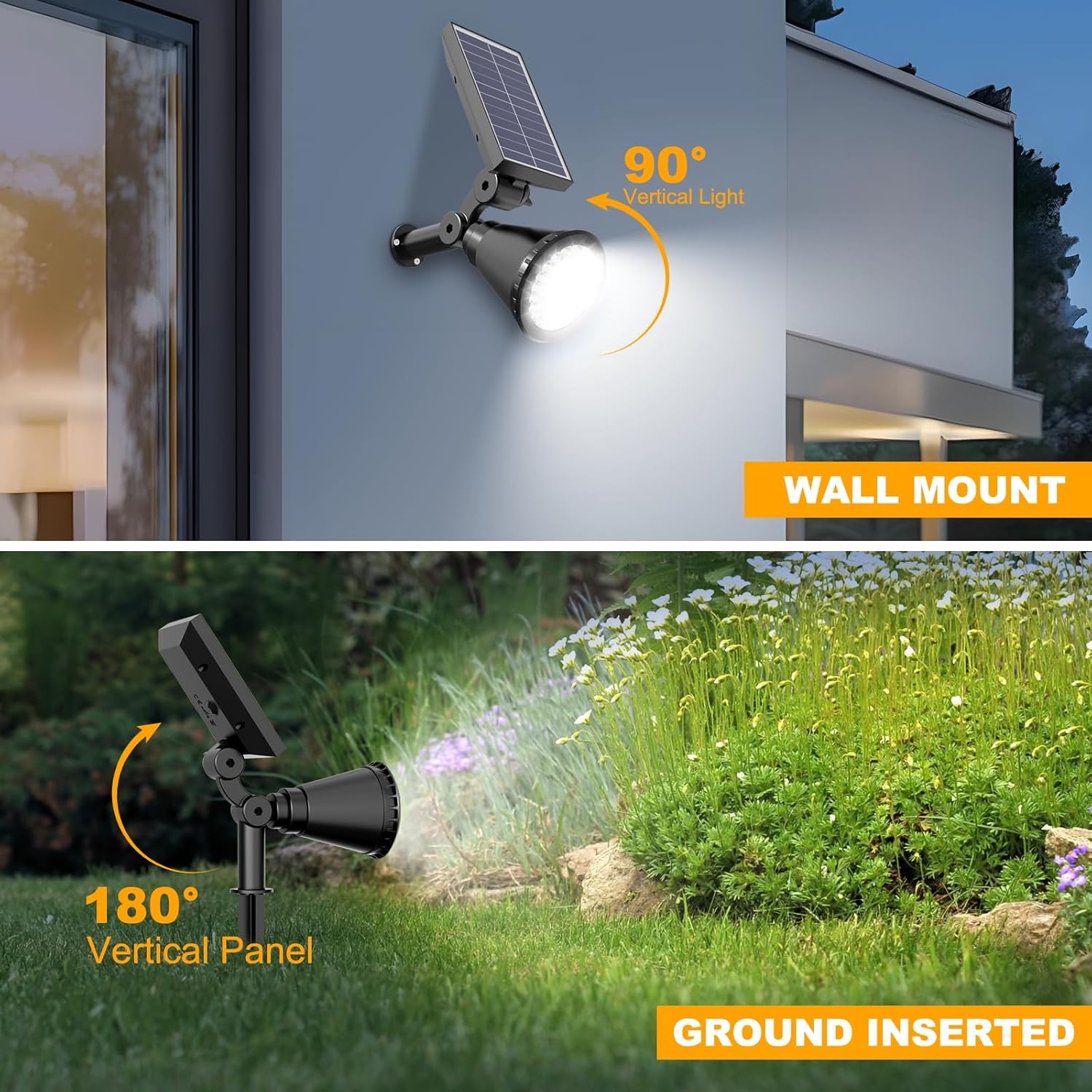
Image: Visual guide demonstrating how to install the solar light either by staking it into the ground or mounting it on a wall.
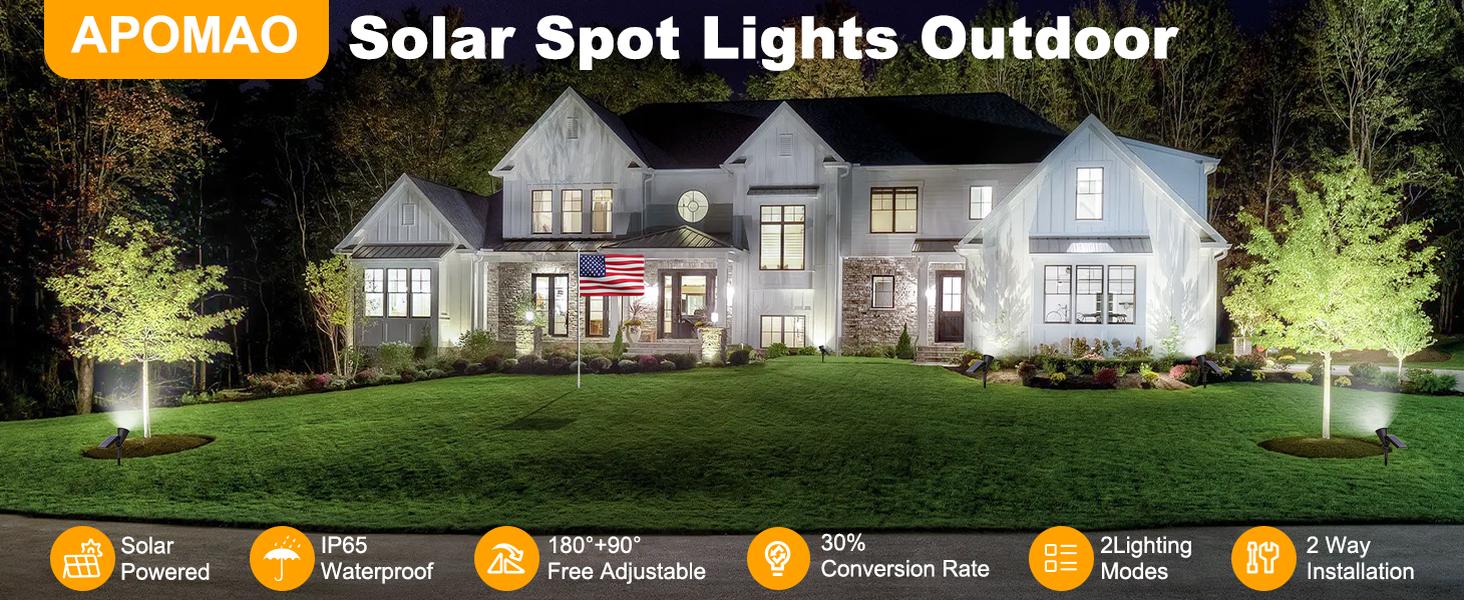
Image: Tips for optimal installation, emphasizing placement in direct sunlight and avoiding shaded areas or locations under other lights.
Video: Demonstrates the ease of installation and adjustment of the solar spotlights in a garden setting.
Operating Instructions
The APOMAO Solar Spot Lights are designed for simple, automatic operation.
- Initial Activation: Locate the power button on the back of the solar panel. Press it once to activate the light.
- Automatic Operation: Once activated, the built-in light sensor will automatically turn the lights on at dusk and off at dawn.
- Changing Modes: Press the power button repeatedly to cycle through the two lighting modes:
- Low Mode: Provides ambient lighting for up to 12 hours on a full charge.
- High Mode: Delivers brighter illumination for up to 6 hours on a full charge.
- Adjusting Light Direction: Manually adjust the angle of the light head (up to 90°) to focus the light on specific features or pathways.
- Optimizing Solar Panel: Ensure the solar panel is angled (up to 180°) to receive maximum direct sunlight throughout the day for efficient charging.

Image: Illustrates the automatic charging during the day and automatic lighting at night, with options for Low and High light modes.
Video: Provides a detailed overview of the solar spotlights, including their features, modes, and how to operate them.
Video: A review demonstrating the functionality and brightness of the APOMAO Solar Spot Lights Outdoor.
Maintenance
To ensure the longevity and optimal performance of your APOMAO Solar Spot Lights, follow these simple maintenance guidelines:
- Clean Solar Panel: Regularly wipe the solar panel with a soft, damp cloth to remove dust, dirt, and debris. A clean panel ensures efficient sunlight absorption and charging.
- Clear Obstructions: Periodically check that no leaves, branches, or other objects are shading the solar panel, as this will reduce charging efficiency.
- Inspect for Damage: Occasionally inspect the lights for any physical damage to the casing, solar panel, or light head.
- Battery Care: While the battery is designed for long life, extreme temperatures can affect its performance. If possible, avoid prolonged exposure to temperatures outside the recommended operating range.
Troubleshooting
If you encounter any issues with your solar spot lights, please refer to the following common troubleshooting steps:
- Light Not Turning On at Night:
- Ensure the power button on the back of the solar panel is in the