
HUAWEI Fit 4
HUAWEI WATCH FIT 4 Smart Watch User Manual
Model: Fit 4
1. Introduction
Welcome to the user manual for your HUAWEI WATCH FIT 4 Smart Watch. This guide provides essential information on setting up, operating, maintaining, and troubleshooting your device. Please read this manual thoroughly to ensure optimal performance and longevity of your smart watch.
2. Product Overview
The HUAWEI WATCH FIT 4 is a premium smart watch designed for comprehensive health, fitness, and lifestyle management. It features a vibrant 1.82-inch AMOLED display, a rotating crown, and a side button for intuitive control. Its lightweight and durable design, coupled with 5 ATM water resistance, makes it suitable for various daily activities and sports.

Figure 2.1: Front view of the HUAWEI WATCH FIT 4 Smart Watch with a black strap, displaying time and date.
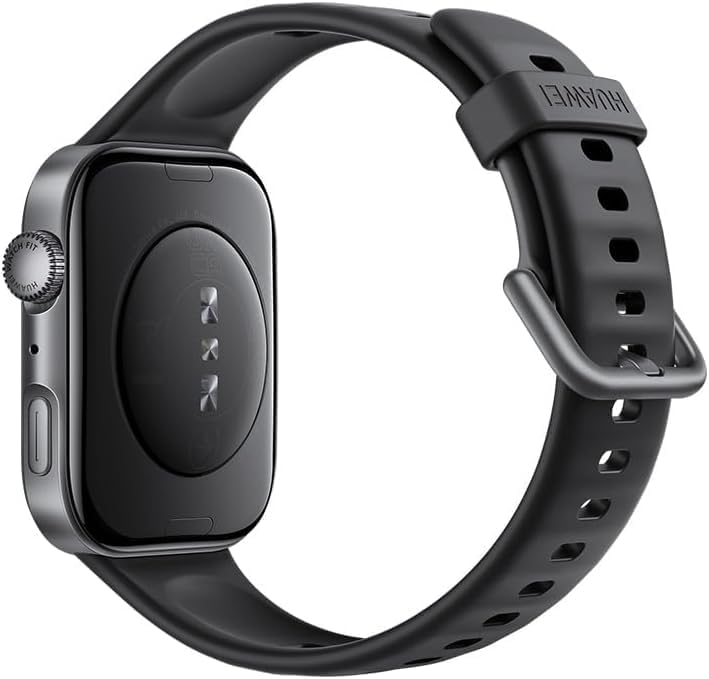
Figure 2.2: Back view of the HUAWEI WATCH FIT 4 Smart Watch, showing the sensor array and charging contacts.
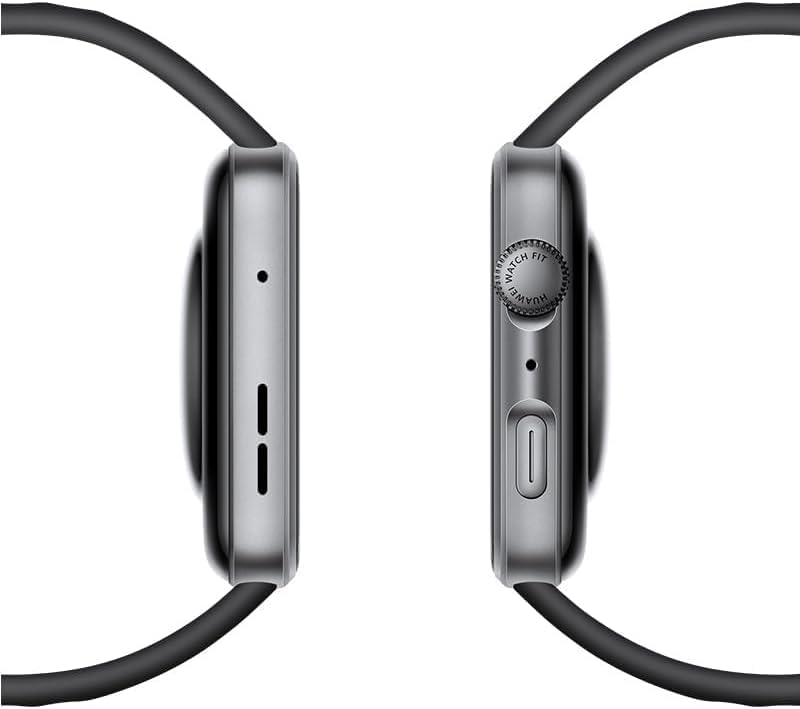
Figure 2.3: Side view of the HUAWEI WATCH FIT 4 Smart Watch, highlighting the rotating crown and side button.

Figure 2.4: Close-up of the HUAWEI WATCH FIT 4 Smart Watch, illustrating its slim 9.5mm thickness and lightweight 27g design.

Figure 2.5: HUAWEI WATCH FIT 4 Smart Watch available in multiple colors (Gray, White, Purple, Black) with various strap styles.
3. Setup
3.1. Unboxing and Initial Charge
Upon unboxing, ensure all components are present: the HUAWEI WATCH FIT 4, charging cable, and this user manual. Before first use, fully charge your device.
3.2. Charging the Device
- Connect the charging cable to a power adapter (not included) and a power source.
- Attach the magnetic end of the charging cable to the charging contacts on the back of your watch.
- The watch display will indicate charging status. A full charge takes approximately 75 minutes.
3.3. Pairing with Your Smartphone
The HUAWEI WATCH FIT 4 is compatible with both iOS and Android devices.
- Download the Huawei Health app from your smartphone's app store (App Store for iOS, Google Play Store or Huawei AppGallery for Android).
- Open the Huawei Health app and follow the on-screen instructions to create an account or log in.
- Ensure Bluetooth is enabled on your smartphone.
- In the Huawei Health app, navigate to 'Devices' and tap 'Add device'. Select 'Smart Watches' and choose 'HUAWEI WATCH FIT 4'.
- Follow the pairing instructions on both your watch and smartphone. Confirm the pairing code if prompted.

Figure 3.1: HUAWEI WATCH FIT 4 Smart Watch successfully paired with a smartphone running the Huawei Health app, demonstrating iOS and Android compatibility.
4. Operating Instructions
4.1. Powering On/Off
- Power On: Press and hold the side button until the HUAWEI logo appears.
- Power Off: Press and hold the side button, then select 'Power off' on the screen.
4.2. Basic Navigation
- Touchscreen: Swipe up, down, left, or right to navigate through menus and notifications. Tap to select.
- Side Button: Press to return to the home screen or access the app list. Press and hold for power options.
- Rotating Crown: Rotate to scroll through lists, zoom in/out, or adjust volume. Press to confirm selections.
4.3. Adjusting Settings
Access settings by swiping down from the top of the home screen or through the app list. Here you can adjust brightness, set alarms, manage connections, and customize watch faces.
5. Health and Fitness Tracking
The HUAWEI WATCH FIT 4 offers advanced sensors for comprehensive health and fitness monitoring.
- Heart Rate Monitoring: Continuous heart rate tracking provides real-time data and alerts for abnormal readings.
- SpO2 Tracking: Measures blood oxygen saturation levels to help monitor respiratory health.
- Sleep Monitoring: Analyzes sleep stages and quality, providing insights and suggestions for improvement.
- Stress Monitoring: Tracks stress levels throughout the day and offers breathing exercises to help manage stress.
- 100+ Sports Modes: Supports a wide range of activities including running, cycling, swimming, and more, with detailed metrics.
- Built-in GPS: Provides accurate route tracking for outdoor workouts without needing your phone.
- Barometer: Monitors atmospheric pressure and altitude, useful for hiking and outdoor adventures.
- Pulse Wave Arrhythmia Analysis: Offers timely alerts on potential A-fib and premature beat risks using a high-performance PPG sensor.

Figure 5.1: HUAWEI WATCH FIT 4 Smart Watch displaying health insights including sleep score, stress, and exercise duration.
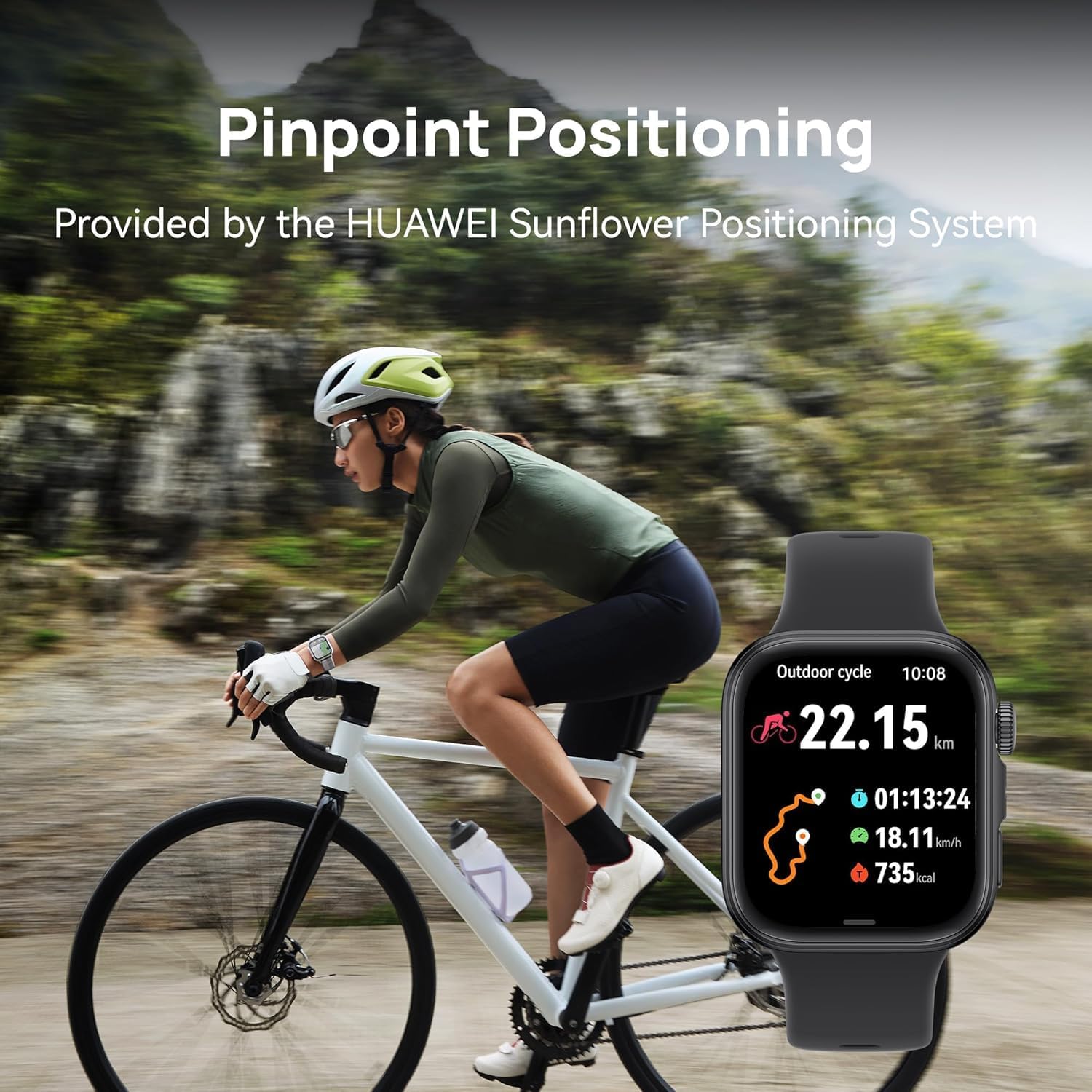
Figure 5.2: HUAWEI WATCH FIT 4 Smart Watch displaying cycling activity data, worn by a person on a bicycle, demonstrating pinpoint positioning.

Figure 5.3: HUAWEI WATCH FIT 4 Smart Watch displaying altitude and hiking metrics, worn by a person hiking, supported by the built-in barometer.

Figure 5.4: HUAWEI WATCH FIT 4 Smart Watch displaying various fitness tracking modes.

Figure 5.5: HUAWEI WATCH FIT 4 Smart Watch displaying Pulse Wave Arrhythmia Analysis results.
6. Smart Features
Enhance your daily life with the smart functionalities of the HUAWEI WATCH FIT 4:
- Notifications: Receive alerts for calls, messages, and app notifications directly on your wrist.
- Bluetooth Calling: Make and receive calls directly from your watch when connected to your smartphone.
- Quick Message Replies: Send pre-set quick replies to messages.
- Voice Notepad: Record voice notes on the go.
- Watch Screenshots: Capture screenshots of your watch display.
- Remote Shutter: Control your smartphone camera remotely.

Figure 6.1: HUAWEI WATCH FIT 4 Smart Watch displaying various smart tools.
7. Battery and Charging
The HUAWEI WATCH FIT 4 is equipped with a 400 mAh Lithium Polymer battery, offering extended usage times.
- Maximum Battery Life: Up to 10 days under typical usage conditions.
- Typical Battery Life: Approximately 7 days with regular use.
- Charging Time: Approximately 75 minutes for a full charge using the HUAWEI WATCH Wireless SuperCharger (2nd generation).

Figure 7.1: HUAWEI WATCH FIT 4 Smart Watch charging, illustrating its battery life and charging speed.
8. Maintenance and Care
8.1. Cleaning Your Watch
Regularly clean your watch and strap to prevent skin irritation and maintain functionality.
- Wipe the watch body and strap with a soft, damp cloth.
- For stubborn dirt, use a mild soap solution and rinse thoroughly with clean water.
- Ensure the watch is completely dry before charging or wearing.
8.2. Water Resistance
The HUAWEI WATCH FIT 4 has a 5 ATM water resistance rating, meaning it can withstand pressures equivalent to a depth of 50 meters. This makes it suitable for:
- Showering
- Swimming in shallow water (e.g., pools, open water)
It is not suitable for:
- Scuba diving
- High-speed water sports
- Hot showers, saunas, or steam rooms (steam can penetrate seals)
Avoid exposing the watch to hot water, steam, or chemicals, as this may compromise its water resistance.
8.3. Strap Replacement
The watch supports diverse strap options. Refer to the Huawei Health app or official HUAWEI resources for instructions on how to safely replace the watch strap.
9. Troubleshooting
If you encounter issues with your HUAWEI WATCH FIT 4, try the following solutions:
- Watch not powering on: Ensure the watch is fully charged. Connect it to the charger for at least 10 minutes.
- Cannot pair with smartphone:
- Ensure Bluetooth is enabled on your phone and the watch.
- Make sure the Huawei Health app is updated to the latest version.
- Restart both your watch and smartphone.
- If issues persist, try unpairing and re-pairing the device through the Huawei Health app.
- Inaccurate health data: Ensure the watch is worn snugly on your wrist, not too tight or too loose. Keep the sensor area clean.
- Notifications not received: Check notification permissions for the Huawei Health app on your smartphone. Ensure the app is running in the background.
- Short battery life: Reduce screen brightness, disable always-on display, limit background app refresh, and ensure the watch is not constantly searching for a Bluetooth connection.
For further assistance, please visit the official HUAWEI support website or contact customer service.
10. Specifications
| Feature | Detail |
|---|---|
| Model Number | Seiya-B09F |
| Display | 1.82-inch AMOLED, 408x408 resolution |
| Dimensions | 4 x 3 x 0.8 cm |
| Weight | 27 g (without strap) |
| Water Resistance | 5 ATM |
| Battery Capacity | 400 mAh (Lithium Polymer) |
| Battery Life | Up to 10 days (max), 7 days (typical) |
| Charging Time | Approx. 75 minutes |
| Operating System | Wear OS 3.0 |
| Memory Storage | 4 GB |
| Connectivity | Bluetooth |
| Sensors | Heart Rate, SpO2, Accelerometer, Gyroscope, Barometer, Ambient Light, GPS |
| Compatibility | iOS & Android |
11. Warranty and Support
Your HUAWEI WATCH FIT 4 Smart Watch comes with a limited manufacturer's warranty. Please refer to the warranty card included in your product packaging or visit the official HUAWEI website for detailed warranty terms and conditions specific to your region.
For technical support, product inquiries, or service requests, please contact HUAWEI customer service or visit their official support channels. Keep your proof of purchase handy when seeking support.
Related documentsFit 4


Ask a question about this manual
Ask about setup, troubleshooting, compatibility, parts, safety, or missing instructions. Manuals+ will review the question and use this page’s manual context to help answer it.