
Introduction and Product Overview
The HISION SAT30 Cordless Robotic Pool Cleaner is an advanced solution designed for efficient and thorough pool maintenance. Featuring a powerful 180W brushless motor and intelligent navigation technology, it effectively cleans floors, walls, and waterlines in pools up to 2000 sq.ft. Its cordless design and rapid charging capability offer unparalleled convenience, making pool cleaning hassle-free.

Figure 1: HISION SAT30 Cordless Robotic Pool Cleaner with its charging hook and a smartphone displaying its app interface.
Key Features:
- PRO-GRADE CLEANING POWER: Equipped with a 180W brushless motor and dual rotating brushes for comprehensive cleaning of floors, walls, and waterlines.
- SMART NAVIGATION: Utilizes SonarNav Pro technology for adaptive cleaning across various pool shapes and surfaces (concrete, tile, vinyl).
- DUAL CONTROL OPTIONS: Operate via manual one-touch activation or through an intuitive mobile application for customized cleaning modes and monitoring.
- LONG-LASTING CORDLESS PERFORMANCE: Offers up to 150 minutes of runtime for pools up to 2,000 sq.ft., with a rapid 2.5-hour recharge time.
- AUTO-DOCKING CONVENIENCE: Automatically parks at the pool edge for easy retrieval when battery is low.
- EASY MAINTENANCE: Features a 3.5L top-load filter basket for simple debris removal and cleaning.
Setup Guide
Before first use, ensure the HISION SAT30 is fully charged. The unit is designed for simple plug-and-play operation.
1. Charging the Unit:
- Locate the charging port on the top of the cleaner, near the handle.
- Gently pull up the rubber cover to expose the charging port.
- Connect the provided power adapter to the charging port.
- Plug the adapter into a standard electrical outlet. The unit will indicate charging status.
- A full charge takes approximately 2.5 hours. Ensure the charging port cover is securely closed before placing the unit in water.

Figure 2: The HISION SAT30 Robotic Pool Cleaner connected to its charger, illustrating the rapid charging capability.
2. Filter Basket Installation:
The filter basket comes pre-installed, but it's important to understand how to access and secure it.
- To access the filter basket, locate the two latches on either side of the clear top cover.
- Pull both latches outwards to release the cover.
- Lift out the filter basket.
- Ensure it is properly seated and the cover is securely latched before operation.

Figure 3: The 3.5L top-load filter basket of the HISION SAT30, shown removed for easy cleaning.
Operating Instructions
The HISION SAT30 is designed for straightforward operation. It offers both manual and app-controlled cleaning options.
1. Manual Operation:
- Ensure the unit is fully charged and the charging port cover is sealed.
- Press the power button located on the top panel of the cleaner. The unit will provide a voice prompt indicating it's ready to work and the default "All Cover Mode" is active.
- Gently lower the cleaner into the pool. It will automatically begin its cleaning cycle once submerged.

Figure 4: A user initiating the cleaning cycle by placing the HISION SAT30 into the pool.
2. App Control (Optional):
For advanced control and monitoring, download the HISION app from your smartphone's app store.
- Connect the cleaner to your smartphone via Bluetooth (refer to app instructions for pairing).
- The app allows you to adjust cleaning modes (floor only, wall only, all-cover), motor speeds, and session duration.
- Monitor battery status in real-time through the app.

Figure 5: The HISION SAT30 utilizing its smart navigation for efficient pool coverage.
3. Cleaning Modes:
- All-Cover Mode: Default mode for comprehensive cleaning of the entire pool surface (floor, walls, waterline).
- Floor Only Mode: Focuses cleaning on the pool floor.
- Wall Only Mode: Focuses cleaning on the pool walls and waterline.

Figure 6: Visual representation of the HISION SAT30's three distinct cleaning modes: Wall only, Floor only, and All-cover mode.
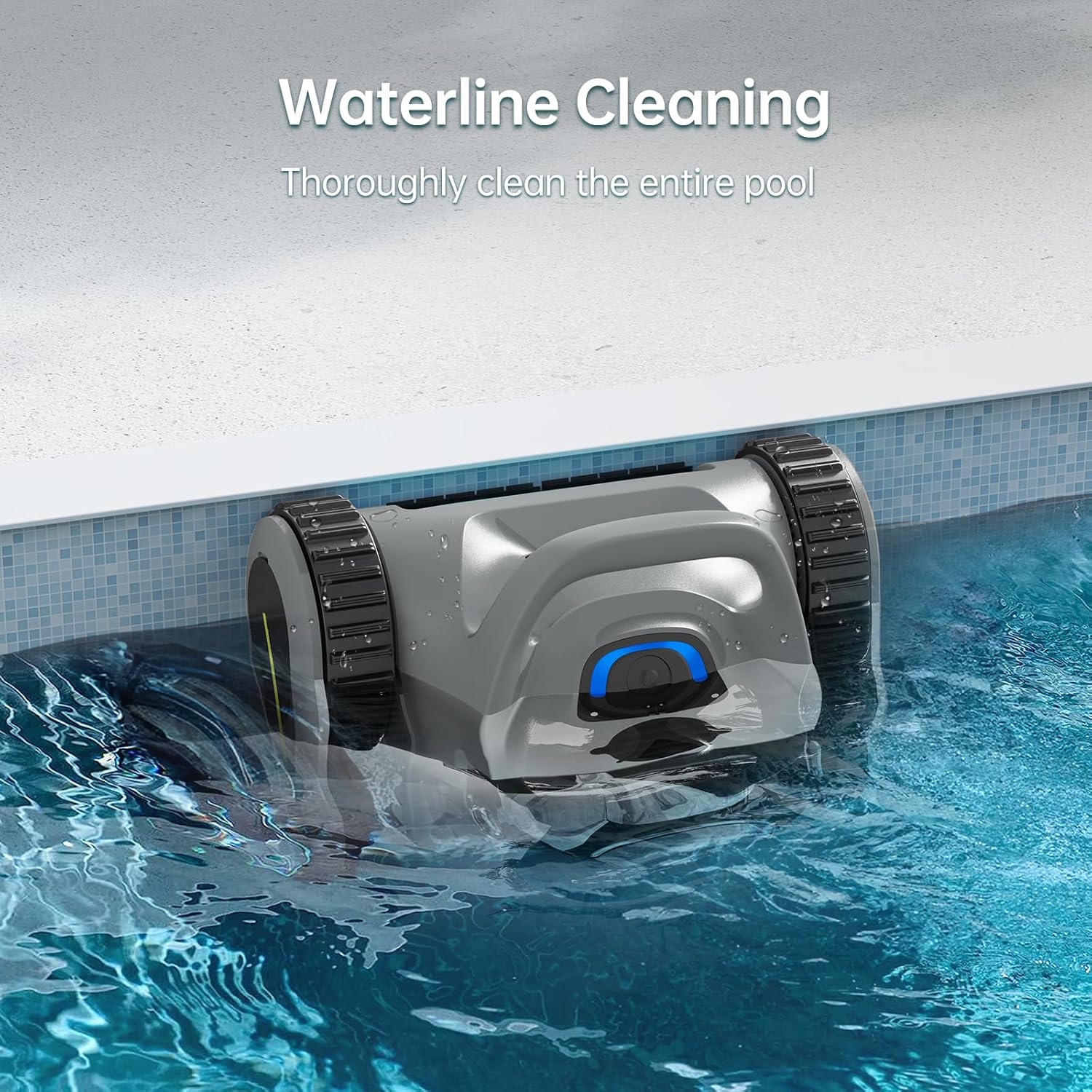
Figure 7: The HISION SAT30 performing waterline cleaning, ensuring thorough pool sanitation.
Maintenance
Regular maintenance ensures optimal performance and longevity of your HISION SAT30.
1. Cleaning the Filter Basket:
- After each cleaning cycle, remove the cleaner from the pool using the handle.
- Open the top cover by releasing the two side latches.
- Lift out the filter basket.
- Empty collected debris and rinse the filter basket thoroughly with a garden hose.
- Reinsert the clean filter basket and securely latch the top cover.

Figure 8: A user demonstrating the ease of cleaning the HISION SAT30's top-load filter basket.
2. Battery Care:
- Always fully charge the battery before storing the unit for extended periods.
- The external battery pack is designed for easy replacement if needed. Refer to the detailed instructions in the full manual for battery replacement procedures.
Troubleshooting
Common issues and their solutions for the HISION SAT30.
| Problem | Possible Cause | Solution |
|---|---|---|
| Unit not turning on. | Low battery; charging port cover not sealed. | Charge the unit fully; ensure charging port cover is tightly closed. |
| Poor cleaning performance. | Full or clogged filter basket; debris stuck in brushes. | Clean the filter basket; inspect and clear brushes. |
| Unit gets stuck. | Obstacle in pool; unusual pool shape. | Remove obstacles; the smart navigation should adapt, but manual repositioning may be needed for complex areas. |
| Unit does not climb walls. | Low battery; slippery pool surface; incorrect mode. | Ensure full charge; check pool surface for excessive algae; select "Wall Only" or "All-Cover" mode. |
For further assistance, please refer to the complete user manual or contact HISION customer support.
Specifications
| Feature | Specification |
|---|---|
| Model Name | SAT30 Pool Vacuum |
| Power Source | Battery Powered |
| Motor Power | 180W Brushless Motor |
| Battery Type | Lithium-Ion (21.6 Volts, 170.82 Watt Hours) |
| Battery Capacity | 7800 mAh (estimated from video) |
| Runtime | Up to 150 minutes (2.5 hours) |
| Charging Time | 2.5 Hours |
| Max Pool Size | Up to 2,000 Sq.Ft. |
| Filter Basket Capacity | 3.5L (Top Load, Fine Filter) |
| Control Method | App / One-touch button |
| Item Weight | 19.8 pounds |
| Product Dimensions | 15.1 x 9.8 x 16.8 inches |
| Color | Gray |
| Material | Plastic |
Warranty & Support
The HISION SAT30 Robotic Pool Cleaner comes with a 2-Year Coverage warranty. If your unit requires service within 24 months of purchase, HISION will initiate prioritized replacements after streamlined verification. Technical specialists are available to provide operational guidance and support to maintain optimal cleaning performance.
For warranty claims or technical assistance, please visit the official HISION website or contact their customer support directly.
Official Product Videos
No official seller videos were provided for this product. Please refer to the text descriptions and images for product information.
