
Introduction
The Woowind Kona Air Electric Air Pump is a versatile and portable device designed for effortless inflation and deflation of various inflatable items. Its compact size, powerful airflow, and integrated lighting make it an ideal companion for outdoor adventures, camping trips, and everyday household needs.
What's in the Box
Verify that all items are included in your package:
- 1 x Woowind Kona Air Electric Air Pump
- 5 x Versatile Nozzle Adapters (Silicone soft, Funnel long, Long, Medium, Short)
- 1 x USB Charging Cable (Type-C)
- 1 x Storage Bag
- 1 x User Manual (this document)

Figure 1: Woowind Kona Air pump with included accessories.
Specifications
| Feature | Detail |
|---|---|
| Brand | Woowind |
| Model Name | Kona Air |
| Material | Plastic |
| Item Weight | 140 Grams (0.304lb) |
| Product Dimensions | 2.36"L x 2.17"W x 2.68"H |
| Power Source | Battery Powered (Rechargeable 2000mAh) |
| Air Flow Capacity | 200 LPM |
| Operation Mode | Automatic |
| LED Light Modes | 3 Modes (up to 10 hours illumination) |

Figure 2: Compact dimensions of the Woowind Kona Air pump.
Setup
Charging the Pump
Before first use, fully charge your Woowind Kona Air pump. Connect the provided USB Type-C charging cable to the pump's charging port and plug the other end into a compatible USB power source (e.g., wall adapter, power bank, computer USB port). The indicator light will show charging status and turn off when fully charged.
Attaching Nozzles
Select the appropriate nozzle adapter for your inflatable item. The pump comes with five versatile nozzles to fit various valve sizes. Firmly insert the chosen nozzle into the inflation or deflation port of the pump.

Figure 3: Woowind Kona Air pump with included accessories for setup.
Operating Instructions
Inflation Function
- Attach the correct nozzle to the inflation port (typically located on the side or top, as indicated by an arrow pointing outwards).
- Insert the nozzle firmly into the valve of your inflatable item.
- Press the power button twice quickly to turn on the pump. The pump will begin inflating.
- Monitor the inflation process. Once the item is firm, press the power button twice quickly again to turn off the pump.
- Remove the nozzle and securely close the inflatable item's valve.
Deflation Function
- Attach the correct nozzle to the deflation port (typically located on the opposite side or bottom, as indicated by an arrow pointing inwards).
- Insert the nozzle firmly into the valve of your inflatable item.
- Press the power button twice quickly to turn on the pump. The pump will begin deflating by sucking air out.
- Once the item is deflated to your satisfaction, press the power button twice quickly again to turn off the pump.
- Remove the nozzle and securely close the inflatable item's valve.

Figure 4: Inflation and Deflation functionality.
LED Camping Lantern Function
The integrated LED light offers three modes for various lighting needs:
- First Press: Low brightness mode for ambient lighting.
- Second Press: Medium brightness mode for general illumination.
- Third Press: High brightness mode for maximum visibility.
- Fourth Press: SOS flashing mode for emergencies.
- Fifth Press: Turns off the LED light.
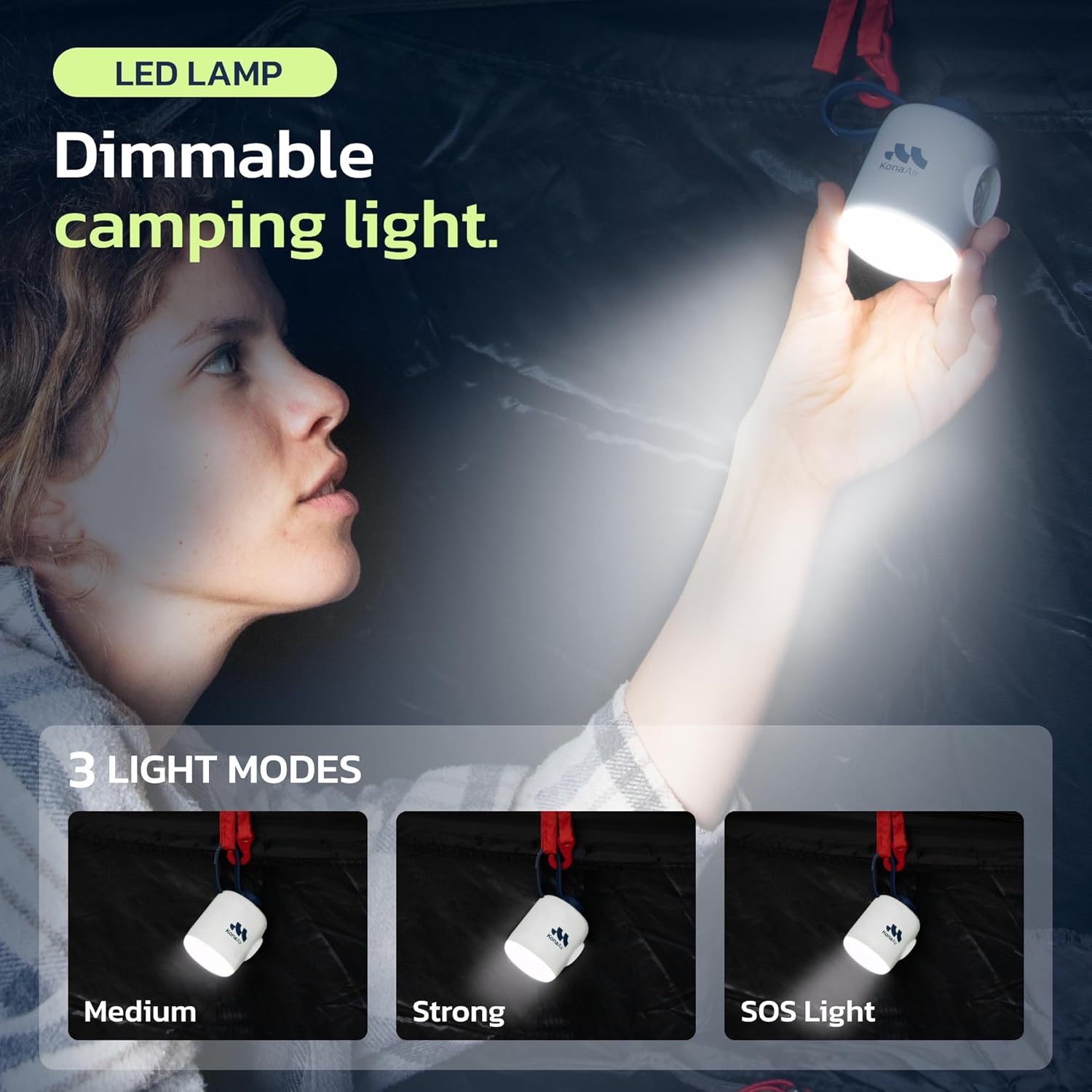
Figure 5: Integrated LED Camping Lantern with multiple modes.
Maintenance
- Cleaning: Wipe the pump's exterior with a soft, dry cloth. Do not use harsh chemicals or abrasive cleaners.
- Storage: Store the pump and its accessories in the provided storage bag in a cool, dry place away from direct sunlight and extreme temperatures.
- Battery Care: To prolong battery life, avoid fully discharging the pump frequently. Recharge it regularly, even if not in use for extended periods.
Troubleshooting
| Problem | Possible Cause & Solution |
|---|---|
| Pump does not turn on. | Battery is low or depleted. Solution: Recharge the pump fully. Ensure the power button is pressed twice quickly. |
| Slow inflation/deflation. | Incorrect nozzle size or partially blocked port. Solution: Ensure the correct nozzle is securely attached and the port is clear of debris. Check battery level. |
| Nozzle does not fit valve. | Using the wrong nozzle adapter. Solution: Try a different size nozzle from the included set to find the best fit for your item's valve. |
Warranty & Support
The Woowind Kona Air Electric Air Pump comes with a 24-month warranty from the date of purchase, covering manufacturing defects.
For technical support, warranty claims, or any inquiries, please contact Woowind customer service through the retailer's platform or visit the official Woowind website for contact information.
Visit the Woowind Store on Amazon for more information.

