
Introduction
Thank you for choosing the JUNJIEUNVO BT1638 Over-Ear Wireless Headphones. This manual provides detailed instructions for the proper use, setup, and maintenance of your headphones. Please read this manual thoroughly before using the product to ensure optimal performance and longevity.

Image: The JUNJIEUNVO BT1638 Over-Ear Wireless Headphones in blue, showcasing their design and padded headband.
Package Contents
Please check the package for the following items:
- JUNJIEUNVO BT1638 Over-Ear Wireless Headphones
- USB-C Charging Cable
- 3.5mm AUX Audio Cable
- User Manual (this document)
Setup
1. Charging the Headphones
Before first use, fully charge your headphones. A full charge takes approximately 2 hours.
- Connect the USB-C charging cable to the charging port on the headphones.
- Connect the other end of the USB-C cable to a compatible USB power source (e.g., computer USB port, wall adapter).
- The indicator light will show charging status (e.g., red for charging, blue/off for fully charged). Refer to the LED indicator section for details.
2. Powering On/Off
- Power On: Press and hold the Power button for approximately 3 seconds until the indicator light flashes.
- Power Off: Press and hold the Power button for approximately 3 seconds until the indicator light turns off.
3. Bluetooth Pairing
The headphones use Bluetooth 5.0 for wireless connectivity, offering a range of up to 33 feet (10 meters).
- Ensure the headphones are powered off.
- Press and hold the Power button for about 5-7 seconds until the indicator light flashes red and blue alternately, indicating pairing mode.
- On your device (smartphone, tablet, laptop), enable Bluetooth and search for available devices.
- Select "BT1638" or "JUNJIEUNVO BT1638" from the list of found devices.
- Once connected, the indicator light will typically flash blue slowly or remain solid blue.
- If prompted for a password, enter "0000".
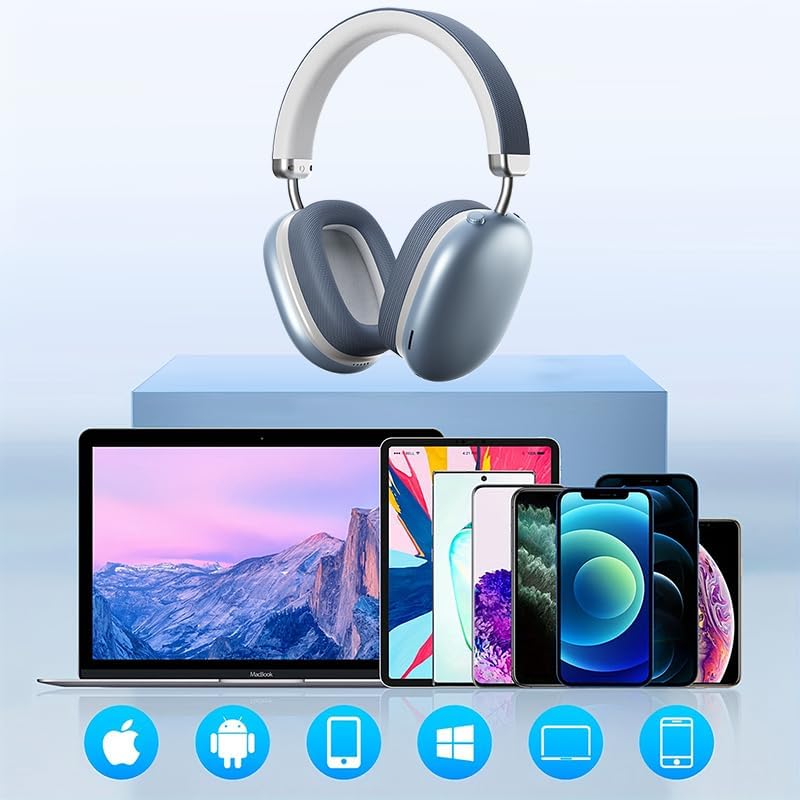
Image: The BT1638 headphones shown with a variety of compatible devices including laptops, smartphones, and tablets, illustrating broad connectivity.
Operating Instructions
1. Basic Controls
The headphones feature button and touch controls for various functions.
- Power Button: Power on/off, enter pairing mode.
- Volume Up/Next Track: Short press for volume up, long press for next track.
- Volume Down/Previous Track: Short press for volume down, long press for previous track.
- Multi-function Button (MFB) / Touch Control:
- Play/Pause: Single press.
- Answer/End Call: Single press during an incoming call.
- Reject Call: Press and hold for 2 seconds during an incoming call.
- Activate Voice Assistant: Double press.
2. Audio Playback
Enjoy high-fidelity (HIFI) sound quality and immersive surround sound with your BT1638 headphones.

Image: The BT1638 headphones, emphasizing their HIFI sound quality and extended battery life of up to 40 hours.
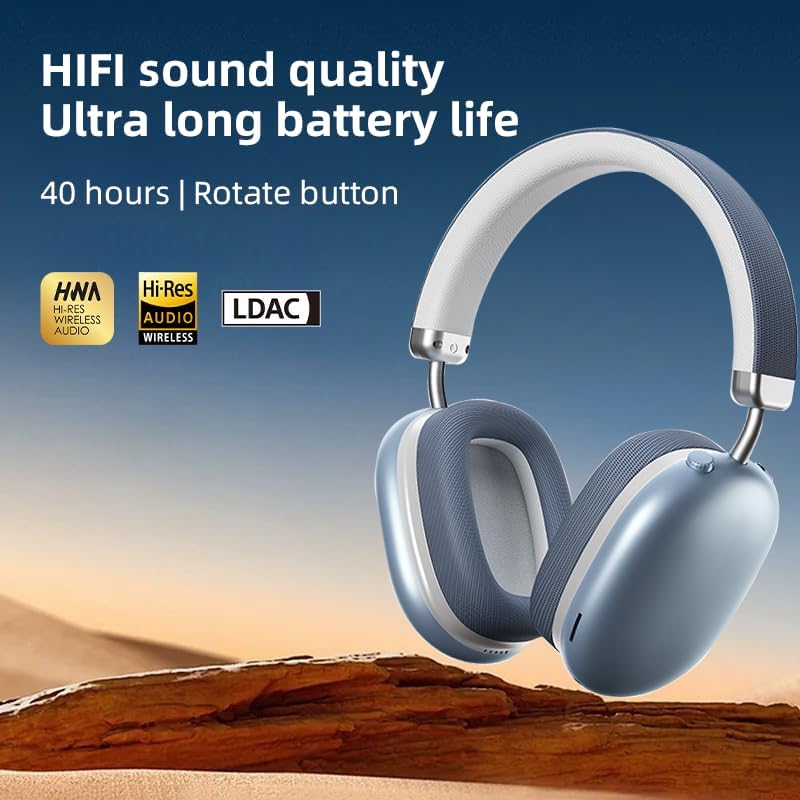
Image: The BT1638 headphones displaying Hi-Res Wireless Audio and LDAC compatibility, indicating advanced audio capabilities.
3. Passive Noise Cancellation
The over-ear design and cushioned ear cups provide passive noise cancellation, reducing ambient sounds for a more focused listening experience.

Image: A visual representation comparing sound waveforms before and after noise reduction, demonstrating the effectiveness of the headphones' passive noise cancellation.
4. Wired Connection (AUX)
For situations where Bluetooth is not available or preferred, you can connect the headphones using an AUX cable.
- Plug one end of the 3.5mm AUX cable into the headphone's AUX port.
- Plug the other end into your audio source's 3.5mm audio jack.
- The headphones will automatically switch to wired mode.
5. Comfort and Fit
The BT1638 headphones feature an adjustable headband and rotatable earcups for a comfortable and secure fit.

Image: Close-up view illustrating the adjustable telescopic headband and earcups that can rotate 90 degrees, allowing for a customized and comfortable fit.

Image: The soft earmuffs of the BT1638 headphones, designed for comfortable and smooth listening experiences.
Maintenance
Proper care will extend the life and performance of your headphones.
- Cleaning: Use a soft, dry, lint-free cloth to clean the surfaces of the headphones. Do not use harsh chemicals, cleaning solvents, or strong detergents.
- Ear Cushions: The memory foam and fabric ear cushions can be gently wiped with a slightly damp cloth if necessary, then allowed to air dry completely.
- Storage: When not in use, store the headphones in a cool, dry place, away from direct sunlight and extreme temperatures.
- Avoid Moisture: These headphones are not water-resistant. Avoid exposure to water, rain, or excessive humidity.
- Handle with Care: Avoid dropping the headphones or subjecting them to strong impacts.
Troubleshooting
| Problem | Possible Cause | Solution |
|---|---|---|
| Headphones do not power on. | Low battery. | Charge the headphones for at least 30 minutes. |
| Cannot pair with device. | Headphones not in pairing mode; Bluetooth off on device; device too far. | Ensure headphones are in pairing mode (flashing red/blue). Turn on Bluetooth on your device. Move device closer to headphones (within 33 feet). |
| No sound or low volume. | Volume too low; incorrect audio source; headphones not connected. | Increase volume on both headphones and connected device. Ensure headphones are properly paired or AUX cable is fully inserted. |
| Intermittent connection. | Interference; device too far; low battery. | Move closer to the connected device. Avoid strong electromagnetic interference. Ensure headphones are sufficiently charged. |
Specifications
| Feature | Detail |
|---|---|
| Model Name | SY-BT1638 |
| Connectivity Technology | Bluetooth, AUX |
| Wireless Communication Technology | Bluetooth, Wireless |
| Bluetooth Version | 5.0 |
| Bluetooth Range | 33 Feet (10 meters) |
| Audio Driver Type | Dynamic Driver |
| Audio Driver Size | 40 Millimeters |
| Frequency Response | 20 Hz (lower bound) |
| Sensitivity | 102 dB |
| Impedance | 32 Ohm |
| Noise Control | Passive Noise Cancellation |
| Control Type | Wireless |
| Control Method | Touch, Button |
| Charging Time | 2 Hours |
| Battery Life | Up to 40 Hours (playback) |
| Material | Fabric, Memory Foam, Metal |
| Item Weight | 12 Ounces (approx. 340g) |
| Water Resistance Level | Not Water Resistant |
| Compatible Devices | Laptops, Smartphones, Tablets |
Warranty Information
Specific warranty details for the JUNJIEUNVO BT1638 headphones are typically provided with your purchase documentation or on the manufacturer's official website. Please retain your proof of purchase for any warranty claims.
Generally, products are covered against defects in materials and workmanship for a specified period from the date of purchase. This warranty usually does not cover damage caused by misuse, accidents, unauthorized modifications, or normal wear and tear.
Customer Support
If you encounter any issues or have questions not covered in this manual, please contact JUNJIEUNVO customer support. You can typically find contact information on the product packaging, the official JUNJIEUNVO website, or through your retailer.
When contacting support, please have your product model (SY-BT1638) and proof of purchase readily available.