
FOKEY Z2
Contents
FOKEY Weather Station Z2 User Manual
Comprehensive guide for your FOKEY Weather Station Wireless Indoor Outdoor, Model Z2.
Introduction
The FOKEY Weather Station Z2 is an advanced indoor and outdoor weather monitoring system designed for precision and ease of use. Featuring a 7.6" VA display, it provides crystal-clear readability of essential weather data, including indoor and outdoor temperature, humidity, barometric pressure, moon phases, and weather forecasts.
Engineered with a thermal-stabilized professional chip, this weather station offers reliable accuracy, outperforming many standard consumer-grade devices. Its innovative design includes a remote sensor with its own digital screen, allowing for independent real-time readings. With multi-time zone support and atomic clock synchronization, the FOKEY Weather Station ensures precise timekeeping and comprehensive home weather monitoring.
What's in the Box
- One (1) FOKEY Weather Station Main Unit
- One (1) Remote Sensor
- One (1) Power Adapter
- One (1) User Manual (this document)
Setup Guide
1. Initial Power-Up
Connect the main weather station unit to a power outlet using the provided power adapter. The display will illuminate, and the unit will begin its initial setup process.
2. Remote Sensor Setup
The remote sensor requires two AA batteries (not included). Open the battery compartment on the back of the remote sensor. Inside, locate the selector switch for channels (1, 2, or 3). Set the sensor to Channel 1 for initial pairing. Insert the batteries, ensuring correct polarity, and close the compartment.
Place the remote sensor in a shaded outdoor location, ideally within 328 feet of the main unit, to ensure optimal wireless transmission and accurate readings.

Image: The FOKEY Weather Station main unit with its large display and the compact remote sensor.
3. Pairing the Sensor
The main unit will automatically attempt to pair with the remote sensor. If pairing does not occur automatically, or if you are adding additional sensors (up to 3 total), ensure the main unit is set to the correct sensor channel. On the remote sensor, press the 'Transmit' button once to send a signal to the main unit. The main unit should then display the outdoor temperature and humidity readings.
4. Time and Date Synchronization (Atomic Clock)
The weather station features an atomic clock function that auto-syncs daily with WWVB signals for precise timekeeping. Before enabling this function, ensure your time zone (HAT/AKT/PST/MST/CST/EST/AST) and daylight saving time settings are correctly configured on the main unit to avoid synchronization errors. Refer to the on-screen menu or side buttons for these adjustments.

Image: Detailed view of the FOKEY Weather Station's display layout, showing various data points.
Operation
Display Overview
The 7.6" VA display provides a clear and comprehensive overview of all weather data. Key information is presented in an easy-to-read format, suitable for all ages. The display includes:
- Current Time and Date (synchronized via atomic clock)
- Outdoor Temperature and Humidity (from remote sensor)
- Indoor Temperature and Humidity (from main unit)
- Moon Phase
- Barometric Pressure (absolute or relative)
- Weather Trend (based on pressure changes)
- 12-24 Hour Weather Forecast

Image: An exploded view illustrating the layers of the FOKEY Weather Station's display for enhanced clarity.
Adjusting Display Brightness
Use the 'Brightness' button on the side of the unit to cycle through different brightness levels or to turn off the display backlight for nighttime use.
Viewing Min/Max Records
Press the 'Max/Min' button to view the highest and lowest recorded temperatures and humidity levels for both indoor and outdoor environments over the past 24 hours. Press again to cycle through historical data.
Setting Alarms
The unit allows you to set time alarms. Refer to the user interface for specific instructions on setting and managing alarms.
Key Features
Superior Visual Precision
The 7.6" VA display offers enhanced color contrast and advanced LCD technology, ensuring crystal-clear readability for users of all ages. This design prioritizes effortless daily environmental monitoring.
Reliable Precision
Equipped with a thermal-stabilized professional chip, the weather station delivers unparalleled precision. It boasts a thermometer error margin of just ±0.48°F, significantly more accurate than many consumer-grade devices.

Image: Diagram illustrating the custom-designed chip for optimized accuracy.
Readable Remote Sensor
Unlike many weather stations, the FOKEY remote sensor features a 2" digital screen, allowing you to check real-time readings directly from the sensor, independent of the main unit. Its self-draining design ensures durability in various weather conditions.
Whole-Home Weather Monitoring
Utilizing innovative quick-connect technology, the weather station supports reliable transmission between the main unit and up to 3 remote sensors. It offers a maximum wireless pairing range of 328 feet, enabling comprehensive monitoring across your property.

Image: Illustration showing the main unit connecting to multiple outdoor sensors for broader coverage.
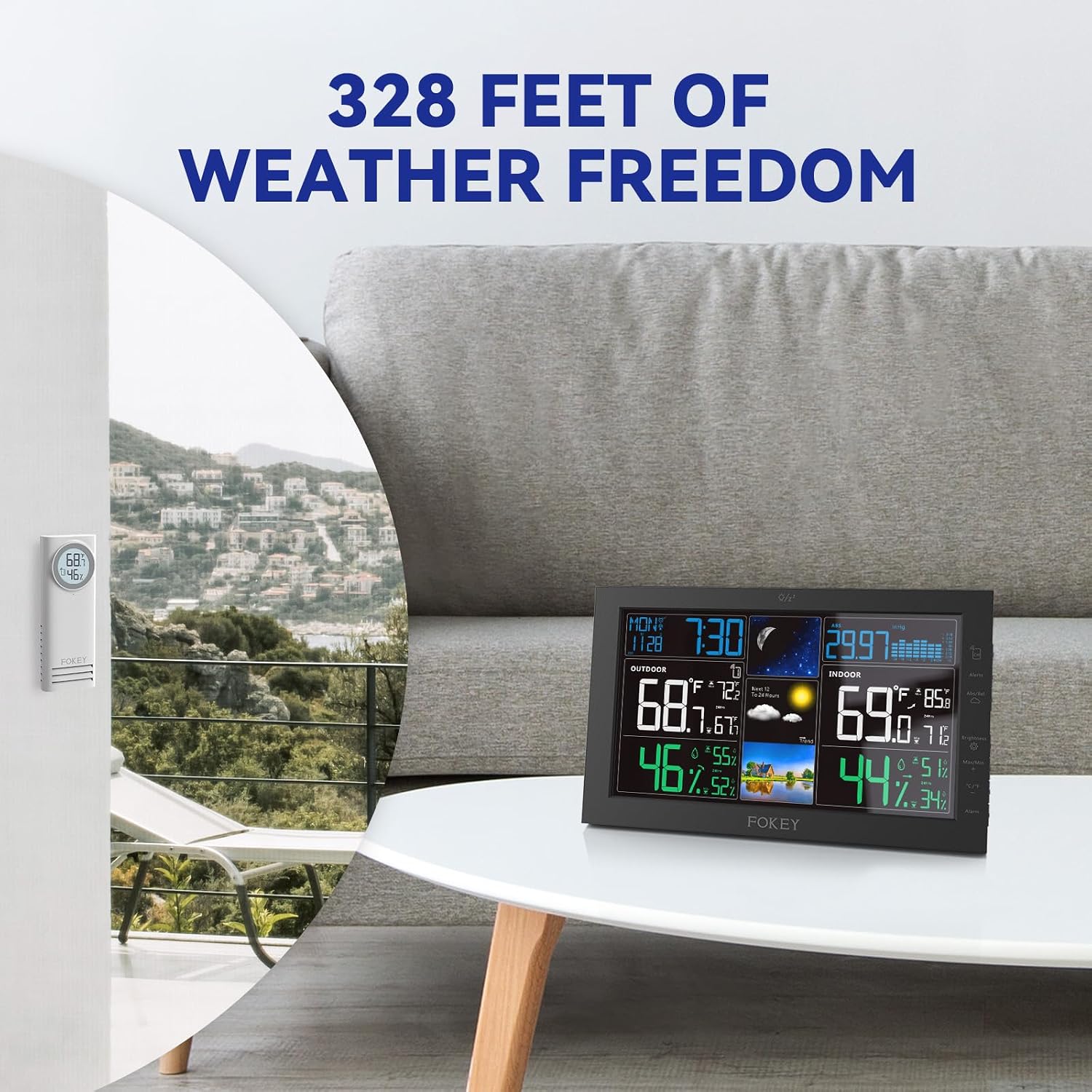
Image: Depiction of the weather station's long-range wireless capability, showing a sensor placed far from the main unit.
Maintenance
- Cleaning: Wipe the main unit and remote sensor with a soft, damp cloth. Avoid abrasive cleaners or solvents.
- Battery Replacement: Replace batteries in the remote sensor when the low battery indicator appears on the main unit or the sensor's display. Ensure to use fresh AA batteries and re-pair if necessary.
- Sensor Placement: Periodically check the outdoor sensor's location to ensure it remains in a shaded area, away from direct sunlight or heat sources, for accurate temperature readings.
Troubleshooting
- No Outdoor Reading:
- Ensure batteries are correctly installed in the remote sensor.
- Verify the remote sensor is set to the correct channel (1, 2, or 3) that matches the main unit's selection.
- Press the 'Transmit' button on the remote sensor to force a signal transmission.
- Move the sensor closer to the main unit to check for range issues.
- Inaccurate Readings:
- Ensure the outdoor sensor is placed in a shaded area, away from direct sunlight, heat sources, or reflective surfaces.
- Allow up to 24 hours for the barometric pressure and forecast to calibrate after initial setup.
- Atomic Clock Not Syncing:
- Confirm the correct time zone and daylight saving time settings are selected on the main unit.
- Place the main unit near a window or in an area with good reception for WWVB signals.
Specifications
| Feature | Detail |
|---|---|
| Brand | FOKEY |
| Model Number | Z2 |
| Product Dimensions | 0.83"D x 7.7"W x 4.8"H |
| Item Weight | 1.1 Pounds |
| Display Type | 7.6" VA Display |
| Wireless Range | Up to 328 feet |
| Sensor Capacity | Supports up to 3 remote sensors |
| Time Synchronization | Atomic Clock (WWVB) with Multi-Time Zone Support |
| Power Source | Power Adapter (Main Unit), AA Batteries (Remote Sensor) |
| Special Features | Indoor/Outdoor Temperature & Humidity, Barometer, Moon Phase, Weather Forecast |
Warranty and Support
FOKEY products are designed for reliability and performance. For specific warranty details, please refer to the warranty card included with your product or visit the official FOKEY website.
For technical support, troubleshooting assistance, or to inquire about additional sensors, please contact FOKEY customer service through the contact information provided on the product packaging or the official website.
Ask a question about this manual
Ask about setup, troubleshooting, compatibility, parts, safety, or missing instructions. Manuals+ will review the question and use this page’s manual context to help answer it.