1. Product Overview
The HH-Tech Bluetooth Smart Tag is designed to help you easily locate your belongings using the Google Find My Device network. This compact and durable tag can be attached to keys, bags, wallets, and more, providing peace of mind by allowing you to track your items from your Android device.

Image: The HH-Tech Smart Tag, a smartphone showing its location on a map within the Google Find My app, and the included protective case.
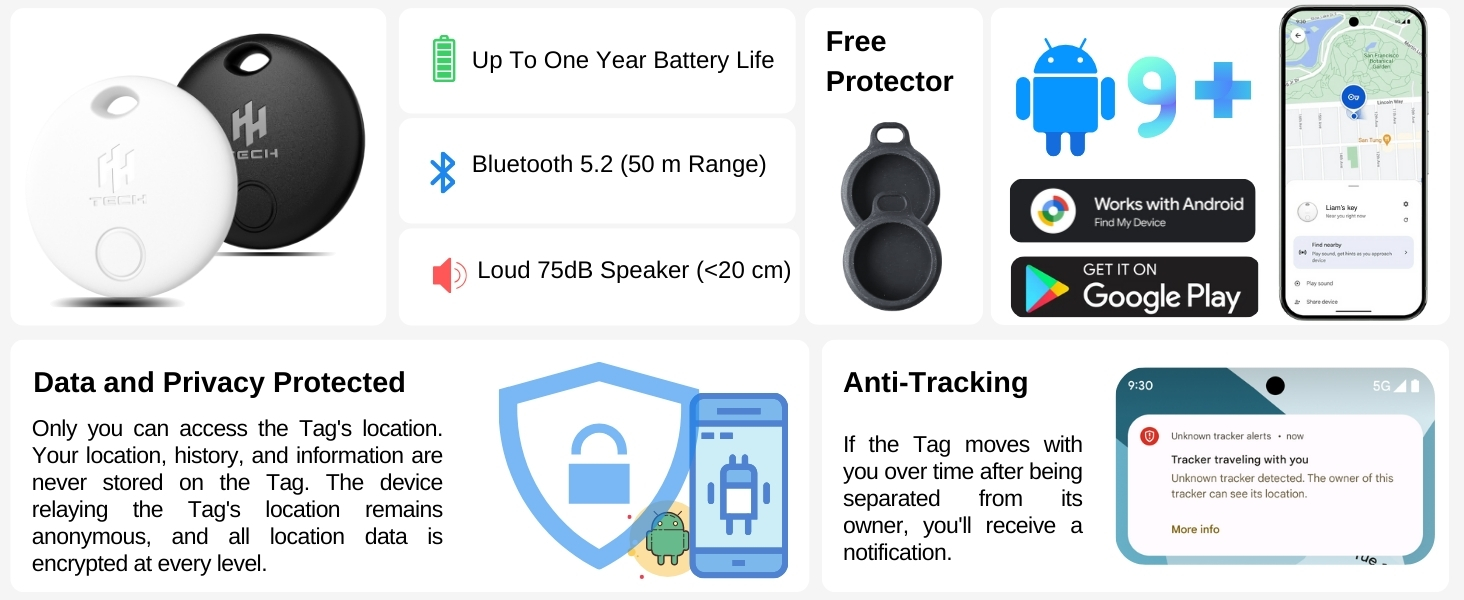
Image: An overview of the HH-Tech Smart Tag's key features, including battery life, Bluetooth range, speaker loudness, included protector, Android compatibility, and privacy features.
2. Setup and Pairing
2.1 App Installation
The HH-Tech Smart Tag works with the Google Find My Device network. To begin, you need to install the Google Find My Device app on your Android smartphone (Android 9+ required).
- Open the Google Play Store on your Android device.
- Search for "Google Find My Device".
- Download and install the official app.

Image: Visual guide for installing the Google Find My Device app and the initial connection screen for the HH-Tag.
2.2 Phone Settings Configuration
Before pairing, ensure your phone's settings are correctly configured:
- Go to your phone's Settings.
- Search for "Find My Device" and tap on it.
- Select "Find your offline devices" and ensure "With network in all areas" is enabled.
- Turn on Bluetooth in your phone settings.
- Connect to a stable Wi-Fi or cellular data network.
- Turn on Location services on your phone.
2.3 Pairing Your HH-Tag
Follow these steps to pair your HH-Tech Smart Tag with your Android device:
- Remove the insulating paper from the HH-Tag. The tag will emit a short sound, indicating it is ready for pairing.
- Bring the Smart Tag close to your phone. A pop-up notification should appear on your screen.
- Tap "Connect" on the pop-up.
- Read and accept the prompts. Follow the on-screen instructions within the Google Find My Device app to complete the pairing process.
3. Operating Your HH-Tag
3.1 How the Google Find My Device Network Works
The HH-Tech Smart Tag leverages Google's Find My Device network. When your tag is out of Bluetooth range of your phone, millions of Android devices anonymously and securely detect its location. This information is then updated on your map within the Google Find My Device app, allowing you to track your item even when it's far away. All data is encrypted and anonymous, ensuring your privacy.

Image: A visual representation of how the HH-Tag's location is anonymously updated via the global Google Find My Device network.
3.2 Finding Nearby Items
When your HH-Tag is within Bluetooth range (up to 50 meters), you can use the Google Find My Device app to locate it by playing a sound.
- Open the Google Find My Device app.
- Select your HH-Tag from the list of devices.
- Tap "Play sound". The tag will emit a loud 75dB melody, helping you pinpoint its exact location.
- You can also use the "Find nearby" feature for more precise location guidance.

Image: Using the Google Find My app to play a sound on the HH-Tag to locate nearby items, such as keys.
3.3 Secure Sharing
You can securely share access to your HH-Tag with others, allowing them to help locate your items. This is useful for shared household items or when traveling with companions.
- In the Google Find My Device app, select the HH-Tag you wish to share.
- Look for the "Share device" option.
- Follow the on-screen prompts to generate a sharing link or invite another user.

Image: Demonstrating the secure sharing feature of the HH-Tag within the Google Find My app.
3.4 Lost Item Alerts and Anti-Tracking
If an item with your HH-Tag is lost, you can mark it as lost in the app to display contact information to anyone who finds it. Additionally, the system includes anti-tracking features: if an unknown HH-Tag moves with you over time after being separated from its owner, you will receive a notification on your Android device.

Image: Examples of items that can be tracked using the HH-Tech Smart Tag, such as keys, wallets, bags, and luggage.
4. Maintenance
4.1 Battery Replacement
The HH-Tech Smart Tag is powered by a user-replaceable CR2032 coin cell battery, which typically lasts up to one year. You will receive low-battery alerts through the Google Find My Device app.
To replace the battery:
- Locate the small groove on the side of the HH-Tag.
- Use a small, flat tool (or the provided tool if included) to gently pry open the tag.
- Carefully remove the old CR2032 battery.
- Insert a new CR2032 battery with the positive (+) side facing up.
- Align the two halves of the tag and press firmly until it clicks shut.

Image: The HH-Tech Smart Tag on a keyring, highlighting its 365-day battery life.
4.2 Water Resistance
When used with the included water-resistant protector, the HH-Tech Smart Tag can withstand spills, rain, and everyday wear. This makes it suitable for various environments and routines. Ensure the protector is properly fitted for optimal water resistance.
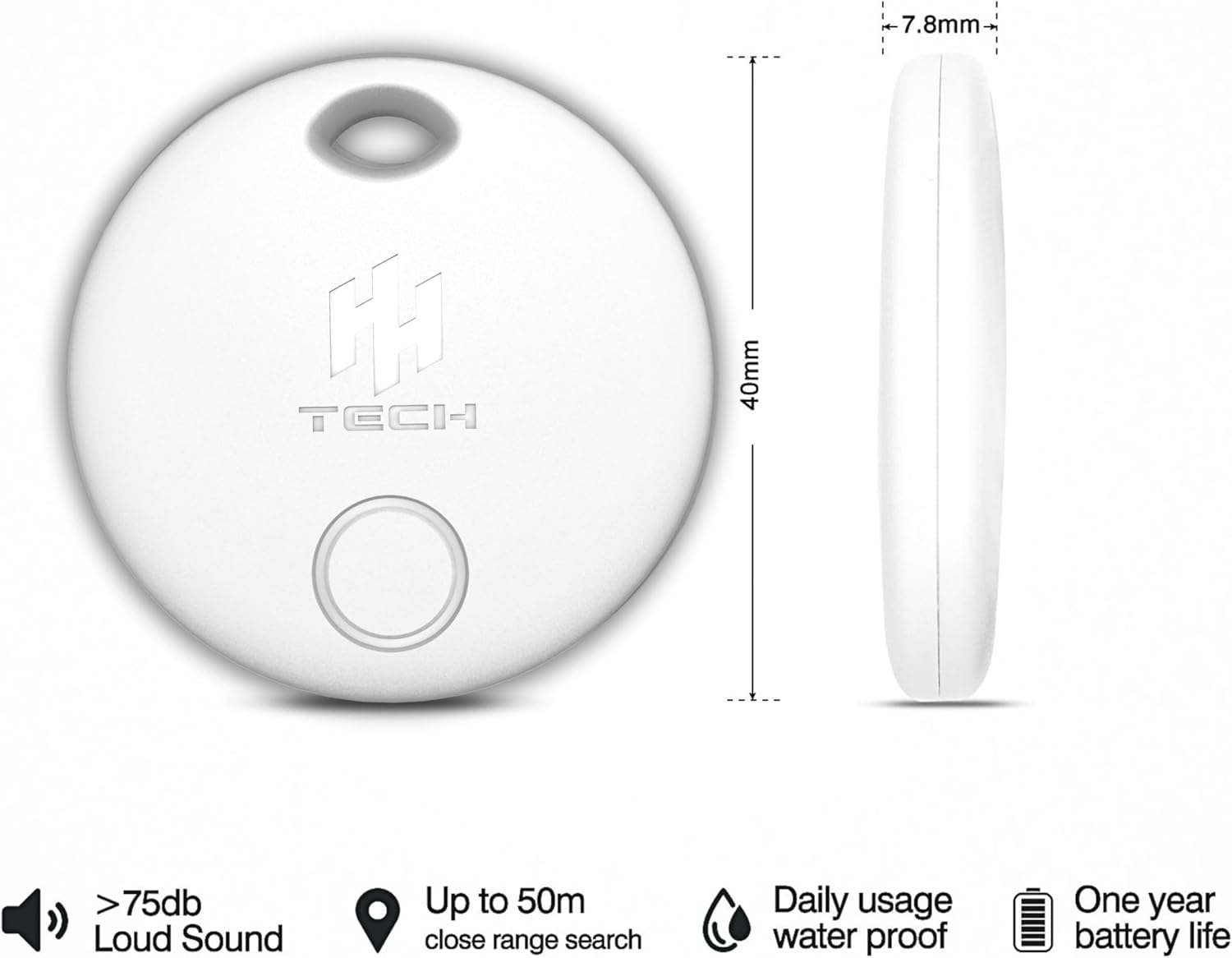
Image: Specifications and features of the HH-Tech Smart Tag, including its waterproof capability for daily use.
5. Troubleshooting
- Tag Not Connecting:
Ensure Bluetooth is enabled on your Android device. Verify that Location Services are active and that "Find your offline devices" is set to "With network in all areas" in your Google Find My Device settings. Try removing and reinserting the battery to reset the tag. Ensure the insulating paper has been fully removed.
- Sound Not Loud Enough or Not Playing:
Check the battery level of your HH-Tag in the Google Find My Device app. Replace the battery if it's low. Ensure there are no obstructions covering the tag's speaker. The 75dB sound is designed for close-range location.
- Inaccurate Location:
The accuracy of the location depends on the density of Android devices in the area. In remote locations, updates may be less frequent. Ensure your phone has a stable internet connection for the most up-to-date location information.
- Battery Terminal Issue:
If you experience issues after battery replacement, ensure the battery is correctly seated and the metal contacts are not bent or damaged. Handle with care during battery changes.
6. Specifications
| Product Dimensions | 1.38 x 1.38 x 0.2 inches (35mm x 35mm x 5mm approx) |
| Item Weight | 0.423 ounces (12 grams approx) |
| Model Number | HHTAG |
| Battery Type | 1 x CR2032 (included, replaceable) |
| Battery Life | Up to 1 year |
| Material | Acrylonitrile Butadiene Styrene (ABS) |
| Connectivity | Bluetooth 5.2 (up to 50m range) |
| Sound Level | 75dB |
| Compatibility | Android 9+ devices with Google Play Services |
7. Warranty and Support
For warranty information, technical support, or any inquiries regarding your HH-Tech Bluetooth Smart Tag, please contact HH-Tech customer service directly. You can often find support contact details on the product packaging or on the official HH-Tech website.
Visit the HH-Tech Store on Amazon for more product information and support resources.


