
1. Safety Information
Please read and understand this entire manual before attempting to assemble, operate, or install the product. Failure to do so could lead to electric shock, fire, or serious injury.
- Ensure all electrical connections comply with local codes and ordinances, as well as the National Electrical Code (NEC).
- Always disconnect power at the main circuit breaker before installation or maintenance.
- Do not connect the fan to a dimmer switch or fan gear switch; use only a traditional ON/OFF switch.
- This fan is designed for 120V (US area) voltage only. Do not use with 220V systems.
- Ensure the mounting structure can support the weight of the fan (approximately 12.73 lbs).
- Keep children and pets away from the fan during installation and operation.
2. Product Overview
The Passky 52-inch Ceiling Fan with Light is designed for efficient air circulation and customizable lighting. It features a quiet DC motor, reversible blades, and an integrated LED light with adjustable color temperature and brightness.
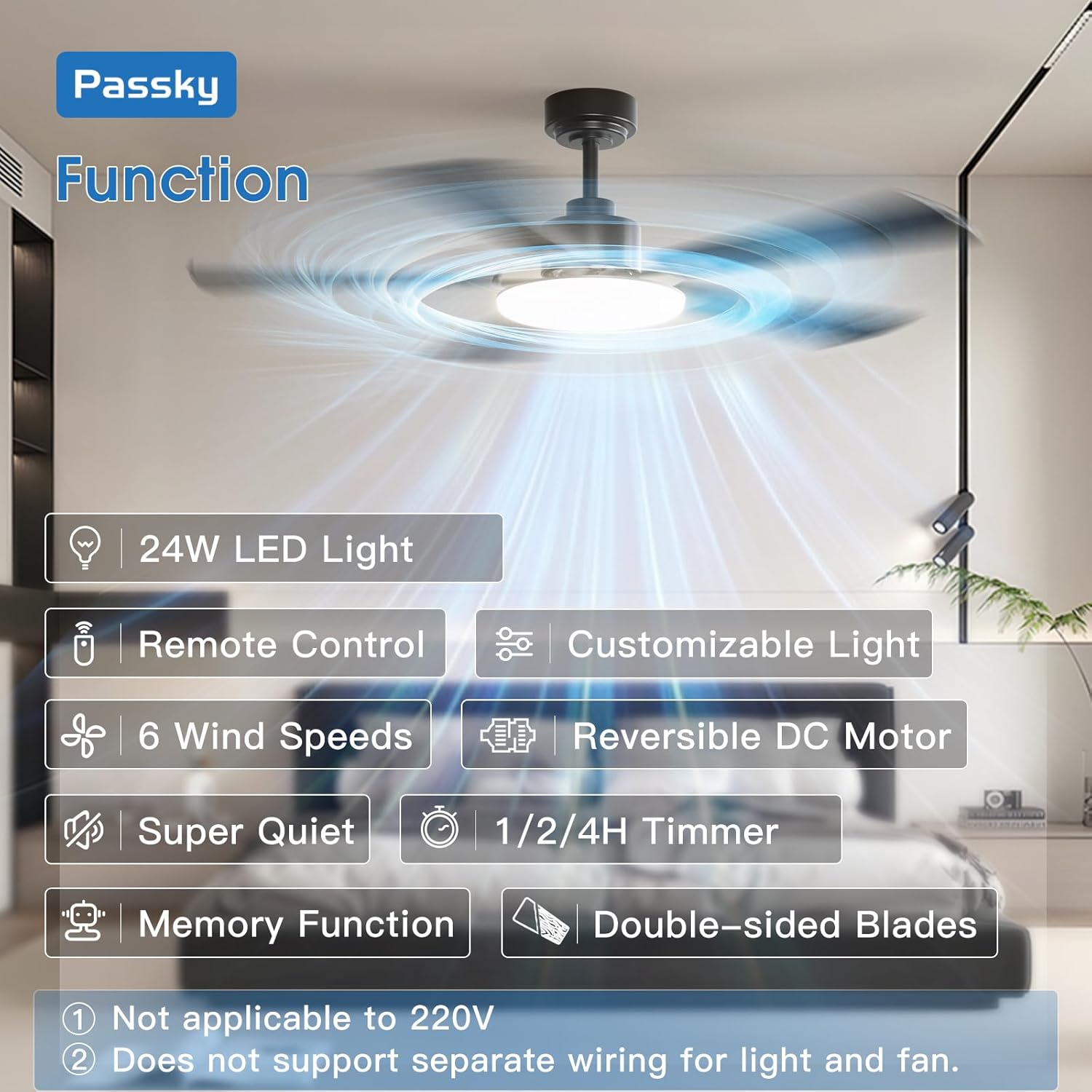
Figure 2.1: Key features of the Passky Ceiling Fan, including LED lighting, remote control, multiple speed settings, reversible motor, quiet operation, timer, memory function, and double-sided blades.
Key Features:
- Energy Efficient LED Light: 24W LED light with A energy efficiency rating, dimmable from 10%-100%.
- Customizable Light: Selectable color temperatures (3000K Warm Light, 4500K Natural Light, 6000K Cold Light).
- Remote Control: Handheld remote for fan and light control, including 6-speed wind adjustment, dimming, color temperature selection, reverse function, and timer.
- Reversible DC Motor: Improves air circulation for both summer cooling and winter warmth.
- Quiet Operation: Low noise level (35dB) for a peaceful environment.
- Memory Function: Retains previous fan and light settings when turned off/on via wall switch.
- Double-sided Blades: Black and walnut color options for versatile home decor.
3. Setup and Installation
This ceiling fan is designed for easy downrod mount installation in standard junction boxes, making it suitable for various indoor and outdoor spaces (not directly exposed to rain).

Figure 3.1: Fan dimensions (52-inch diameter, 11-inch height) and recommended room size (15ft x 15ft) for optimal comfort.
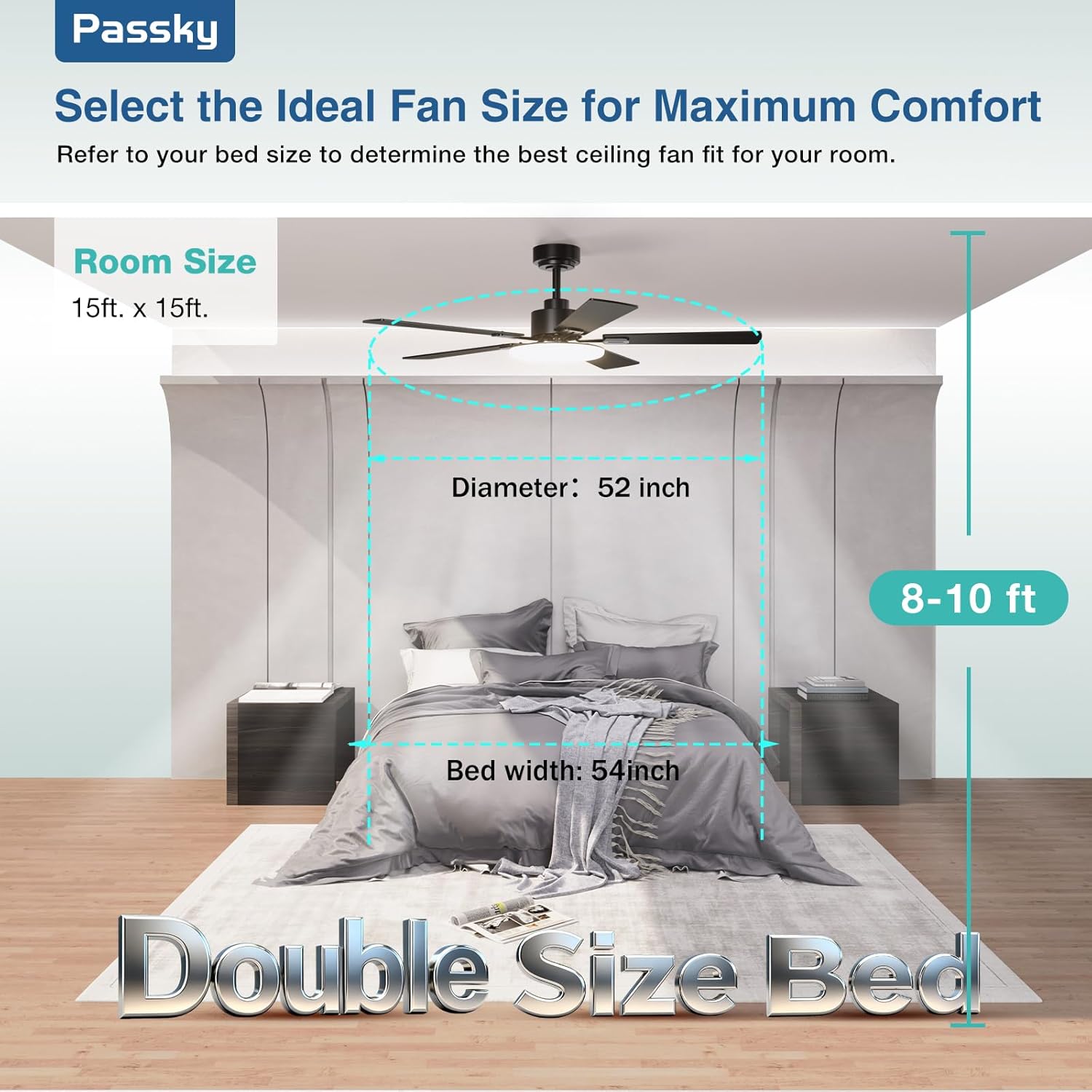
Figure 3.2: Installation is designed to be effortless, fitting standard ceiling junction boxes without additional drilling. Important: Do not connect to dimmer or fan gear switches.
Installation Steps:
- Prepare the Area: Turn off power at the circuit breaker. Ensure the ceiling junction box is securely mounted and capable of supporting the fan's weight.
- Mount the Bracket: Attach the mounting bracket to the ceiling junction box using the provided hardware.
- Assemble the Fan: Follow the step-by-step illustrated guide in the manual to assemble the motor, downrod, and fan blades. The blades are double-sided (black and walnut) allowing you to choose your preferred aesthetic.
- Wiring: Connect the fan's electrical wires to the household wiring according to the provided wiring diagram. Ensure all connections are secure and insulated. Remember, the fan and light cannot be wired separately due to the DC motor design.
- Hang the Fan: Carefully lift the assembled fan and hang it onto the mounting bracket.
- Secure the Canopy: Attach the canopy to cover the wiring and mounting bracket.
- Install the Light Kit: Connect and secure the LED light kit to the fan assembly.
- Insert Remote Batteries: Install 2 AAA batteries (included) into the remote control.
- Restore Power: Turn on power at the circuit breaker and test the fan and light functions.
Installation Video:
Video 3.1: Official Passky video demonstrating the installation process of the 52-inch sleek ceiling fan with light.
4. Operating Instructions
The Passky ceiling fan is operated using the included handheld remote control. The remote allows for comprehensive control over both fan and light functions.

Figure 4.1: Remote control layout and functions for the Passky Ceiling Fan.
Remote Control Functions:
- Fan On/Off: Press the power button in the center of the fan speed controls.
- Fan Speed: Select from 6 speeds (1-6) using the numbered buttons.
- Reversible Function: Press the reverse button (circular arrow) to change wind direction for summer (downward airflow) or winter (upward airflow) use.
- Light On/Off: Press the light bulb button to toggle the light.
- Light Dimming: Use the '+' and '-' buttons next to the light bulb icon to adjust brightness from 10% to 100%.
- Color Temperature: Press the color temperature button (multi-colored circle) to cycle through 3000K (Warm), 4500K (Natural), and 6000K (Cold) light.
- Natural Wind Mode: Press the wavy line button to activate a mode that simulates natural wind by cycling through different fan speeds.
- Timer: Set the fan to turn off automatically after 1, 2, or 4 hours using the '1H', '2H', '4H' buttons.
- Memory Function: The fan and light retain their last settings (speed, brightness, color temperature) when turned off and on via a wall switch.
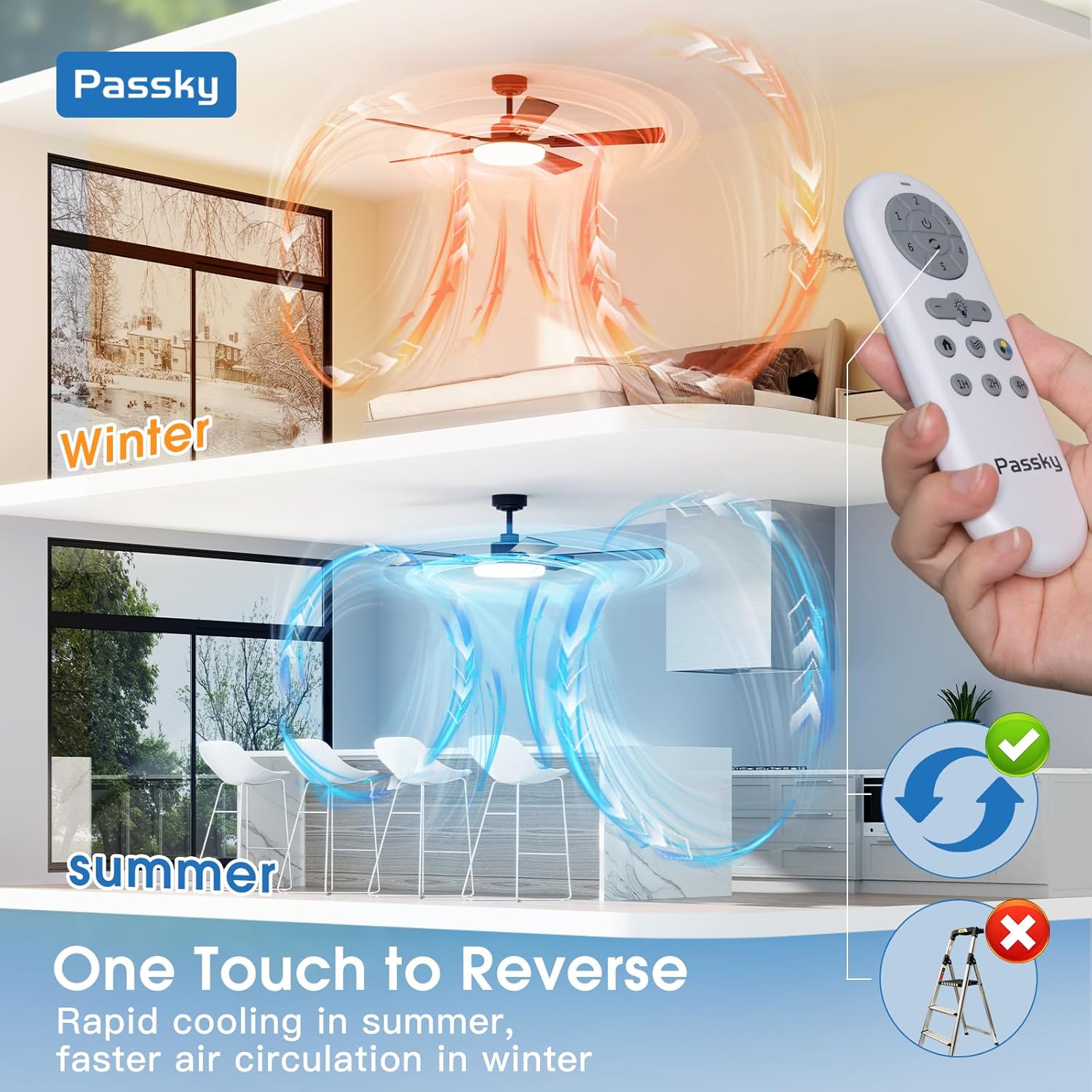
Figure 4.2: One-touch reverse function for optimal air circulation in summer and winter.

Figure 4.3: Customizable LED light with dimming and 3 color temperature options.
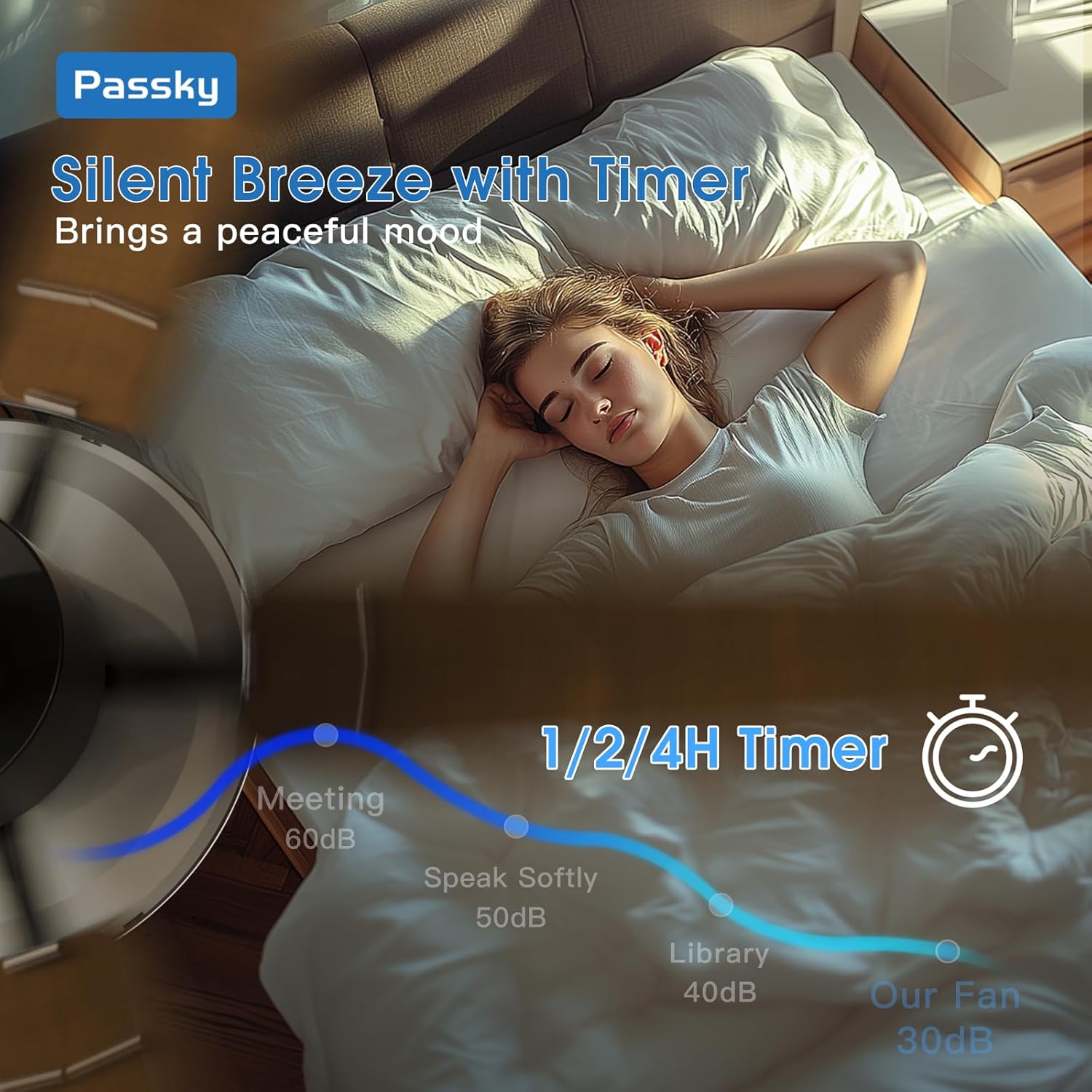
Figure 4.4: Silent operation (as low as 35dB) with convenient 1/2/4 hour timer settings.
Operation Video:
Video 4.1: Demonstration of the fan's installation and various operational features, including light and speed adjustments.
5. Maintenance
Regular maintenance ensures optimal performance and longevity of your Passky ceiling fan. Always disconnect power before performing any maintenance.
- Cleaning: Use a soft, damp cloth to clean the fan blades and motor housing. Do not use abrasive cleaners or solvents.
- Tighten Screws: Periodically check and tighten all screws on the fan blades and mounting hardware to prevent wobbling or noise.
- Light Cover: Ensure the light cover is securely attached.
6. Troubleshooting
If you encounter issues with your Passky ceiling fan, refer to the following common solutions:
| Problem | Possible Cause | Solution |
|---|---|---|
| Fan does not operate / Light does not turn on | No power supply; Incorrect voltage; Loose wiring; Remote control battery dead. | Check circuit breaker; Ensure 120V supply; Verify wiring connections; Replace remote batteries. |
| Fan wobbles | Loose blade screws; Unbalanced blades; Loose mounting bracket. | Tighten all blade screws; Use balancing kit (not included) if necessary; Secure mounting bracket. |
| No separate control for fan and light | DC motor design. | This is normal for DC motor fans; control both functions via the remote. |
| Fan connected to dimmer/gear switch | Incompatible switch type. | Replace with a traditional ON/OFF switch. |
7. Specifications
| Feature | Detail |
|---|---|
| Brand | Passky |
| Model Name | KDM52PLY5B01R1-2 |
| Size | 52 inch |
| Color | Black (Blades are double-sided: Black/Walnut) |
| Material | Engineered Wood, Metal |
| Power Source | 120V AC input, DC motor |
| Wattage | 64 watts |
| Light Source Type | LED |
| Light Output Maximum | 2500 Lumens |
| Color Temperature | 3000K, 4500K, 6000K (Adjustable) |
| Brightness | 10%-100% Dimmable |
| Control Method | Remote Control |
| Special Features | 6 Speeds, Reversible, 1/2/4H Timer, Quiet Operation, Memory Function |
| Room Type | Bedroom, Dining Room, Kids Room, Living Room, Study Room |
| Indoor/Outdoor Usage | Indoor, Outdoor (Not directly exposed to rain) |
| Item Weight | 12.73 pounds |
| Product Dimensions | 52 x 52 x 16 inches |
| Batteries | 2 AAA batteries required (included) |
8. Warranty and Support
Passky is committed to customer satisfaction and provides comprehensive support for your product.
- Warranty: The product is backed by a 24-month worry-free service.
- Technical Support: 24-hour technical support is available. Email responses are provided 24/7, and phone customer service hours are Monday through Friday.
- Contact: Refer to your manual for specific contact details for email and phone support.