1. Introduction
The HH-Tech Bluetooth Smart Tag is a compact item finder designed to help you locate your personal belongings using the Google Find My Device network. This manual provides essential information for setting up, operating, maintaining, and troubleshooting your Smart Tag.
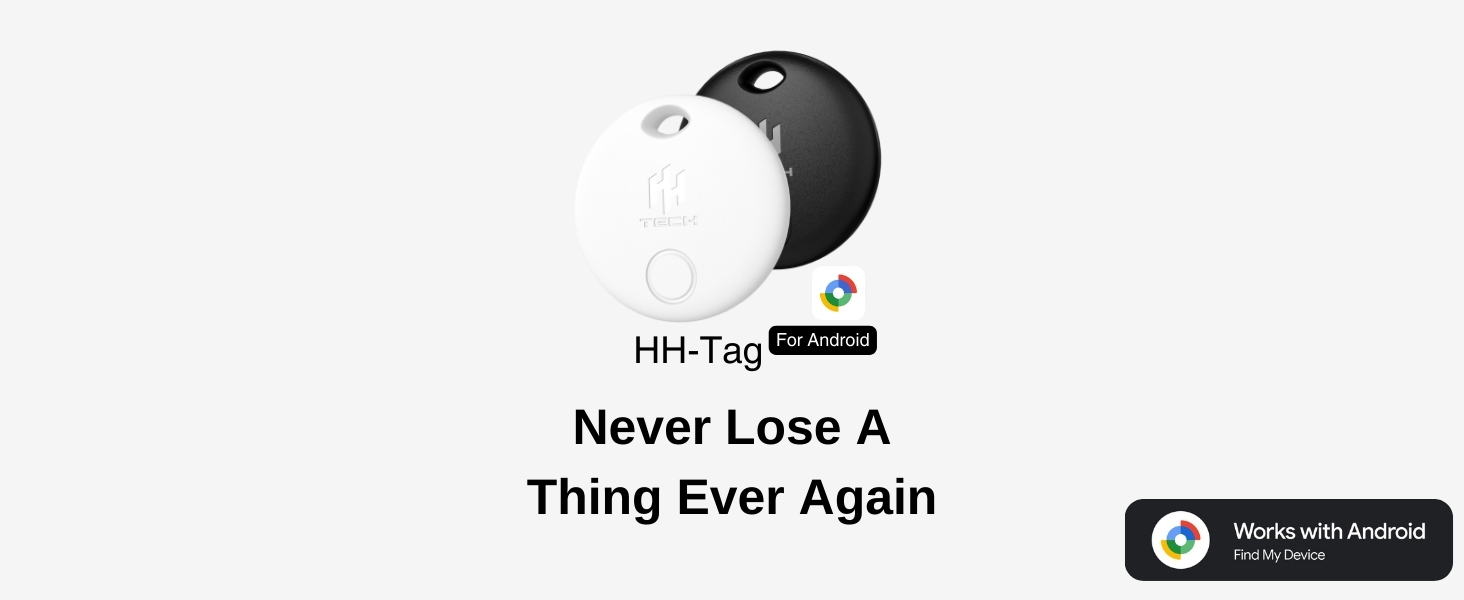
Image 1.1: HH-Tech Smart Tag overview, emphasizing its purpose to prevent loss of items.
The Smart Tag is exclusively compatible with Android devices running Android 9 or higher and utilizes Google Play Services for seamless performance. It features a loud sound alert, a replaceable battery, and a durable design with an included water-resistant protector.
2. Package Contents
- HH-Tech Bluetooth Smart Tag
- Water-resistant Protector
- CR2032 Battery (pre-installed)
- Quick Start Guide (this manual)
3. Setup
3.1 System Requirements
- Android device running Android 9 or higher.
- Google Play Services enabled.
- Stable Wi-Fi or cellular data connection.
- Bluetooth enabled on your Android device.
- Location services enabled on your Android device.
3.2 App Installation
- Open the Google Play Store on your Android device.
- Search for "Google Find My Device".
- Download and install the application.
3.3 Device Settings
- Go to your phone's Settings.
- Search for "Find My Device".
- Tap on "Find your offline devices" and select "With network in all areas".
- Ensure Bluetooth is turned on in your phone settings.
- Ensure Location services are turned on.
3.4 Pairing the Smart Tag
- Remove the insulating paper from the Smart Tag. The tag will emit a sound, indicating it is ready for pairing.
- Bring the Smart Tag close to your Android phone.
- A pop-up notification will appear on your screen. Tap "Connect".
- Read and accept the prompts, then follow the on-screen instructions to complete the pairing process.
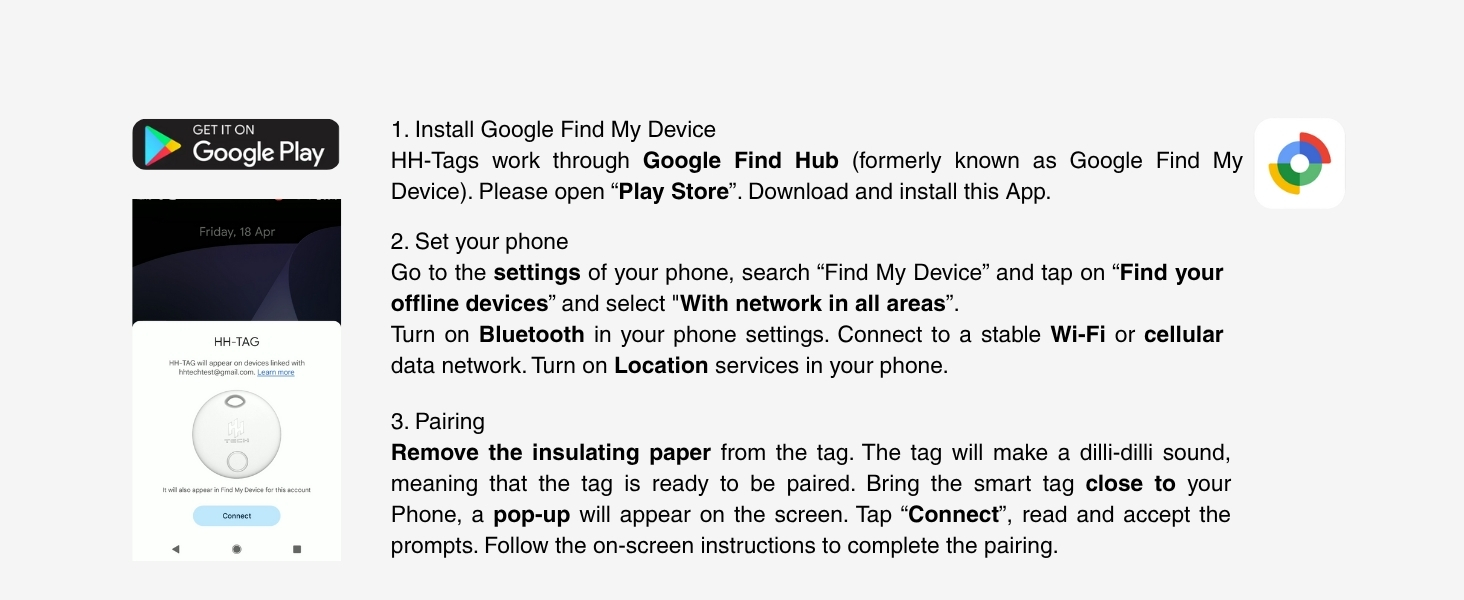
Image 3.1: Visual guide for installing the Google Find My Device app and pairing the HH-Tech Smart Tag.
4. Operating the Smart Tag
4.1 Locating Items Nearby
- Open the Google Find My Device app on your Android phone.
- Select your HH-Tech Smart Tag from the list of devices.
- To locate an item within Bluetooth range (up to 50 meters), tap "Play sound". The Smart Tag will emit a 75dB melody to help you find it.
- For more precise location when nearby, use the "Find nearby" option (if available in the app) which provides hints as you approach the device.

Image 4.1: Using the Google Find My Device app to locate the Smart Tag and play a sound.

Image 4.2: The Smart Tag's loud sound feature helps locate items hidden in a room.
4.2 Locating Items Far Away
The HH-Tech Smart Tag leverages Google's Find My Device network. When your tag is out of Bluetooth range, millions of Android devices anonymously detect its secure Bluetooth signal. These devices then transmit the tag's location to Google Cloud, allowing you to see its updated location on a map within your Google Find My Device app. This process is encrypted, anonymous, and protects your privacy.

Image 4.3: Explanation of how the Smart Tag can be located even when far away, using the Google Find My Device network.
4.3 Secure Sharing and Lost Item Alerts
- Sharing: You can temporarily share access to your Smart Tag with trusted individuals through the Find My Device app. This allows them to help locate your item.
- Lost Mode: If an item is lost, you can mark it as lost in the app. This can display your contact information to anyone who finds the tag, enabling them to return it to you. All data remains encrypted and anonymous.

Image 4.4: The 'Share device' feature allows temporary access to your Smart Tag's location.
4.4 Anti-Tracking Feature
If an unknown HH-Tech Smart Tag is detected moving with you over time, separated from its owner, your Android device will send you a notification. This feature helps prevent unwanted tracking.
5. Maintenance
5.1 Battery Replacement
The HH-Tech Smart Tag is powered by a user-replaceable CR2032 coin cell battery, which typically lasts up to one year. The Google Find My Device app will provide low-battery alerts.

Image 5.1: The Smart Tag offers up to one year of battery life.
To replace the battery:
- Locate the small groove on the side of the Smart Tag.
- Use a small, flat tool (or the provided tool, if included) to gently pry open the tag.
- Carefully remove the old CR2032 battery.
- Insert a new CR2032 battery with the positive (+) side facing up.
- Align the two halves of the tag and press firmly until it clicks securely into place.
Caution: Exercise care when opening the device to avoid damaging internal components or battery terminals. Ensure the tag is properly sealed after battery replacement to maintain its water resistance.
5.2 Water-Resistant Protector
The included water-resistant protector helps shield your Smart Tag from spills, rain, and everyday wear. Ensure the Smart Tag is properly seated within the protector for optimal protection.

Image 5.2: The HH-Tech Smart Tag with its protective silicone case.
6. Troubleshooting
- Tag not connecting or pairing:
- Ensure the insulating paper has been removed from the battery.
- Verify Bluetooth and Location services are enabled on your Android device.
- Confirm your Android device is running Android 9 or higher.
- Try restarting your phone and the pairing process.
- Ensure the Google Find My Device app has necessary permissions.
- Sound is too low or not playing:
- Check if anything is obstructing the speaker on the Smart Tag.
- Ensure the tag is within Bluetooth range of your phone.
- Replace the battery if it is low.
- Inaccurate location or delayed updates:
- Ensure your phone has a stable internet connection (Wi-Fi or cellular data).
- Verify that "Find your offline devices" is set to "With network in all areas" in your phone's Find My Device settings.
- Location accuracy can vary based on environmental factors and the density of Android devices in the area.
- Battery life shorter than expected:
- Ensure you are using a fresh, high-quality CR2032 battery.
- Frequent use of the sound alert feature can slightly reduce battery life.
7. Specifications
| Model Number | HHTAG |
| Brand | HH-Tech |
| Dimensions | 1.38"L x 1.38"W x 0.2"Th (35mm x 35mm x 5mm) |
| Item Weight | 0.423 ounces (12 grams) |
| Battery Type | 1 x CR2032 (included, replaceable) |
| Battery Life | Up to 1 year |
| Connectivity | Bluetooth 5.2 (up to 50m range) |
| Sound Level | 75dB |
| Material | Acrylonitrile Butadiene Styrene (ABS) |
| Compatibility | Android 9+ (iOS incompatible) |

Image 7.1: Key specifications and features of the HH-Tech Smart Tag.
8. Warranty and Support
8.1 Warranty Information
Specific warranty details are not provided in this manual. Please refer to the product packaging or the official HH-Tech website for the most current warranty information.
8.2 Customer Support
For technical assistance, troubleshooting, or any product-related inquiries, please contact HH-Tech customer support. Contact methods may include:
- Online: Visit the official HH-Tech website for support resources and contact forms.
- Email: Refer to your product packaging or purchase documentation for a support email address.
- WhatsApp: Some regions may offer support via WhatsApp. Check the HH-Tech website for availability.


