
1. Introduction
Thank you for choosing the ORICO 65W GaN Travel Power Strip. This device is designed to provide versatile and efficient power solutions for your electronic devices, especially during travel. It features multiple charging ports and a compact design for convenience. Please read this manual thoroughly before use to ensure proper operation and safety.

Figure 1: The ORICO 65W GaN Travel Power Strip plugged into a wall outlet, showcasing its compact design and integrated cable management.
2. Product Overview
2.1 Package Contents
- ORICO 65W GaN Travel Power Strip (Model AP3-3A2U2C-65-US)
- User Manual
- Packing Box

Figure 2: Illustration of the package contents, including the power strip, manual, and packaging.
2.2 Features
- 7-in-1 Charging Ports: Includes 3 AC outlets, 2 USB-A ports, and 2 USB-C ports.
- 65W GaN Fast Charging: Utilizes GaN technology for efficient and rapid charging of compatible devices, including laptops, tablets, and smartphones.
- Compact and Portable Design: Features a retractable cord and flat plug for easy storage and travel.
- Cruise Ship Approved: Designed without a surge protector, making it suitable for use on cruise ships.
- Efficient Heat Dissipation: Incorporates Graphene 360° Heat Dissipation, GaN Low-Temperature Fast Charging, and a Thermal Pad for safe operation.

Figure 3: Visual representation of the power strip providing power to 7 devices simultaneously, including AC, USB-A, and USB-C connections.

Figure 4: An internal view highlighting the Graphene 360° Heat Dissipation, GaN Low-Temperature Fast Charging, and Thermal Pad for enhanced safety and efficiency.
3. Setup
3.1 Unpacking and Inspection
- Carefully remove the power strip from its packaging.
- Inspect the device for any signs of damage. Do not use if damaged.
- Ensure all listed package contents are present.
3.2 Connecting to Power
- Unwrap the integrated 4FT extension cord from the power strip. The cord is designed to wrap neatly around the unit for storage.
- Plug the flat-head power plug into a standard 125V AC wall outlet. The flat plug design minimizes obstruction to adjacent outlets.
- The power strip is now ready for use.

Figure 5: The flat plug design allows for easy connection to wall outlets without blocking adjacent receptacles.
4. Operating Instructions
4.1 Using AC Outlets
- The power strip features 3 AC outlets (1 three-prong, 2 two-prong).
- Plug your AC-powered devices directly into these outlets.
- Ensure the total power consumption of connected devices does not exceed the maximum rating of the power strip (refer to Specifications).
4.2 Using USB Charging Ports
The power strip includes 2 USB-A ports and 2 USB-C ports for charging various devices.
- USB-C Ports: Support up to 65W GaN fast charging for compatible devices like MacBook Pro/Air, iPad Pro, and modern iPhones.
- USB-A Ports: Provide standard USB charging for smartphones, smartwatches, and other USB-powered accessories.
- For optimal fast charging, use high-quality USB cables compatible with your device's charging standards.
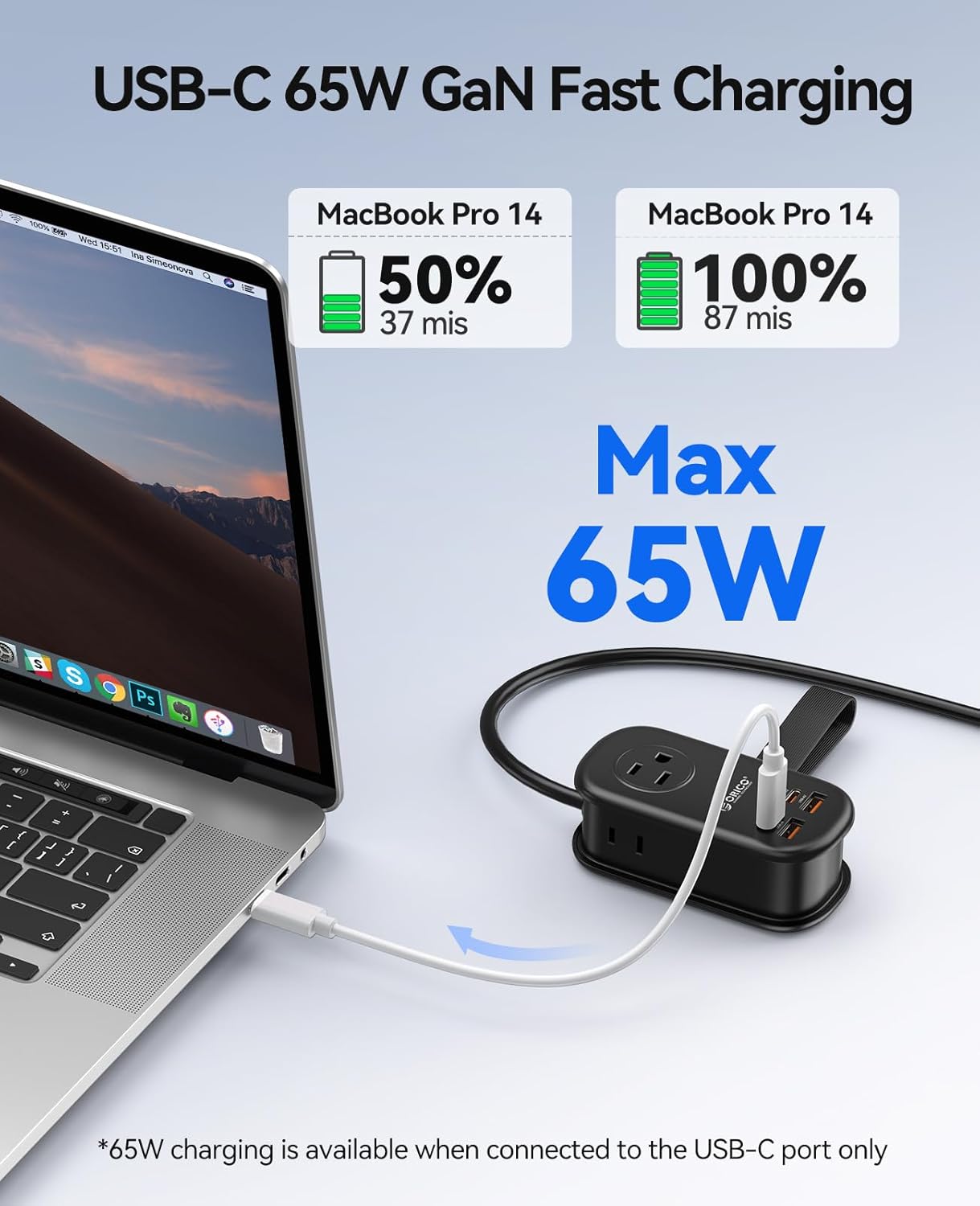
Figure 6: A MacBook Pro charging rapidly via the 65W USB-C port, showing battery percentage and charging time.

Figure 7: Charging power distribution across single, dual, triple, and quad USB port usage scenarios.
4.3 Multi-Device Charging
The power strip is designed to charge multiple devices simultaneously. The intelligent GaN chip manages power distribution to optimize charging speeds for all connected devices.

Figure 8: Examples of devices compatible with the USB-C, USB-A, and AC outlets, including MacBooks, iPhones, iPads, smartwatches, and small appliances.
Video 1: An overview of the ORICO PD 65W Travel Power Strip, demonstrating its compact size and multiple charging ports in various usage scenarios.
5. Maintenance
5.1 Cleaning
- Before cleaning, ensure the power strip is unplugged from the wall outlet and all devices are disconnected.
- Wipe the exterior with a soft, dry cloth. Do not use liquid cleaners or abrasive materials.
5.2 Storage
- When not in use, wrap the extension cord neatly around the power strip and secure it with the integrated strap.
- Store the device in a cool, dry place away from direct sunlight and extreme temperatures.
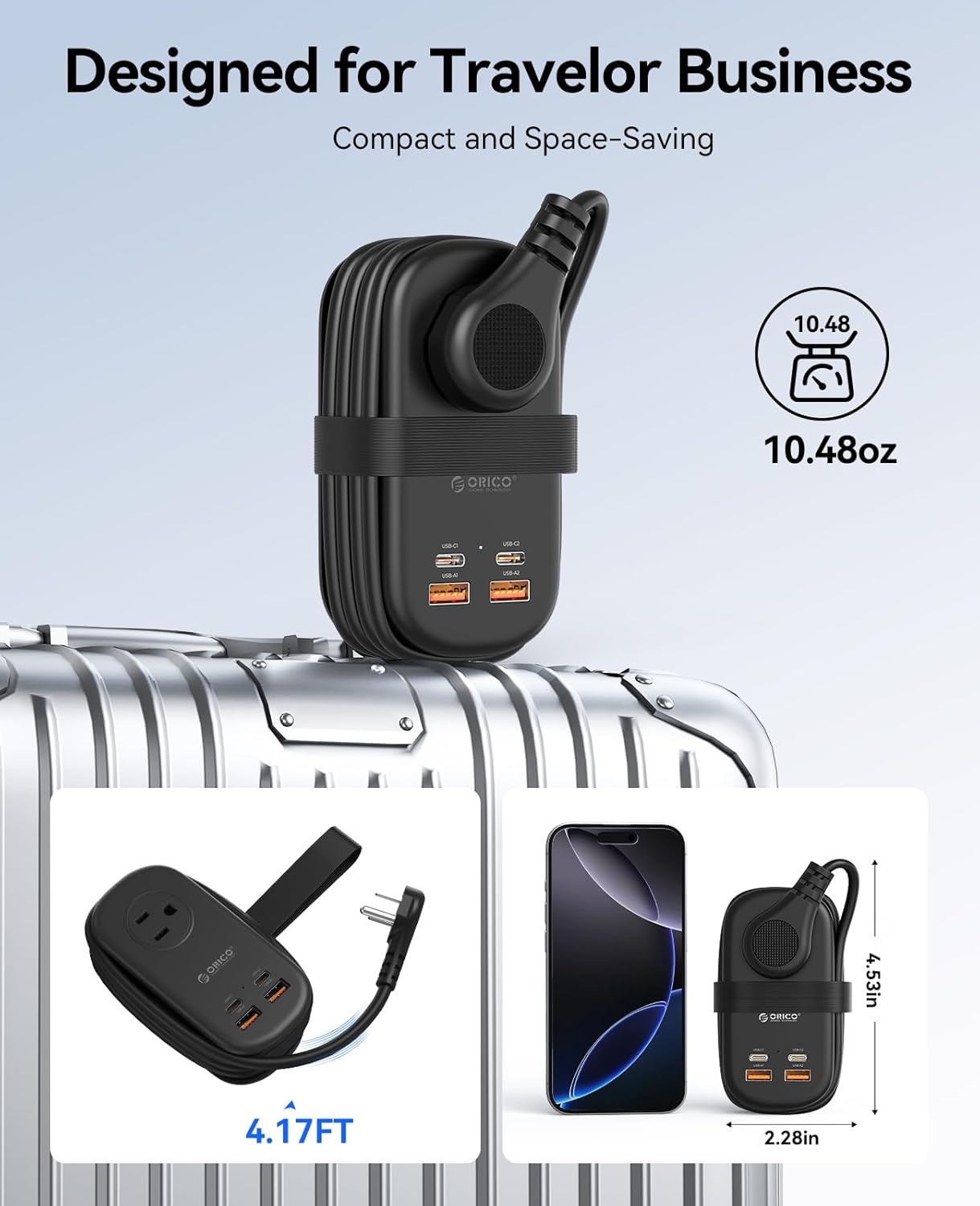
Figure 9: The power strip in its compact, travel-ready state, with the cord neatly wrapped and secured, ideal for luggage.
6. Troubleshooting
- Device not charging:
- Ensure the power strip is securely plugged into a live wall outlet.
- Verify that the charging cable is properly connected to both the power strip and your device.
- Test with a different cable or device to rule out cable or device issues.
- Check if the device requires more power than the port can supply, especially for high-wattage devices on shared USB ports.
- Slow charging:
- Ensure you are using a fast-charging compatible cable for your device.
- If multiple devices are connected, the total power output is shared, which may reduce individual port speeds.
- Confirm your device supports the fast charging protocols provided by the USB-C ports.
- Power strip feels warm:
- It is normal for the power strip to generate some heat during operation, especially during fast charging or when multiple devices are connected.
- The GaN technology and heat dissipation features are designed to manage this. If it becomes excessively hot or emits smoke/odor, unplug immediately and discontinue use.
7. Specifications
| Feature | Detail |
|---|---|
| Model Number | AP3-3A2U2C-65-US |
| Brand | ORICO |
| Total Power Outlets | 7 (3 AC, 2 USB-A, 2 USB-C) |
| AC Voltage | 125V |
| USB-C Output | Up to 65W (GaN Fast Charging) |
| Special Features | Cruise Ship Approved, Lightweight, USB Slots, Flat Plug |
| Cable Length | 4FT (approx. 1.22 meters) |
| Dimensions | 4.53" x 2.28" x 1.65" (approx. 11.5 x 5.8 x 4.2 cm) |
| Item Weight | 11.3 ounces (approx. 320 grams) |
8. Safety Information
- Do not disassemble or modify the device.
- Keep away from water, moisture, and high temperatures.
- This device is not a surge protector.
- Do not overload the power strip beyond its rated capacity.
- Keep out of reach of children.
- Use only in dry indoor locations.
9. Warranty and Support
For warranty information and technical support, please refer to the official ORICO website or contact your retailer. Keep your purchase receipt for warranty claims.
Video 2: A detailed demonstration of the ORICO AP3 65W Power Strip, highlighting its features and ease of use.
Video 3: A concise video showcasing the 65W GaN Travel Power Strip's design and functionality.