Introduction
Thank you for choosing the SKMEI Digital Kids Watch Model 2280. This watch is designed for active children, featuring a durable build, 50M water resistance, and multiple functions including a chronograph, alarm, and LED backlight. This manual provides detailed instructions to help you set up and operate your watch effectively.
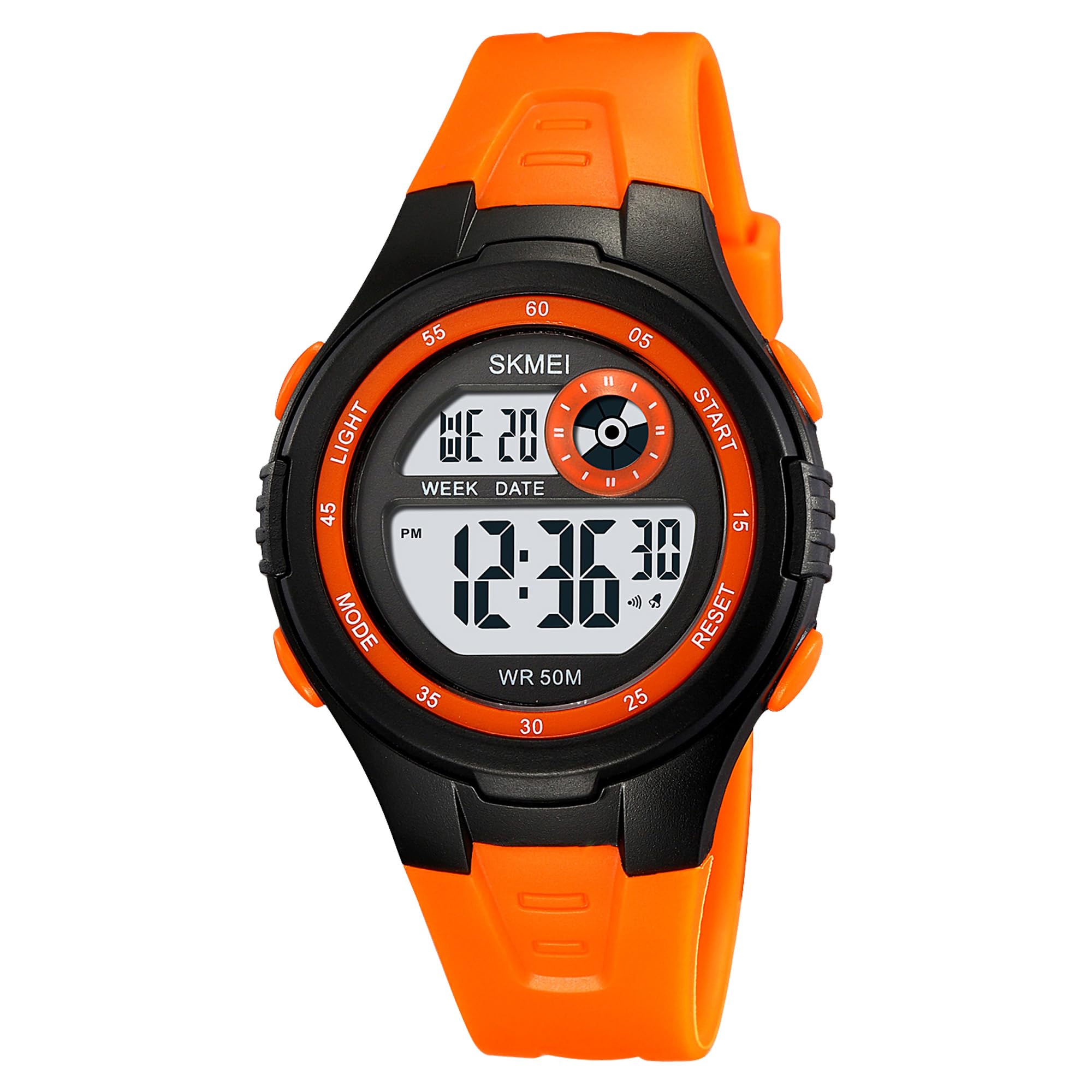
Image: Front view of the SKMEI Digital Kids Watch Model 2280, showcasing its digital display and orange strap.
Product Features
The SKMEI Digital Kids Watch Model 2280 comes equipped with the following key features:
- Digital Display: Clear and easy-to-read digital time display.
- 50M Water Resistance: Suitable for daily splashes, rain, and short periods of swimming. Not recommended for diving or hot water activities.
- LED Backlight: Illuminates the display for visibility in low-light conditions.
- Chronograph: Stopwatch function for timing activities.
- Alarm: Daily alarm function.
- Date & Week Display: Shows current date and day of the week.
- 12/24 Hour Format: Option to switch between standard and military time.
- Durable Construction: Features a resin crystal screen, ABS case, and soft TPU band for shock resistance and comfort.
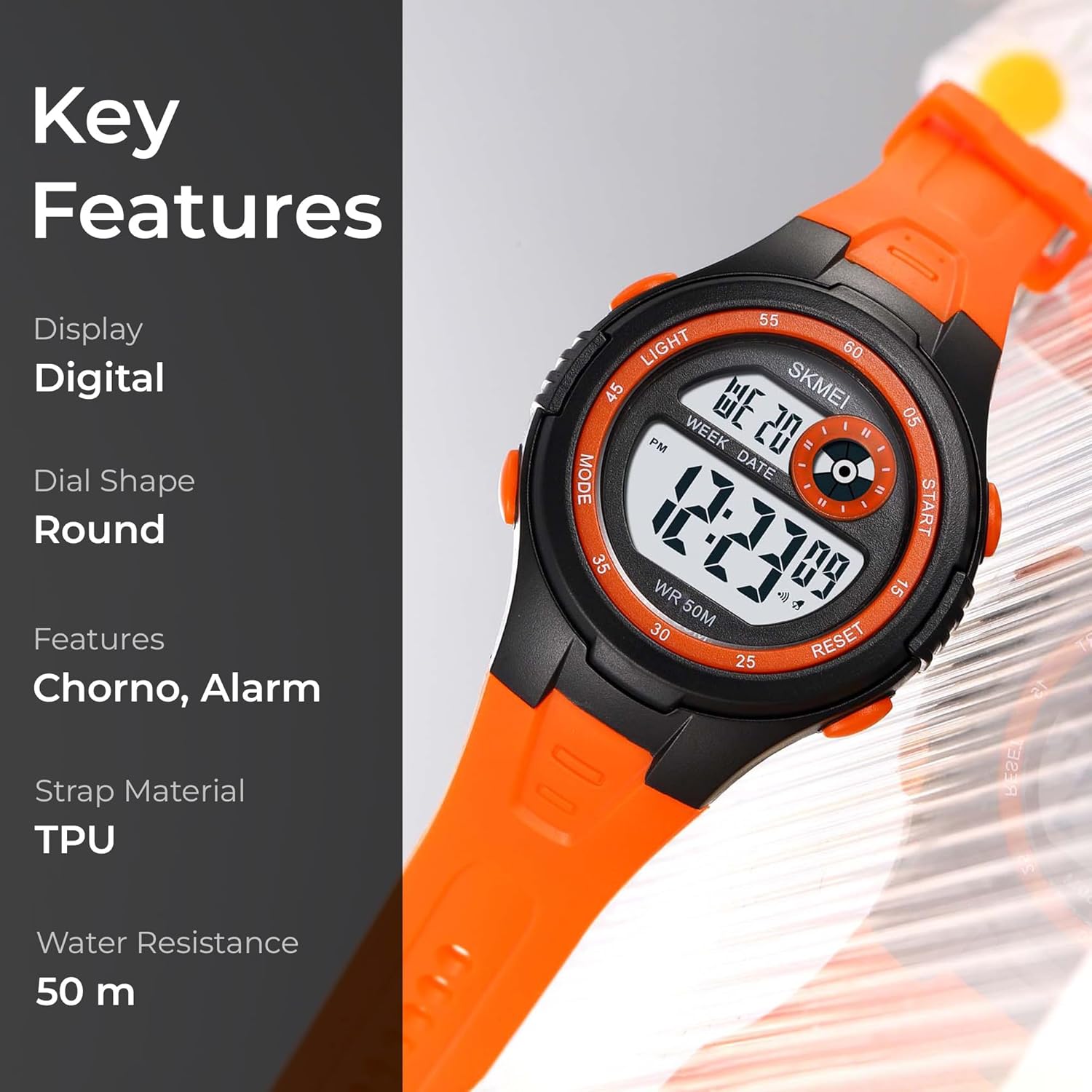
Image: Visual representation of the watch's key features, highlighting its digital display, chronograph, alarm, TPU strap, and 50m water resistance.
Button Functions
The watch has four buttons located on its sides. Familiarize yourself with their functions:
- LIGHT (Top Left): Activates the LED backlight.
- MODE (Bottom Left): Cycles through different modes (Time, Chronograph, Alarm Setting).
- START (Top Right): Used to start/stop the chronograph, adjust values during setting, or view alarm time.
- RESET (Bottom Right): Used to reset the chronograph, confirm values during setting, or switch between 12/24 hour format.

Image: Close-up of the watch face, illustrating the positions of the LIGHT, MODE, START, and RESET buttons.
Operating Instructions
Setting Time and Date
- From the normal time display, press the MODE button three times to enter the time setting mode. The seconds will flash.
- Press the RESET button to cycle through the setting items: seconds > hours > minutes > month > date > day of the week.
- While an item is flashing, use the START button to adjust the value.
- Press the MODE button once to exit the setting mode and return to the normal time display.
12/24 Hour Format
In normal time display mode, press the RESET button to toggle between 12-hour (AM/PM indicator) and 24-hour formats.
Using the Chronograph (Stopwatch)
- From the normal time display, press the MODE button once to enter chronograph mode. The display will show "00:00:00".
- Press the START button to begin timing.
- Press the START button again to pause timing.
- Press the RESET button to reset the chronograph to "00:00:00" while paused.
- Press the MODE button to exit chronograph mode.
Setting the Alarm
- From the normal time display, press the MODE button twice to enter alarm setting mode. The hour digits will flash.
- Press the START button to adjust the hour.
- Press the RESET button to switch to minute setting. The minute digits will flash.
- Press the START button to adjust the minutes.
- Press the MODE button to exit alarm setting mode.
Activating the LED Backlight
Press the LIGHT button (top left) to illuminate the display for a few seconds.
Water Resistance Guidelines
The SKMEI Digital Kids Watch Model 2280 is rated for 50 meters (5 ATM) water resistance. This means it is suitable for:
- Daily use and splashes.
- Rain.
- Showering (cold water only, avoid pressing buttons).
- Short periods of recreational swimming.
Important Precautions:
- Do not press any buttons while the watch is submerged in water.
- Avoid prolonged exposure to water, such as diving or snorkeling.
- Do not expose the watch to hot water, steam, or extreme temperature changes, as this can compromise the water seals.
- Ensure the watch crown (if applicable, though this model is digital) is fully pushed in before any water exposure.

Image: Illustration of a child swimming, demonstrating the watch's water resistance for recreational activities.
Maintenance
To ensure the longevity and optimal performance of your SKMEI Digital Kids Watch, follow these maintenance guidelines:
- Cleaning: Wipe the watch regularly with a soft, dry cloth. For stubborn dirt, use a slightly damp cloth and then dry thoroughly.
- Avoid Chemicals: Do not expose the watch to harsh chemicals, solvents, or detergents, as these can damage the case, strap, or seals.
- Temperature: Avoid exposing the watch to extreme temperatures (hot or cold) for extended periods.
- Impact: While durable, avoid strong impacts or dropping the watch to prevent internal damage.
- Battery Replacement: When the display becomes dim or the watch stops functioning, it may be time to replace the battery. It is recommended to have this done by a professional to ensure water resistance is maintained.
Troubleshooting
If you encounter any issues with your watch, refer to the following common problems and solutions:
| Problem | Possible Solution |
|---|---|
| Display is blank or dim. | The battery may be low or depleted. Replace the battery. |
| Buttons are not responding. | Ensure the watch is not in a locked mode (if applicable, though not a feature on this model). Try pressing all buttons firmly. If still unresponsive, the battery might be too low. |
| Time is incorrect. | Refer to the "Setting Time and Date" section to reset the time. |
| Water inside the watch. | Immediately stop using the watch. This indicates a breach in the water resistance. Seek professional repair. Avoid pressing buttons. |
Specifications
Detailed technical specifications for the SKMEI Digital Kids Watch Model 2280:
| Feature | Detail |
|---|---|
| Model Number | 2280BKOG |
| Display Type | Digital |
| Movement Type | Quartz |
| Case Material | Acrylonitrile Butadiene Styrene (ABS) |
| Crystal Material | Resin |
| Band Material Type | Thermoplastic Polyurethane (TPU) |
| Band Colour | Orange |
| Case Diameter | 37.5 Millimetres |
| Case Thickness | 13.5 Millimetres |
| Band Width | 20 Millimetres |
| Band Length | 235 Millimetres |
| Item Weight | 31.2 Grams |
| Water Resistance Depth | 50 Metres |
| Power Source Type | Battery Powered (1 C battery included) |
| Special Features | 12/24 hour clock, Alarm, Chronograph, EL Light |

Image: Diagram illustrating the case height, strap/lug width, case width, case thickness, and strap material of the watch.
Warranty and Support
Your SKMEI Digital Kids Watch Model 2280 comes with a manufacturer's warranty and dedicated support:
- Warranty Period: Enjoy peace of mind with a 9-month Manufacturer Warranty from the date of purchase.
- Customer Support: For any service-related inquiries or feedback, please contact the Skmei India Helpline.
- Helpline Number: 1800-889-6251
- Operating Hours: Monday to Saturday, 9:00 AM to 6:00 PM.


