
HOSHI N518
HOSHI N518 Raptor II 1:8 Scale RC Monster Truck Instruction Manual
Model: N518 Raptor II
Introduction
This manual provides detailed instructions for the safe and effective operation, setup, and maintenance of your HOSHI N518 Raptor II 1:8 Scale RC Monster Truck. Designed for enthusiasts, this high-performance vehicle features a powerful brushless motor, 4WD system, and durable construction for off-road use. Please read this manual thoroughly before operating the vehicle to ensure proper function and longevity.

Figure 1: The HOSHI N518 Raptor II RC Monster Truck, showcasing its aggressive design and large off-road tires.
Safety Information
WARNING: This product is a precision machine that requires proper assembly and setup to avoid accidents. Failure to take caution when operating this product may result in serious injury or property damage. It is the owner's responsibility to operate this product in a safe manner. The manufacturer and its distributors are not responsible in any way for any body injury and/or property damage that may occur from use of this product.
- Always operate the RC truck in open areas, away from people, pets, and obstacles.
- Do not operate near public roads, water, or in adverse weather conditions.
- Ensure all components are securely fastened before operation.
- Keep fingers, hair, and loose clothing away from moving parts.
- Adult supervision is recommended for users under 14 years of age.
- Store the battery in a cool, dry place and follow all charging instructions carefully.
What's in the Box
Upon opening the package, verify that all the following components are present:
- N518 Raptor II RC Monster Truck
- Remote Control (Transmitter)
- Charger
- Battery (11.1V 5000mAh Lithium Battery)
- Product Manual (This document)

Figure 2: The product packaging, displaying the truck and key features, confirming contents.
Setup
- Battery Charging:
- Connect the provided charger to a power outlet.
- Connect the 11.1V 5000mAh lithium battery to the charger.
- Allow approximately 180 minutes for a full charge. Do not overcharge.
- Disconnect the battery once charging is complete.
- Battery Installation (Truck):
- Locate the battery compartment on the underside of the truck.
- Open the compartment cover.
- Carefully insert the charged battery, ensuring correct polarity.
- Securely close the battery compartment cover.
- Remote Control Battery Installation:
- Open the battery cover on the back of the remote control.
- Insert the appropriate batteries (e.g., AA or AAA, not included), observing polarity.
- Close the battery cover.
- Pairing (if necessary):
- Turn on the remote control first, then the truck.
- The truck and remote should automatically pair. Refer to the remote control's specific instructions if pairing issues occur.
Operating Instructions
The N518 Raptor II is designed for high-speed off-road performance. Familiarize yourself with the remote control functions before operating.
Remote Control Functions:
- Throttle Trigger: Pull to accelerate forward, push to brake/reverse.
- Steering Wheel: Turn left or right to control direction.
- Direction Fine-tuning: Adjust the steering trim dial to ensure the truck drives straight when the steering wheel is centered.
- Power Switch: Turns the remote control on/off.

Figure 3: The N518 Raptor II showcasing its powerful four-wheel drive capability on rough terrain.
Driving Tips:
- Start slowly to get a feel for the controls before attempting high speeds.
- Avoid sudden turns at high speeds to prevent rollovers.
- The truck features anti-stuck protection; if it gets stuck, release the throttle and try again.
- Monitor battery life; the truck has low voltage protection to prevent over-discharge.
- Practice in an open, clear area to develop driving skills.

Figure 4: The N518 Raptor II demonstrating its ability to handle cross-country terrain and perform dynamic maneuvers.
Maintenance
Regular maintenance will extend the life and performance of your RC truck.
- Cleaning: After each use, especially in dusty or muddy conditions, clean the truck with a soft brush or compressed air. Avoid using water directly on electronic components.
- Inspections: Regularly check for loose screws, damaged parts, or worn tires. Tighten screws as needed.
- Lubrication: Periodically lubricate moving parts such as gears and bearings with appropriate RC-grade lubricant.
- Battery Care: Always disconnect the battery after use. Store batteries in a cool, dry place. Do not store fully charged or fully discharged for long periods.
- Bumper Inspection: Check the high toughness nylon bumper for any damage after impacts.

Figure 5: Detail of the high toughness nylon bumper, designed to absorb impacts and protect the front of the vehicle.

Figure 6: View of the all-metal oil pressure shock absorber, highlighting its robust construction for improved stability and handling over varied terrain.
Troubleshooting
| Problem | Possible Cause | Solution |
|---|---|---|
| Truck does not respond to remote. | Low battery in truck or remote; Not paired; Power switch off. | Charge truck battery; Replace remote batteries; Ensure both are powered on and paired. |
| Truck runs slowly or stops. | Low truck battery; Obstruction in drivetrain; Motor overheating. | Recharge battery; Check for debris in gears/wheels; Allow motor to cool down. |
| Steering is off-center. | Steering trim needs adjustment. | Adjust the steering trim dial on the remote control. |
| Truck gets stuck frequently. | Operating on overly challenging terrain; Anti-stuck protection activated. | Move to less challenging terrain; Release throttle and re-apply gently. |
Specifications
| Feature | Detail |
|---|---|
| Model Number | N518 |
| Scale | 1:8 |
| Motor Type | 3670 Brushless Motor |
| Speed | Up to 100km/h (62 mph) |
| Drive System | 4WD (Four-Wheel Drive) |
| Control Range | Up to 200 meters (656 feet) |
| Battery (Truck) | 11.1V 5000mAh Lithium Battery (included) |
| Charging Time | Approx. 180 minutes |
| Run Time | Approx. 15 minutes |
| Product Dimensions | 20 x 16 x 8.5 inches |
| Item Weight | 12.5 pounds |
| Recommended Age | 14 years and up |
| Manufacturer | HOSHI |
| Key Features | All-metal gear differential, upgraded thick steel CVD drive shaft, high toughness nylon bumper, all-metal oil pressure shock absorbers, anti-stuck protection, low voltage protection. |

Figure 7: An overview of the N518 Raptor II's tough configuration and key components, including the brushless motor, all-metal gear, and shock absorbers.

Figure 8: Detailed view of the 120A brushless power modulation system, crucial for achieving high speeds.
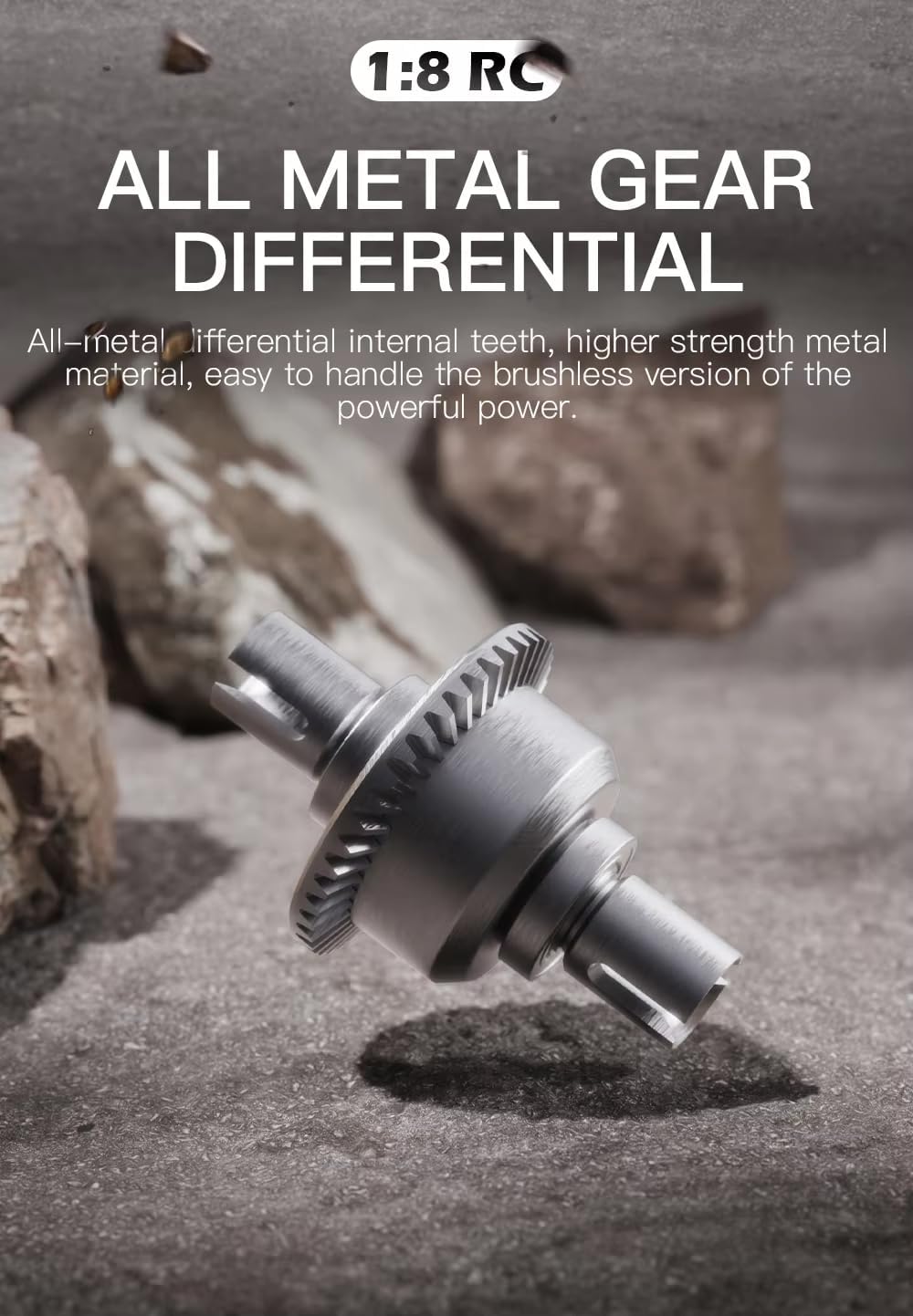
Figure 9: Detailed view of the all-metal gear differential, designed for durability and efficient power transfer.
Customer Support
For technical assistance, replacement parts, or warranty inquiries, please contact HOSHI customer support through the retailer where the product was purchased or visit the official HOSHI website. Please have your model number (N518) and purchase date ready when contacting support.
Note: Warranty terms and conditions may vary by region and retailer. Please refer to your purchase documentation for specific warranty details.
Ask a question about this manual
Ask about setup, troubleshooting, compatibility, parts, safety, or missing instructions. Manuals+ will review the question and use this page’s manual context to help answer it.