
1. Introduction
Thank you for choosing the Flowlife Flowtens Neck Electric Neck Device. This device is designed to provide targeted relief and relaxation to your neck area using advanced TENS (Transcutaneous Electrical Nerve Stimulation) and EMS (Electrical Muscle Stimulation) technology, combined with soothing heat therapy. Please read this manual thoroughly before first use to ensure safe and effective operation.

Figure 1: Front view of the Flowlife Flowtens Neck device, showcasing its ergonomic design.
2. Important Safety Instructions
To reduce the risk of electric shock, burns, fire, or injury, always follow these basic safety precautions:
- Do not use this device if you have a pacemaker, implanted defibrillator, or any other implanted metallic or electronic device.
- Consult a physician before use if you are pregnant, have heart disease, epilepsy, cancer, or any other medical condition.
- Do not use on broken skin, open wounds, or areas with swelling, redness, or inflammation.
- Keep out of reach of children. This device is not a toy.
- Do not use while sleeping, driving, or operating heavy machinery.
- Avoid using in high humidity environments like bathrooms or near water.
- Only use the provided charging cable.
- If you experience discomfort or pain, discontinue use immediately.
- Do not disassemble, modify, or attempt to repair the device yourself. Contact customer support for assistance.
3. Product Features
The Flowlife Flowtens Neck device incorporates several features for an optimal neck massage experience:
- TENS & EMS Technology: Utilizes both Transcutaneous Electrical Nerve Stimulation and Electrical Muscle Stimulation for comprehensive relief.
- 5 Massage Programs: Offers a variety of pre-set programs to suit different needs and preferences.
- Adjustable Heat Therapy: Provides soothing warmth between 38°C and 45°C to enhance relaxation and comfort.
- Cordless Design: Ensures freedom of movement during use.
- USB-C Charging: Convenient and modern charging solution.
- Multiple Massage Techniques: Simulates Kneading, Rolling, Shiatsu, and Percussion massage styles.
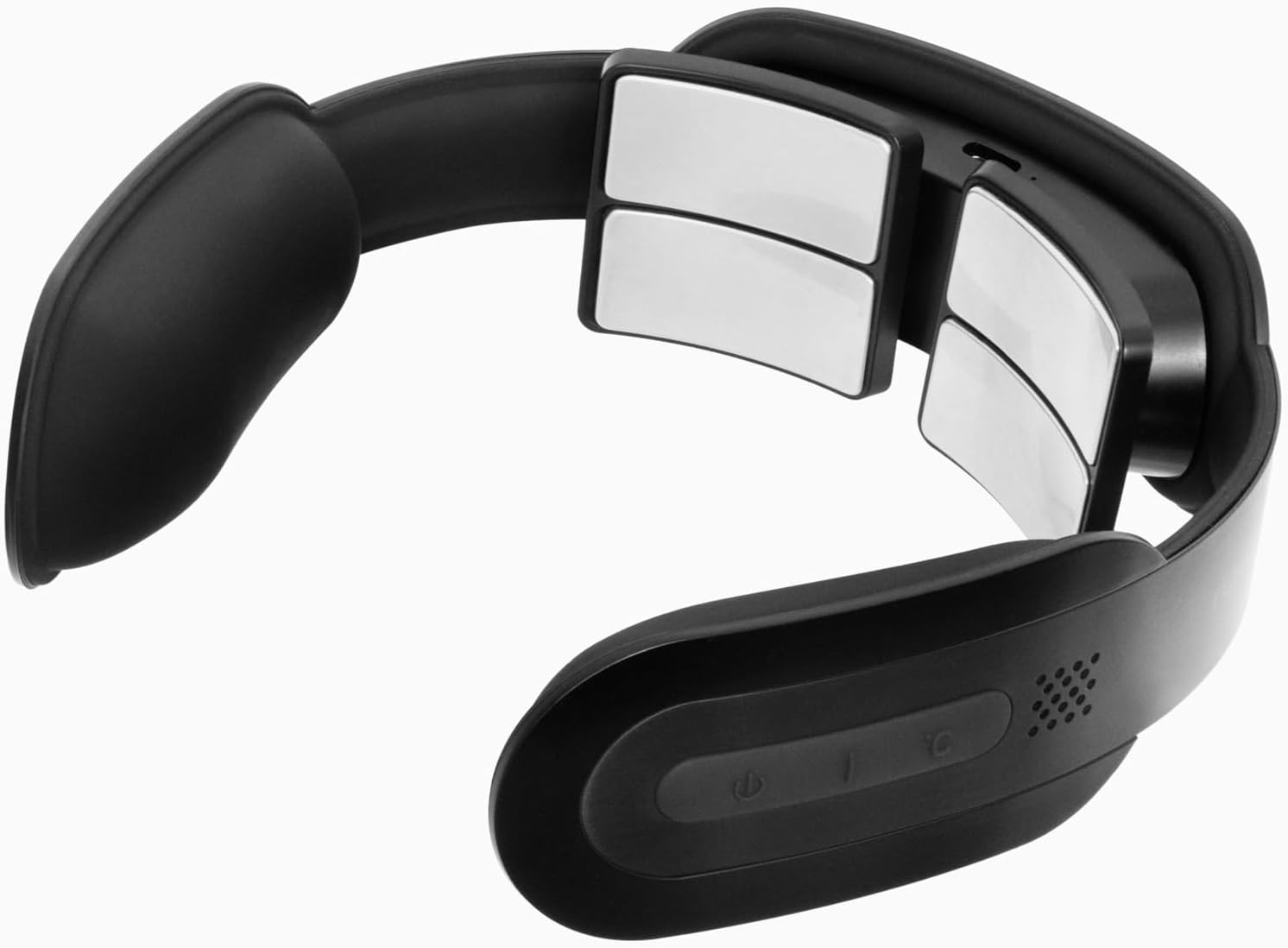
Figure 2: Underside view of the device, highlighting the electrode pads that deliver TENS/EMS and heat therapy.
4. Setup
4.1 Charging the Device
- Ensure the device is turned off before charging.
- Connect the USB-C charging cable to the charging port on the device.
- Plug the other end of the USB-C cable into a compatible USB power adapter (not included) or a computer USB port.
- The charging indicator light will illuminate, typically red, during charging. It will turn green or off when fully charged.
- A full charge usually takes approximately 2-3 hours.
4.2 First Use Preparation
- Before placing the device on your neck, ensure your skin is clean and dry.
- For optimal contact and sensation, you may lightly moisten the electrode pads or your neck skin with a damp cloth or a small amount of water.

Figure 3: Close-up view of the conductive electrode pads, which should be in direct contact with the skin.
5. Operating Instructions
5.1 Placing the Device
- Place the Flowtens Neck device around your neck, ensuring the electrode pads make firm and comfortable contact with the skin on the back and sides of your neck.
- Adjust the device for a snug fit.

Figure 4: Proper placement of the Flowtens Neck device on the back of the neck.
5.2 Power On/Off
- To turn on: Press and hold the Power button (⏻) for 2-3 seconds. You will hear an audible prompt.
- To turn off: Press and hold the Power button (⏻) for 2-3 seconds.
5.3 Selecting a Program
- After powering on, the device will typically start in a default program.
- Press the Mode button (often labeled 'M' or a similar icon) to cycle through the 5 available massage programs. Each press will switch to the next program.
5.4 Adjusting Intensity
- Use the '+' button to increase the massage intensity.
- Use the '-' button to decrease the massage intensity.
- Start with the lowest intensity and gradually increase until you find a comfortable and effective level.
5.5 Activating Heat Therapy
- Press the Heat button (often indicated by a flame or temperature icon) to turn on the heat function.
- Press the Heat button again to cycle through different heat levels (if available) or to turn off the heat.
- The heat function operates independently or in conjunction with massage programs.
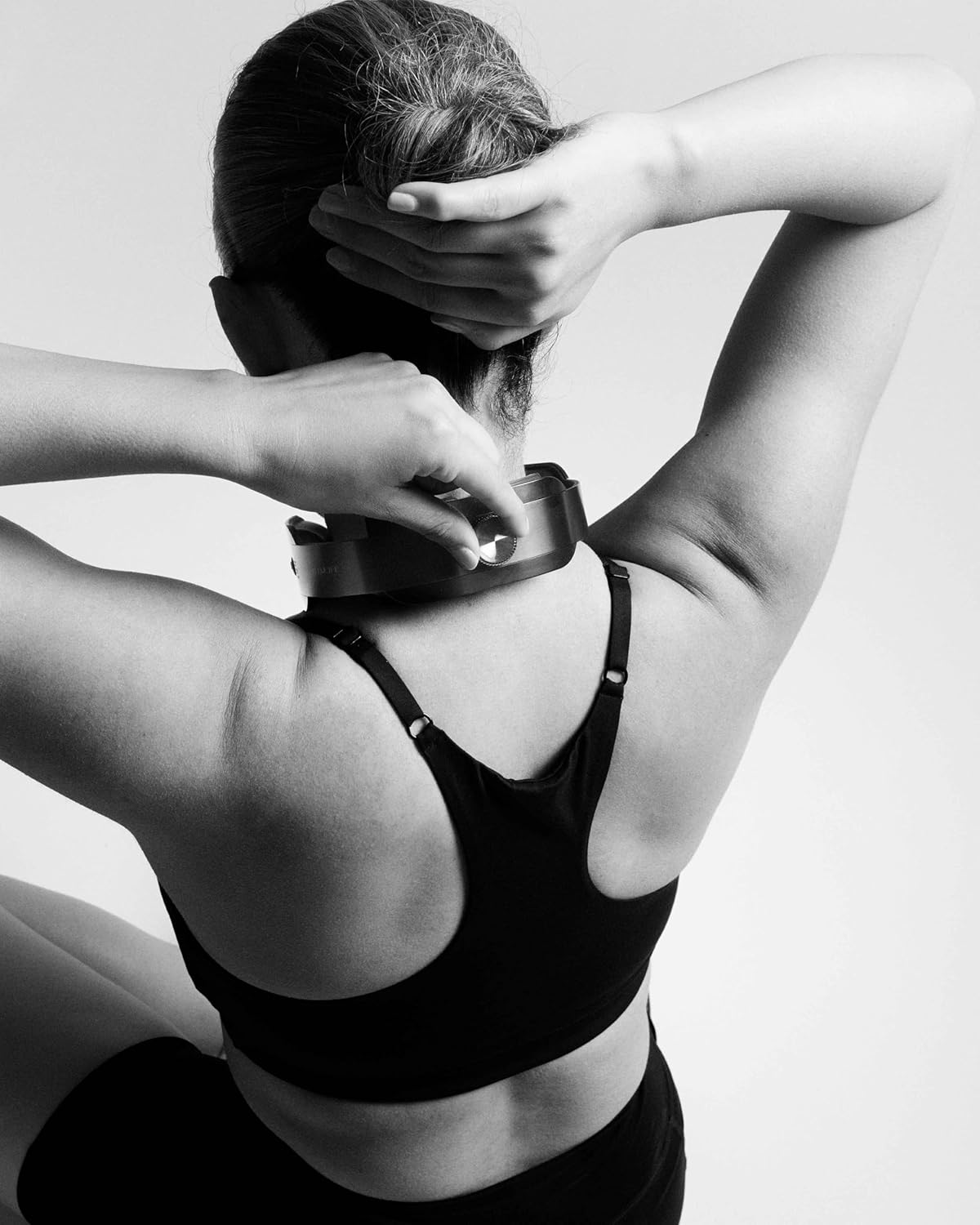
Figure 5: A user adjusting the device to ensure proper contact and comfort during operation.
5.6 Session Duration
The device typically has an automatic shut-off timer, usually set for 15-20 minutes, to prevent overuse. You can restart a session if desired.
6. Maintenance
6.1 Cleaning
- Always turn off and unplug the device before cleaning.
- Wipe the surface of the device and electrode pads with a soft, slightly damp cloth.
- Do not use abrasive cleaners, alcohol, or harsh chemicals.
- Ensure the device is completely dry before storing or recharging.
6.2 Storage
- Store the device in a cool, dry place, away from direct sunlight and extreme temperatures.
- Keep it away from moisture and dust.
- Do not place heavy objects on top of the device.

Figure 6: The compact and portable design of the Flowtens Neck, suitable for easy handling and storage.
7. Troubleshooting
| Problem | Possible Cause | Solution |
|---|---|---|
| Device does not turn on. | Low battery. | Charge the device fully. |
| No sensation or weak sensation. | Poor contact with skin; Intensity too low; Dry skin. | Ensure pads are firmly against skin; Increase intensity; Lightly moisten skin/pads. |
| Heat function not working. | Heat function not activated; Device malfunction. | Press the Heat button; If problem persists, contact support. |
| Device turns off unexpectedly. | Automatic timer activated; Low battery. | Restart the device or recharge the battery. |
8. Specifications
- Model Name: Flowtens
- Model Number: 7c7ce212-3a3f-4c39-a416-dc4ea8fc9635
- Brand: Flowlife
- Technology: TENS, EMS
- Programs: 5
- Heat Therapy Range: 38-45°C
- Power Source: Battery-powered (Cordless)
- Charging: USB-C
- Intended Use: Neck
- Massage Therapy Techniques: Kneading, Rolling, Shiatsu, Percussion
- Color: Black

Figure 7: The Flowtens Neck device in use, demonstrating its ergonomic fit for the neck.
9. Warranty and Support
Flowlife products are manufactured to high-quality standards. For information regarding warranty coverage, please refer to the warranty card included with your purchase or visit the official Flowlife website. If you encounter any issues or have questions about your Flowtens Neck device, please contact Flowlife customer support for assistance.
You can often find support contact information on the Flowlife Store on Amazon.