
1. Introduction
The MUDIRO M-JC3 is a versatile and powerful device designed for automotive emergencies and portable power needs. It combines a high-peak current jump starter, a 150 PSI air compressor, a 30W fast-charging power bank, and an emergency LED lighting system. This manual provides detailed instructions to ensure safe and optimal use of your device.
2. What's in the Box
- 1 x M-JC3 Jump Starter with Air Compressor
- 1 x Smart Jumper Cables
- 1 x Air Pump Hose
- 3 x Gas Nozzles
- 1 x Backup Air Tube
- 1 x Type-C Charging Cable
- 1 x User Manual
- 1 x Portable EVA Carrying Case
3. Product Overview
Familiarize yourself with the components and controls of your MUDIRO M-JC3 device.

Figure 3.1: Front view of the MUDIRO M-JC3 Jump Starter with its smart display and control panel.
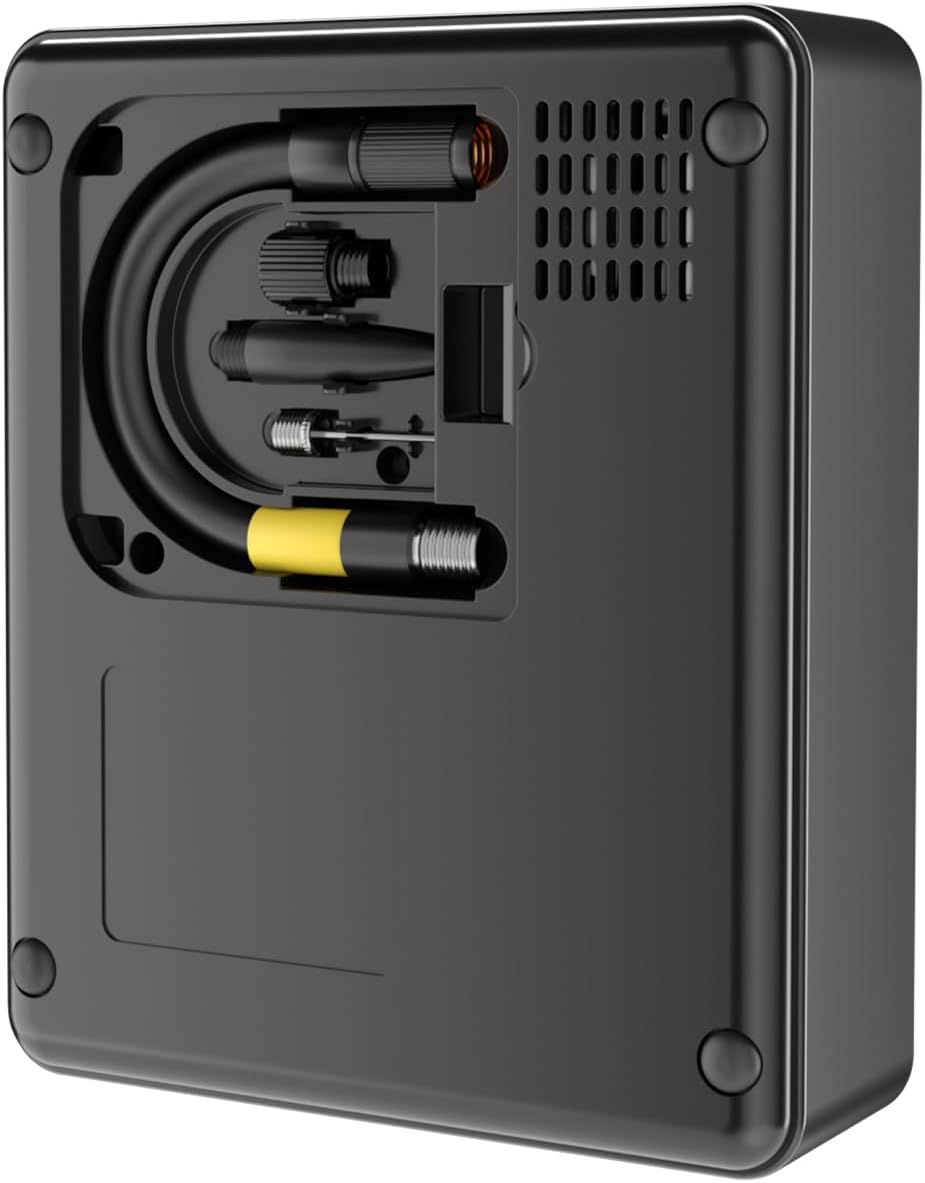
Figure 3.2: Rear view of the MUDIRO M-JC3, showing the integrated hose and accessory storage compartment.
The device features a large smart LCD screen displaying battery level, inflation mode, real-time pressure, and error indicators. The control panel includes a power button, mode selection, and light controls. On the front side, you will find the Type-C input/output port, USB output port, jump starter connection port, and the air inflator port.
4. Setup
4.1 Initial Charging
Before first use, fully charge the MUDIRO M-JC3. Connect the provided Type-C charging cable to the device's Type-C port and a compatible 30W PD wall charger (not included). The LCD screen will indicate the charging progress. A full charge typically takes 1.5 hours.
4.2 Checking Battery Level
Long press the power button to turn on the device. The LCD screen will display the current battery percentage. Ensure the device has at least 50% charge before attempting to jump-start a vehicle.
5. Operating Instructions
5.1 Jump Starting a Vehicle
The MUDIRO M-JC3 delivers a 6000A peak current, capable of starting 12V dead batteries (up to All Gas/10.0L Diesel engines).
- Ensure the jump starter has sufficient charge (above 50%).
- Open the flap covering the jump starter connection port on the device.
- Connect the smart jumper cables to the jump starter. Ensure the round and flat connectors align correctly.
- Connect the red clamp to the positive (+) terminal of the vehicle's battery and the black clamp to the negative (-) terminal.
- A steady green light on the smart jumper cable indicates a correct connection and readiness to jump-start. If a steady red light and beeping occur, the connection is incorrect (e.g., reversed polarity). Disconnect and re-attach correctly.
- Once the green light is steady, start the vehicle. Do not attempt to start the car under load conditions.
- After the vehicle starts, immediately disconnect the jumper cables from the vehicle battery, then from the jump starter.
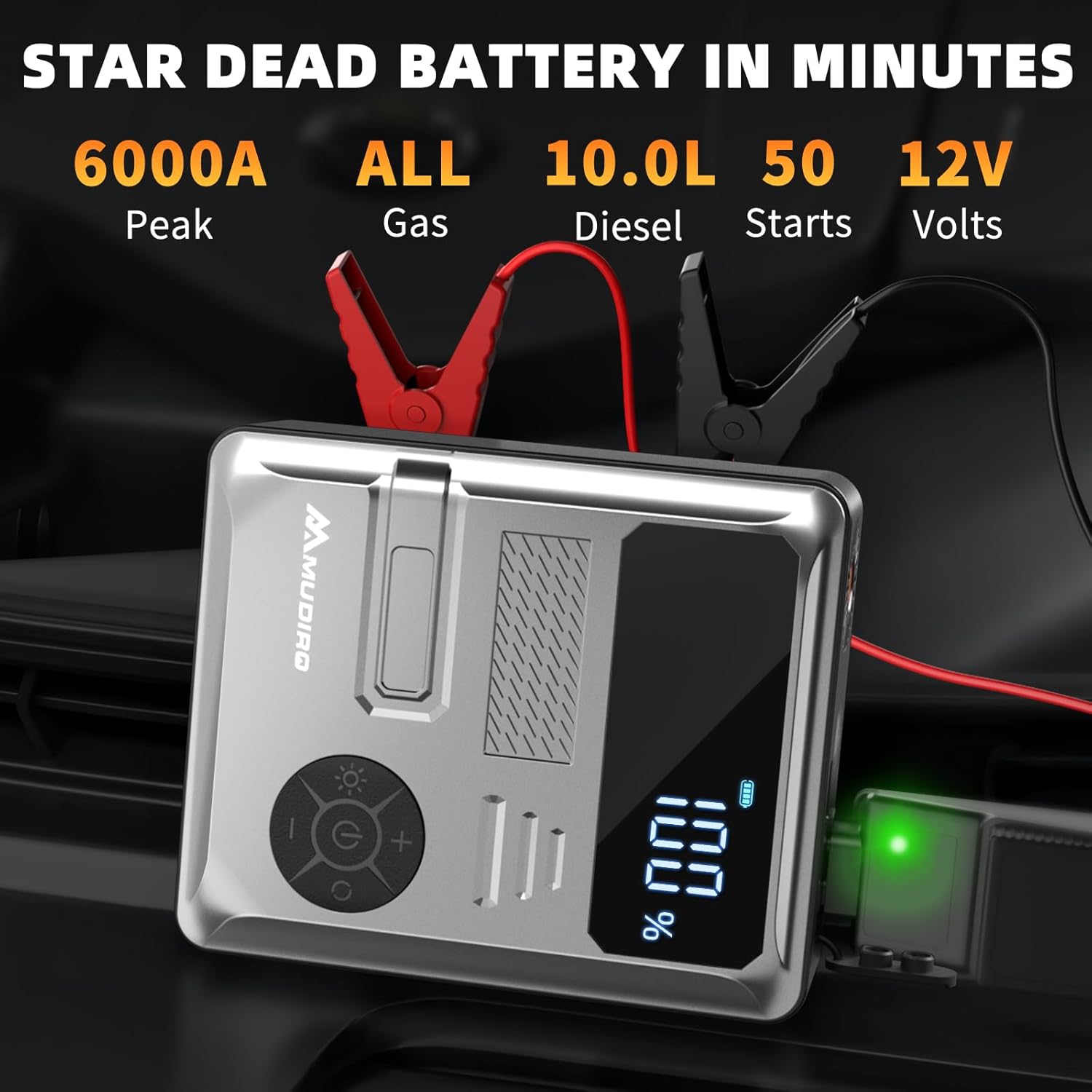
Figure 5.1: Proper connection of jumper cables to a car battery for jump-starting.
5.2 Tire Inflation
The 150 PSI air compressor can quickly inflate tires and other inflatables.
- Screw the air pump hose into the designated port on the device.
- Long press the power button to turn on the device. Press the mode button to cycle through inflation modes (car, motorcycle, bicycle, ball, custom).
- Long press the mode button to change the unit of measurement (BAR/PSI/KPA/kg/cm²). Select PSI for common use in the United States.
- Use the '+' and '-' buttons to adjust the target pressure. For example, set to 35.0 PSI for car tires.
- Attach the air pump hose to the tire valve. The screen will display the current tire pressure.
- Press the power button to start inflation. The compressor will automatically stop once the target pressure is reached.
- Disconnect the hose from the tire valve.

Figure 5.2: Inflating a tire using the integrated air compressor and setting target pressure.
5.3 Power Bank Functionality
The device features 30W PD fast-charging and dual USB outputs (USB-A & USB-C) for charging phones, tablets, drones, and other electronic devices.
- Connect your device's charging cable to the USB-A or USB-C output port on the M-JC3.
- The M-JC3 will automatically begin charging your device.

Figure 5.3: Using the MUDIRO M-JC3 as a portable power bank to charge various devices.
5.4 LED Lighting System
The M-JC3 includes 2 LED lights (flashlight + side lights) with 4 modes for emergency lighting.
- Long press the power button to activate the display.
- Quick press the flashlight button to cycle through modes:
- Flashlight: Provides steady bright light.
- SOS: Flashes SOS signal.
- SOS + Red/White Strobe: Flashes SOS signal with alternating red and white strobe lights for enhanced visibility in emergencies.
- Side Lights (Floodlight): Illuminates a wider area for tasks like roadside repairs.
- Quick press again to turn off the lights.

Figure 5.4: Utilizing the MUDIRO M-JC3's emergency lighting system for various situations.
6. Maintenance
6.1 Charging and Storage
- When not in use for a long time, regularly (every 3 months) charge the battery to 50%~80% capacity to protect its lifespan.
- Store the device in a dry, cool place to avoid circuit corrosion caused by humid environments.
7. Troubleshooting
7.1 Incorrect Jumper Cable Connection
If the smart jumper cables are connected incorrectly (e.g., reversed polarity), the device will indicate this with a steady red light and an audible beeping sound. This safety feature prevents damage to both the jump starter and the vehicle's battery. Simply disconnect the clamps and re-attach them to the correct terminals (red to positive, black to negative).
7.2 Low Battery Power for Jump Starting
The device requires at least 50% battery power to effectively jump-start a vehicle. If the battery level is below this threshold, recharge the device before attempting to jump-start.
7.3 Abnormal Heating
If abnormal heating is detected after charging or use, immediately stop using the device and keep it away from flammable materials. Contact customer support for assistance.
8. Specifications
| Feature | Specification |
|---|---|
| Brand | MUDIRO |
| Model | M-JC3 |
| Peak Output Current | 6000 Amps |
| Air Compressor Pressure | 150 PSI (Max) |
| Product Dimensions | 6.1"D x 1.9"W x 4.9"H |
| Item Weight | 1.5 Pounds |
| Battery Type | Lithium Polymer (included) |
| Charging Input | Type-C (PD 30W) |
| USB Outputs | USB-A & USB-C |
9. Warranty and Support
Your Mudiro M-JC3 jump pack includes a 24-Month Warranty and lifetime technical support. For any inquiries or assistance, please refer to the contact information provided in your product packaging or visit the official MUDIRO website.