
Introduction
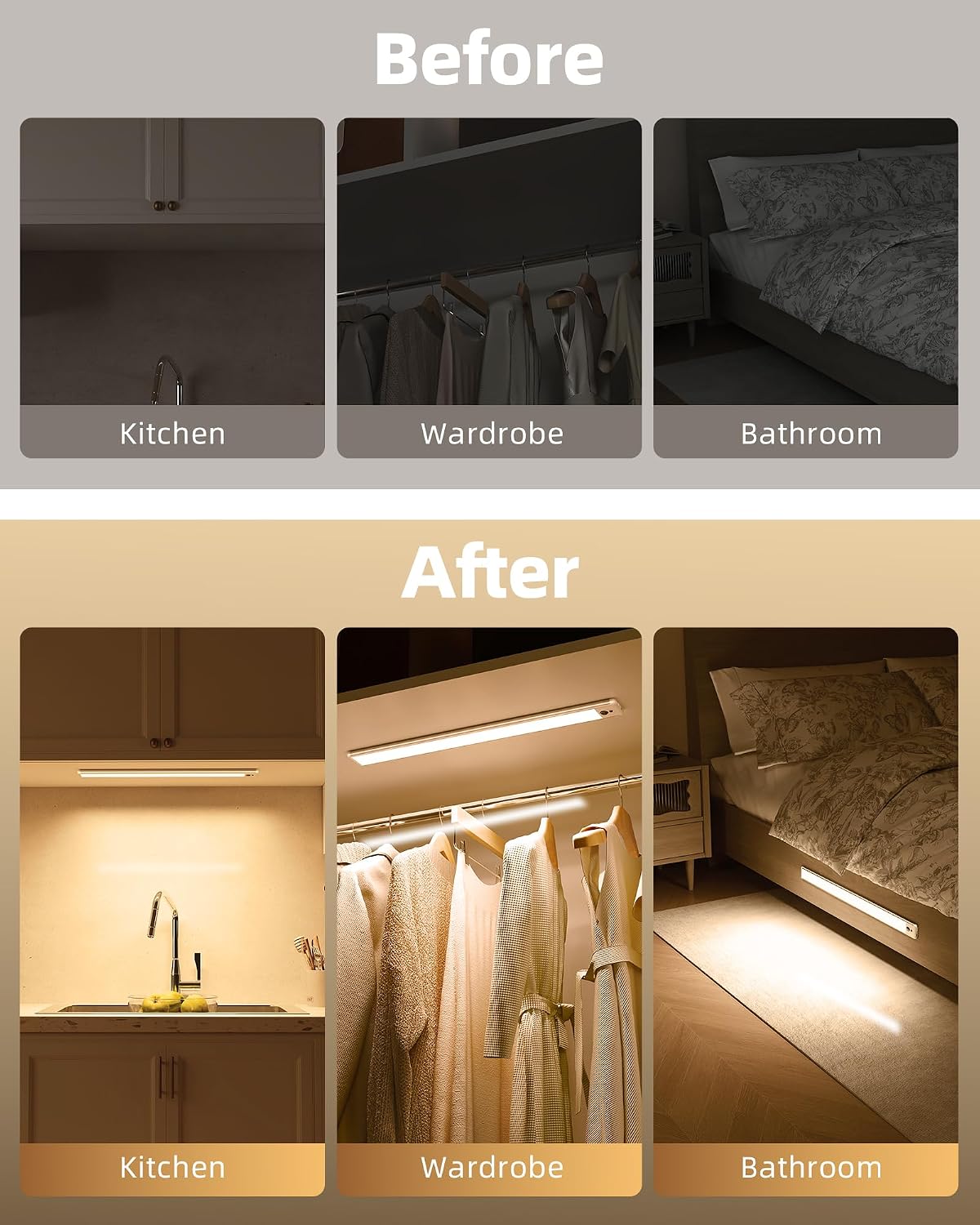
Thank you for choosing the EZVALO 14.5-inch Under Cabinet Motion Sensor Light. This product is designed to provide convenient and efficient lighting for various indoor spaces such as kitchens, closets, wardrobes, and bedrooms. Featuring a 4000mAh rechargeable battery, motion sensing capabilities, and remote control with dimming, this light offers versatile illumination. Please read this manual thoroughly before use to ensure proper installation and operation.
Setup and Installation
The EZVALO Under Cabinet Light offers flexible installation options. It is equipped with strong built-in magnets for direct attachment to metallic surfaces. For non-metallic surfaces, use the included 3M adhesive strips and iron plates.
- Initial Charge: Before first use, fully charge the light using the provided USB cable. A full charge typically takes approximately 4 hours.
- Surface Preparation: Clean the desired installation surface to ensure it is dry and free of dust or grease.
- Magnetic Attachment (for metallic surfaces): Simply place the light directly onto any iron or metallic surface. The strong magnets will hold it securely.
- Adhesive Attachment (for non-metallic surfaces):
- Peel off the protective film from one side of the 3M adhesive strip and attach it to the back of the iron plate.
- Peel off the protective film from the other side of the 3M adhesive strip and firmly press the iron plate onto the desired installation surface. Hold for 30 seconds to ensure strong adhesion.
- Attach the light to the installed iron plate. The built-in magnets will secure the light to the plate.
Operating Instructions
The EZVALO Under Cabinet Light can be operated using the integrated switch or the included wireless remote control.
Modes of Operation
The light features three main modes: ON, AUTO, and OFF.
- ON Mode (Always On): The light remains continuously on. This mode is suitable for tasks requiring constant illumination. In this mode, the light can operate for 7-8 hours at maximum brightness on a full charge.
- AUTO Mode (Motion Sensor): The light activates when motion is detected within a 10 feet (3 meters) / 120° wide-angle range. If no movement is detected for 20 seconds, the light automatically turns off to conserve energy. This mode has two sub-settings: Day Mode and Night Mode.
- OFF Mode (Always Off): The light remains off, conserving battery power.
Using the Remote Control
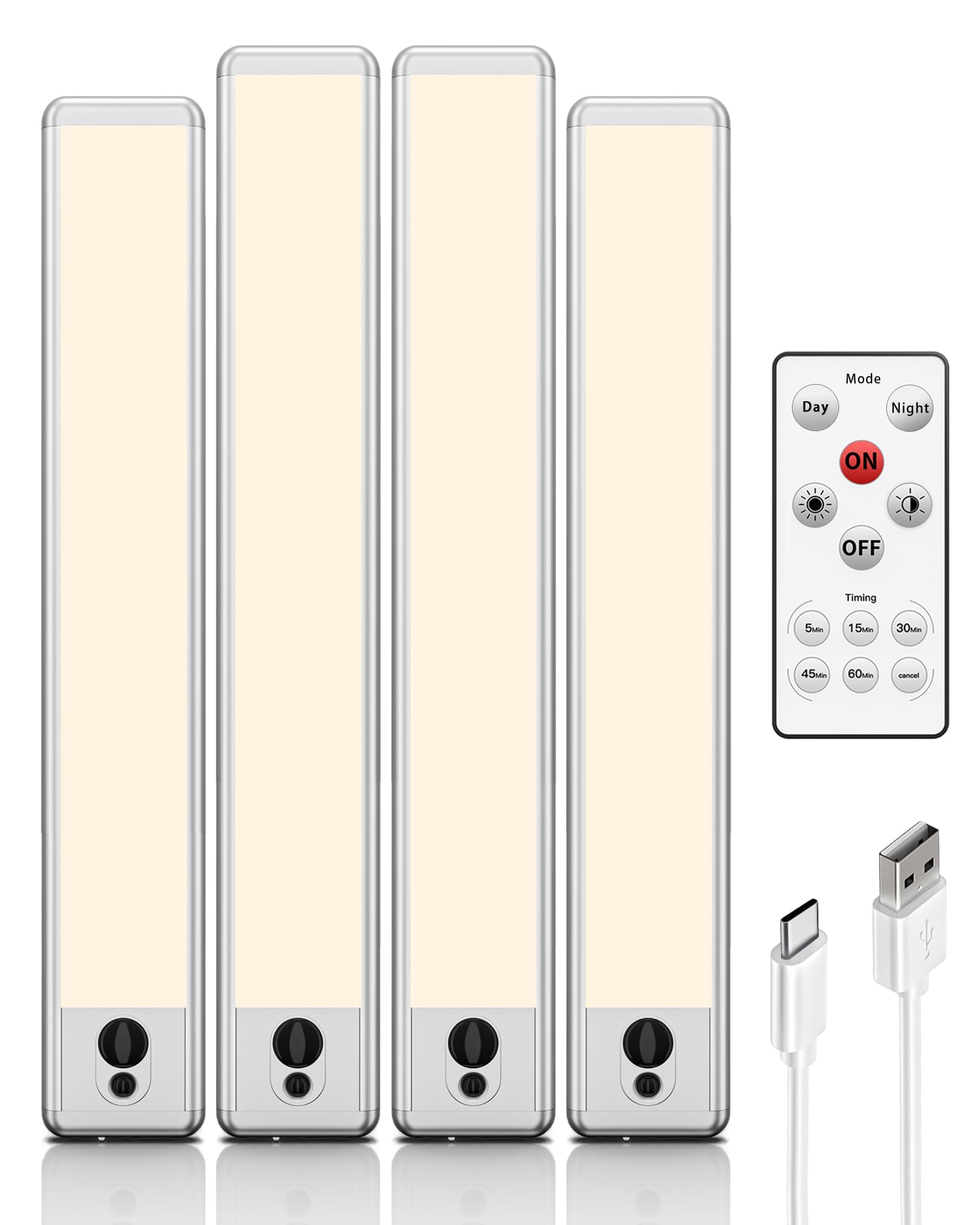
The wireless remote control allows for convenient adjustment of modes, brightness, and timer settings.

- Mode Selection: Use the 'ON', 'OFF', and 'AUTO' buttons to switch between the respective modes.
- Day/Night Mode (within AUTO):
- Press 'Day' for Day Mode: The light will activate with motion regardless of ambient light conditions.
- Press 'Night' for Night Mode: The light will activate with motion only in dark environments.
- Brightness Adjustment (Stepless Dimming): Use the brightness adjustment buttons on the remote to set the light intensity from 0% to 100%.
- Timer Function: The remote control includes timer settings (e.g., 5, 15, 30, 60 minutes) to automatically turn off the light after a set period.

Maintenance and Charging
To ensure optimal performance and longevity of your EZVALO Under Cabinet Light, follow these maintenance guidelines:
- Charging: When the light dims or stops working, it indicates a low battery. Connect the light to a USB power source (e.g., phone charger, computer USB port) using the provided USB cable. The indicator light will show charging status (e.g., red for charging, green for fully charged). A full charge takes approximately 4 hours.
- Battery Life: In AUTO mode, the light can last 15-45 days, based on 10-20 activations per day, each lasting 20 seconds. In Always ON mode at maximum brightness, it lasts 7-8 hours.
- Cleaning: Wipe the light with a soft, dry cloth. Do not use abrasive cleaners or immerse the light in water, as it is not waterproof.

Troubleshooting
| Problem | Possible Cause | Solution |
|---|---|---|
| Light does not turn on. | Battery is depleted. Light is in OFF mode. Remote control battery is low. | Charge the light fully. Switch to ON or AUTO mode. Replace remote control battery. |
| Motion sensor not working. | Light is not in AUTO mode. Incorrect Day/Night mode selected. Sensor is obstructed. Ambient light is too bright (in Night Mode). | Switch to AUTO mode. Select appropriate Day or Night mode. Ensure sensor is clear of obstructions. Use Day mode or ensure environment is dark enough for Night mode. |
| Battery life is shorter than expected. | Frequent activation in AUTO mode. High brightness setting in ON mode. Battery not fully charged. | Reduce frequency of activation or use lower brightness. Lower brightness setting. Ensure light is fully charged before use. |
| Remote control is unresponsive. | Remote control battery is low or depleted. Obstruction between remote and light. Remote is too far from the light. | Replace the remote control battery. Ensure clear line of sight. Operate the remote closer to the light. |
Product Specifications
| Feature | Specification |
|---|---|
| Brand | EZVALO |
| Model Number | EZVALO-UCL-4P-14.5-WW |
| Light Source Type | LED (66 LEDs) |
| Color Temperature | 3700 Kelvin (Warm White) |
| Maximum Luminous Flux | 800 Lumens |
| Wattage | 2 W |
| Power Source | Battery Powered |
| Battery Capacity | 4000 mAh |
| Voltage | 5 Volts |
| Control Method | Remote Control |
| Special Features | Timer, Dimmable, Motion Sensor |
| Motion Sensor Range | 10 feet (3 meters) / 120° |
| Auto-Off Time | 20 seconds (after no motion) |
| Material | Aluminum |
| Finish Type | Polished |
| Mounting Type | Wall Mount (Surface Mount, Removable) |
| Water Resistance Level | Non-Waterproof |
| Item Dimensions (L x W x H) | 37.1 x 4.7 x 3.7 cm (approx. 14.6 x 1.85 x 1.46 inches) |
| Number of Items | 4 |
Warranty Information
EZVALO provides a lifetime warranty for this product. This warranty covers manufacturing defects and quality-related issues under normal use. Please retain your purchase receipt as proof of purchase.
Customer Support
Your satisfaction is important to us. If you encounter any issues with your EZVALO Under Cabinet Light, such as product damage upon arrival or quality concerns, please do not hesitate to contact EZVALO customer support directly. We are committed to providing a satisfactory solution for all our customers.
For support, please refer to the contact information provided on the product packaging or the EZVALO official website.


