
1. Introduction
Thank you for choosing the ALEOPIX 2000 Watt Pure Sine Wave Inverter. This device is designed to convert 12V DC battery power into stable 110V/120V AC household power, making it ideal for a wide range of applications including trucks, RVs, homes, solar systems, and off-grid setups. With its pure sine wave output, it provides clean and reliable electricity suitable for sensitive electronics and appliances. This manual provides essential information for safe operation, installation, maintenance, and troubleshooting.

2. Safety Information
Please read and understand all safety instructions before operating the inverter. Failure to follow these instructions may result in electric shock, fire, or serious injury.
- Ventilation: Ensure adequate ventilation around the inverter. Do not block cooling vents.
- Dry Environment: Do not expose the inverter to rain, moisture, or water. Operate in a dry environment.
- Proper Voltage: Connect the inverter only to a 12V DC power source. Connecting to other voltages may damage the unit.
- Overload Protection: Do not exceed the inverter's rated output power (2000W continuous, 4000W surge). Overloading can cause damage and fire.
- Polarity: Always connect the positive (+) terminal of the inverter to the positive (+) terminal of the battery, and the negative (-) terminal to the negative (-) terminal. Reverse polarity will cause damage.
- Grounding: Ensure the inverter is properly grounded to prevent electric shock.
- Children and Pets: Keep the inverter out of reach of children and pets.
- Flammable Materials: Do not operate the inverter near flammable liquids, gases, or other combustible materials.
3. Product Overview
Key Features:
- 2000 Watt Pure Sine Wave Output (4000W Surge)
- Dual AC Sockets (110V/120V)
- 5V 3.4A USB Port
- Bright LED Digital Display for Power & Battery Level
- Remote Controller with 14.76ft Cord
- Dual Turbo Cooling Fans with Smart Temperature Control
- High Conversion Efficiency (>90%)
- Multiple Protection Features (Overload, Over-voltage, Low-voltage, Over-temperature, Short-circuit)
Components:

- LED Display: Shows input DC voltage, output AC voltage, and battery level.
- AC Sockets: Two standard 110V/120V AC outlets for connecting appliances.
- USB Port: 5V 3.4A output for charging USB-powered devices.
- ON/OFF Button: Main power switch for the inverter.
- Remote Control Port: Connects the wired remote control.
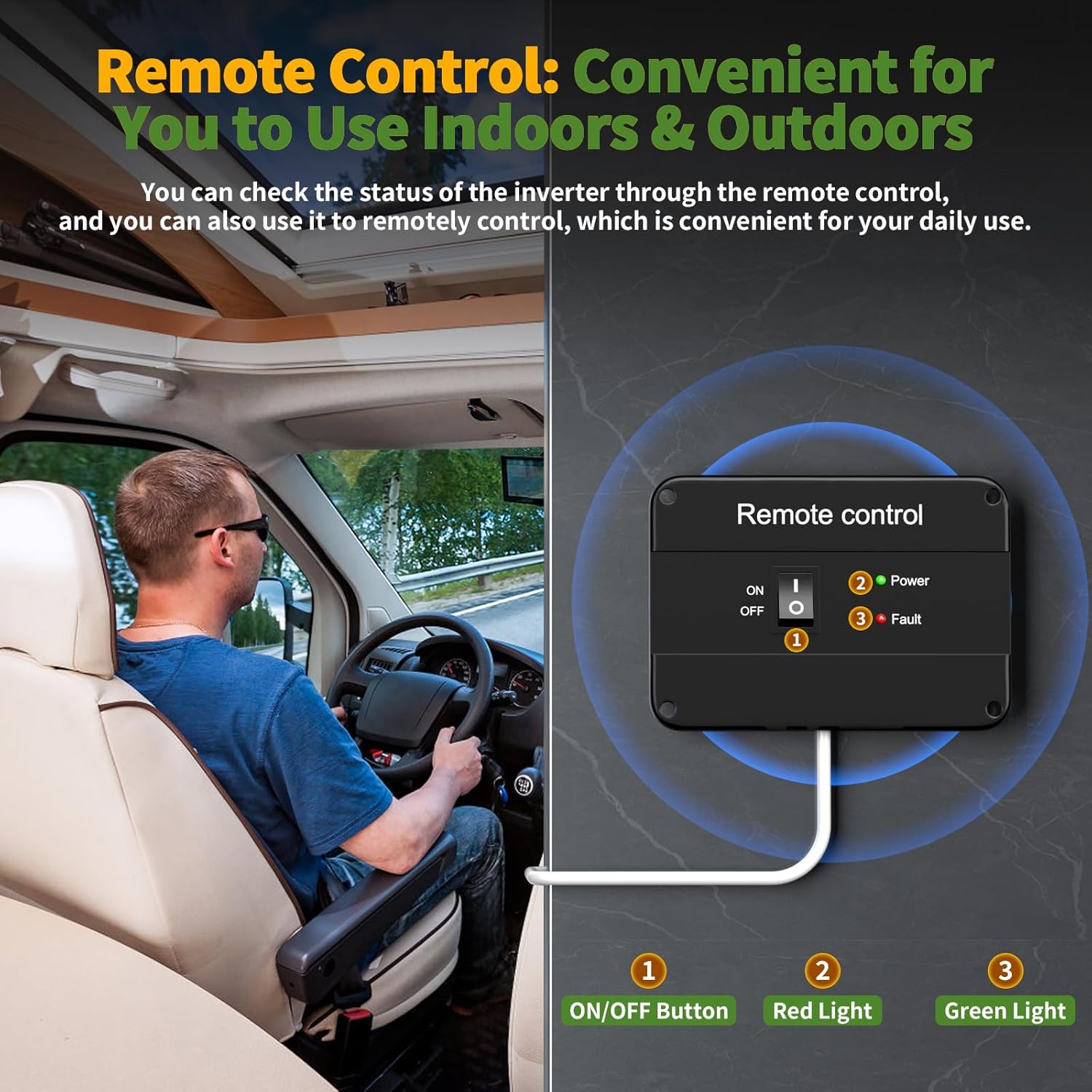
- Indicator Lights: Red (Fault) and Green (Power) lights for status indication.
- Positive (+) and Negative (-) Terminals: For connecting to the 12V DC battery.
- Cooling Fans: Dual smart fans that activate based on temperature and load.

4. Setup and Installation
4.1 Pre-Installation Checklist:
- Ensure the inverter is turned OFF before making any connections.
- Verify your battery is a 12V DC battery.
- Confirm the total wattage of your appliances does not exceed 2000W.
- Choose a well-ventilated, dry, and cool location for installation, away from direct sunlight and heat sources.
4.2 Connecting to Battery:
- Connect the red positive (+) battery cable to the positive (+) terminal on the inverter. Tighten securely.
- Connect the other end of the red positive (+) battery cable to the positive (+) terminal of your 12V battery. Tighten securely.
- Connect the black negative (-) battery cable to the negative (-) terminal on the inverter. Tighten securely.
- Connect the other end of the black negative (-) battery cable to the negative (-) terminal of your 12V battery. Tighten securely.
- Ensure all connections are firm to prevent loose connections, which can cause overheating.
4.3 Grounding the Inverter:
For safety, the inverter must be properly grounded. Connect the included ground wire from the inverter's grounding screw to a suitable ground point, such as the chassis of a vehicle or a dedicated earth ground in a stationary setup.
4.4 Connecting the Remote Control:
Plug the remote control cable into the designated remote control port on the inverter's front panel. The remote control allows you to power the inverter on/off from a distance.
5. Operating Instructions
5.1 Powering On/Off:
- After all connections are secure, press the ON/OFF button on the inverter's front panel or on the remote control.
- The green 'Power' indicator light will illuminate, and the LED display will show the battery voltage and output AC voltage.
- To turn off, press the ON/OFF button again. The green light will turn off.
5.2 Understanding the LED Display:
The bright LED display provides real-time information:
- DC Input Voltage: Shows the current voltage of your 12V battery.
- AC Output Voltage: Displays the stable 110V/120V AC output.
- Battery Level Indicator: Provides a visual representation of the battery charge. Note: For precise battery monitoring, especially with LiFePO4 batteries, it is recommended to use a dedicated battery monitor.
5.3 Connecting Appliances:
Once the inverter is powered on, you can plug your 110V/120V AC appliances into the dual AC sockets and USB devices into the 5V 3.4A USB port. Ensure the total continuous power draw does not exceed 2000W.

5.4 Smart Cooling Fan Operation:
The inverter features dual smart turbo cooling fans. These fans operate automatically based on the internal temperature and power efficiency:
- Fans will run when the internal temperature exceeds 45°C (113°F) or power efficiency is below 40%.
- Fans will stop when the internal temperature drops below 42°C (107.6°F) or power efficiency is above 30%.

6. Maintenance
- Cleaning: Periodically clean the exterior of the inverter with a dry, soft cloth. Ensure cooling vents are free from dust and debris. Do not use liquid cleaners.
- Connection Check: Regularly inspect battery cable connections to ensure they are tight and free from corrosion. Loose connections can lead to power loss and overheating.
- Storage: If storing the inverter for an extended period, disconnect it from the battery and store it in a cool, dry place.
7. Troubleshooting
If you encounter issues with your ALEOPIX inverter, refer to the following common problems and solutions:
| Problem | Possible Cause | Solution |
|---|---|---|
| No power output / Inverter not turning on | Loose battery connections, low battery voltage, blown fuse, inverter switch off. | Check battery cable connections and tighten. Recharge or replace battery. Check internal fuses (consult professional if unsure). Ensure ON/OFF switch is pressed. |
| Red 'Fault' light illuminated | Overload, over-temperature, input over-voltage, input low-voltage, short circuit. | Reduce connected load. Allow inverter to cool down. Check battery voltage. Disconnect all loads and restart. Check for short circuits in wiring or appliances. |
| Fans not running | Normal operation (low load/temperature), fan malfunction. | Fans are temperature-controlled; they may not run under light load or cool conditions. If inverter is hot and fans are not running, contact support. |
| Inaccurate battery level on LED display | Display provides an estimate, not precise measurement. | For critical applications, use a dedicated external battery monitor for accurate state-of-charge readings. |
8. Specifications
| Specification | Value |
|---|---|
| Model Name | RT-PSW-2000W+RC |
| Continuous Wattage | 2000 watts |
| Surge Wattage | 4000 watts |
| Input Voltage | 12V DC |
| Output Voltage | 110V/120V AC |
| Output Waveform | Pure Sine Wave |
| USB Output | 5V 3.4A |
| Product Dimensions | 12.2 x 7.08 x 2.83 inches |
| Item Weight | 6.95 pounds |
| Remote Control Cable Length | 14.76 feet |
| Manufacturer | ALEOPIX |
9. Warranty and Support
ALEOPIX provides 12 months of after-sales service and technical support for this product. If you encounter any issues or have questions regarding the operation, installation, or maintenance of your inverter, please contact ALEOPIX customer service for assistance. Please refer to your purchase documentation for specific contact details.