
ANENG SZ02 Orange
ANENG SZ02 9999 Counts Intelligent Digital Multimeter User Manual
Model: SZ02 Orange | Brand: ANENG
1. Introduction
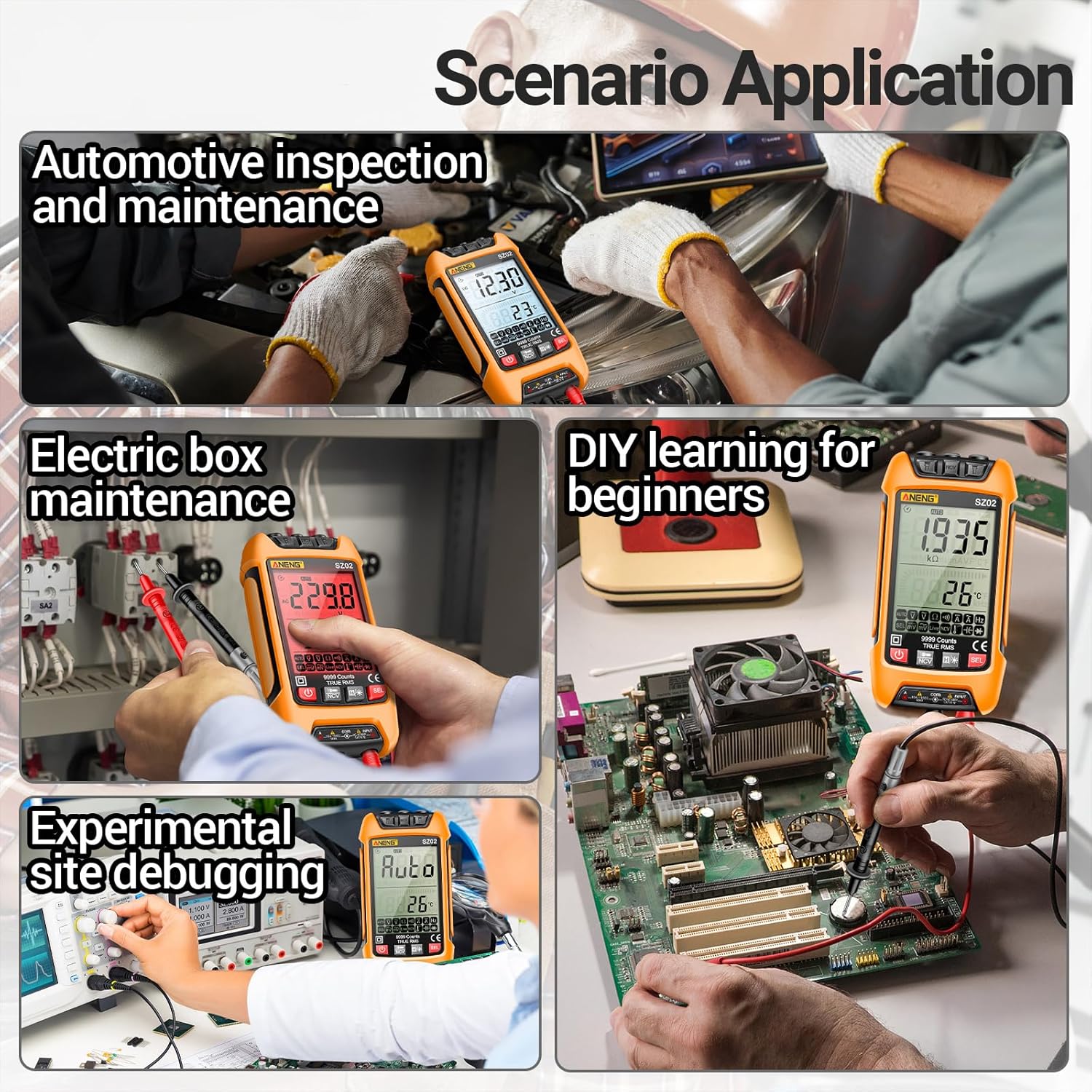
The ANENG SZ02 is a versatile and intelligent digital multimeter designed for precise electrical measurements. It features a 9999-count display and True RMS capabilities, making it an essential tool for electricians, engineers, technicians, and DIY enthusiasts. This manual provides comprehensive instructions for safe and effective operation of your ANENG SZ02 multimeter.
2. Safety Information
Always adhere to safety precautions when operating any electrical testing equipment to prevent personal injury or damage to the device. The ANENG SZ02 is designed with safety in mind, including built-in fuses to prevent short circuits and burnout.
- Ensure the multimeter is in the correct measurement mode before connecting test leads to a circuit.
- Do not exceed the maximum input values specified for each range.
- Use the Non-Contact Voltage (NCV) function for initial safety checks before direct contact.
- Inspect test leads for any damage before each use. Replace if insulation is compromised.
- Avoid using the multimeter in wet environments or during thunderstorms.
- Always disconnect power to the circuit before performing resistance, continuity, or diode tests.

3. Product Overview
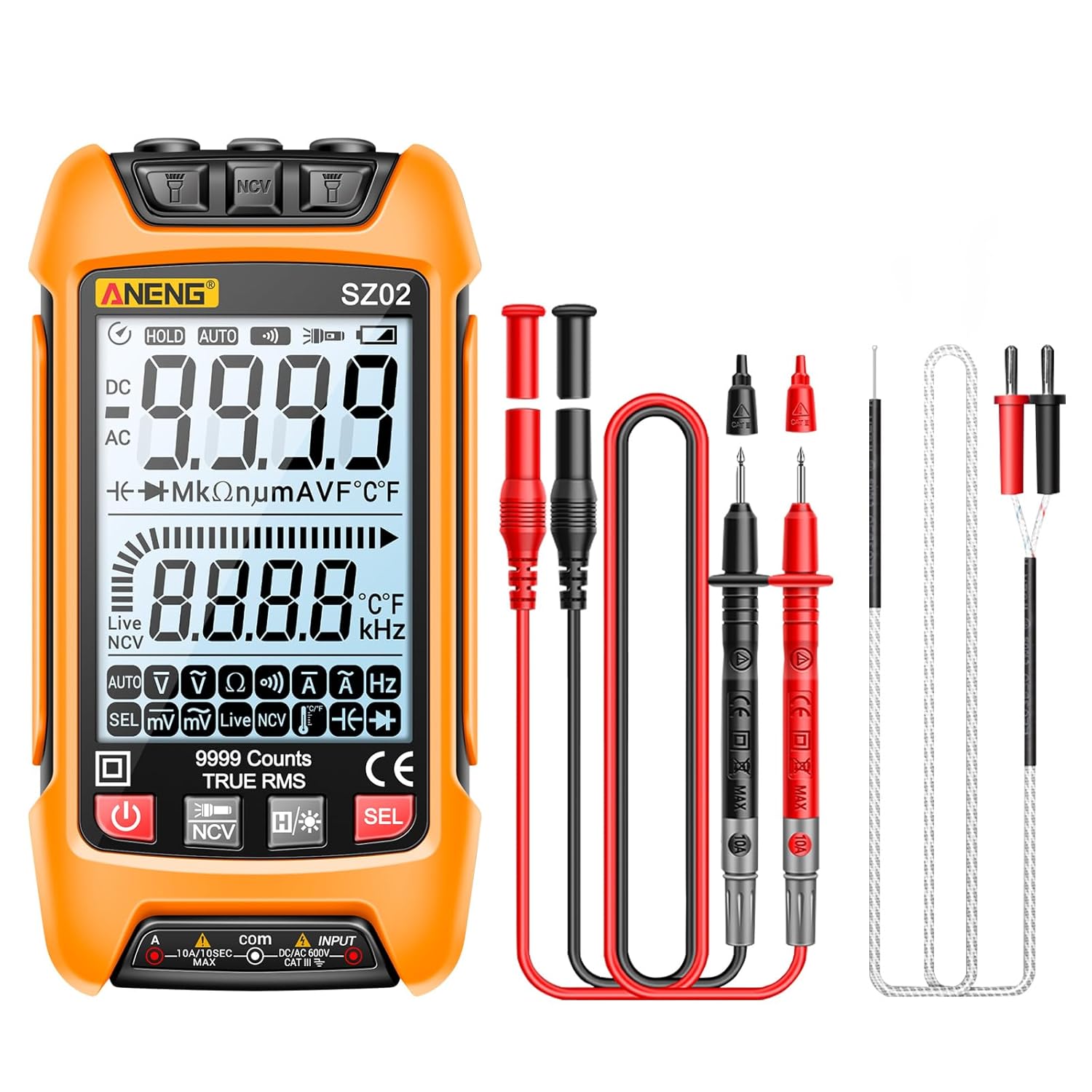
The ANENG SZ02 multimeter is compactly designed with a durable silicone sheath for effective protection against drops. It features a large, backlit LCD screen for clear readings in various lighting conditions.
Key Components:
- Display Screen: Large 7.6cm (2.99-inch) high-definition LCD with backlight for clear readings.
- Function Buttons: For mode selection, data hold, and NCV activation.
- Input Jacks: Secure jacks for test leads, designed for tight engagement to prevent accidental disconnection.
- Silicone Sheath: Orange silicone material provides effective protection for the instrument.
- Test Leads: High-precision, anti-oxidation, stainless steel hands for reliable connections.
- Battery Compartment: Located at the rear, requires 2 x 1.5V AAA batteries.

4. Setup
4.1 Battery Installation
- Locate the battery compartment cover on the back of the multimeter.
- Use a screwdriver to open the battery compartment.
- Insert two 1.5V AAA batteries, ensuring correct polarity (+ and -).
- Replace the battery compartment cover and secure it with the screw.
4.2 Connecting Test Leads
- Insert the black test lead into the "COM" (common) input jack.
- Insert the red test lead into the "INPUT" jack for voltage, resistance, capacitance, diode, and frequency measurements.
- For current measurements (A), insert the red test lead into the "10A/DCA/FUSE" or "mA/uA" jack as appropriate for the expected current range.
5. Operating Instructions
5.1 Power On/Off
Press the power button (usually marked with ⑂) to turn the multimeter on or off. The device will automatically power off after a period of inactivity to conserve battery life.
5.2 Measurement Functions
The ANENG SZ02 offers a wide range of measurement capabilities. Rotate the rotary switch to select the desired function. Use the "SEL" button to cycle through sub-functions if available (e.g., AC/DC voltage, diode/continuity).
Voltage Measurement (AC/DC)
- Select the V∼ (AC Voltage) or V— (DC Voltage) mode.
- Connect the test leads in parallel to the circuit or component under test.
- Read the voltage value on the display.
Current Measurement (AC/DC)
- Select the A∼ (AC Current) or A— (DC Current) mode.
- Important: Connect the multimeter in series with the circuit. Ensure the circuit is de-energized before connecting.
- Apply power to the circuit and read the current value.
Resistance, Diode, Continuity, Capacitance, Frequency, Temperature
Select the corresponding mode on the rotary switch. For resistance, diode, and continuity, ensure the circuit is de-energized. For temperature, use the included temperature probe.


5.3 Non-Contact Voltage (NCV) Detection
Long press the "NCV" button to activate the non-contact voltage detection mode. Bring the top NCV sensor of the multimeter close to an AC voltage source. The device will indicate the presence of AC voltage through audible beeps and visual alerts on the screen, providing a safer way to detect live wires without direct contact.
5.4 Flashlight Function
The ANENG SZ02 is equipped with a built-in flashlight. Turn on the flashlight to assist with measurements in dimly lit environments or to illuminate the work area. This feature is particularly useful during maintenance or inspections in dark spaces.

6. Maintenance
6.1 Cleaning
Wipe the multimeter casing with a damp cloth and mild detergent. Do not use abrasive cleaners or solvents. Ensure the device is completely dry before storage or next use.
6.2 Battery Replacement
When the low battery indicator appears on the display, replace the batteries as described in the "Battery Installation" section (Section 4.1). Remove batteries if the device will not be used for an extended period.
6.3 Storage
Store the multimeter in a cool, dry place, away from direct sunlight and extreme temperatures. Keep it in its protective silicone sheath to prevent physical damage.
7. Troubleshooting
- No Display / Device Not Turning On:
- Check battery installation and ensure batteries are not depleted. Replace if necessary.
- Ensure the power button is pressed firmly.
- Inaccurate Readings:
- Verify that the correct measurement mode is selected.
- Check test lead connections for proper insertion and good contact.
- Ensure the circuit is de-energized for resistance, continuity, and diode tests.
- Consider environmental factors like extreme temperature or humidity.
- Continuity Buzzer Not Working:
- Ensure the multimeter is in continuity mode.
- Check if the circuit being tested has continuity.
8. Specifications
| Feature | Value |
|---|---|
| Manufacturer | ANENG |
| Part Number | SZ02orange color |
| Item Weight | 0.6 g |
| Product Dimensions (L x W x H) | 50 x 50 x 20 mm |
| Style | SZ02 Orange |
| Measurement Accuracy | ±2.0 |
| Included Components | Multimeter unit, Test leads, User manual |
| ASIN | B0F2T1DHS6 |
| First Available Date on Amazon.co.jp | 2025/3/28 |
9. Warranty and Support
ANENG is committed to providing excellent after-sales service for its products. For any questions, technical assistance, or warranty claims regarding your ANENG SZ02 Digital Multimeter, please contact ANENG customer support through the retailer where you purchased the product or visit the official ANENG store page on Amazon.co.jp for further assistance.
Link to ANENG Store: ANENG Official Store
Related documentsSZ02 Orange


Ask a question about this manual
Ask about setup, troubleshooting, compatibility, parts, safety, or missing instructions. Manuals+ will review the question and use this page’s manual context to help answer it.