
radtel
Radtel RT-880 Walkie Talkie User Manual
Model: RT-880 | Brand: Radtel
1. Introduction
This manual provides comprehensive instructions for the safe and efficient operation of your Radtel RT-880 Walkie Talkie. The RT-880 is a 10W portable ham radio featuring 1024 channels, HF CB SSB Rx capabilities, a cross-band repeater function, a 2.4-inch color display, and a 2400mAh rechargeable battery. Please read this manual thoroughly before using the device to ensure proper functionality and to prevent damage.
What's in the Box
- 1x RT-880 Main unit
- 1x 2400mAh Li-ion Battery
- 1x Dual band antenna
- 1x Belt Clip
- 1x Type C charging Cable
- 1x Power supply with USB port
- 1x English User Manual

Figure 1.1: Radtel RT-880 main unit and included USB-C charging cable.
2. Product Overview
The Radtel RT-880 is designed for robust performance and user-friendly operation. Familiarize yourself with its key components and features.
2.1 Physical Features
- Hard Housing: Durable construction for reliable use in various environments.
- Dual PTT (Push-to-Talk): Allows for flexible transmission control.
- Dual Antenna Interface: Supports different antenna types for optimized performance.
- Large Clip: Securely attach the radio to clothing or gear.

Figure 2.1: Close-up view highlighting the 10W RF power capability and antenna interface.
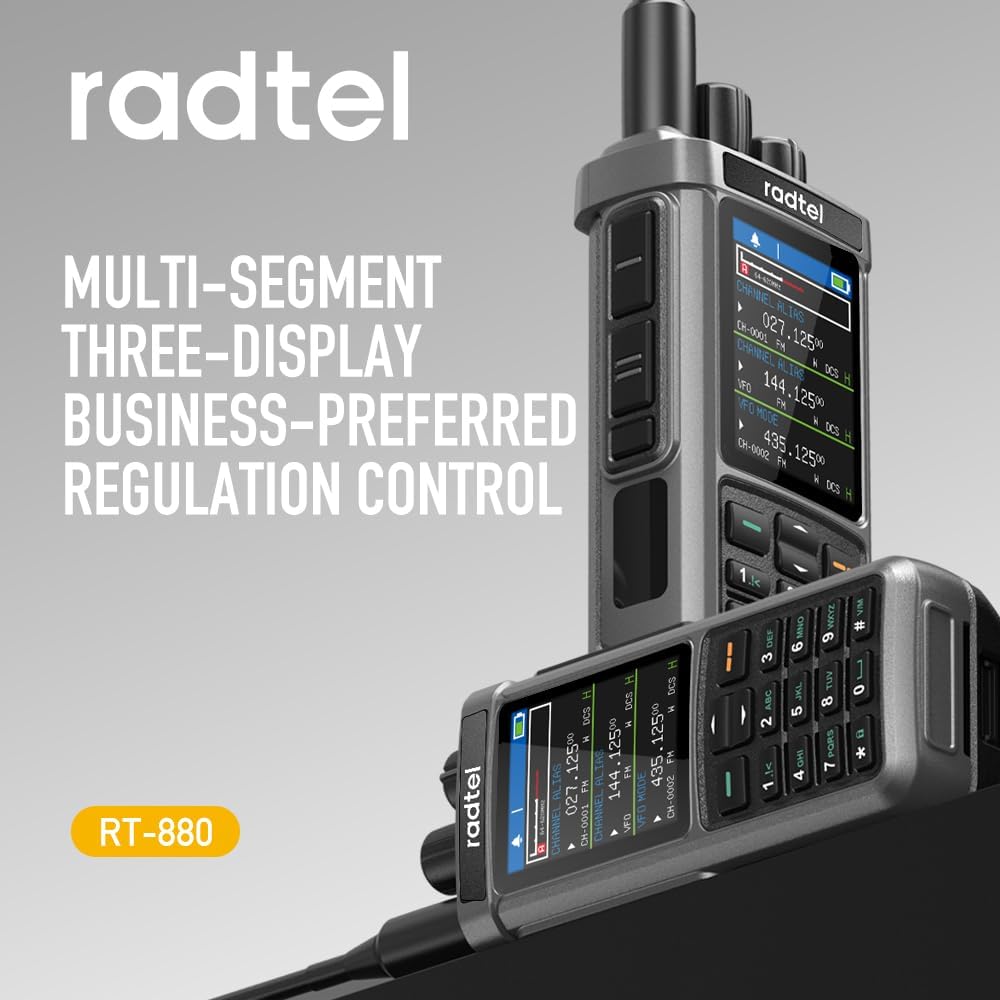
Figure 2.2: The multi-segment three-display for comprehensive regulation control.
2.2 Display and Interface
The RT-880 features a clear 2.4-inch TFT HD large color screen for easy readability and intuitive navigation.
- 2.4-inch TFT HD Large Color Screen: Provides a clear, vivid display for optimal user experience.
- 1024 Channels and Three VFO Channels: Extensive channel capacity for diverse communication needs.
- Triple PTT Transmission: Enhanced flexibility for transmitting on different frequencies.
- Triple Frequency Standby: Monitor multiple frequencies simultaneously.
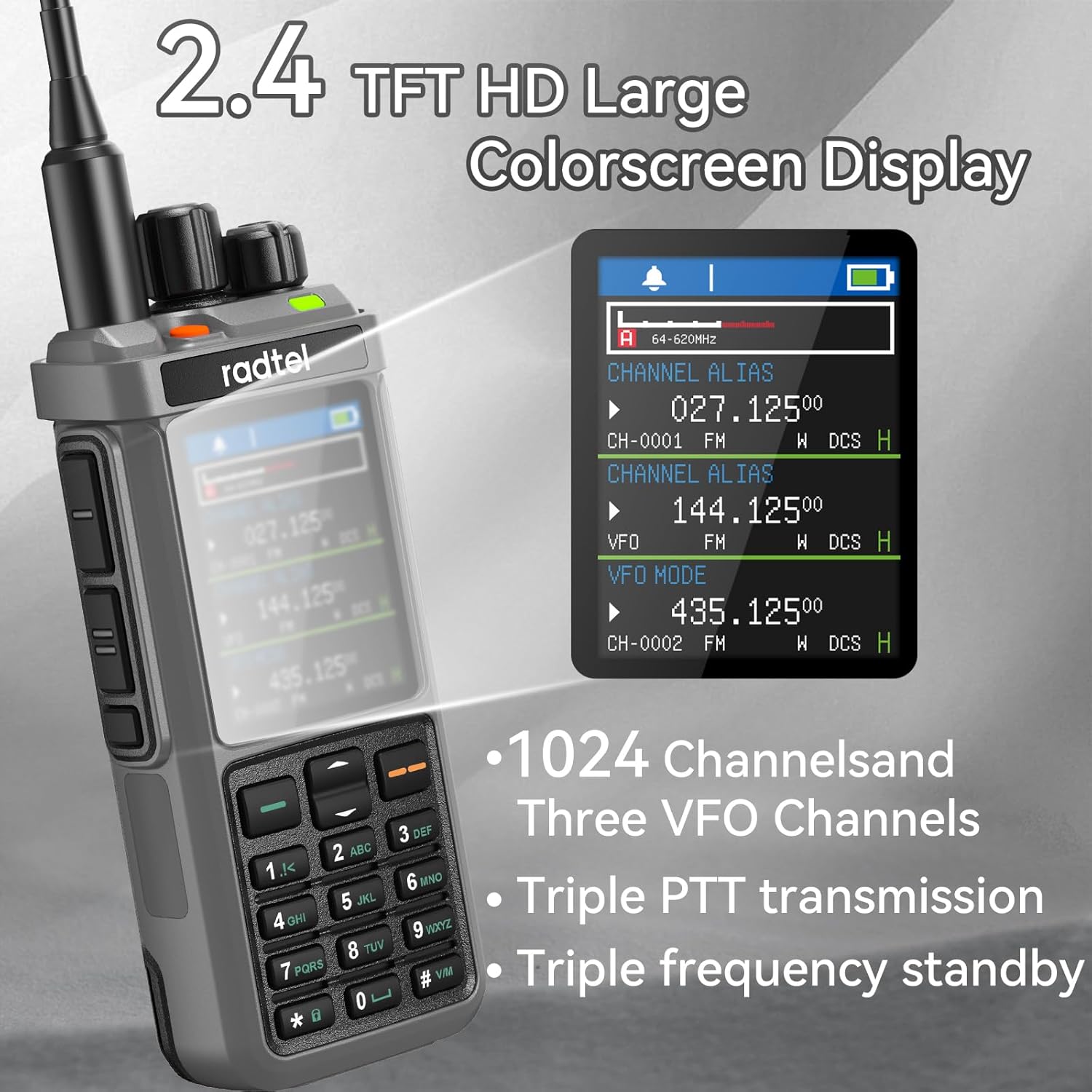
Figure 2.3: The 2.4-inch TFT HD color screen displaying channel and VFO information.
3. Setup
Before using your Radtel RT-880, ensure it is properly set up and charged.
3.1 Battery Installation and Charging
The RT-880 comes with a 2400mAh Li-ion battery. Ensure the battery is fully charged before first use.
- To install the battery, align the battery pack with the grooves on the back of the radio and slide it upwards until it clicks into place.
- To charge, connect the provided Type-C charging cable to the radio's Type-C port or use the desktop charging cradle.
- Connect the USB end of the cable to the power supply with USB port and plug it into a standard electrical outlet.
- The charging indicator light on the radio will show the charging status.
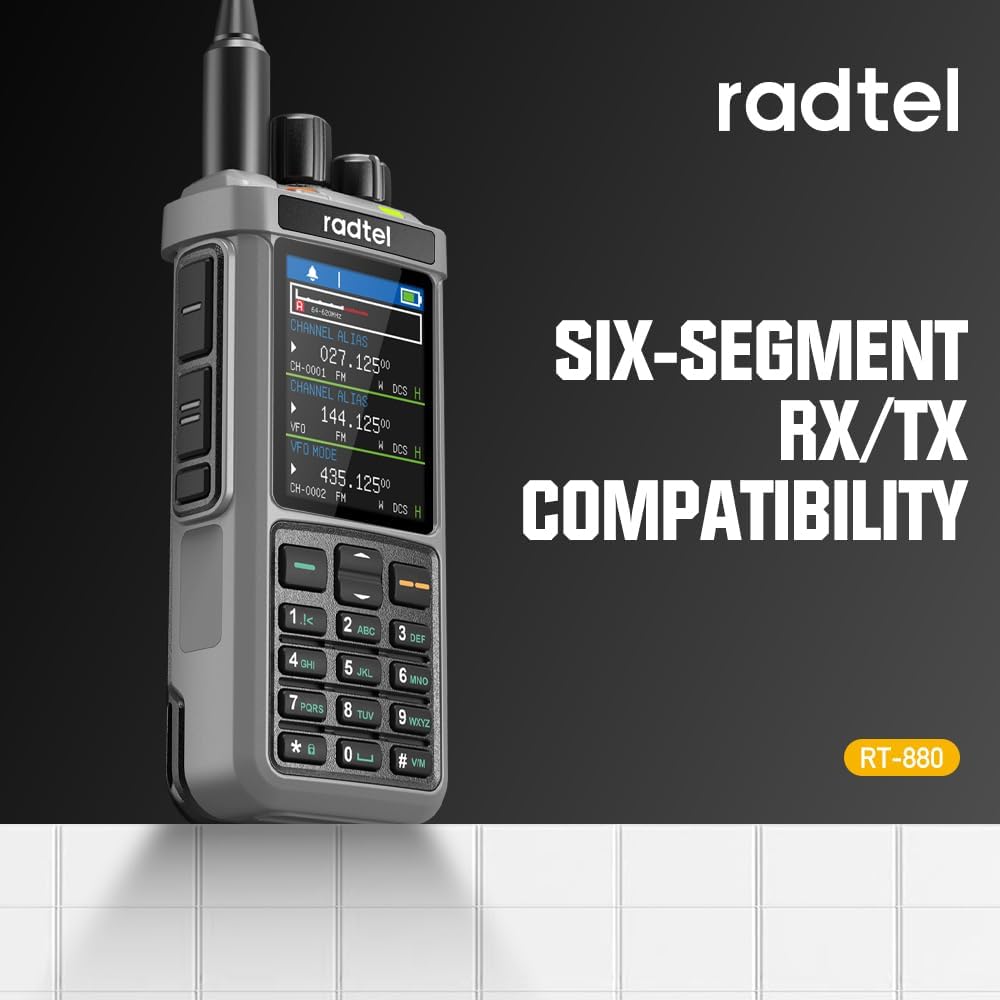
Figure 3.1: The Type-C fast charging option on the Radtel RT-880.
3.2 Antenna Attachment
Attach the dual-band antenna to the radio by screwing it clockwise into the antenna connector on the top of the unit until it is finger-tight. Do not overtighten.
4. Operating Instructions
This section details the primary functions and operations of your RT-880.
4.1 Basic Operation
- Power On/Off: Rotate the power/volume knob clockwise to turn on the radio. Continue rotating to adjust the volume. Rotate counter-clockwise until it clicks to turn off.
- Channel Selection: Use the up/down arrow keys or the rotary knob to navigate through channels.
- Frequency Tuning: In VFO mode, enter frequencies directly using the keypad or adjust with the rotary knob.
4.2 Cross-Band Repeater Function
The Cross-Band Repeater function allows seamless communication between UHF and VHF frequencies, enhancing signal coverage and ensuring reliable connectivity across different frequency bands.
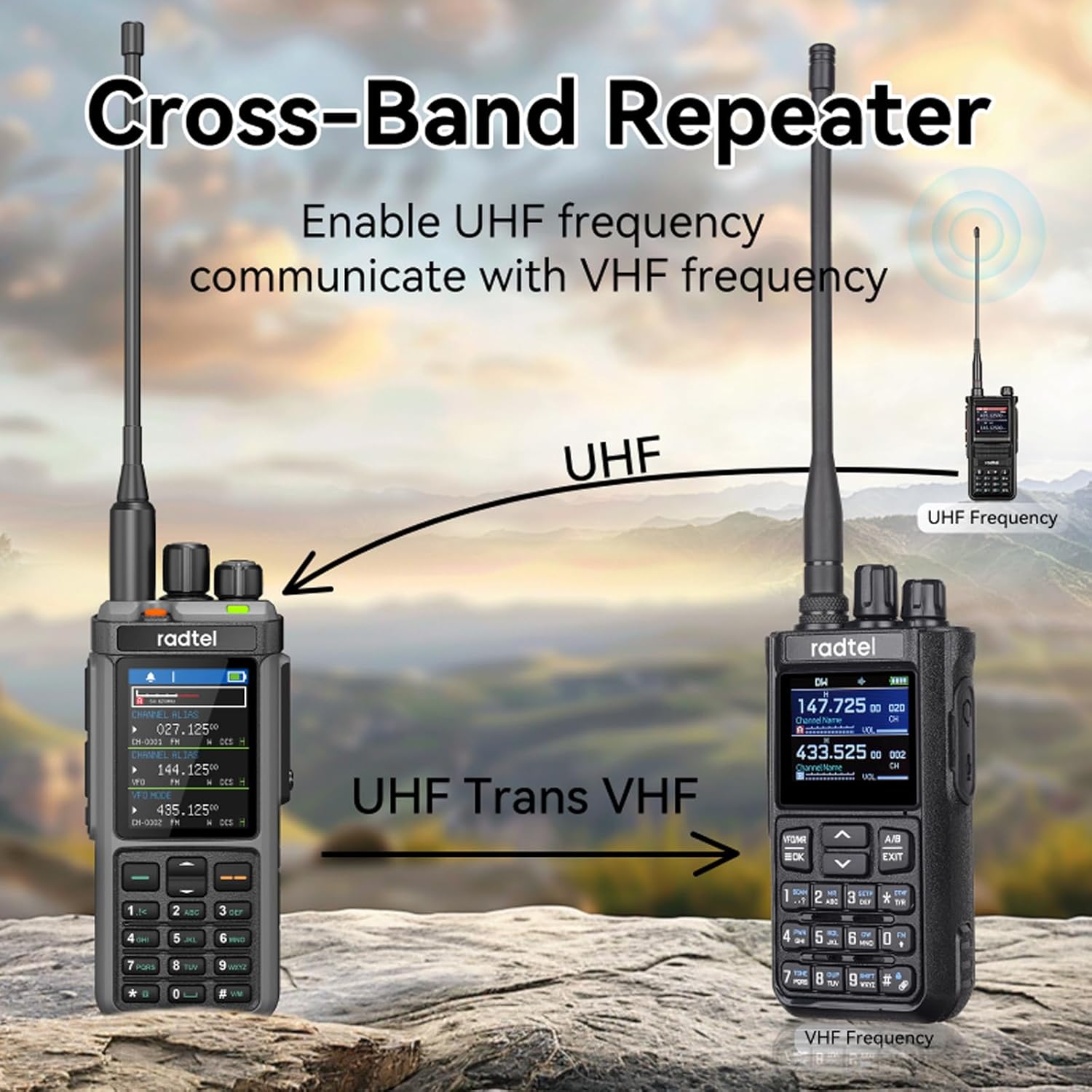
Figure 4.1: Visual representation of the Cross-Band Repeater function.
4.3 Wide Frequency Range and Reception
The RT-880 supports a wide frequency range and various reception modes:
- Covers 136-520MHz with dual-band functionality.
- Supports full-band AM, FM, USB, LSB, CW, CB, LW, MW, SW, SSB, and Air-Band RX.
- Features a port for connecting a shortwave antenna to enhance signal reception.
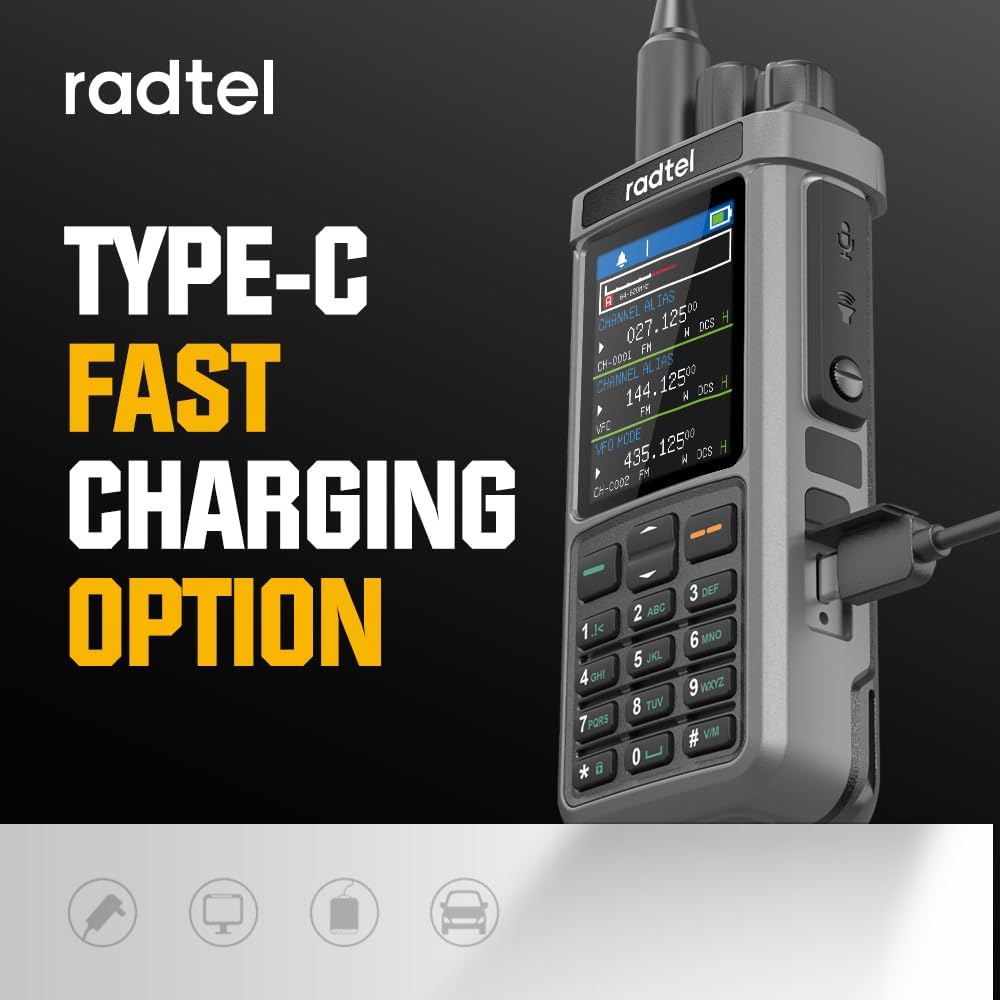
Figure 4.2: The display indicating Six-Segment RX/TX Compatibility.
4.4 Customizing Side Keys and Keyboard Functions
You can customize the side keys and keyboard functions to suit your preferences, allowing for quick access to essential features and a more efficient user experience.
- Access the menu to define key functions.
- Features include VOX function, Type-C + Desk Charger, Spectrum scanning function, and One key Copy Frequency (Frequency Auto Capture).
- Receives aviation AM and 11 NOAA Channels.
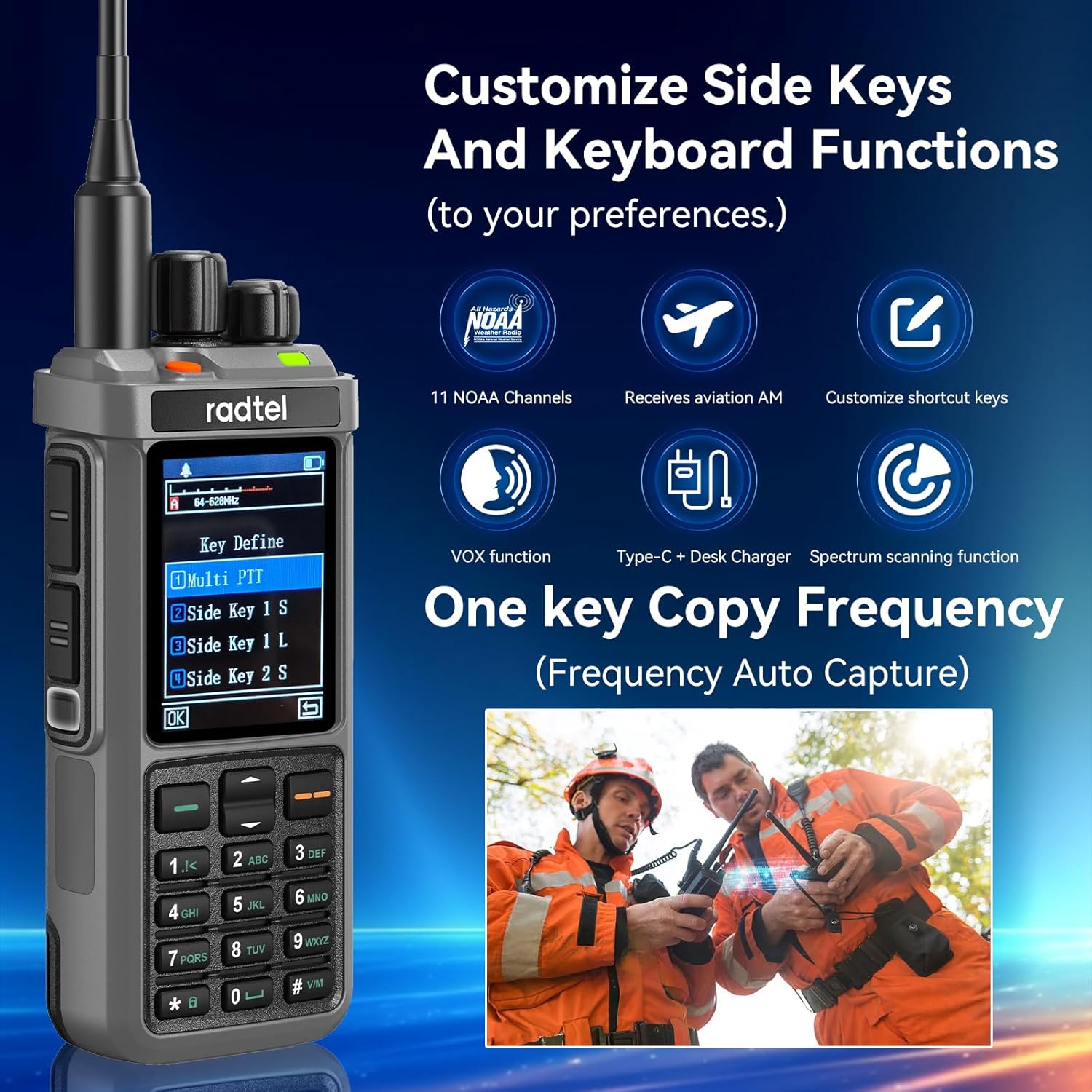
Figure 4.3: Customization options for side keys and keyboard functions.
4.5 Official Product Video
Video 4.1: Radtel RT-880 Detail. This video provides a visual overview of the radio's physical features, including its hard housing, dual PTT buttons, dual antenna interface, Type-C charging port, desktop charging capability, and large belt clip. It also demonstrates the function overview on the display.
5. Maintenance
Proper maintenance ensures the longevity and optimal performance of your RT-880.
- Cleaning: Use a soft, damp cloth to clean the radio's exterior. Do not use harsh chemicals or abrasive cleaners.
- Battery Care: To maximize battery life, avoid fully discharging the battery frequently. Store the radio and battery in a cool, dry place when not in use for extended periods.
- Antenna: Ensure the antenna is securely attached. Avoid bending or stressing the antenna.
6. Troubleshooting
If you encounter issues with your Radtel RT-880, refer to the following common problems and solutions.
| Problem | Possible Cause | Solution |
|---|---|---|
| Radio does not power on. | Battery is low or not installed correctly. | Ensure battery is fully charged and properly seated. |
| Cannot transmit or receive. | Incorrect frequency/channel, antenna not connected, or out of range. | Verify frequency/channel settings. Check antenna connection. Move closer to other radios or repeater. |
| Poor audio quality. | Low signal strength, interference, or incorrect squelch setting. | Adjust squelch level. Check antenna. Move to an area with better signal. |
| Display is dim or unresponsive. | Low battery or software issue. | Charge the battery. If issue persists, try resetting the radio (refer to advanced settings in menu). |
7. Specifications
Detailed technical specifications for the Radtel RT-880.
- Model Number: RT-880
- Item Weight: 1.52 pounds
- Product Dimensions: 1.26 x 2.36 x 12.01 inches
- Batteries: 1 Lithium Ion battery required (included), 2400mAh
- Number of Channels: 1024
- Frequency Range: 136-520MHz (Dual-band functionality)
- Talking Range Maximum: 5 Kilometer
- Tuner Technology: AM/FM/SSB
- Voltage: 7.38 Volts
- Special Feature: AM USB LSB CW CB LW MW SW SSB Reception, Cross Band Repeater Function
- Water Resistance Level: Not Water Resistant
- Manufacturer: Xiamen Radtel Electronics Co.,Ltd
8. Warranty Information
The Radtel RT-880 comes with a 1-Year Warranty from the date of purchase. This warranty covers manufacturing defects and malfunctions under normal use. It does not cover damage caused by misuse, accidents, unauthorized modifications, or natural disasters. Please retain your proof of purchase for warranty claims.
9. Support
For further assistance, technical support, or warranty inquiries, please contact Radtel customer service through their official website or the retailer where you purchased the product. Always refer to the latest information available from the manufacturer for updated support details.
You can visit the official Radtel store on Amazon for more information: Radtel Store
Related documents


Ask a question about this manual
Ask about setup, troubleshooting, compatibility, parts, safety, or missing instructions. Manuals+ will review the question and use this page’s manual context to help answer it.