Introduction
This manual provides detailed instructions for the setup, operation, and maintenance of your BOSGAME P3 Lite Mini PC. This compact computer is designed for various applications, including business, education, and gaming, offering high performance in a small form factor.

Image: Front view of the BOSGAME P3 Lite Mini PC, showcasing its compact design and front ports.
What's in the Box
Verify that all items listed below are included in your package:
- BOSGAME P3 Lite Mini PC (Ryzen 7 6800H)
- User Manual
- 1.5M HDMI Cable
- 19V 6.32A, 120W Power Adapter
- VESA Mount & Screws

Image: All included accessories for the BOSGAME P3 Lite Mini PC, including the PC unit, HDMI cable, power adapter, user manual, and VESA mount with screws.
Product Overview
Key Features
- Processor: AMD Ryzen 7 6800H with 8 cores, 16 threads, and a boost clock up to 4.7GHz.
- Graphics: Integrated AMD Radeon 680M GPU (1900MHz) based on RDNA 2 architecture, supporting high frame rates and content creation.
- Memory: 32GB (2x16GB) Dual-channel DDR5 4800MHz RAM, expandable up to 64GB.
- Storage: 1TB M.2 2280 PCIe 4.0 SSD, expandable up to 4TB.
- Display Output: Supports triple displays via 1x HDMI 2.0, 1x DisplayPort, and 1x USB4 port (8K@60Hz).
- Network Connectivity: Dual 2.5GbE LAN ports, WiFi 6E, and Bluetooth 5.2.
- Power Delivery: USB4 port supports PD 3.0 up to 100W for convenient portability.

Image: Overview of the BOSGAME P3 Lite's core specifications, including AMD Ryzen 7 6800H, DDR5 RAM, M.2 NVMe SSD, triple display support, Radeon Graphics, Wi-Fi 6E, Bluetooth 5.2, and dual 2.5G LAN.
Ports and Interfaces
The BOSGAME P3 Lite Mini PC offers a variety of ports for connectivity:
- Front Ports: 2x USB 3.2 Gen 2 (10Gbps), 1x USB4 (8K@60Hz, PD 3.0), 1x 3.5mm Combo Jack, Power Button.
- Rear Ports: 2x USB 2.0, 1x USB 3.2 Gen 2 (10Gbps), 1x HDMI (4K@60Hz), 1x DisplayPort (4K@60Hz), 2x RJ45 2.5G LAN, DC Power Input.

Image: Detailed view of the front and rear interfaces of the BOSGAME P3 Lite Mini PC, labeling each port type including USB, HDMI, DisplayPort, USB4, LAN, and power input.

Image: Diagram illustrating the wide range of devices compatible with the BOSGAME P3 Lite Mini PC, including keyboards, mice, printers, cameras, NAS, HDTVs, projectors, game consoles, and speakers.
Cooling System
The P3 Lite features an efficient heat dissipation system with a cooling fan and heat conduits to ensure stable and quiet operation.

Image: Internal view of the BOSGAME P3 Lite Mini PC's cooling system, highlighting the cooling fan and heat conduits for efficient heat dissipation.
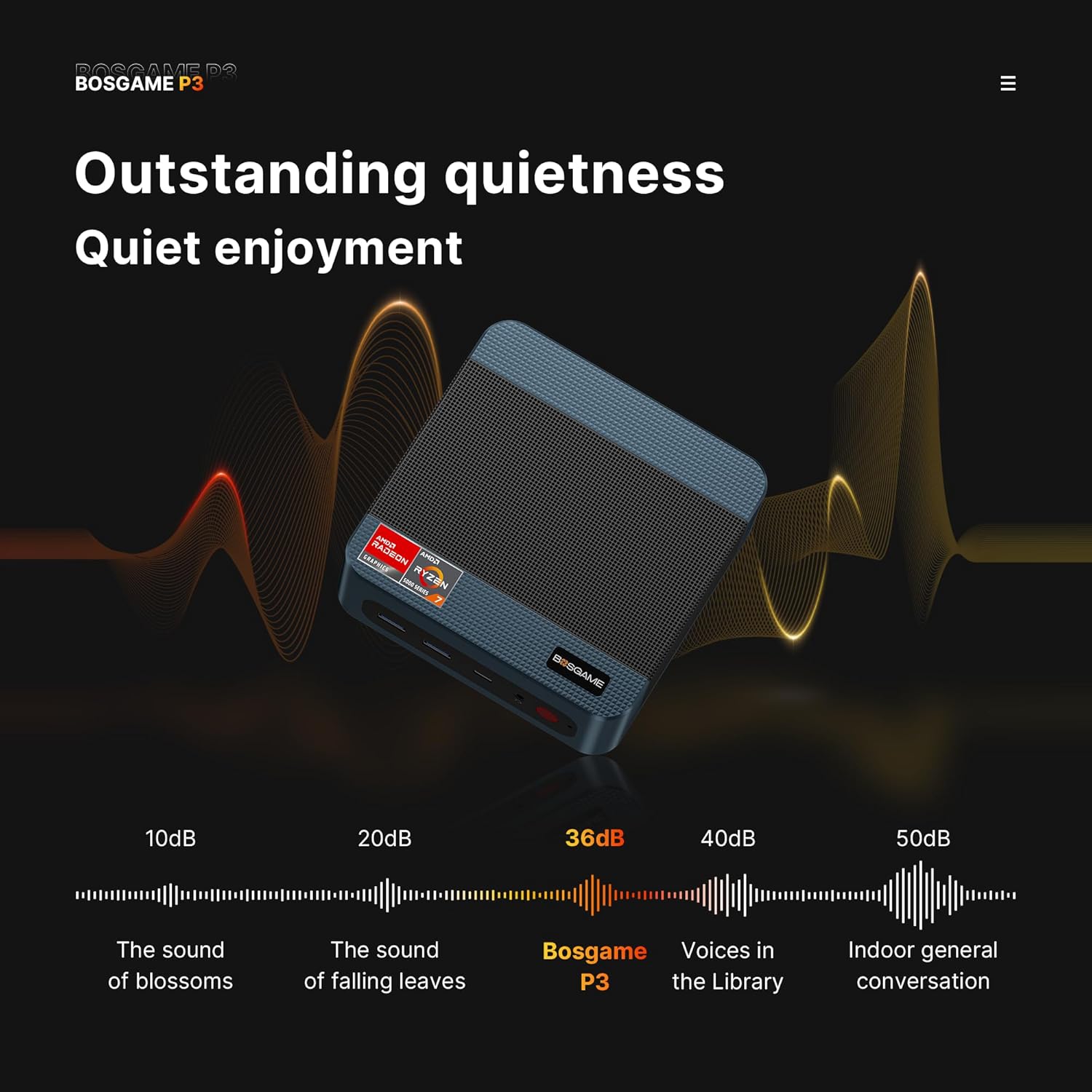
Image: A graphic illustrating the low noise output of the BOSGAME P3 Lite Mini PC, comparing its 36dB operation to common environmental sounds.
Memory and Storage
The system comes equipped with high-speed DDR5 RAM and a PCIe 4.0 SSD, both of which are upgradeable.

Image: Close-up view of the SODIMM DDR5 4800MHz RAM modules and the M.2 2280 NVMe PCIe 4.0 SSD installed in the BOSGAME P3 Lite Mini PC.
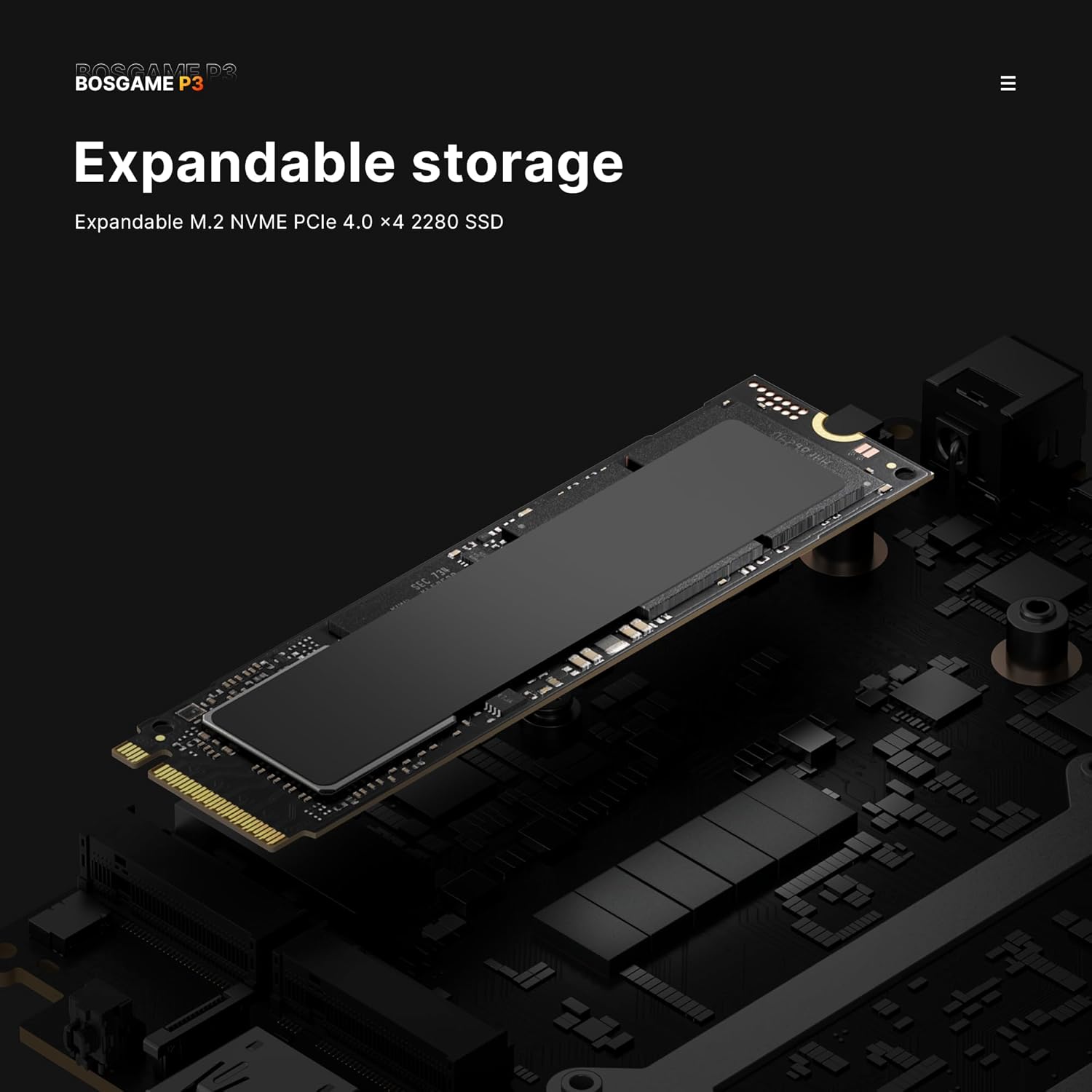
Image: Illustration of the expandable M.2 NVMe PCIe 4.0 x4 2280 SSD slot within the BOSGAME P3 Lite Mini PC, indicating upgrade potential.
Network Capabilities
Equipped with dual 2.5G Ethernet ports and WiFi 6E for robust and fast network connections.

Image: Close-up of the rear of the BOSGAME P3 Lite Mini PC, highlighting the dual 2.5G Ethernet ports with network cables connected, demonstrating high-speed data transmission.
Setup Guide
Initial Connection
- Connect Display: Use the provided HDMI cable or a DisplayPort/USB4 cable to connect your monitor to the Mini PC.
- Connect Peripherals: Plug in your keyboard, mouse, and any other USB devices into the available USB ports.
- Connect Power: Connect the power adapter to the DC power input port on the Mini PC, then plug the adapter into a power outlet.
- Network Connection: For a wired connection, connect an Ethernet cable to one of the 2.5GbE LAN ports. For wireless, ensure your WiFi network is available.

Image: A person placing the compact BOSGAME P3 Lite Mini PC into a bag, demonstrating its portability.

Image: The BOSGAME P3 Lite Mini PC being powered via a 100W USB-C Power Delivery charger, highlighting its flexible power options.
Operating System Installation (if applicable)
The BOSGAME P3 Lite supports installation of Windows and Linux operating systems. Refer to the specific OS installation guide for detailed steps.
Operating Instructions
Power On/Off
- Power On: Press the power button located on the front of the Mini PC. The power indicator light will illuminate.
- Power Off: To shut down, use the operating system's shutdown function. For a forced shutdown, press and hold the power button for approximately 5 seconds.
Display Configuration
The Mini PC supports connecting up to three displays simultaneously. Connect your monitors to the HDMI, DisplayPort, and USB4 ports. Configure display settings within your operating system.

Image: A triple monitor setup connected to the BOSGAME P3 Lite Mini PC, demonstrating its multi-display capability.

Image: A visual comparison between 4K UHD and 1080P display resolutions, illustrating the higher detail offered by 4K UHD supported by the Mini PC.
Maintenance
- Cleaning: Use a soft, dry cloth to clean the exterior of the Mini PC. Avoid liquid cleaners. Ensure ventilation openings are free from dust.
- Ventilation: Ensure the Mini PC is placed in a well-ventilated area to prevent overheating. Do not block the air vents.
- Software Updates: Regularly update your operating system and drivers to ensure optimal performance and security.
Troubleshooting
- No Power:
- Check if the power adapter is securely connected to both the Mini PC and the power outlet.
- Ensure the power outlet is functional.
- No Display:
- Verify that the display cable (HDMI, DP, USB4) is securely connected to both the Mini PC and the monitor.
- Ensure the monitor is powered on and set to the correct input source.
- Try a different display cable or monitor if available.
- No Internet Connection:
- For wired connections, check the Ethernet cable and router status.
- For wireless connections, ensure WiFi is enabled and connected to the correct network. Restart your router if necessary.
- System Slowdown:
- Close unnecessary applications.
- Check for background processes consuming high resources.
- Ensure adequate ventilation to prevent thermal throttling.
Specifications
| Brand | BOSGAME |
| Model Number | P3 Lite |
| Processor | AMD Ryzen 7 6800H (8 Cores, 16 Threads, up to 4.7 GHz) |
| Graphics | AMD Radeon 680M (Integrated, 2200MHz) |
| RAM | 32GB DDR5 4800MHz (Dual-channel, expandable to 64GB) |
| Storage | 1TB M.2 2280 PCIe 4.0 SSD (expandable to 4TB) |
| Max Screen Resolution | 5120 x 2880 Pixels (8K@60Hz via USB4) |
| Video Output | 1x HDMI 2.0, 1x DisplayPort, 1x USB4 |
| Wireless Connectivity | WiFi 6E (802.11ax), Bluetooth 5.2 |
| Wired Connectivity | 2x 2.5GbE LAN ports |
| USB Ports | 3x USB 3.2 Gen 2, 2x USB 2.0, 1x USB4 |
| Operating System Support | Windows, Linux |
| Item Weight | 2.95 pounds |
| Dimensions | 6.57 x 6.46 x 4.09 inches |
Warranty and Support
BOSGAME provides free and reliable lifetime after-sales service for the P3 Lite Mini PC. All products hold FCC, ROHS, and CE certifications. Additionally, a 1-year professional factory support and 24/7 online customer service are available for assistance.
For technical support or warranty claims, please contact BOSGAME customer service through their official channels.


