Introduction
The Wurkkos DL03 is a versatile 2-in-1 scuba diving light designed for underwater exploration and signaling. It features a powerful 2800 lumen white light with a focused 26° beam for illumination up to 480 meters, and a 5mW green laser beam for signaling up to 1000 meters. This manual provides detailed instructions for the safe and effective use of your DL03 dive light.
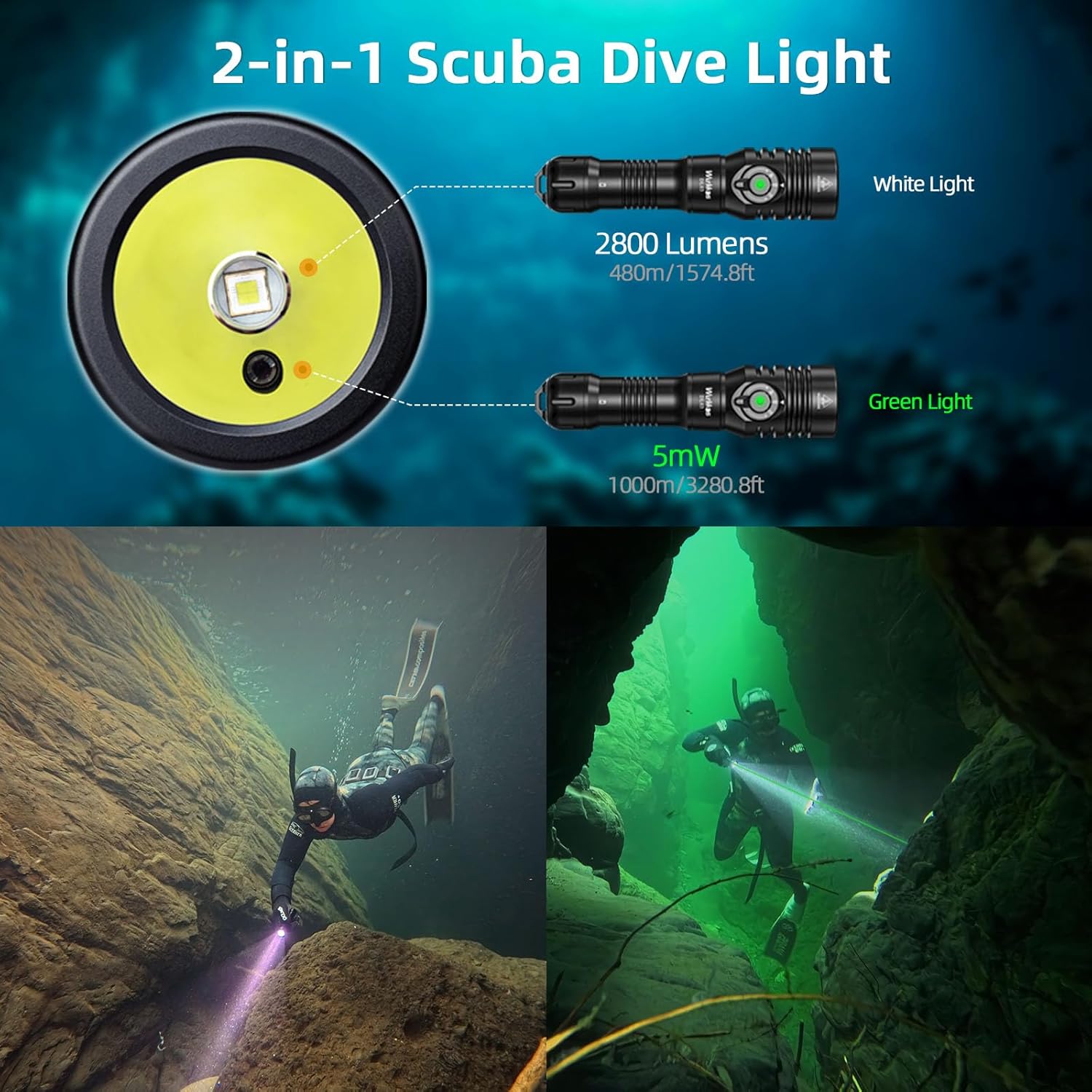
Image: Wurkkos DL03 Dive Light demonstrating its 2-in-1 white light and green laser functions underwater.
Package Contents
Upon unboxing your Wurkkos DL03 Dive Light, please ensure all the following items are present:
- Wurkkos DL03 Dive Light x 1
- 21700 5000mAh Lithium-Ion Battery x 1 (pre-installed or separate)
- USB-C Charging Cable x 1
- Lanyard x 1
- Spare O-rings x 2
- User Manual x 1

Image: Wurkkos DL03 Dive Light package contents.
Setup
Battery Installation
- Unscrew the tail cap of the dive light.
- Remove any insulation film from the battery.
- Insert the 21700 battery with the positive (+) terminal facing towards the head of the flashlight.
- Screw the tail cap back on tightly to ensure proper contact and waterproof sealing.
Initial Charging
Before first use, fully charge the battery. The DL03 features a hidden USB-C charging port for convenience.
- Unscrew the head of the flashlight to reveal the USB-C charging port.
- Connect the provided USB-C cable to the port and a power source.
- The power indicator LED will show charging status (see 'Power Indicator' section).
- Once fully charged, disconnect the cable and securely tighten the head.
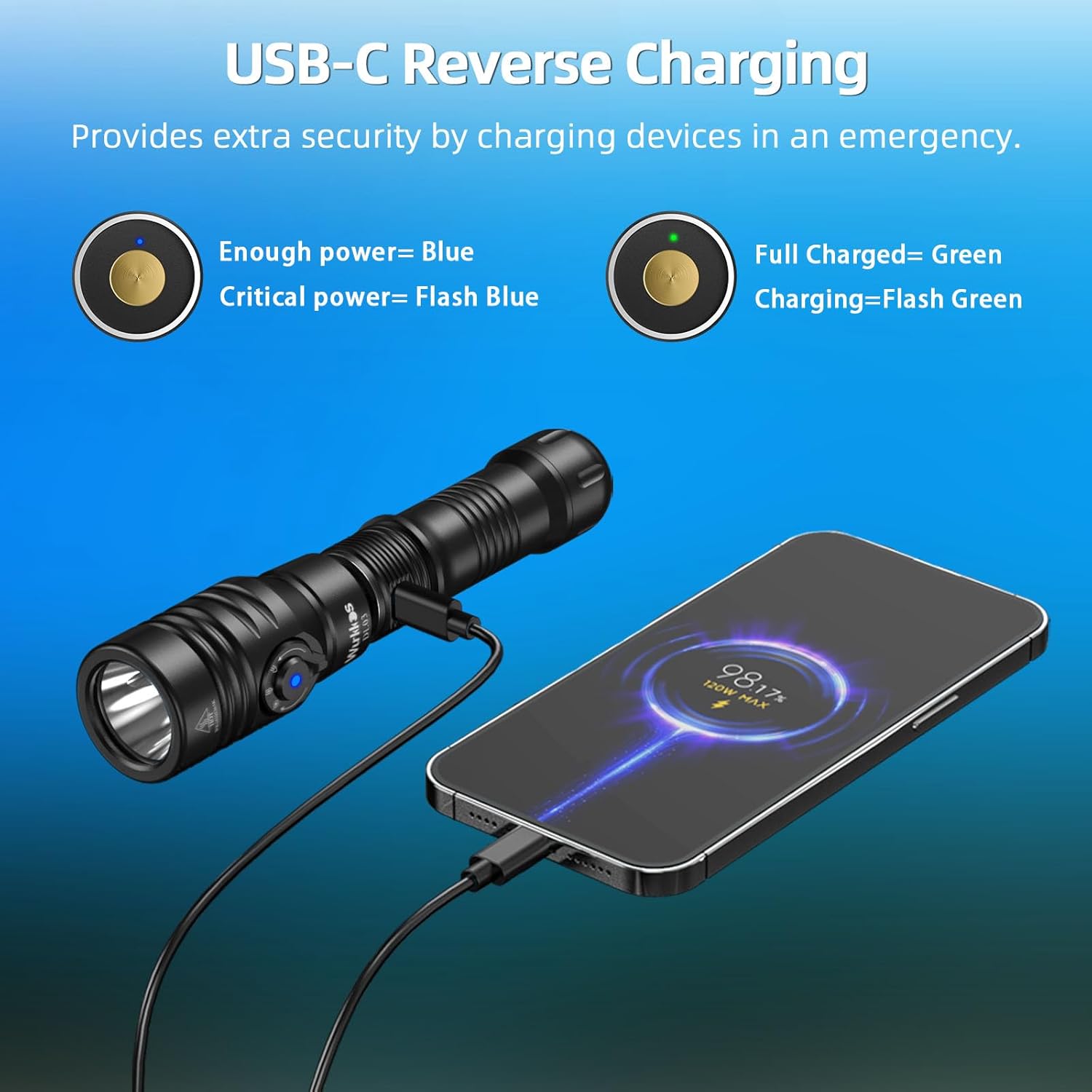
Image: USB-C charging port and reverse charging function.
Operating Instructions
The DL03 features a side-mounted electronic switch and a magnetic rotary dial for intuitive operation.
Power On/Off and Brightness Adjustment (White Light)
- To Turn On/Off: Single-click the side electronic switch.
- To Adjust Brightness: While the white light is on, long-press the side electronic switch to cycle through Low (100 Lumens), Medium (500 Lumens), High (1200 Lumens), and Turbo (2800 Lumens). The light has a memory function for the last used white light brightness mode.
Mode Switching (Green Beam, White Light, Dual-Beam)
Use the magnetic rotary dial to select the desired light mode:
- Green Beam Mode: Rotate the dial to the green light icon. The green laser will activate.
- White Light Mode: Rotate the dial to the white light icon. The white LED will activate.
- Dual-Beam Mode: Rotate the dial to the combined green and white light icon. Both the green laser and white LED will activate simultaneously.

Image: Easy Operation Interface for Wurkkos DL03.
Video: Demonstration of the Wurkkos DL03 dive light's functions and brightness underwater.
Charging and Reverse Charging
The DL03 features a convenient hidden USB-C charging port and supports reverse charging to power other devices.
Charging the Dive Light
- Unscrew the head of the flashlight to expose the USB-C port.
- Connect the USB-C charging cable to the port and a compatible power adapter.
- The indicator light will show charging status (see 'Power Indicator' section). A full charge typically takes about 2 hours.
- Once charging is complete, disconnect the cable and securely tighten the head to maintain waterproof integrity.
Reverse Charging Function
In emergencies, the DL03 can act as a power bank to charge other USB-C compatible devices.
- Unscrew the head of the flashlight to expose the USB-C port.
- Connect your device to the USB-C port using a compatible cable.
- The DL03 will begin charging your device.

Image: USB-C Reverse Charging feature.
Power Indicator
The side switch features a built-in battery indicator LED to display the real-time power level:
- Solid Green: 75% - 100% battery remaining.
- Flashing Green: 50% - 75% battery remaining.
- Solid Red: 25% - 50% battery remaining.
- Flashing Red: Less than 25% battery remaining. Recharge immediately.

Image: Power Indicator and Dual Switch Design.
Maintenance
Proper maintenance ensures the longevity and performance of your Wurkkos DL03 Dive Light.
- O-rings: Regularly inspect the O-rings for any signs of wear or damage. Lubricate them with silicone grease periodically to maintain the waterproof seal. Replace damaged O-rings with the provided spares.
- Threads: Keep the threads clean and lightly lubricated.
- Cleaning: After each dive, rinse the flashlight thoroughly with fresh water to remove salt and debris. Wipe dry with a soft cloth.
- Storage: Store the flashlight in a cool, dry place away from direct sunlight and corrosive materials. Remove the battery if storing for extended periods.
Safety Information
- Waterproof Rating: The DL03 is IPX8 rated and can withstand underwater pressure up to 100 meters (3937 ft). Ensure all parts are tightly screwed before diving.
- Laser Safety: Avoid direct eye exposure to the green laser beam. Do not point the laser at aircraft or people.
- Heat: The flashlight may become warm during prolonged use on high or turbo modes. This is normal.
- Battery Safety: Use only recommended 21700 Lithium-Ion batteries. Do not disassemble, short-circuit, or dispose of batteries in fire.
Specifications
| Feature | Specification |
|---|---|
| Model | DL03 |
| Light Source Type | LED (White Light) + Green Laser |
| White Brightness | Max 2800 Lumens |
| Green Beam Illumination | Up to 1000m (3280.8ft) |
| White Light Irradiation Distance | Up to 480m (1574.8ft) |
| Beam Angle | 26 Degrees (White Light) |
| Power Source | 21700 Lithium Ion Battery (5000mAh) |
| Charging | USB-C Rechargeable (supports reverse charging) |
| Water Resistance Level | IPX8 (100m underwater) |
| Material | Aviation Grade High-Quality Aluminum |
| Dimensions | 13"D x 3"W x 3"H (approximate) |
| Item Weight | 0.65 Kilograms (1.43 pounds) |
Troubleshooting
If you encounter issues with your DL03 Dive Light, please refer to the following common solutions:
- Light not turning on: Ensure the battery is correctly installed with the positive terminal facing the head. Check if the tail cap is fully tightened. The battery might be depleted; try charging it.
- Intermittent operation: Clean the battery contacts and threads with a clean cloth. Ensure the battery is fully charged and properly installed.
- Water leakage: Immediately cease use. Inspect O-rings for damage or misalignment. Replace O-rings if necessary and ensure all connections are tightly sealed before resuming use underwater.
- Charging issues: Verify the USB-C cable is securely connected to both the flashlight and the power source. Check the power indicator for charging status. Try a different USB-C cable or power adapter.
If problems persist, please contact Wurkkos customer support for further assistance.
Warranty and Support
Wurkkos products are designed for durability and performance. For warranty information, product support, or service inquiries, please refer to the contact details provided in your product packaging or visit the official Wurkkos website. Keep your purchase receipt as proof of purchase for warranty claims.


