Introduction
This manual provides essential instructions for the safe and efficient use of your LG 75-inch QNED85A Series 4K Smart TV and the accompanying S90TR 7.1.3-Channel Home Theater Soundbar System. Please read this manual thoroughly before operating your devices and retain it for future reference.
Safety Information
- Power Supply: Connect the TV and soundbar system to a grounded AC outlet. Do not overload power outlets.
- Ventilation: Ensure adequate ventilation around both the TV and soundbar. Do not block ventilation openings.
- Water and Moisture: Do not expose the devices to rain or moisture. Avoid placing objects filled with liquids, such as vases, on or near the devices.
- Cleaning: Unplug the devices from the power outlet before cleaning. Use a soft, dry cloth. Do not use liquid cleaners or aerosol cleaners.
- Placement: Place the TV and soundbar on a stable, level surface. Avoid placing them in direct sunlight or near heat sources.
- Servicing: Do not attempt to service these products yourself. Refer all servicing to qualified service personnel.
Package Contents
Verify that all items are present in your package:
- LG 75-inch QNED85A Series 4K Smart TV
- Magic Remote Control with Batteries
- TV Stand Components (if applicable)
- Power Cord for TV
- LG S90TR Soundbar
- Wireless Subwoofer
- Rear Surround Speakers (2 units)
- Power Cord for Soundbar
- HDMI Cable
- Wall Mount Bracket (for soundbar, if included)
- Documentation (Quick Setup Guide, Regulatory Information)
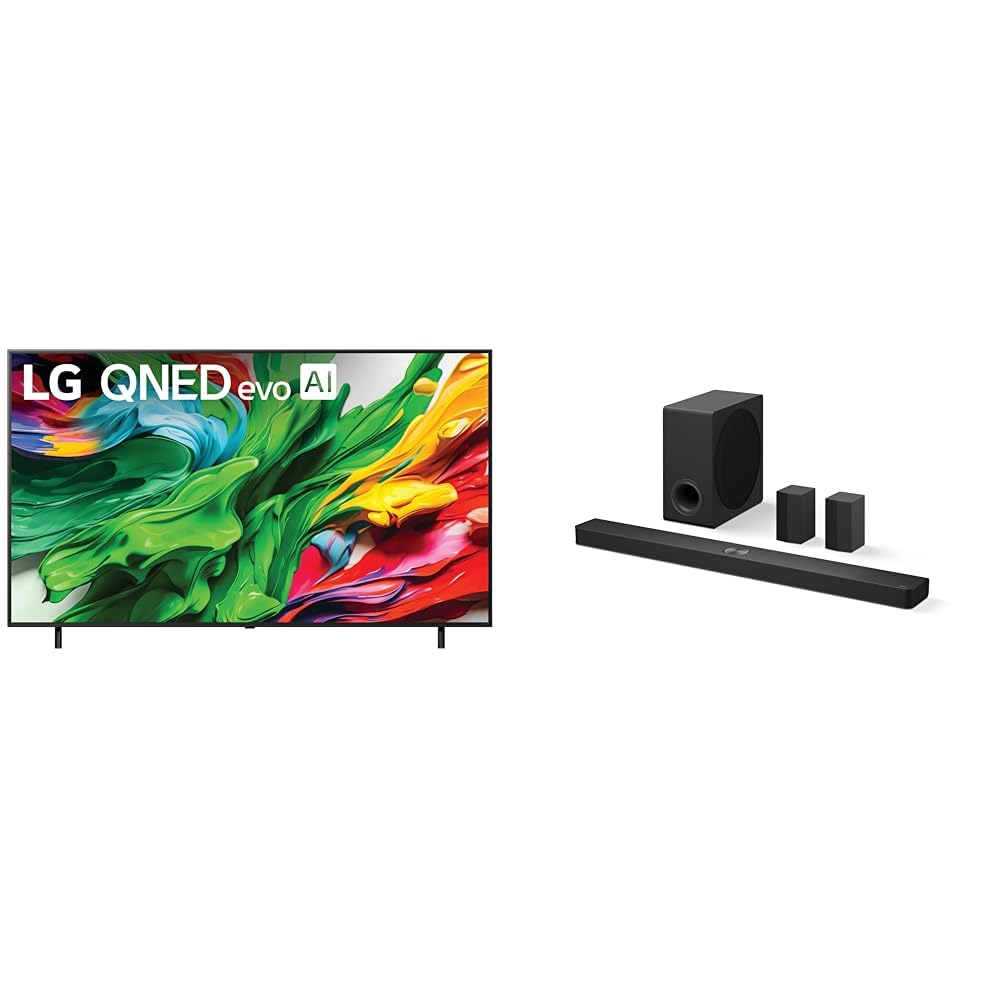
Image: The LG 75-inch QNED 4K Smart TV displayed alongside the S90TR soundbar, wireless subwoofer, and two rear surround speakers.
Setup
1. TV Setup (LG 75QNED85AUA)
- Unpacking: Carefully remove the TV from its packaging. It is recommended to have two people for this process due to the size and weight.
- Stand Installation (Optional): If using the included stand, attach the stand components to the TV according to the instructions provided in the separate quick setup guide. Ensure all screws are securely fastened.
- Wall Mounting (Optional): If wall mounting, refer to the wall mount bracket instructions (sold separately) and ensure proper installation for the TV's weight and size.
- Power Connection: Connect the TV power cord to the TV's power input, then plug it into a grounded electrical outlet.
- Initial Power On: Press the power button on the TV or the remote control to turn on the TV. Follow the on-screen prompts for initial setup, including language, network connection, and channel scanning.
2. Soundbar System Setup (LG S90TR)
- Soundbar Placement: Place the soundbar centrally below your TV, ensuring it does not obstruct the TV's remote sensor.
- Subwoofer Placement: Position the wireless subwoofer on the floor, preferably in the front of the room, near the soundbar. Avoid placing it in a corner or enclosed space for optimal bass response.
- Rear Speaker Placement: Place the two rear surround speakers behind your primary listening position, one on each side. Ensure they are within range for wireless connection to the soundbar.
- Power Connections: Connect the power cords for the soundbar, subwoofer, and rear speakers to their respective power inputs, then plug them into grounded electrical outlets.
- Audio Connection to TV: Connect the soundbar to the TV using the supplied HDMI cable. Use the HDMI eARC/ARC port on your TV for the best audio quality and control.
- Wireless Pairing: The soundbar, subwoofer, and rear speakers should automatically pair upon power-up. If pairing issues occur, refer to the soundbar's specific manual for manual pairing instructions.
Operating
1. TV Operation
- Magic Remote: Use the Magic Remote to navigate the TV's interface. Point and click, use the scroll wheel, or utilize voice commands for easy control.
- Smart Features: Access streaming apps, web browsing, and other smart features via the TV's webOS platform.
- Picture Settings: Adjust picture modes (e.g., Vivid, Standard, Cinema, Filmmaker Mode) and advanced settings (brightness, contrast, color, sharpness) through the TV's menu.
- AI Picture/Sound: The TV features AI Picture and AI Sound for automatic optimization of visual and audio quality based on content and environment. Enable these features in the settings menu.
2. Soundbar System Operation
- Power On/Off: The soundbar system will typically power on and off with the TV when connected via HDMI eARC/ARC.
- Volume Control: Adjust the volume using the TV remote or the soundbar's remote control.
- Sound Modes: Select various sound modes (e.g., AI Sound Pro, Standard, Cinema, Music, Game) to optimize audio for different content types.
- WOW Orchestra: This feature allows the TV's internal speakers and the soundbar system to work together for an enhanced audio experience. Ensure it is enabled in the TV's sound settings.
- Input Selection: Use the soundbar remote to switch between different audio inputs (e.g., HDMI, Optical, Bluetooth).
Maintenance
- Screen Cleaning: Gently wipe the TV screen with a soft, dry microfiber cloth. For stubborn marks, slightly dampen the cloth with water or a specialized screen cleaner (do not spray directly on the screen).
- Soundbar/Speaker Cleaning: Use a soft, dry cloth to wipe dust from the soundbar, subwoofer, and rear speakers. Avoid using harsh chemicals.
- Software Updates: Ensure your TV's software is up to date for optimal performance and new features. Check for updates via the TV's settings menu (Settings > Support > Software Update).
- Remote Control: Replace batteries in the Magic Remote when its performance degrades.
Troubleshooting
| Issue | Possible Solution |
|---|---|
| No power (TV/Soundbar) | Check power cord connections. Ensure the outlet is functional. Press the power button on the device or remote. |
| No picture (TV) | Verify input source. Check HDMI cable connections. Try a different input source. |
| No sound from soundbar | Ensure soundbar is powered on. Check HDMI eARC/ARC connection. Verify TV audio output is set to external speakers. Increase volume. |
| Subwoofer/Rear speakers not connecting | Ensure all components are powered on. Check for obstructions. Refer to the soundbar manual for manual pairing instructions. |
| Remote control not working | Replace batteries. Ensure no obstructions between remote and device. Clean remote sensor on TV/soundbar. |
| Picture quality issues | Adjust picture settings. Check source content resolution. Ensure cables are securely connected. |
Specifications
LG 75QNED85AUA 75-Inch QNED 4K Smart TV
- Display Type: QNED AI 4K
- Screen Size: 75 Inches
- Resolution: 4K UHD (3840 x 2160)
- Processor: AI Processor (specific model not detailed)
- HDR Support: HDR10
- Smart TV Platform: webOS (with Alexa Built-in)
- Special Features: AI Picture, AI Sound, AI Super Upscaling 4K, Filmmaker Mode, WOW Orchestra
LG S90TR 7.1.3-Channel Home Theater Soundbar System
- Channels: 7.1.3-Channel
- Audio Technologies: Dolby Atmos, DTS:X
- Components: Soundbar, Wireless Subwoofer, Rear Surround Speakers
- Connectivity: Wireless Rear Speakers, WOW Orchestra compatibility
Warranty and Support
For detailed warranty information, please refer to the warranty card included with your product or visit the official LG website. If you require technical assistance or support, please contact LG customer service. You can find contact details on the LG website or in your product documentation.
For additional resources and product information, visit the LG Store on Amazon.