
Polk Audio 300731-01-00-101
Polk Audio Signa S2D Sound Bar System User Manual
Comprehensive guide for setup, operation, and maintenance of your Polk Audio Signa S2D Sound Bar with Wireless Subwoofer.
Product Overview
The Polk Signa S2D Sound Bar with Wireless Subwoofer is designed to enhance your home audio experience, delivering rich, detailed surround sound in a compact form factor. This system features Polk's VoiceAdjust technology for clear dialogue, a powerful wireless subwoofer for deep bass, and versatile connectivity options including HDMI ARC, Optical, and Bluetooth.

Image: The Polk Audio Signa S2D Sound Bar and its accompanying wireless subwoofer, showcasing their compact design.
Setup Guide
Included Components
Before you begin, ensure all components are present in the box:
- IR Remote Control + AAA Battery
- 5' HDMI Cable
- 5' Optical Cable
- Two power cords and sound bar power supply
- Quick Start Guide
Connecting the Sound Bar to Your TV
The Signa S2D offers multiple connection options for optimal audio quality and ease of use. Setup typically takes only a few minutes.
- HDMI ARC Connection (Recommended):
For the best audio quality and seamless control with your TV's remote, connect the included HDMI cable from the HDMI ARC port on the sound bar to the HDMI ARC port on your television. Ensure your TV's HDMI ARC feature is enabled in its settings.

Image: Close-up of the sound bar's rear panel, highlighting the HDMI ARC and Optical input ports.
- Optical Connection:
If your TV does not have an HDMI ARC port, use the included optical cable. Connect one end to the TV (OPTICAL) port on the sound bar and the other end to the optical digital audio output on your television.
- Auxiliary (AUX) Connection:
For connecting other audio devices, use a 3.5mm auxiliary cable (not included) to the AUX input on the sound bar.
Wireless Subwoofer Setup
The compact wireless subwoofer automatically pairs with the sound bar for deep, room-filling bass. Simply place the subwoofer in your desired location, ensuring it is within range of the sound bar, and connect it to a power outlet using one of the provided power cords.
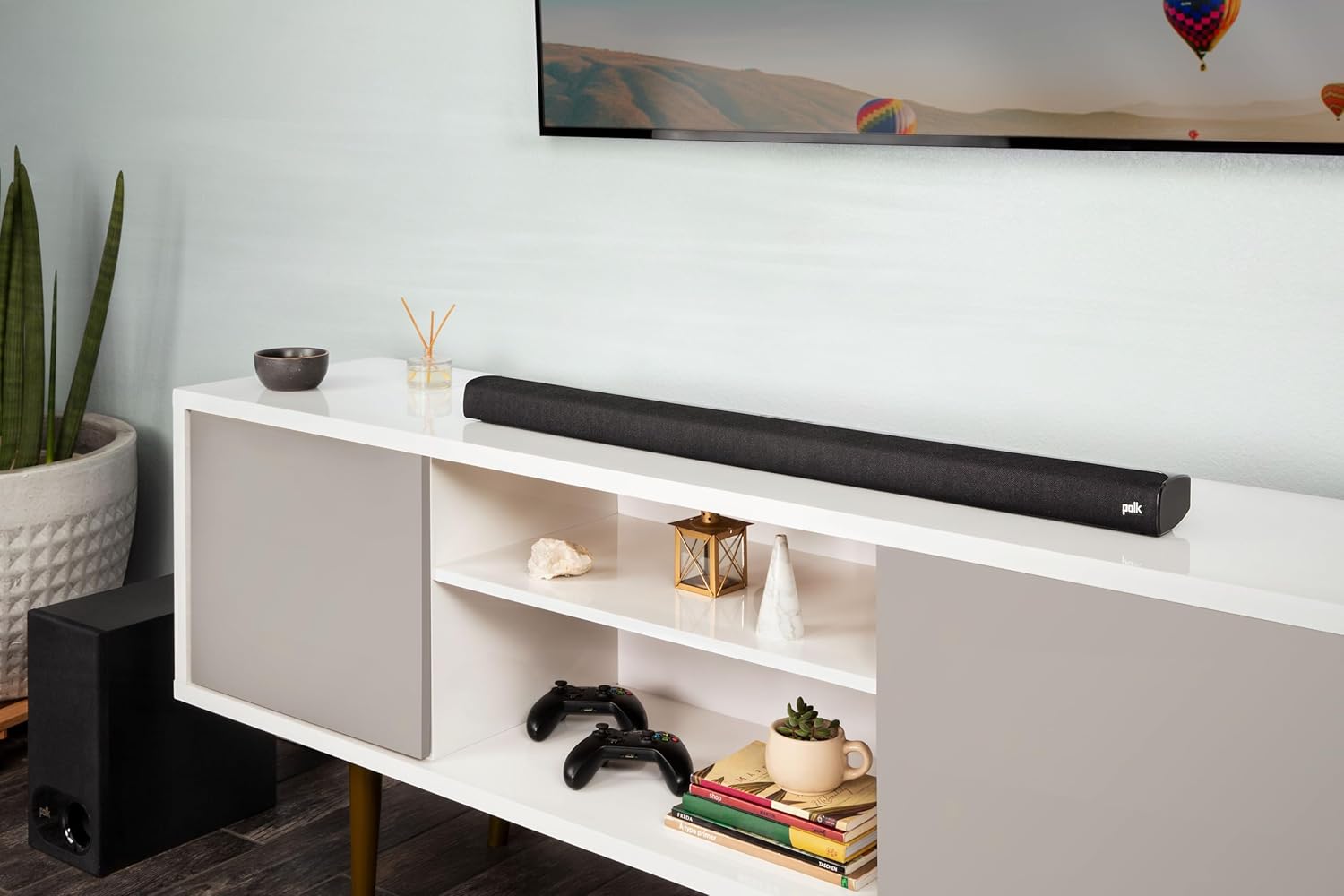
Image: The Polk Audio Signa S2D sound bar positioned below a television, with the wireless subwoofer placed discreetly to the side, demonstrating a typical home entertainment setup.
Operating Instructions
Powering On/Off and Input Selection
Use the included IR remote control or the buttons on top of the sound bar to power the unit on or off and select your desired audio input (HDMI, Optical, AUX, Bluetooth).
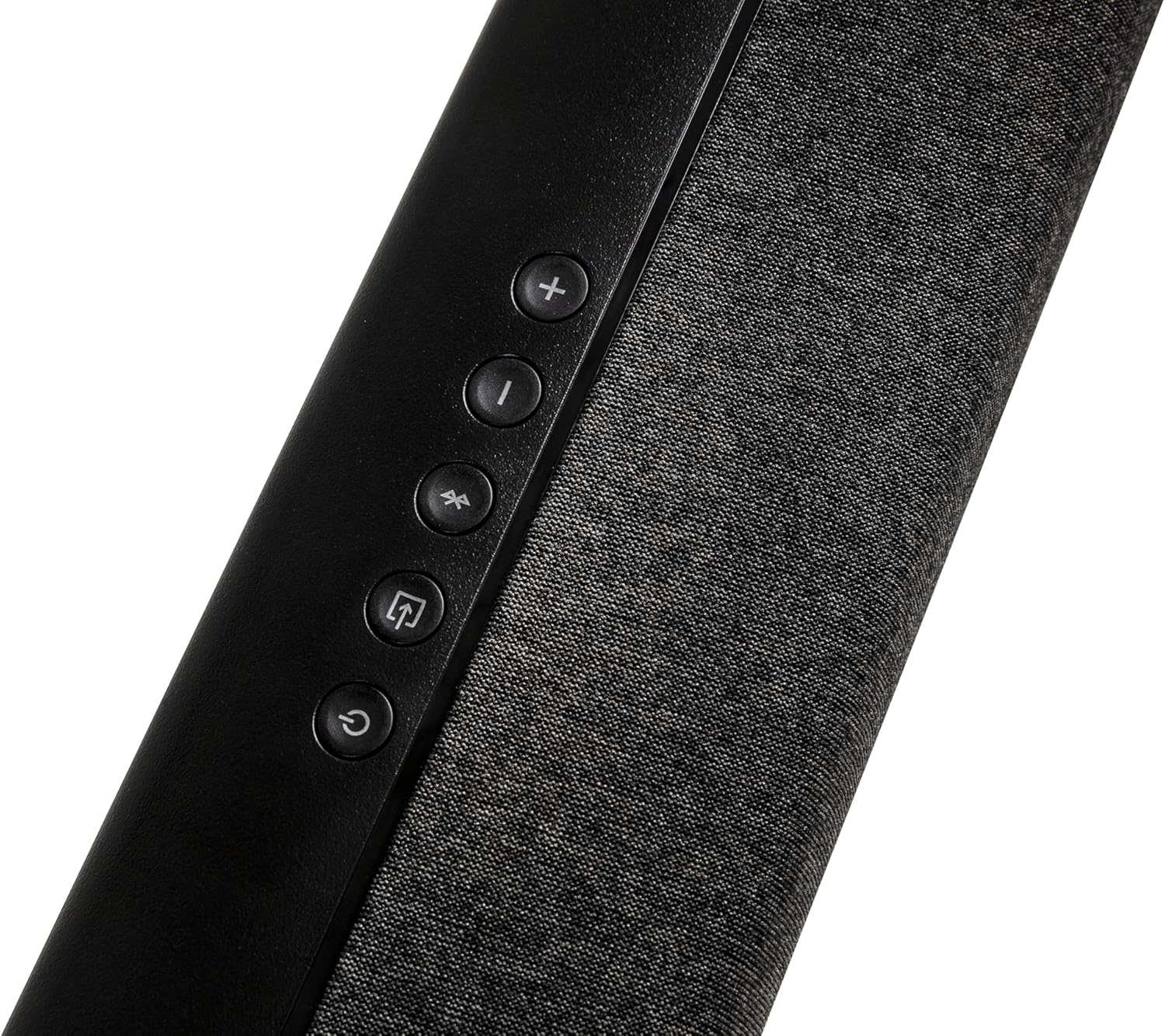
Image: A close-up view of the control panel located on the top surface of the sound bar, showing buttons for volume, input selection, and power.
Audio Enhancements
- VoiceAdjust Technology: Polk's exclusive VoiceAdjust technology allows you to customize voice levels to reproduce clear, crisp dialogue, ensuring you hear every word perfectly, even during action-packed scenes.
- Dolby Digital & DTS Virtual Surround: Experience immersive, performance-tuned surround sound that elevates your home theater experience. The sound bar decodes Dolby Digital and DTS Virtual Surround signals for a dynamic audio landscape.
- Bass Control: Adjust the subwoofer's bass level to your preference using the remote control.
Bluetooth Music Streaming
Stream music wirelessly from your smartphone, tablet, or other compatible Bluetooth-enabled device. Simply select the Bluetooth input on the sound bar, pair your device, and enjoy your favorite streaming apps like Pandora, Spotify, and TuneIn with enhanced audio quality.
Maintenance
To ensure the longevity and optimal performance of your Polk Audio Signa S2D Sound Bar System, follow these simple maintenance guidelines:
- Cleaning: Gently wipe the surfaces of the sound bar and subwoofer with a soft, dry, lint-free cloth. Avoid using abrasive cleaners, waxes, or solvents as they may damage the finish.
- Placement: Ensure the sound bar and subwoofer are placed on stable, level surfaces. Avoid placing them in direct sunlight, near heat sources, or in areas with high humidity.
- Ventilation: Do not block any ventilation openings on the sound bar or subwoofer to prevent overheating.
Troubleshooting
If you encounter issues with your Polk Audio Signa S2D Sound Bar System, try the following troubleshooting steps:
- No Power: Ensure both the sound bar and subwoofer are securely plugged into working power outlets. Check the power cords for any damage.
- No Sound:
- Verify the correct input source is selected on the sound bar (HDMI, Optical, AUX, Bluetooth).
- Check all audio cables (HDMI, Optical, AUX) are securely connected at both ends.
- Ensure the TV's audio output settings are correctly configured to send audio to the sound bar (e.g., external speakers, PCM format).
- Increase the volume on both the sound bar and your TV.
- Subwoofer Not Pairing/No Bass:
- Ensure the subwoofer is powered on and its status light indicates it's connected.
- Move the subwoofer closer to the sound bar to improve wireless connection.
- Refer to the Quick Start Guide for manual pairing instructions if automatic pairing fails.
- Remote Control Not Working:
- Check and replace the AAA battery in the remote control.
- Ensure there are no obstructions between the remote and the sound bar's IR receiver.
If the issue persists after trying these steps, please contact Polk Audio customer support for further assistance.
Specifications
| Feature | Detail |
|---|---|
| Model Name | Signa S2D |
| Speaker Type | Soundbar |
| Mounting Type | Wall Mount |
| Product Dimensions (Sound Bar) | 3.31"D x 35.43"W x 2.15"H |
| Item Weight | 19.41 pounds (Total System) |
| Speaker Maximum Output Power | 80 Watts |
| Frequency Response | 20 Hz (Lower end, indicative of subwoofer performance) |
| Connectivity Technology | HDMI, Optical, Bluetooth |
| Audio Output Mode | Surround |
| Control Method | Remote |
| UPC | 747192139490 |
| Item Model Number | 300731-01-00-101 |
Warranty and Support
The Polk Audio Signa S2D Sound Bar System comes with a Limited Warranty. For specific terms and conditions of your warranty, please refer to the warranty documentation included with your product or visit the official Polk Audio website.
For technical support, troubleshooting assistance beyond this manual, or warranty claims, please contact Polk Audio customer service. Contact information can typically be found on the Polk Audio website or in your product's Quick Start Guide.
Extended protection plans may be available for purchase separately to provide additional coverage beyond the standard limited warranty. Please check with your retailer or Polk Audio for details on available protection plans.
Related documents300731-01-00-101

Ask a question about this manual
Ask about setup, troubleshooting, compatibility, parts, safety, or missing instructions. Manuals+ will review the question and use this page’s manual context to help answer it.